
This firmware is for M8s+ TV Box with Amlogic S812 CPU
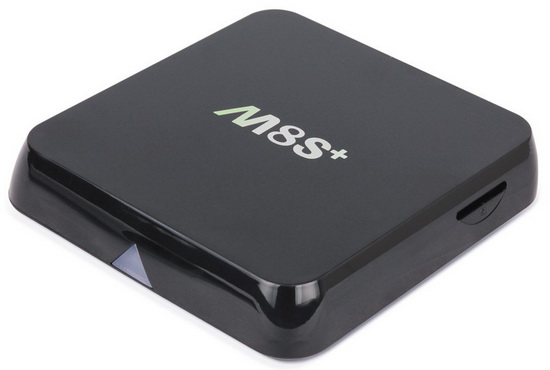
Download Android Lollipop 5.1.1 stock firmware for M8S+ TV Box from here or here. Download previous firmware from here.
Firmware details
Archive: M8S+ 5.1 20151121
Model: M8S Plus TV Box
Image file size: 413 MB
Platform: Amlogic S812
Update file name: M8S+-usb-update-20151121.zip
Build number: MBX/KII/KII:5.1.1/LMY47V/20151121:userdebug/test-keys
Caution: Please do not update firmware unless you know what you are doing, you really want it or it is absolutely necessary. Firmware updates may occasionally have bad results, like bricking your device, temporarily or permanently. The firmware update process is done entirely at your own risk. Before attempting to update the firmware, back up your data.




Is this update stable?
What is the differences with the others?
Where can be found the changelogs?
Is there statusbar? with notifications?
It seems to be stable and it is rooted.
The others versions could be rooted too.
If we update to 5.1 and it doesn’t work as we like can we update back to 4.4 – will it come from internal storage or would flash card or a usb stick be needed ? Thanks
Of course, you could back to 4.4. I did it several times.
Put your archive on your USB stick or your memory card.
Hello can i use that on M8N?
I guess not…
anybody now that Lolipop cames out for M8N nexttime?
KODI???
hi, does it works on a normal M8S box?
I installed the 5.1 but my wifi is a no go.
Does anyone have KII-ota-20151020.022040.V0823 –
the KII-ota-20150604.022040.V0823 turns my m8s+ into a m8s
I downloaded but I get a aml_upgrade_package about 925,644KB but nothing seems to work with it.
Can any one help ..please
someone has a tutorial to update ? thx
@extoeiator
Instructions
1. Download the firmware.
2. Extract all the files in the zip to a freshly formatted SD Card.
3. Make sure the power IS NOT connected and Insert the SD Card in the TV Box
4. In the back of the device, Locate the headphone connector and insert a tooth pick or something none conductive into the hole. You should feel a button being pressed.
5. Press and hold the Button in the headphone hole while plugging in the power. Keep holding the button for 10 seconds
6. If you did the steps correctly you should see an green Android robot with a progress bar below. Your box is now updating. DO NOT TURN OFF THE POWER OR TOUCH THE BOX!
7. When the update is completed your box will automatically reboot on it’s own. The first boot will take some time so be patience
Attention: SU (super user) is integrated in this update. If you start SU it will ask to upgrade, DENY IT otherwise after reboot android will continuously restart. For the rest, this update works very stable.
Yes the WIFI works on the new Firmware 5.1.1, to turn on must input your WIFI password ,, it works try it,,, The new update works the best on KODI , I am running all the apps from Kodi … runs strong and very fast…
I tried this ROM a few days ago, but have since returned to 4.4.
Theres still no bar with home, task manager etc. Perhaps that can be added with an app. I also had a few problems with my internet connection dropping out on ethernet and Google play force closing.
I’ll call back every now and then and try out any further releases.
Hello, i have a OTT M8S ( no Plus )
is this Firmware also running for my Box ( are they compatible ).
or is there a Extra-Version aviable for M8S ?
Dont know if this Question is answered in other Posts
and i only find Firmware for M8S+
Addition:
I have running Android 4.4.2 and want to update to 5.1.1
Hi,
I’ve one of these boxes but there is no status bar with notifications.
Is this a bug or a design decision, has anyone got this rom installed, does it have a status bar with notifications?
Thanks,
Hi, will it work on M8S?
Please let us know, in other case is there any 5.1 firmware update available for M8S? if not then which is the latest firmware available for M8S?
Thank you guys, your inputs are highly appreciated!
Just wondering how stable and if worth it or not to change from 4.4.2 to the 5.1 upgrade
please link upgrade m8s , thank you so much.