
Xiaomi mijia multimode gateway is a new generation of intelligent home control center built by Aqara. It supports three communication protocols: ZigBee 3.0, WiFi and BLE & BLE Mesh, and realizes the interconnection of devices with different protocols. So, how to use this Xiaomi multimode gateway? How to add or remove devices from it? Please read on.
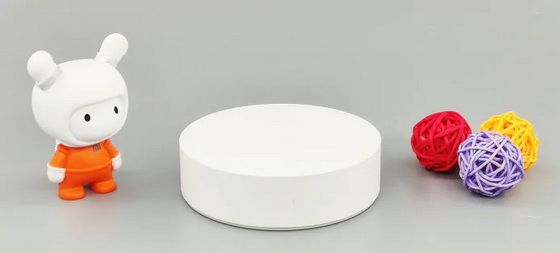
How to add Zigbee sub-devices with Xiaomi mijia multimode gateway?
Step 1: Enter the interface of Mijia App-Xiaomi Intelligent Multimode Gateway (or custom name)- sub-device.
Step 2: Then click the “+” button in the lower right corner, and select the device to be added.
Step 3: At this time, the Xiaomi multimode gateway will enter the 60-second sub-device pairing state. You only need to immediately add the device at the sub-device side according to the prompt of the interface, and complete the device addition by pressing the reset key for more than 5 times.
In addition to the 41 sub-devices of the Xiaomi / Mijia / Aqara brand listed in the list, it also supports all the intelligent door locks, ceiling lights and other Zigbee-based transmission products of the Aqara brand. When in use, you can also click on any device to make the Xiaomi multimode gateway advanced into the sub-device to match the response status, and then complete the verification according to its product description at the sub-device side. It can also be added, and the multi-mode gateway will issue two long beeps after successful operation.
How to delete Zigbee sub-devices from Xiaomi mijia multimode gateway?
Step 1: You can delete Zigbee sub-devices from the list of Mijia App or multi-mode gateway sub-devices.
Step 2: Or you can unbind them directly by pressing the reset key for more than 5 times.
Step 3: After successful unbinding, the multi-mode gateway will emit three short beeps.
How to add BLE sub-devices with Xiaomi mijia multimode gateway?
Step 1: Make sure that the Xiaomi multimode gateway and BLE sub-devices are turned on and added to the list of Mijia App devices under the same account.
Step 2: The Xiaomi multimode gateway will automatically search for and identify BLE sub-devices within 10-15m nearby, and there is no need to manually add or remove them.
You can also enter the interface of Mi Home App “my Bluetooth Gateway” Xiaomi Home Intelligent Multimode Gateway (or custom name) to view the Bluetooth gateway devices that have been identified and connected to the cloud. However, if there are multiple BLE sub-devices in your home, and the locations are long and scattered from each other, it is recommended to form a Mesh gateway with other Bluetooth gateways to increase the coverage and allow more Bluetooth devices to connect to the external network and support scene linkage.
Can the previous Zigbee gateway add new Zigbee 3.0 devices?
Because the Zigbee 3.0 transport protocol used in Xiaomi multimode gateway is backward compatible with the previous Zigbee 1.2 technology, it is perfectly compatible with all current and early Zigbe sub-devices. On the contrary, the original Mijia multi-function gateway, Mijia empty set partner 2, Aqara gateway, Aqara intelligent camera G2 and other devices can not support the subsequent introduction of Mijia light sensors, all the new products based on Zigbee 3.0 transmission can only be solved by replacing the gateway that supports Zigbee 3.0 transport protocol.
Did this article help you? If so, please tell me in a comment what do you think about it.
Don’t miss any of our future video tutorials, follow us on Youtube. Like us on Facebook. Add us in your circles on Google+. Watch our photo albums on Flickr. Subscribe now to our newsletter.





