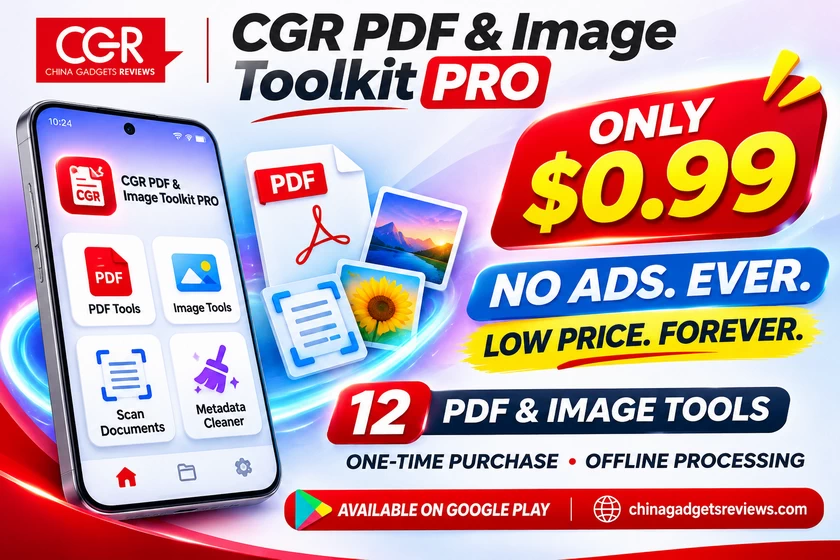
A powerful, privacy-focused Android toolbox for PDF editing, image conversion, compression, document scanning, and much more. One incredibly affordable price, no subscriptions, and a permanent commitment to an ad-free experience. We are excited to officially introduce CGR PDF & Image Toolkit PRO, our latest Android application developed under the China Gadgets Reviews brand and now available on Google Play Store! And the best part? The application costs just $0.99 USD, with a permanently affordable pricing philosophy and absolutely no advertisements – now or ever!
Over the years, we have tested countless smartphones, tablets, cameras, and other gadgets, and one thing has become increasingly obvious: even the simplest everyday tasks can become unnecessarily complicated when mobile applications are overloaded with advertisements, expensive subscriptions, confusing menus, and unnecessary account requirements.
Converting a photo into a PDF, compressing an oversized image, combining documents, scanning paperwork, or removing photo metadata should be straightforward. These are practical operations that millions of Android users need regularly, whether for work, education, content creation, or personal use.
That philosophy inspired CGR PDF & Image Toolkit PRO, an all-in-one utility that brings 12 practical PDF and image tools together in a clean, modern, and easy-to-use application.
And the best part? The application costs just $0.99 USD, with a permanently affordable pricing philosophy and absolutely no advertisements — now or ever!
A Complete PDF Toolkit in Your Pocket
PDF documents have become an essential part of everyday digital life. From invoices and contracts to school assignments, business documents, and scanned receipts, we constantly encounter situations where we need to create or modify a PDF without opening a computer.
CGR PDF & Image Toolkit PRO makes these everyday operations considerably more convenient.
One of its most useful features is the ability to create PDF documents directly from selected photos. Users can choose several images, arrange their order, configure page dimensions such as A4 or Letter, and export them into a single PDF document.
The application also allows users to combine multiple PDF files into one document or extract selected pages into a separate file. This is particularly convenient when preparing paperwork, reorganizing scanned documents, or sharing only the pages that matter.
Another important feature is PDF compression. The application provides three optimization presets — Maximum Quality, Balanced, and Smallest File — allowing users to choose the balance between image quality and file size.
For additional transparency, the application displays the original size, final size, and actual storage savings. Compression results naturally depend on the contents of each document, and files that are already highly optimized may not become significantly smaller.
There is also a tool for removing basic PDF document metadata, helping users reduce unnecessary information stored in compatible files before sharing them.
Powerful Image Conversion and Compression
Working with images is another area where CGR PDF & Image Toolkit PRO becomes especially useful.
Whether you regularly take photographs, manage product images, prepare online listings, or share pictures through messaging applications, having reliable conversion and compression tools directly on your smartphone can save considerable time.
The application supports image conversion between several popular formats, including JPG, PNG, WebP, BMP, and static GIF.
Users can also resize pictures using convenient presets or custom dimensions. This is useful when an image is too large for a website, an upload form, or an email attachment.
The integrated image compressor provides additional control over output size and image quality. There is even an option to specify a target file size, allowing the application to attempt an optimized export that approaches the desired limit.
For anyone managing numerous photographs, batch processing is particularly valuable. Instead of converting or resizing every image individually, users can process multiple files and export the results to a selected destination folder.
This combination makes the application useful not only for casual users but also for bloggers, online sellers, students, and digital content creators.
Turn Your Smartphone Into a Document Scanner
One of the highlights of CGR PDF & Image Toolkit PRO is its integrated document scanner.
Instead of requiring a separate scanning application, users can capture a document with the smartphone camera or import an existing image and transform it into a clean PDF.
The scanner includes adjustable four-corner selection and perspective correction, helping compensate for documents photographed at an angle.
Users can also select their preferred output format, including Color, Grayscale, or Black & White, depending on the type of document.
Support for multipage PDFs makes the scanner particularly useful for digitizing invoices, receipts, forms, notes, and other paperwork.
For everyday document scanning and organization, it is a practical feature that complements the other PDF tools exceptionally well.
Privacy Matters — Your Files Stay on Your Device
Privacy was one of our main priorities when designing CGR PDF & Image Toolkit PRO.
Many online PDF converters and image optimization services require users to upload their documents to remote servers. While cloud services can certainly be convenient, not everyone wants to send personal photographs, invoices, scanned documents, or work-related files to an external platform.
Our approach is different.
CGR PDF & Image Toolkit PRO processes supported files locally on your Android device. There is no mandatory account registration, and the application does not require documents to be uploaded to a cloud service for processing.
Users select their files using Android’s file picker, while the original files are preserved and processed results are saved to a destination of their choice.
The application also includes tools to remove common EXIF and other supported metadata from photographs, reducing unnecessary information that might otherwise accompany shared images.
Of course, metadata removal should not be confused with complete anonymization. Information visibly present within a photograph or document remains visible, and users should always inspect sensitive files before sharing them.
This transparent, privacy-conscious approach is an important part of the CGR philosophy.
Clean Design, Light and Dark Themes, and Easy Navigation
A good utility application should not require an instruction manual for every operation.
CGR PDF & Image Toolkit PRO has been designed around a straightforward interface that makes its tools accessible without unnecessary complexity.
Users can choose between Light and Dark themes, making the application comfortable to use in different environments and according to personal preference.
The processing workflow also offers customizable export options, allowing users to adjust relevant settings before generating their final documents or images.
Rather than relying on distracting promotional banners or complicated subscription screens, the interface focuses on getting things done efficiently.
An Incredible $0.99 Super Offer — And Absolutely No Ads, Ever!
Perhaps the most attractive part of CGR PDF & Image Toolkit PRO is its pricing model.
The application is available on Google Play Store for just $0.99 USD!
We deliberately chose an extremely accessible price because we believe useful Android applications should not require expensive monthly subscriptions or complicated premium upgrades.
And this is not intended to be one of those temporary launch promotions that disappear after a few days.
Our commitment is to keep CGR PDF & Image Toolkit PRO permanently affordable, with its low-price philosophy remaining a defining part of the application.
Even more importantly, we want to make something absolutely clear:
NO ADS. NOW OR EVER.
CGR PDF & Image Toolkit PRO has no advertisements, and we are committed to keeping it completely ad-free throughout its lifetime.
There are no monthly subscriptions, no recurring charges, and no hidden monetization schemes.
Pay once. Enjoy the complete application. No advertisements. No interruptions.
In a mobile app market increasingly dominated by subscription services and aggressive advertising, we believe this approach offers something refreshingly simple and transparent.
Built for Everyday Productivity
What makes CGR PDF & Image Toolkit PRO interesting is not simply the number of tools it includes, but how naturally those tools complement one another.
A student can scan handwritten notes and combine them into a single PDF. An office worker can extract selected pages from a longer document before sharing them. A content creator can resize and compress multiple photographs before uploading them to a website.
Similarly, users who frequently submit documents through online portals can prepare images, convert files into PDFs, or reduce compatible file sizes without needing several separate applications.
There are some reasonable technical limitations worth mentioning. Scanned PDFs do not include OCR text recognition, compression results vary with document content, and certain encrypted, protected, or digitally signed PDF files may not support editing.
Rather than making unrealistic promises, our objective is to provide dependable everyday tools with clear functionality and predictable results.
Final Verdict — Premium Utility, Tiny Price, Zero Ads!
With CGR PDF & Image Toolkit PRO, we wanted to create the kind of application we personally appreciate: practical, lightweight in its approach, respectful of user privacy, and straightforward to use.
Combining PDF creation, merging, extraction, compression, document scanning, image conversion, resizing, batch processing, and metadata cleaning in one Android application makes it a versatile companion for everyday digital tasks.
The availability of Light and Dark themes, customizable export settings, and offline processing further strengthens the overall package.
But what truly sets our application apart is its commitment to accessible pricing and an advertisement-free experience.
For just $0.99 USD, CGR PDF & Image Toolkit PRO delivers excellent value, backed by our commitment to keep the price affordable and the application completely free of advertisements — forever.
We are proud to introduce this new application to the China Gadgets Reviews community and look forward to improving it through future updates and user feedback.
CGR PDF & Image Toolkit PRO is now available on Google Play Store!
Download / Purchase on Google Play: https://play.google.com/store/apps/details?id=com.chinagadgetsreviews.pdfimagetoolkit
Official Privacy Policy: https://chinagadgetsreviews.com/cgr-pdf-image-toolkit-pro-privacy-policy
Developed by China Gadgets Reviews — Smart Tools. Honest Pricing. No Ads. Ever.
Did this article help you? If so, please tell me in a comment what do you think about it.
Don’t miss any of our future video tutorials, follow us on Youtube. Like us on Facebook. Join our Best Deals Telegram Channel. Join our Android TV Box Firmware Updates Telegram Channel. Subscribe now to our newsletter. If you need Tech Reviewer or Youtube Influencer read this. Donate now here to support CGR Team!