
This firmware is for Zidoo X20 TV Box with Realtek RTD1296 as CPU.

Download Android 7.1.1 stock firmware v2.3.88 for Zidoo X20 TV Box from here. Download previous firmware from here.
Firmware details
Archive: ZIDOO_X20_N_v2.3.88_202204021314_ota-package
Model: Zidoo X20 TV Box
Image file size: 568 MB
Platform: Realtek RTD1296
Update file name: ZIDOO_X20_N_v2.3.88_202204021314_ota-package.zip
Build number: rtk_kylin32-eng 7.1.1 N9F27C eng.jiangb.20220402.122003 test-keys
How to upgrade
First: Click “ABOUT”→”Update”→”Local update” in succession
Second: Choose the OTA zip file from you Udisk.
Verifying the ota file
Copying the ota file
When finished copy, click “Update”
Wait the updating (please don’t turn off the power)
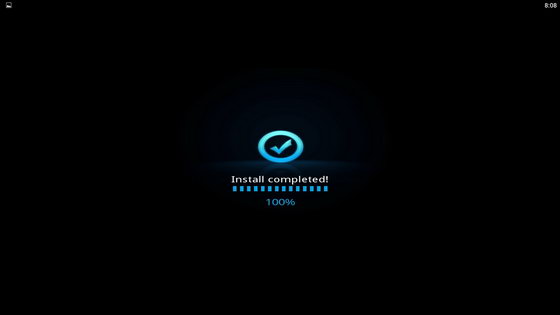
When it finished, then the unit will automatically restart,the upgrade is success.
Reopen the About page, the Software Version is the new version now.
Changelog
Home Theater
1. Optimize the collection function
2. Scanning adds separate scanning function for movies and TV series
3. Add individual national languages
4. Fixed the problem of failure to export collection images
5. Optimize the problem of excessive video crashing occasionally
6. Optimize the stability of scanning
7. Fix the problem of quick click to reset custom layout application crash
8. Fix the problem that the movie marked as finished is not played from the beginning
9. Optimize the focus of the movie details video list
10. Optimize some translations
11. Add ignore TV series saison words
12. Fix the problem that the video does not play immediately after clicking to play
13. Add boring mode function
Hide the boring widget guide: enter the widget editing – category – uncheck the boring mode on the main interface of the poster wall
14. Remove scan default ignore words
15. Fix the problem of exporting the collection picture error
16. Fixed the problem that the original music cannot be closed in the classic list mode
17. Fix the problem that the home button exits and the application crashes occasionally during scanning
18. Fix the problem that the English letters of the classification and sorting interface are not displayed completely
19. Fix the problem that the scanning filter folder does not take effect
20. Add the editing functions of “All” and “Device” of the main interface widgets
21. Optimize tmdb episode matching function
22. Optimize the display of TV drama titles in new collections
24. Optimized the function of watching the record has been read
25. Add sorting and filtering word customization function
26. Add the function of adding custom scan ignore folders and files
27. Increase the year display switch in the collection interface
28. Add the function of sliding out the details of the poster covering the interface
29. Add the device renaming function in the widget
30. Optimize bookmark function
31. Add local clearlogo picture function
Example of clearlogo naming: video name-clearlogo.png, recommended image resolution: 800×310
32. Optimize the collection export function
33. Added manual refresh function for video information in the details interface
34. Optimize the display logic of viewing records
35. Optimize video resolution label acquisition
36. Optimize character information display function
37. Fix the problem of occasional scan flashback
38. Enter the collection through the search interface, and increase the manual sorting function
39. Optimize application stability
40. Add clearlogo switch
41. Added original soundtrack support (movie name-soundtrack.mp3, movie name-soundtrack.wav, movie name-soundtrack.flac)
42. Optimize the interface display of the details interface
43. Optimize the loading of poster images
44. Fix the problem of abnormal flashback when loading local pictures occasionally
45. Fix the problem that Douban character information occasionally cannot be obtained
46. Fix the problem that occasionally mobile phones cannot obtain poster information
47. Fix the problem that the FHD corner mark cannot be displayed
48. Optimize the display of TV drama duration information
49. Optimize NFO export function
50. Modify the problem that the custom classification on the iPad does not display data
51. Optimize the poster wall to load the default image of the poster
File Manager
1. Add Webdav protocol function
Note: Due to uncertain factors such as bandwidth and nodes, it is not recommended to use this function to play high-bit-rate video files in a WAN environment. This function does not support video ISO file playback
2. Add the function of Baidu cloud list
Note: Due to the user policy of the network disk provider or the adjustment of interface permissions, this function may fail. Due to uncertain factors such as bandwidth and nodes, it is not recommended to use this function to play high-bit-rate video files. This function does not support video ISO file playback
3. Repair individual interface display
4. Optimize NFS and SMB scanning
5. Fix the problem that individual users open NFS prompting an unknown error
Image Manager
1. Increase the function of network picture slideshow
2. Optimize the problem of loading errors of individual pictures
Caution: Please do not update firmware unless you know what you are doing, you really want it or it is absolutely necessary. Firmware updates may occasionally have bad results, like bricking your device, temporarily or permanently. The firmware update process is done entirely at your own risk. Before attempting to update the firmware, back up your data.
Did this article help you? If so, please tell me in a comment what do you think about it.
Don’t miss any of our future video tutorials, follow us on Youtube. Like us on Facebook. Join our Best Deals Telegram Channel. Join our Android TV Box Firmware Updates Telegram Channel. Subscribe now to our newsletter. If you need Tech Reviewer or Youtube Influencer read this. Donate now here to support CGR Team!


