
6 ColorOS 6 Life Hacks
Now that the OPPO Reno2 has launched, you probably want to know about everything which ColorOS 6 is capable of and how you can get the most out of it! Read on to learn how to make use of these amazing ColorOS 6 functions – Smart Sidebar, Navigation Gestures, Riding Mode, Party Mode, Gaming Assistant, and Power Saver.
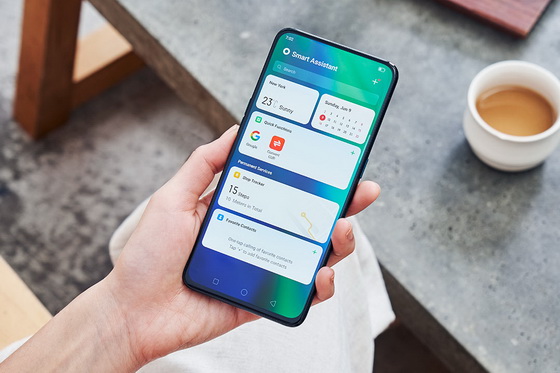
We prioritize efficiency and simplicity in our design, with an aim to greatly improve the mobile device experience for all users. Here are 6 Life Hacks which will drastically improve your experience using ColorOS 6 on your OPPO device.
Smart Sidebar
With your Smart Sidebar active, navigation is more of a breeze than ever before. With a swift swipe from the side of your screen, you will be presented with a selection of quick tools and quick apps. Quick tools include screenshot, screen recording, and block banners. Customize your Smart Sidebar with frequently used quick apps for optimal and convenient navigation. You can summon your Smart Sidebar under Settings -> Convenience Aid -> Smart Sidebar.
Navigation Gestures
There are several gestures which can be performed to make your OPPO device navigation much simpler and smoother. With a few quick and easy gestures, you can access some of your phone’s most important features in seconds.
Double tap to turn on the screen
Draw a circle to open your device’s camera
Draw a V to turn on your device’s flashlight
Slide down with three fingers to take a screenshot
Slide up with three fingers to split the screen
Riding Mode
Eliminate distractions with Riding Mode – This ColorOS 6 hack lets you take control of your notifications while on the road. With Do-Not-Disturb Riding, you can customize allowing calls from Anyone, Contacts Only, Favorite Contacts Only, or Decline All calls. Filtering unnecessary interruptions allows for a safer, more pleasant trip. You can turn on Riding Mode under Settings -> Smart Services -> Smart Driving -> Riding Mode.
Party Mode
With Party Mode, you can bring a party to life by syncing up music playlists with friends! This is the perfect ColorOS 6 hack for having a blast by sharing music with others. To create a Party: Enable your device’s hotspot -> Invite friends to join your hotspot -> Enjoy the music!
Gaming Assistant
With Gaming Assistant, you can personalize your gaming experience to your liking. Have an intense match that requires your undivided attention? Gaming Assistant will immerse you in your game by disabling banner notifications. Need to reply to an urgent message mid-game? Gaming Assistant allows you to operate applications in floating windows while remaining in-game. You can also screen record gameplay, create specialized shortcuts, and maintain streamlined notification management. On ColorOS 6, you can level up your gaming performance!
Power Saver
Need to conserve battery on your OPPO device? The improved Power Save feature significantly reduces the amount of battery consumed while using the device. Additionally, we recommend the Smart Power Saver feature to conserve even further energy. The Smart Power Saver feature combined with sleep mode can make your battery use come to a complete stop!
About OPPO
OPPO is a leading global smart device brand. Since the launch of its first smartphone – “Smiley Face” – in 2008, OPPO has been in relentless pursuit of the perfect synergy of aesthetic satisfaction and innovative technology. Today, OPPO provides a wide range of smart devices spearheaded by the Find and Reno series. Beyond devices, OPPO provides its users with the ColorOS operating system and internet services like OPPO Cloud and OPPO+. OPPO operates in more than 40 countries and regions, with 6 Research Institutes and 4 R&D Centers worldwide, as well as an International Design Center in London. OPPO’s more than 40,000 employees are dedicated to creating a better life for customers around the world.
Did this article help you? If so, please tell me in a comment what do you think about it.
Don’t miss any of our future video tutorials, follow us on Youtube. Like us on Facebook. Add us in your circles on Google+. Watch our photo albums on Flickr. Subscribe now to our newsletter.














