Coupon Code Alert! You can now buy the new EZCast Pocket Wireless Display HDMI version Transmitter and Receiver from Amazon.com with 10% off if you’ll use our coupon code: PocketOFF. Hurry up, limited time offer!

Meet EZCast Pocket
Many tech enthusiasts strive for tidy cable organization. Today, there are wireless options for keyboards, mice, networks, speakers, and even chargers. Getting rid of all kinds of cables in homes and offices seems to be the new trend. EZCast has recently introduced the EZCast Pocket, a cutting-edge HDMI wireless display transmitter and receiver that replaces all physical HDMI cables in your home. This device uses point-to-point wireless transmission to effortlessly stream content from devices like TV set-top boxes, computers, mobile phones, and gaming consoles to displays, TVs, and projectors without the need for cords.
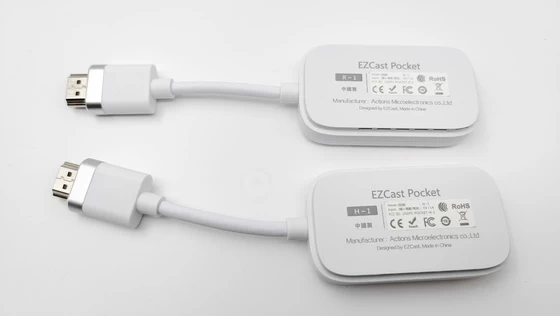
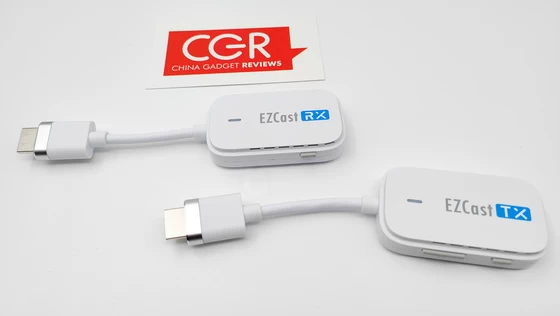
In the past, wireless display transmitter and receiver kits often incorporated dual-antenna receivers in their design. However, such receivers may not appeal to users who prefer a minimalist aesthetic and convenient storage options, particularly in small to medium-sized areas such as living rooms, bedrooms, conference rooms, and studios. The EZCast Pocket boasts a compact and lightweight form factor, featuring a seamlessly integrated design for both its transmitter and receiver. Measuring only 70 x 40 x 16 mm, its main body comes in a sleek white hue, complemented by silver metallic ports.
The EZCast Pocket is powered by a new chip that delivers superior audio and video codec performance, as well as enhanced efficiency for wireless transmission and data processing. This advanced chip provides exceptional computing power and reduces codec-related issues like jaggies, blur, and delay for an improved 1080 60p viewing experience with superior picture quality. Moreover, EZCast Pocket boasts a compact and lightweight design, packing high-performance SoC chips and wireless modules into a body measuring less than 0.3 cm² and weighing just 40g. Furthermore, EZCast Pocket features a concealed antenna and a powerful 5GHz WiFi module that offers long-range transmission and exceptional performance.
Effortless Functionality: Driver-Free Plug-and-Play with Internet-Free Mirroring and Extension Mode
Traditionally, wireless dongles have been challenging to set up. Users had to connect to a hotspot and manually activate screen-casting on their phone, often resulting in failed connections and frustration. However, the EZCast Pocket eliminates these complications with its straightforward and intuitive design. It offers driver-free, plug-and-play functionality without requiring an internet connection or software installation. Simply power it then you can start wireless screen mirroring immediately.
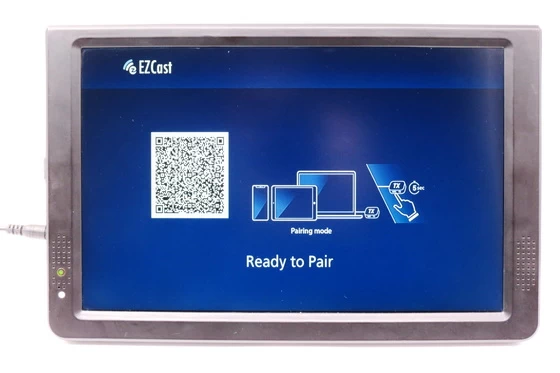
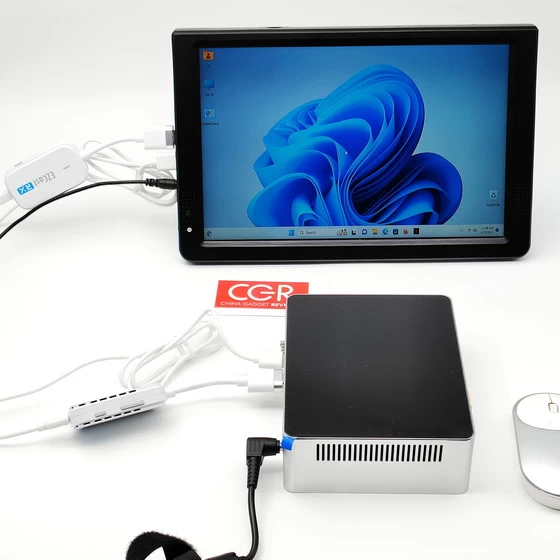
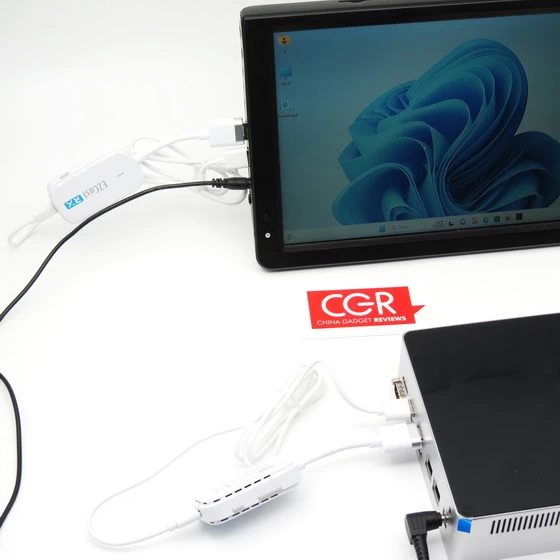
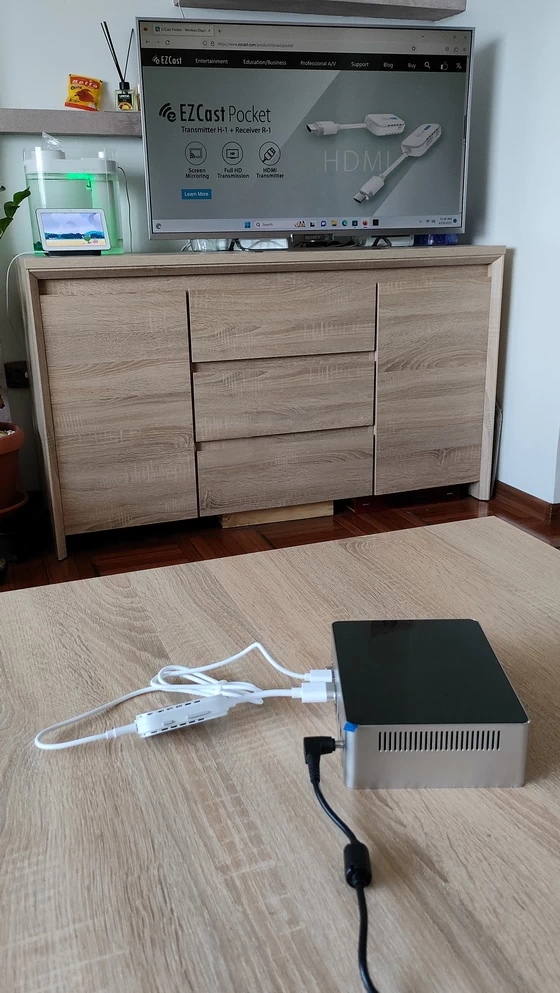
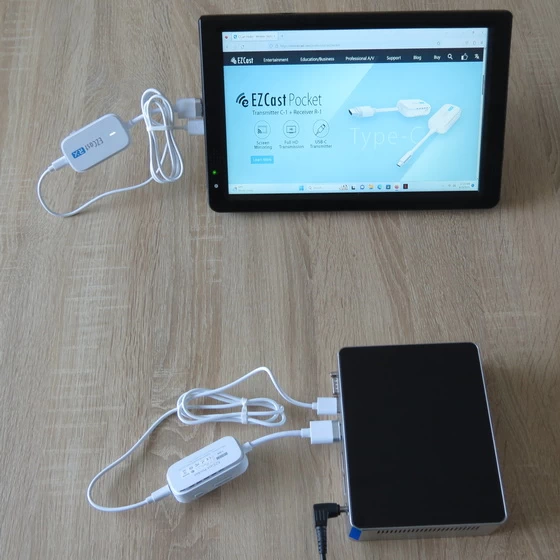
It is also very easy to use. First, connect the wireless receiver to the HDMI port of the TV or projector and power it on using the included power cable. Then, connect the transmitter to a device that can output HDMI video and connect it to power. Common HDMI devices include computers, set-top boxes, game consoles, and so on. After the connection is complete, there is no need to press anything. Just wait for about 5-10 seconds, and the wireless display adapters will automatically pair and project without any other operation required.
The EZCast Pocket offers a user-friendly solution for families with children and elderly individuals, as well as busy offices and meeting rooms. Its intuitive operation saves time and makes wireless screen mirroring effortless. Additionally, the EZCast Pocket is compatible with some operating systems that support desktop extension mode, such as Windows and MacOS computers. Users can easily set the screen mirroring mode to desktop extension, enabling them to use the TV or projector as a second display to show different content. Although the EZCast Pocket offers seamless wireless screen mirroring, it does have limitations. It doesn’t support protocols like DLNA, Miracast, and AirPlay, which means it could be inconvenient for users who need to be compatible with multiple terminal devices simultaneously.
In a home environment, the HDMI version of Pocket is also suitable for use with various audiovisual devices. For example, the desktop computer in the bedroom can wirelessly transmit the screen to the TV in the living room using wireless HDMI, allowing you to watch various content in the living room at any time. Additionally, for NAS devices with built-in HDMI interfaces, since the living room may not have a wired connection or a place to put the NAS device, you can use the EZCast Pocket to wirelessly transmit the screen to the living room TV, allowing you to watch high-definition movies from the NAS at any time.
Simply plug and play without installing any apps or Wi-Fi network. Watch everything without limitation. EZCast Pocket is all you need.
EZCast Pocket Transmitter
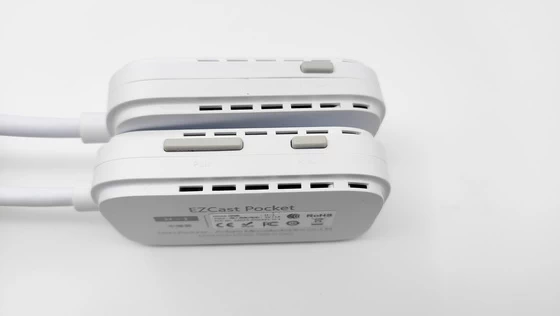
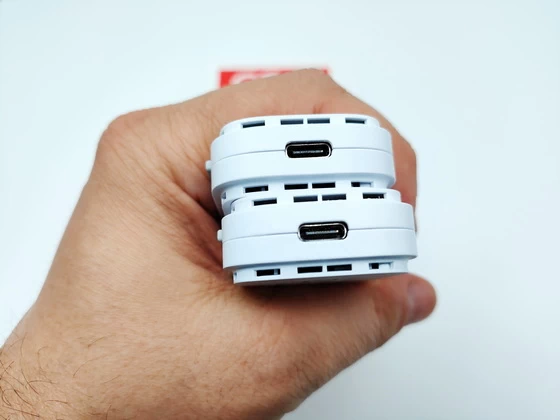
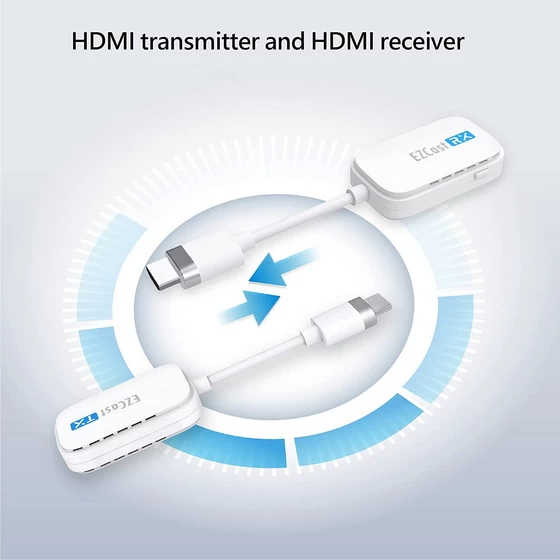
First, let’s take a look at the transmitter. The product is labeled with the letters “TX” to signify its role as the transmitter. It is capable of capturing audio and video signals and converting them into data that can be transmitted wirelessly to the receiver. The EZCast Pocket offers a choice of two transmitter options: HDMI or USB-C. Users can select the appropriate transmitter based on the connectivity requirements of their devices. The HDMI version of the transmitter provides an HDMI port that can be connected to any audio and video device that supports HDMI output, such as TV set-top boxes, computer hosts, laptops, and Switch game consoles. The USB-C version of the transmitter provides a Type-C port, which enables connection to the latest smart devices that support the Type-C DisplayPort (DP Alt Mode). This includes high-end smartphones from Samsung, Sony, and Huawei, as well as the iPad Pro and the new 2022 iPad series, and most laptops. Now let’s focus on the transmitter’s side buttons. The new EZCast Pocket transmitter provides two main buttons: the “Pairing” button and the “Reset” button. Clicking the pairing button allows you to freely start and stop the screen mirroring process, while the reset button is used to restore factory settings when an abnormal situation occurs.
EZCast Pocket Receiver
The receiver is marked with the letters “RX” on its body. This compact device can receive data packets from the “TX” transmitter and convert them into HDMI digital signals that can be utilized by the display. The RX receiver features a standard HDMI output port, allowing it to be connected to a TV or projector for displaying the transmitted images and audio in high definition.
How to Use
Connect EZCast Pocket receiver (RX) to a TV or a projector. Plug EZCast Pocket transmitter (TX) to the HDMI port of your device. Wait a few seconds until the flashing light on transmitter stops, and it will start mirroring automatically. Press the mirror / pair button on the transmitter to stop mirroring or
restart mirroring. Use a 5V/1A adapter, not included in the package, to power both of the transmitter and the receiver.
Notes
– EZCast Transmitter support mirroring for all laptops including Windows and MacOS, and Android mobiles with DP Alt output.
– To reset to default, press the reset button for 5s.
OTA Upgrade
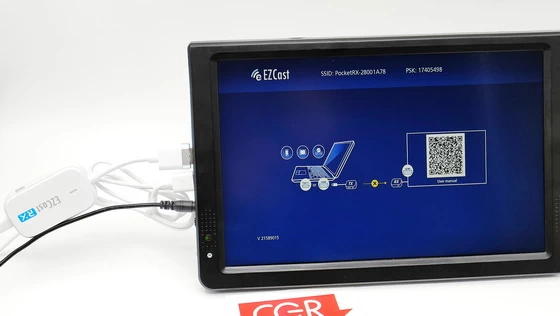
– Download EZCast Application. Plug the receiver to the monitor, and using the Type-C connector to provide power. Scan the QRCode with a computer or mobile phone, or go to www.ezcast.com/app to download the EZCast app.
– Connect to the Receiver. Connect the mobile’s or computer’s Wi-Fi to the receiver. Launch EZCast, into search field and select the SSID of the receiver and connect it. Into to the settings page, select Internet and connect the receiver to the Internet. Check the icon on the monitor, verify the receiver is connected to the network.
– Using the EZCast App to Upgrade. Ensure mobile or computer is connect to same Wi-Fi as the Receiver. Launch EZCast, choose , and confirm it’s link to the receiver. Automatically checks the current version status. If the most recent version is available, agree to update to complete the system upgrade.
Ezcast Android application
EZCast app will help you cast any smartphone and laptop screen to an HDTV or a projector using EZCast’s wireless or connected display solutions.
Features:
1. Faster Wi-Fi Setup – Supports Wi-Fi setup by scanning QRCode or using Bluetooth.
2. Create Your Own Video Playlists – Use EZChannel to watch videos across YouTube, Facebook and more, and add your favorite videos into your playlists.
3. Share Cherished Moments – Re-live best moments with family photos on the big screen.
4. Immersive Viewing Experience – Play mobile videos on a big screen for the best viewing experience.
5. Bigger and Clearer Web Browsing Experience – Browse the internet on a big screen.
6. Supports Chromecast – Supports casting to your favorite wireless display receivers, including EZCast and Chromecast.
Download Ezcast Android application v2.14.0.1296 for free from Google Play Store. Download Ezcast application for all platforms from here.
EZCast Pocket Highlights
Plug & Mirror
No Software needed
Screen Mirroring
Full HD Transmission
PC & Mobile Support
Multi-OS Support
Pocket Size
EZCast Pocket Features
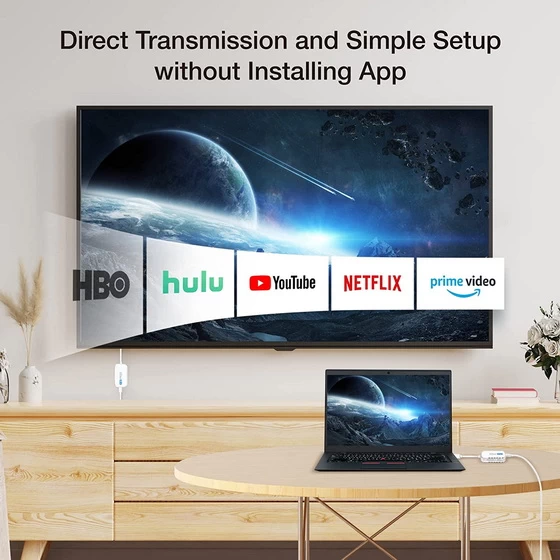
– Watch Everything on a Bigger Screen – Screen mirror videos wirelessly to HDTV from your favorite streaming applications like Disney+, Netflix, Hulu, Prime Video, and so on. Also compatible with Set-top boxes and Blu-ray disc players.
– Plug and Play. Simply plug in and you are all ready. Enjoy immediate connection without any other setup or app installation.
– Simple Setup without Installing App – No app installation and WiFi network needed, reducing information security concerns. Enjoy direct, fast and stable connection with the transmitter and receiver kit.
– Pocket Size – The pocket size transmitter and receiver kit is portable and lightweight, making it still easy to mirror and cast your screen on the go.
– Impressive Compatibility – Screen mirror your favorite videos, games, or presentations from all popular devices. Perfectly work with Windows, MacOS, Android and iOS, supporting USB-C DP or HDMI port.
– Multitask with Mirror or Extend Mode – Wirelessly control your presentation with better mobility and multitask at the same time using 1080p mirror or extend mode, presenting anything like a pro.
EZCast Pocket Specs
Brand: EZCast
Model: Pocket
Type: Wireless Display Transmitter and Receiver
Transmitter & Receiver Anttena: 1T1R (on board)
Transmitter & Receiver Wi-Fi: 5Ghz
Transmitter & Receiver Input: 5V / 1A
Transmitter Model: H-1
Transmitter FCC ID: 2ADFS-POCKET-H-1
Transmitter Chipset: 8360D
Transmitter Interface: HDMI or Type-C
Receiver Model: R-1
Receiver FCC ID: 2ADFS-POCKET-R-1
Receiver Chipset: 8268D
Receiver Interface: HDMI
Output Wattage: 5 Watts
Connectivity Technology: Wi-Fi, USB, HDMI
Controller Type: iOS, Android, Windows
Color: White
Item Dimensions LxWxH: 6.89 x 2.95 x 1.77 inches
Product Code: 4712899900991
Package Content
1 x EZCast Pocket Transmitter
1 x EZCast Pocket Receiver
2 x USB Type-C Cable
1 x Multi-language Quick Start Guide (EN / CN / ES / DE / FR)
Photo gallery full album here. Official website here. Read more about EZCast devices here.
Did this article help you? If so, please tell me in a comment what do you think about it.
Don’t miss any of our future video tutorials, follow us on Youtube. Like us on Facebook. Add us in your circles on Google+. Watch our photo albums on Flickr. Subscribe now to our newsletter.