Best Deal Alert! You can buy Edifier R20BT USB Type-C Powered Speaker from Amazon.com or Edifier.com for a very good price. Hurry up, limited time offer!

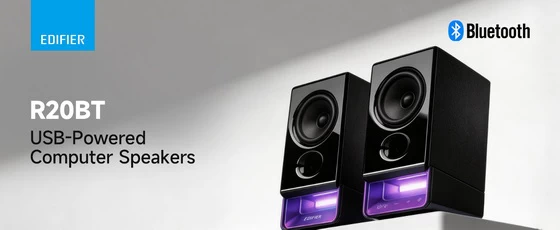
Meet Edifier R20BT Speaker: Small Speakers, Smarter Desktop Audio
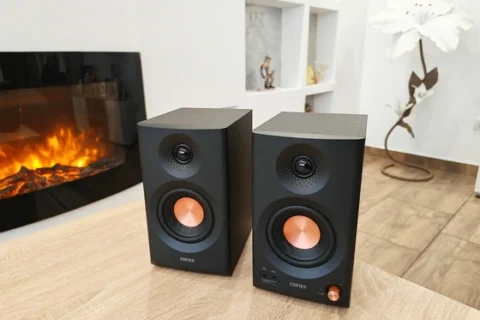
A good pair of desktop speakers should make everyday listening easier, whether I am working through a playlist, watching a product presentation, or taking a break with a few YouTube videos. What attracts me to the Edifier R20BT is how much attention it gives to those ordinary moments. USB-C carries both power and digital audio, Bluetooth multipoint accommodates two connected devices, and the accompanying software adds useful control over sound, lighting, and speaker placement. It is a compact stereo system with a straightforward purpose, but considerably more flexibility than its modest size might suggest. I particularly like that Edifier has combined these conveniences with MDF cabinets and dedicated full-range drivers. The lighting brings a little personality to the desk, yet the more interesting story is how the physical design, connections, and software fit together. For my kind of workspace, where a computer and an Android phone both have a role, that combination makes the R20BT worth a closer look.
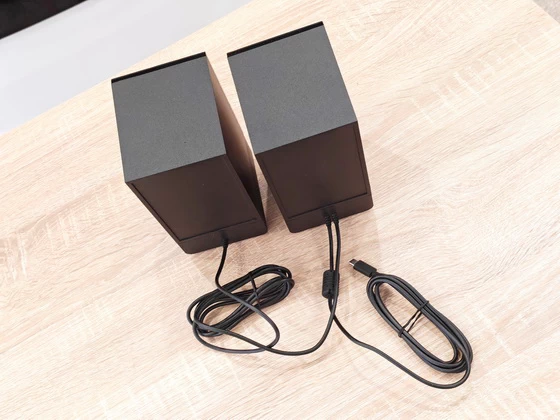
The package contains the active speaker, the passive speaker, a quick start guide, and important safety instructions. The attached USB-C cable handles power and audio, while the connecting cable links the two speakers into a stereo pair. I appreciate this straightforward approach because it keeps the initial setup focused on speaker placement and getting connected. The 1.5-metre USB cable provides some flexibility when reaching a computer, while the 1.8-metre inter-speaker cable allows the pair to sit on either side of a larger monitor or a wider working area. Those cable lengths are a practical part of the package, especially when the computer itself does not sit directly beside the display.
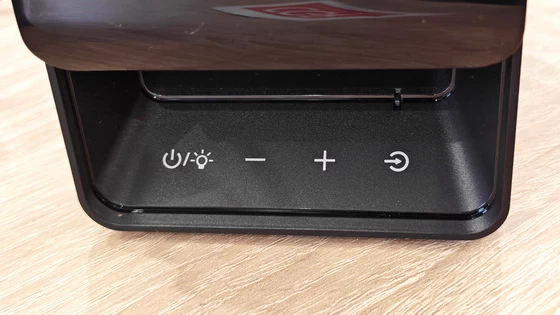
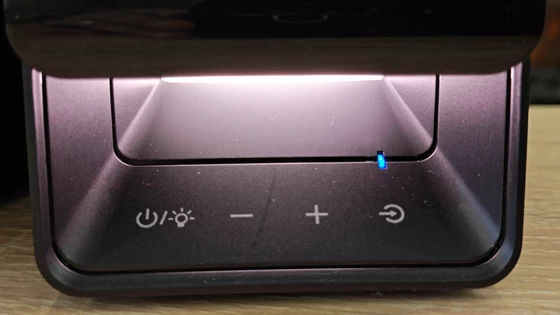
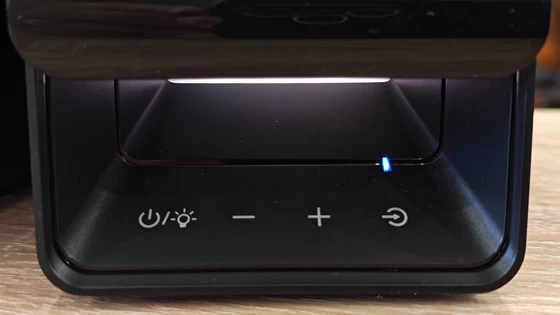
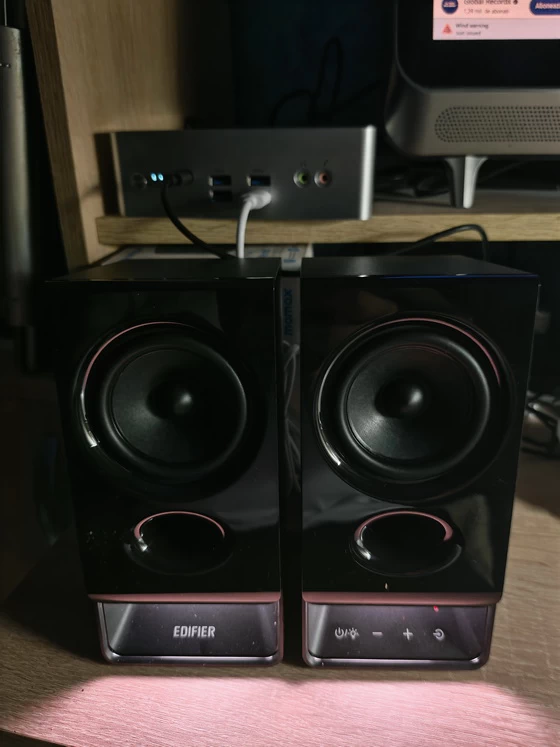
USB-C is the connection I would choose for a permanent computer setup. Having power and digital audio travel through the same attached cable simplifies the installation and reduces the number of connections competing for space around the desk. Once connected, the R20BT can be selected as the computer’s audio output, with USB mode providing the direct listening path. Bluetooth and AUX broaden that arrangement. The speakers still need USB power when using either of those inputs, and the manual confirms that an external USB power adapter can supply it. I find that flexibility useful because it allows the R20BT to serve a phone or another audio source without making the computer the centre of every listening session. The touch controls on the active speaker’s base also make sense for a product intended to remain within arm’s reach. Power, volume, input selection, and lighting can be managed directly from the speaker. I value that separation between immediate adjustments and deeper settings: changing the volume should be a quick action, while equalisation and lighting customisation can live in the app.
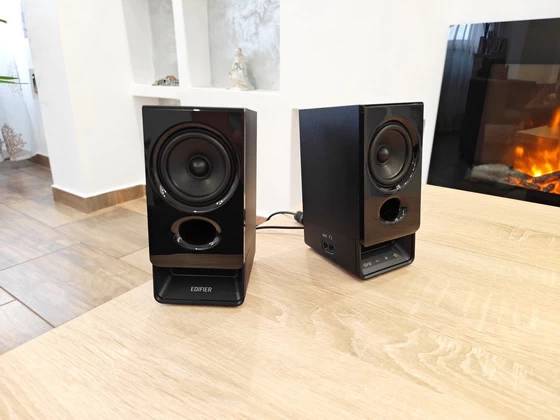
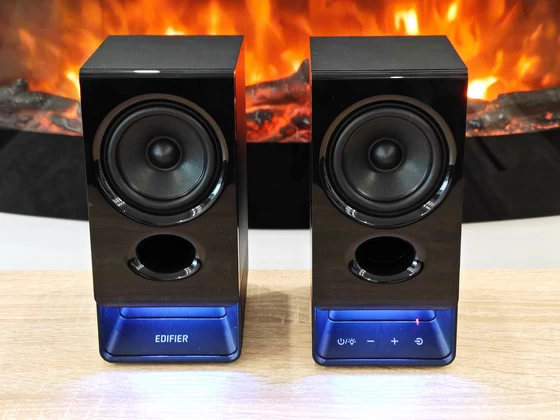
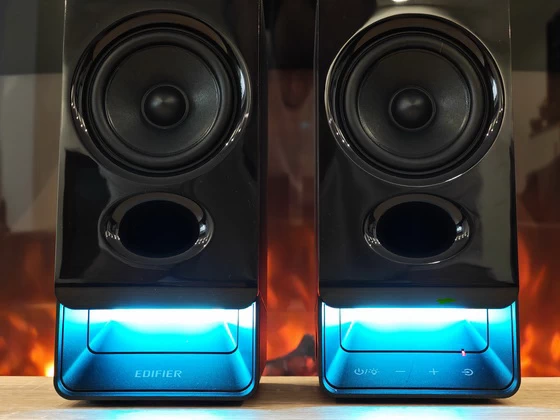
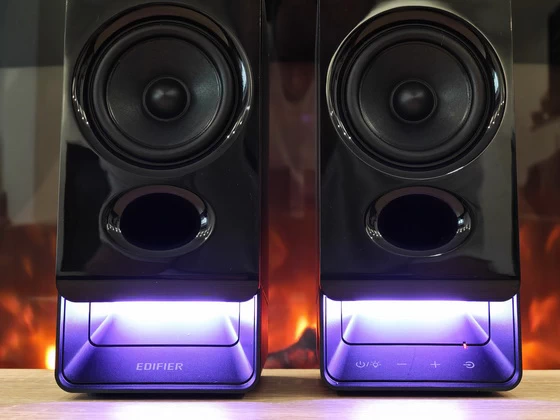
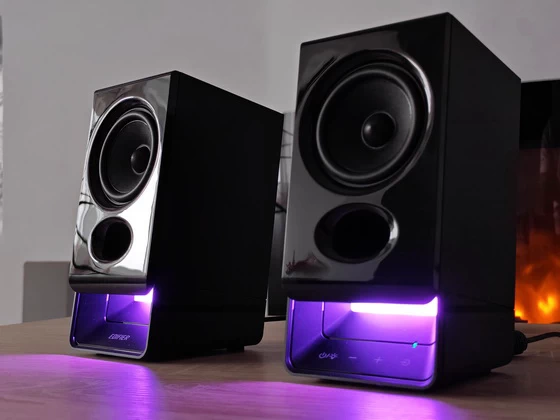
The MDF cabinets are one of the more appealing elements of the R20BT’s construction. Edifier uses them to help control cabinet resonance, supporting the work of the 2.75-inch full-range drivers and flared bass reflex ports. Cabinet material alone does not establish sound quality, but I appreciate seeing attention paid to the acoustic enclosure in a compact USB-powered system. Visually, I like the balance between the traditional speaker format and the more contemporary base design. The speakers retain a clear audio identity, while the lower lighting section gives them enough character to complement a modern workspace. It is a design that can suit a colourful desktop without demanding that the whole room follow the same theme. The adjustable lighting is especially welcome because my preference depends on what I am doing. A little illumination can make an evening desk setup more inviting, whereas a quieter appearance is often preferable during work. Being able to change effects or switch the lighting off directly from the speaker makes that choice convenient. Another thoughtful detail is the option to swap the left and right audio channels through the app. I like this because the most convenient position for the active speaker depends on cable routing, available space, and where its controls are easiest to reach. Software channel reversal allows the physical arrangement to follow the desk while preserving the correct stereo orientation.
The R20BT delivers a specified 2.5W per channel, giving a total output of 5W RMS. I view that specification in the context of close desktop listening, where the speakers sit relatively near the listener and the priority is comfortable, useful sound for everyday content. The acoustic design combines a full-range driver in each cabinet with a bass reflex port intended to reinforce the lower frequencies. That is a sensible foundation for a small stereo system, although driver size, power, and cabinet construction cannot by themselves establish how much bass weight or clean volume the speakers will deliver in a particular room. What interests me most is the ability to adjust the presentation through Classic, Dynamic, and Vocal sound profiles, alongside custom EQ. My starting point would be Classic, using it as a reference before exploring the alternatives with familiar music and spoken content. Vocal is particularly relevant to the way I use desktop audio, where interviews, tutorials, and presentations often share listening time with music. I also appreciate having custom adjustment available because a desk is an acoustically variable environment. Speaker spacing, nearby walls, and the listening position can all influence the result. Presets provide a convenient starting point, while custom EQ offers more freedom to tailor the balance. My positive assessment here concerns that flexibility and the underlying design; measured performance and detailed listening comparisons would require dedicated testing.
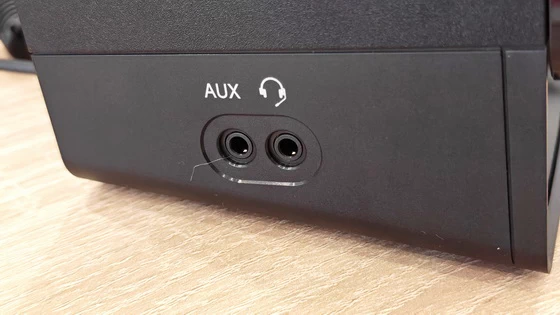
Bluetooth multipoint is one of the R20BT’s most useful everyday features. Two Bluetooth devices can remain connected, which suits a workspace shared by a phone and a laptop. The manual explains that playback should be paused or stopped on the current device before starting audio on the other. I appreciate that clear operating model: it reduces repeated pairing while keeping control of which device is playing. The AUX input adds another useful route for compatible analogue sources. For me, its value is the freedom to keep using equipment that already has an appropriate audio output, rather than making every connection depend on Bluetooth or USB audio. The four-pole 3.5mm headphone connection is equally practical. It accepts wired headphones with or without a microphone, and connecting them automatically mutes the speakers. The speaker’s volume buttons then control headphone volume. That is a thoughtful arrangement for a shared office or a desk where open listening regularly gives way to private listening. Taken together, these features make the R20BT interesting as a small desktop audio hub. I can see the appeal of maintaining a simple computer connection while keeping wireless playback, analogue input, and headphones within easy reach.
The Edifier R20BT appeals to me because its strongest features address everyday desktop needs. USB-C simplifies the main connection, Bluetooth multipoint accommodates a second device, and the headphone port makes private listening easy to access. MDF cabinets, full-range drivers, and adjustable sound profiles provide a considered acoustic foundation, while customisable lighting adds a personal touch. I particularly value the smaller conveniences, including generous connecting cables, channel reversal, and an Android app that groups useful controls clearly. Those details make the system adaptable to the way a workspace is actually arranged and used. My overall impression is of a thoughtfully equipped compact stereo pair with a strong emphasis on convenience. For someone considering USB-powered desktop speakers, the R20BT offers an appealing combination of simple connectivity, flexible control, and room for personal adjustment.
Edifier R20BT Speaker Main Features
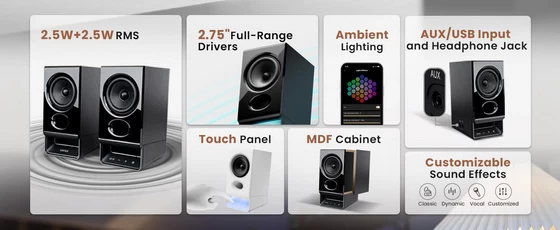
– Upgraded Acoustic Performance: Enjoy balanced high-fidelity audio with 2.75″ full-range drivers and bass reflex ports; 5W RMS boosts bass. MDF cabinet reduces resonance/distortion, ensuring clear sound for music, podcasts and videos
– Universal Connectivity for All Your Devices: Stream wirelessly via Bluetooth 6.0 with multipoint pairing for easy switch between two devices. Plug-and-play USB transmits power/audio; AUX supports turntables/tablets
– Customizable Lighting & Sound Profiles: Elevate your desktop with preset ambient light or custom displays via apps. Fine-tune audio with 3 built-in profiles (Classic, Dynamic, Vocal) or custom EQ to offer more choices
– Intuitive Control & Smart App Features: Adjust power, lighting, volume and input via the base touch panel. Unlock full customization via EDIFIER ConneX (mobile) and TempoHub (desktop) apps for source switch, sound/light tweaks and user manual reference
– Flexible Placement for Any Space: Equipped with 1.8m connecting cable and 1.5m USB cable, ideal for large desks. Use the app to swap left/right channels for flexible placement without losing stereo sound
– Office-Ready Sound: The 4-pole 3.5mm headphone jack enables private listening with/without a mic; instantly switch to headphones for confidential calls or focused work – no unplugging devices. Keeps your desk tidy while respecting colleagues’ concentration in shared offices
– USB-C Digital Audio Input: Supports USB-C direct audio transmission only. USB-C to USB-A adapter is not included. Older computers/devices require a separate adapter for use.
Edifier R20BT Speaker Highlights
Compact stereo speakers with 5W RMS output.
2.75-inch full-range drivers and bass reflex ports.
MDF cabinets designed to reduce resonance.
USB-C connectivity for power and digital audio.
Bluetooth 6.0 with multipoint pairing for two devices.
AUX input for analogue audio sources.
3.5mm headphone jack with automatic speaker muting.
Classic, Dynamic, and Vocal sound profiles plus custom EQ.
Customisable ambient lighting.
Touch controls for power, volume, inputs, and lighting.
EDIFIER ConneX mobile and TempoHub desktop app support.
Left/right channel switching for flexible placement.
1.5m USB cable and 1.8m inter-speaker cable.
Real-life scenarios where Edifier R20BT Speaker can be quite useful
– Working from home: Listen to background music and switch to headphones when you need private audio.
– Watching YouTube tutorials: Keep spoken instructions audible while following along at your desk.
– Streaming movies: Enjoy stereo playback for films and TV shows on your computer.
– Casual gaming: Add desktop stereo sound and ambient lighting to your gaming setup.
– Listening to podcasts: Select the Vocal sound profile for speech-focused content.
– Switching between a laptop and phone: Use Bluetooth multipoint to move between devices without repeated pairing.
– Studying online: Play recorded lectures and adjust the volume using the accessible touch controls.
– Sharing an office: Plug in headphones to automatically mute the speakers when colleagues need quiet.
– Setting up a small workspace: Use USB-C for both power and digital audio to simplify connections.
– Playing audio from older equipment: Connect a compatible device’s analogue audio output through AUX.
– Personalising an evening desk setup: Adjust the ambient lighting and sound profile to suit your mood.
– Arranging a wider desk: Use the long connecting cable and channel-swap option to position the speakers conveniently.
EDIFIER ConneX Mobile app
EDIFIER ConneX gives the R20BT a more configurable character than its physical controls alone suggest. The Android app is available through Google Play, and the documented setup involves pairing the phone with the speakers over Bluetooth before opening the app in Bluetooth mode.
What I like about the interface is its direct organisation. Input Sources, Sound Effects, Light Effects, and Volume Control are accessible from the main device page, placing the most relevant adjustments together. The supplied app session shows Dynamic selected for sound and Wave selected for lighting, illustrating how the audio and visual settings can be configured independently. The input menu brings Bluetooth, USB Audio Streaming, and AUX into one place. I find this a useful complement to the speaker controls because it provides an explicit source selection when managing the setup from the phone. Mobile playback controls add convenience, while sound and lighting customisation give the app a purpose beyond basic remote operation. The firmware section is particularly interesting. The captured session shows firmware 1.0.0 installed and version 1.0.1 available, with release notes describing optimised low-frequency performance in Bluetooth and USB modes, fuller vocals, and tighter bass. I welcome that kind of post-launch refinement, although the update notice itself does not establish that the firmware was installed or how noticeable the changes are. Edifier also supports the R20BT through its TempoHub computer application, offering another way to manage sound, lighting, and related settings. My focus here is the Android interface, but I appreciate having a desktop software option for a product that will often spend its life beside a monitor.
Download EDIFIER ConneX latest version for free from Google Play Store or from App Store.
Edifier R20BT Speaker Specifications
Brand: Edifier
Model: R20BT
Speaker type: USB-powered desktop stereo system
Configuration: 2.0 channels; active and passive speaker
Total output power: 5W RMS (2.5W + 2.5W)
Drivers: 2.75-inch (70mm) full-range drivers
Cabinet material: MDF
Acoustic design: Flared bass reflex ports
Frequency response: 73Hz–20kHz
Signal-to-noise ratio: ≥85dB(A)
Audio inputs: USB-C, Bluetooth, AUX
USB-C input sensitivity: 850 ±50mFS
Bluetooth input sensitivity: 850 ±50mFS
AUX input sensitivity: 850 ±50mV
Bluetooth version: 6.0
Bluetooth codec: SBC
Bluetooth multipoint: Two connected devices
Power supply: USB
USB functionality: Power supply and digital audio transmission
Dimensions (W × H × D): 83 × 177.2 × 121.1mm
Net weight: 1.40kg. R20BT – Edifier
Headphone connection: Four-pole 3.5mm jack, supporting headphones with or without a microphone
Headphone switching: Automatic speaker muting when headphones are connected
Controls: Touch panel for power, volume, input selection, and lighting
Sound presets: Classic, Dynamic, Vocal
Equaliser: Custom EQ through supported apps
Lighting: Built-in ambient lighting with selectable and customisable effects
Mobile application: EDIFIER ConneX
Desktop application: EDIFIER TempoHub
Channel adjustment: Left/right channel swapping through the app
USB cable length: 1.5m
Inter-speaker cable length: 1.8m.
Bluetooth frequency band: 2.402–2.480GHz
RF output power: ≤13dBm (EIRP)
What’s In The Box
1 × Edifier R20BT Speaker System (left and right speakers) with USB Type-C power/audio cable and connection cable
1 × Quick Start Guide
1 × Safety Instructions leaflet
1 × Regulatory Compliance leaflet
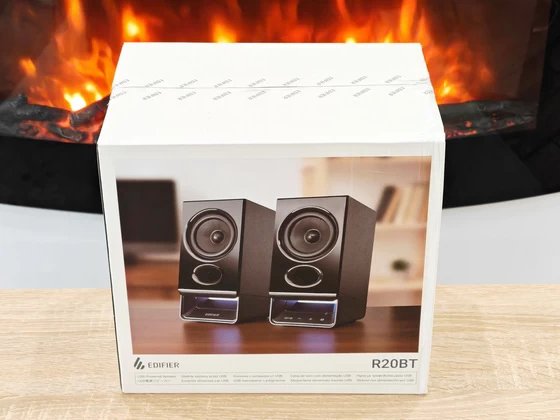
1 x Packaging Box
Photo gallery full album here. Official page here. Read more about EDIFIER products here.
About EDIFIER. Edifier is a global brand that is passionate about sound. Founded in Beijing, China in 1996 by a group of audiophiles, the company’s mission has always been to provide the best audio experience possible. Edifier quickly gained a reputation for producing high-quality speakers and headphones, with excellent sound quality, sleek designs, and affordable prices. As the company grew, they continued to push the boundaries of audio technology, developing new innovations to enhance the listening experience. Today, Edifier is a global leader in audio equipment, with a presence in over 70 countries. They offer a wide range of products, including Bluetooth speakers, bookshelf speakers, soundbars, and more, all designed to provide an immersive and engaging audio experience. What sets Edifier apart is their commitment to both quality and sustainability. They believe that music has the power to connect people, and that the quality of the audio equipment is crucial to that connection. At the same time, they’re committed to reducing their impact on the environment, implementing sustainable practices throughout their operations. Edifier’s focus on quality, innovation, and sustainability has made them a trusted brand in the audio industry. Their products are not only top-of-the-line, but also environmentally friendly, making them an attractive choice for consumers who care about both performance and sustainability. Whether you’re a music lover, a gamer, or just someone who appreciates great sound, Edifier has something for you. Their commitment to quality and sustainability, combined with their innovative spirit, makes them a brand worth listening to.
Did this article help you? If so, please tell me in a comment what do you think about it.
Don’t miss any of our future video tutorials, follow us on Youtube. Like us on Facebook. Join our Best Deals Telegram Channel. Join our Android TV Box Firmware Updates Telegram Channel. Subscribe now to our newsletter. If you need Tech Reviewer or Youtube Influencer read this. Donate now here to support CGR Team.