Best Deal Alert! You can buy GAOMON PD1161 11.6” HD Profesional Drawing Monitor from Gaomon.net / Amazon.com / for a very good price. Hurry up, limited time offer!
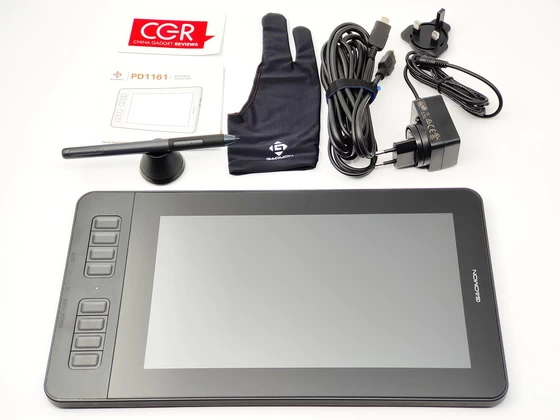
Meet GAOMON PD1161 Drawing Monitor
A graphics tablet monitor serves as a versatile tool for anyone involved in visual arts, design, and creative work. It offers a more natural and precise way to create digital artwork compared to using a mouse or trackpad, making it a popular choice among professionals and enthusiasts alike.
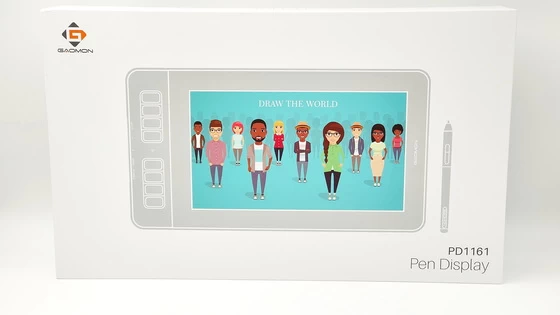
GAOMON is a Chinese high-tech company well-known for its self-governing research and development of underlying technology, which includes motion graphics and manually written input capacitive touch screen products. They have a wide range of products, and today we’ll concentrate on the Gaomon PD1161 because of its impressive list of features at a lower price. The Gaomon PD1161 is a high-quality pen display that offers a range of features designed to enhance your digital art and design work. With a sleek design and intuitive controls, this device is a powerful tool for creatives of all skill levels.
The Gaomon PD1161 is designed to be easy to set up, even for users who are new to graphic tablets. The box includes a simple and straightforward user manual, which guides users through the setup process step by step. My 13 years old daughter was able to set up the Gaomon PD1161 in as little as 7-8 minutes, thanks to the clear and concise instructions provided. Additionally, the Gaomon PD1161 can be used as a second monitor, particularly when paired with a laptop, allowing you to draw on it with ease. Despite the fact that it requires a computer system to function and cannot be used as a standalone device, it is a useful tool for virtual meetings, watching videos, and taking notes. To use it as a second monitor, simply duplicate your computer’s screen, and the Gaomon PD1161 will be ready to use.
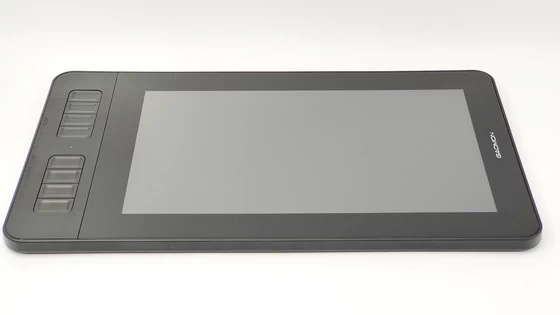
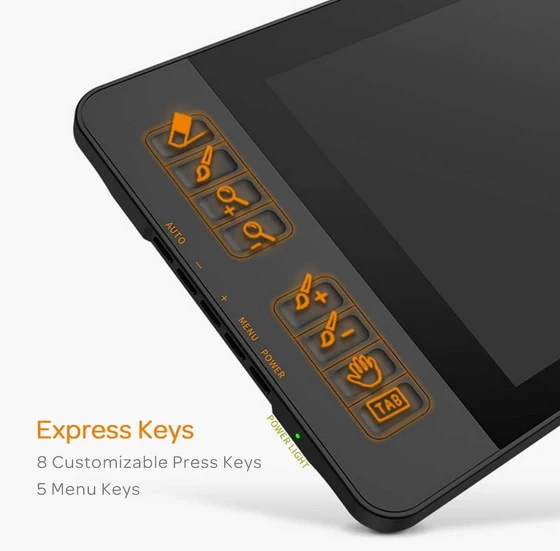
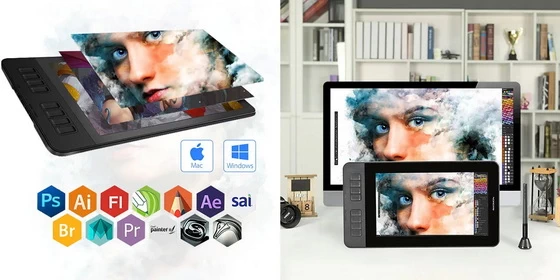
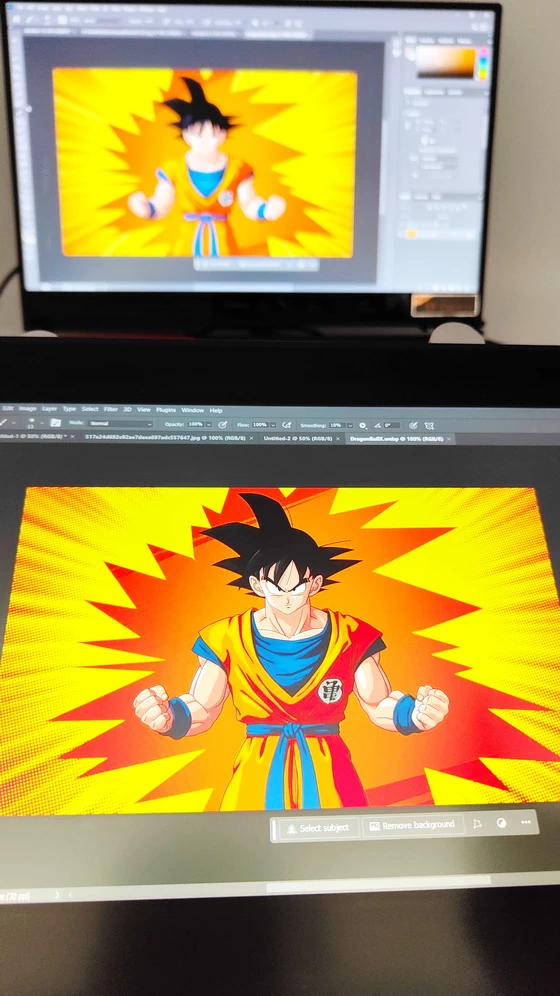
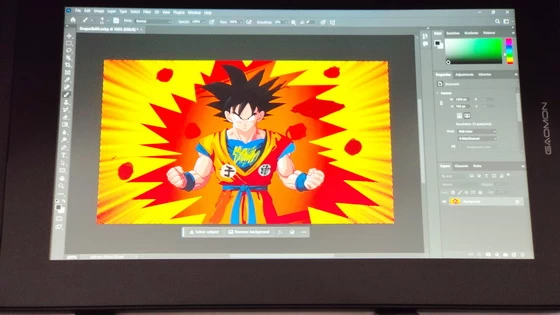
The 11.6 inch IPS screen display & 1920 x 1080 resolution gave excellent picture quality allowing a high zoom option to get into detailed drawing close up. The 60-degree tilt Function allows for multiple uses to ensure comfortable hand movement. The 8 customisable shortcut keys and 5 menu keys are excellent allowing modification of the colorimetry, brightness, contrast, etc. My daughter loves the battery-free pen, which allows painting similar to using a standard pen and is compatible with the major drawing programs: Adobe Photoshop, Illustrator, Clip Studio, Lightroom, Sketchbook Pro, Manga Studio, CorelPainter, FireAlpaca, OpenCanvas, Paint Tool SAI2, Krita etc. The tilt, drawing pressure and calibration option allow for easy use of the pen which feels like a standard pen, and the HD display is very clear.
The 178° viewing angle allows you to adjust your comfortable angle, improve your painting experience, and allow you to find a comfortable painting posture at any angle. The 1920 x 1080 resolution can better reflect your wonderful painting. PD1161 72%NTSC (About 100%sRGB) color gamut and 262k (6bit) display colors allow your paintings to be fully displayed and show your creativity. AG protect film has been applied to the screen already. The Gaomon PD1161 does not come with a built-in stand, so users will need to purchase one separately or hold the tablet with their wrists.
If you are a beginner graphic designer or artist who wants to start working with a pen display but you are looking for an affordable pen display, Gaomon PD1161 is a great choice offering you an excellent drawing experience by seeing what you are drawing directly from the screen at an incredible price. So if you’re looking to purchase your first pen display and want something that is pretty affordable, the Gaomon PD1161 pen display is a budget-friendly option that offers many of the same features as more expensive Wacom tablets. By using this pen display, you can enhance your ability to create digital art and improve your efficiency and precision in graphic design work. It’s a user-friendly device that is easy to set up and use – an ideal choice for those looking to upgrade their creative capabilities.
My 13-year-old daughter fell in love with this tablet, which is also the reason why she now wants to try to become a graphic designer.
GAOMON PD1161 Drawing Monitor Highlights
8192 Levels Pressure
Tilt Support
Battery -Free Stylus
8 Customized Press Keys
266 PPS
One Multi-Connection Cable
GAOMON PD1161 Drawing Monitor Main Features
– 8192 Levels Pressure & Tilt Support. GAOMON PD1161 drawing display ensures smooth natural and neat lines.
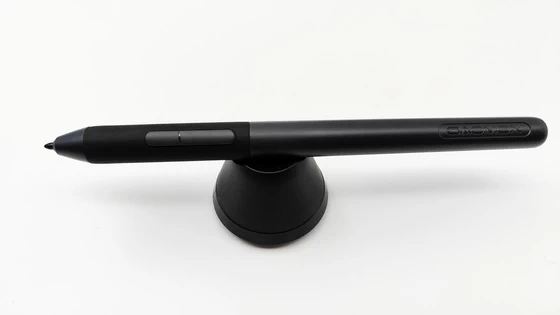
– Battery-free Pen. GAOMON PD1161 drawing tablet adopts battery-free pen coming with 2 programmable buttons.
– Lightweight & Portable. With 866g (1.9lb) net weight, 11.6 inch GAOMON PD1161 art tablet is easy to be carried to anywhere you need, like the workplace, school, outdoor painting and a trip.
– Graphics Tablet with IPS Full HD Screen. Screen Resolution: 1920×1080 (16:9); Viewing able: 89°/89°(H)/89°/89°(V) (Typ.)(CR>10);
– With AG-Film pre-applied. To protect the PD1161 drawing tablet with screen during long shipping, we applied an anti-glare film in advance. After you peel off the outside layer protective film, the real film remains on PD1161.
– High-Quality Display: The IPS HD display provides accurate color representation and good viewing angles, which is essential for graphic design work. It allows your young artist to see their work with clarity and precision.
– Responsive Stylus: The 8192 levels of pressure sensitivity in the battery-free pen provide a natural and precise drawing experience. This makes it easier to create fine details and varying line thickness, just like drawing on paper.
– Shortcut Keys: The 8 customizable shortcut keys can be programmed to perform various functions, such as zooming in and out, changing brush size, or accessing frequently used tools. This can help improve workflow and make the design process more efficient.
– Ergonomic Design: The tablet is designed for comfort and ease of use, reducing strain during long drawing sessions. This is important for young artists who may spend extended periods working on their designs.
– Cost-Effective: The GAOMON PD1161 is a relatively affordable option compared to some high-end graphics tablets, making it a good choice for beginners who are just starting to explore their creative talents.
– Learning Tool: It can serve as a valuable learning tool for a young artist, allowing them to practice and develop their graphic design skills and techniques.
– Digital Workflow: Using a graphics tablet monitor introduces your child to the world of digital art and design, which is a valuable skill to have in today’s technology-driven world.
– Improved Efficiency: As your child becomes more proficient with the tablet, they will likely find that their work becomes more efficient and that they can experiment with different artistic styles more easily.
– Creative Outlet: A graphics tablet can be a great creative outlet for a young artist, allowing them to express their ideas and emotions through art.
– Not Standalone Drawing Tablet. GAOMON PD1611 is drawing pad for computer. It has to connect to a Windows/Mac computer or Chromebook to work.
– For Digital Art & Drawing. GAOMON drawing tablet PD1161 is not only for beginners and amateurs but also meet basic needs of professionals for digital drawing, sketching, graphics design, 3D art work, animation, etc.
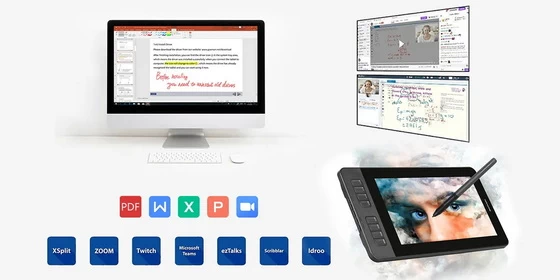
– For Online Teaching & Meeting. You can use PD1161 monitor drawing tablet for online education and remote meeting. It works with most online meeting programs, like Zoom, and so on.
– For Annotating and Signature. It’s broadly used in e-writing in excel, word, pdf, ppt, etc.
– OS Support & Program Compatibility. Compatible with Win 7 or above , or MacOS 10.12 or above. Ideal art tool for digital drawing, photography, animation,sketching, photo editing, 3D sculpture, drawing beginners, architectural designers ect. Work with most painting software, like Photoshop, Illustrator, Clip Studio Paint, Lightroom, Sketchbook Pro, Manga Studio, CorelPainter, FireAlpaca, OpenCanvas, Paint Tool Sai2, Krita, etc
Common use cases
– Digital Illustration: Artists use graphics tablet monitors to create digital illustrations, whether for personal projects, commercial art, or as part of their profession. The high-resolution display and pressure-sensitive stylus allow for precise and detailed drawing.
– Graphic Design: Graphic designers use these tablets to create graphics, logos, icons, and other design elements for various purposes, such as branding, advertising, web design, and more.
– Photo Editing: Photographers and photo editors use graphics tablets to retouch and manipulate images with precision. The stylus allows for accurate selection, masking, and brushwork in software like Adobe Photoshop.
– 2D Animation: Animators and hobbyists often use graphics tablet monitors to create 2D animations. The pressure sensitivity of the stylus enables artists to vary line thickness and create fluid motion.
– Digital Painting: Digital painters use these tablets to create artwork that mimics traditional painting techniques, using various brushes and textures to achieve different artistic effects.
– Handwriting and Calligraphy: Some people use graphics tablets to digitize their handwriting or practice calligraphy. The tablet can be used to write or create decorative lettering in a digital format.
– 3D Modeling and Sculpting: In the context of 3D modeling and sculpting, a graphics tablet can be used for precision control over the creation of 3D models and digital sculptures.
– Industrial Design: Industrial designers often use graphics tablets to sketch and design product concepts and prototypes.
– Education and Training: Graphics tablet monitors are valuable tools for teaching and learning digital art and design. Many educational institutions use them to instruct students in various creative disciplines.
– Interactive Presentations: Some professionals use graphics tablets for interactive presentations or digital whiteboarding during meetings and conferences.
Installation software
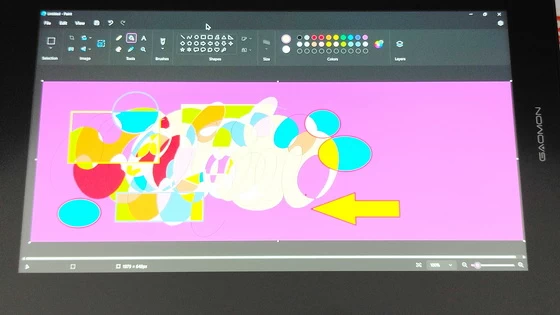
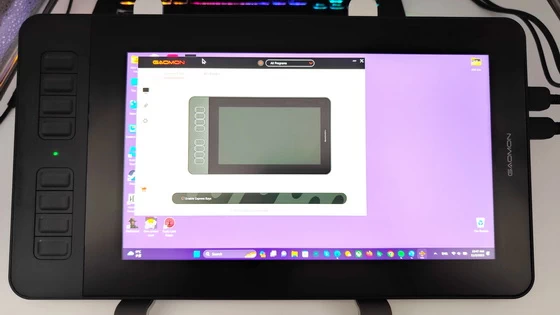
Screen calibration is recommended on initial setup and pen pressure test. The software download, setup, and calibration worked well with no issues observed allowing the tablet to be placed flat on a surface or at an angle. Once connected to the Laptop the option to duplicate / Extend the display is available. You can download GAOMONTabletInstall_16.1.0.111 for Windows / GaomonTablet_MacDriver_v16.1.29 for macOS / GaomonTablet_LinuxDriver_v16.0.0.07.x86_64.deb or GaomonTablet_LinuxDriver_v16.0.0.07.x86_64.tar.xz for Linux from . Once you have installed the driver you can now download different softwares that you desire. There are free softwares that you can use such as Windows Paint, Krita, Gimp, and Fireplace. You can also download paid softwares like Photoshop and Adobe Illustrator.
GAOMON PD1161 Drawing Monitor Specs
Brand: GAOMON
Model: PD1161
Type: Drawing Monitor
Panel Size: 11.6 inch
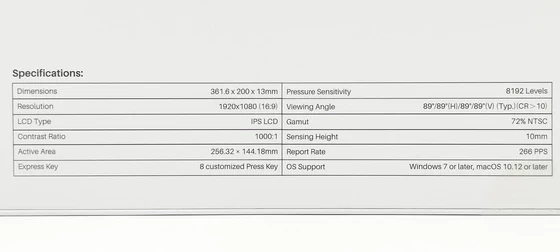
Active Area: 256.32 x 144.18mm
Resolution: 1920 x 1080(FHD)
LCD Type: IPS
Aspect Ratio: 16:9
Brightness: 220cd/m2
Viewing Angle: 89° / 89°(H) / 89° / 89°(V) (Typ.) (CR>10)
Contrast Ratio: 1000:1
Response Time: 25ms
Gamut Volume: 72% NTSC
Display Color: 16.7M (8bit)
Pen Technology : Battery-free Electromagnetic Resonance
Pressure Level: 8192 Levels
Pen Resolution: 5080lpi(0.005mm)
Accuracy: ±0.5mm(Center) ±3mm(Corner)
Sensing Height: 10mm
Report Rate: ≥266PPS
Tilt: ±60°
Press Keys: 8 Customized Press Keys
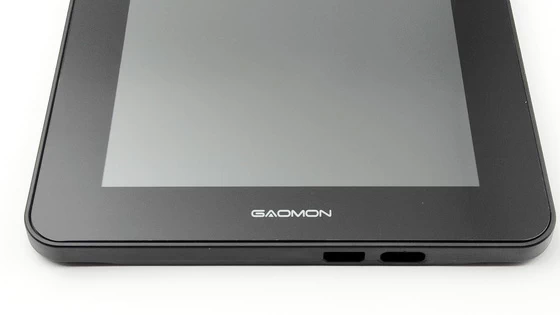
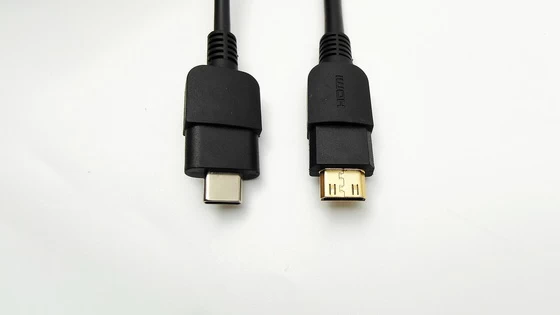
Interface: Mini HDMI, USB Type-C
Input: 12V 1A
OS Support: Windows 7 or later, macOS 10.12 or later
AG Glass: Anti-glare protective film
Product Dimensions: 361.6 x 200 x 13mm
CPC: 361.6 x 200 x 13mm
Net Weight: 866g
Gross Weight: 1735g
Color: Black
Package Content
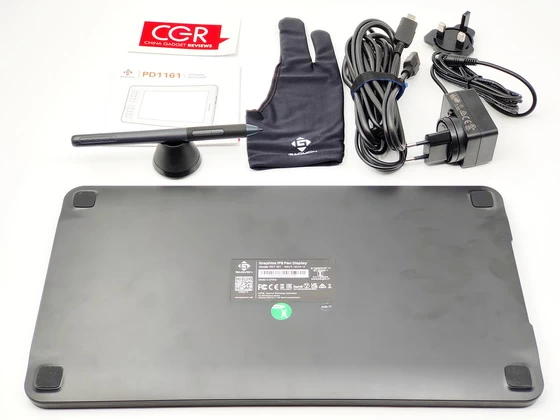
1 x GAOMON PD1161 drawing monitor
1 x Digital Pen AP50
1 x AC Power Adapter (EU& UK plug) model A124-1201000ID
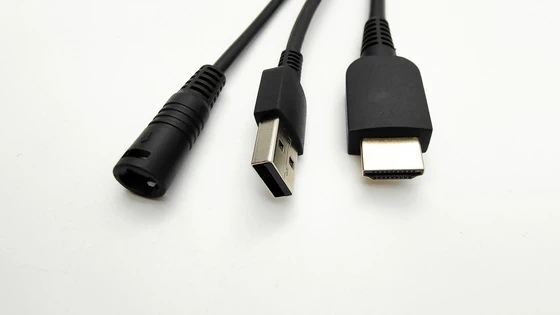
1 x 3-in-1 Cable
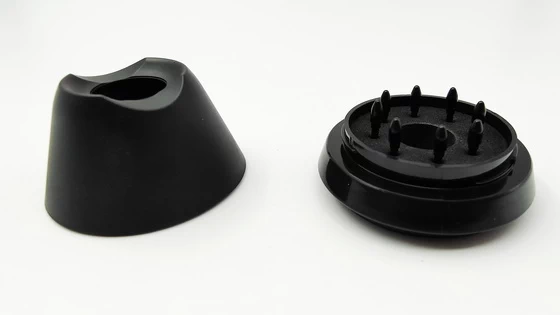
1 x Pen Holder
8 x Replacement Nibs (inside pen holder)
1 x Tip Clip (inside pen holder)
1 x Two Finger Glove
1 x Quick Start Guide (EN / FR)
1 x Multi-language Driver Download Card (EN / DE / ES / FR / IT / JP / RU / PT / PL / NL / AR / MS)
Did this article help you? If so, please tell me in a comment what do you think about it.
Don’t miss any of our future video tutorials, follow us on Youtube. Like us on Facebook. Join our Best Deals Telegram Channel. Join our Android TV Box Firmware Updates Telegram Channel. Subscribe now to our newsletter. If you need Tech Reviewer or Youtube Influencer read this. Donate now here to support CGR Team!