Best Deal Alert! You can now buy Meross MSL320 Pro Smart Wi-Fi Light Strip from Shop.meross.com for only $38.99. Hurry up, limited time offer!
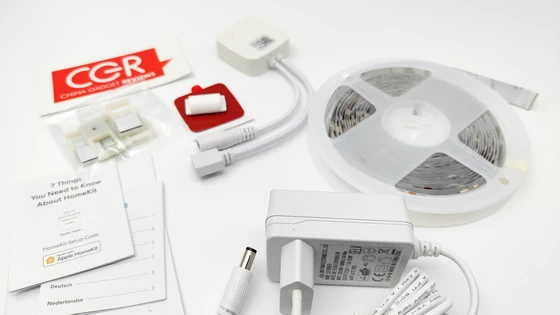
Meet Meross MSL320 Pro
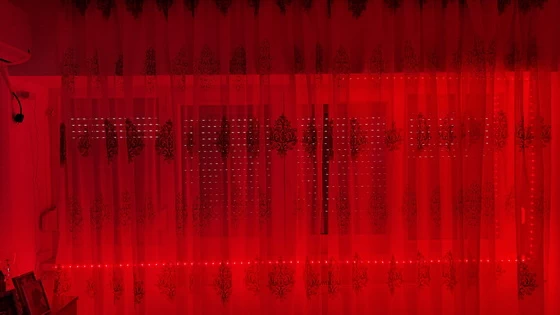
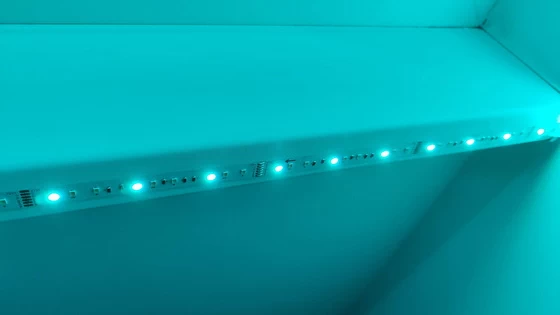
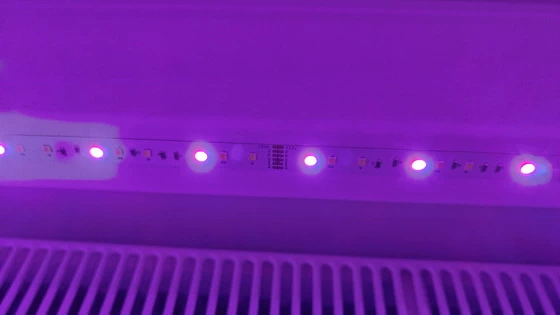
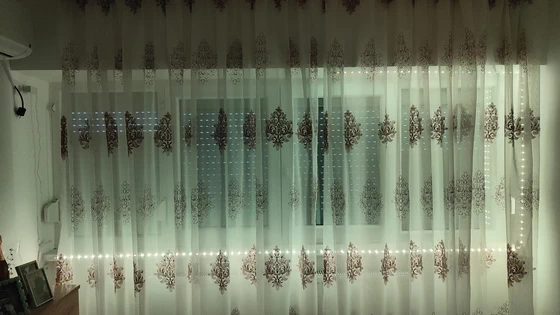
Light strip suitable for indoor use, it can be used for decorating your upstairs, kitchen, porch, computer desk, Christmas tree, lounge bar and living rooms, especially great for holidays mood and events like Christmas, Halloween, parties and more. It is an ideal gift for your family and friends.
This smart led strip light works easily with Alexa and Google Assistant. Use simple conversation starters to turn the led lights on and off, dim or brighten and swap them to your favorite color. You can also adjust the led light strip brightness from 1% to 100% to suit the various places; high brightness for illumination, medium brightness for atmosphere, low brightness for sleeping.
Such smart WiFi LED strip lights can absolutely add more brilliance to your cozy home with flowing light and colors. You can adjust any colors according to your preference, making your life more colorful and artistic. Whenever you turn on/off the lights, a visual feast begins. You can enjoy exciting moments with your family and friends under the fascinating lights.
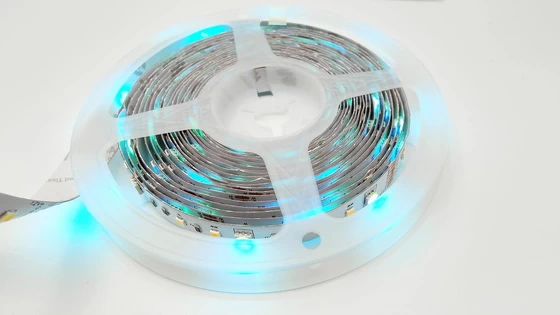
The Meross MSL320 Pro Smart LED Wi-Fi Light Strip is a budget-friendly and versatile option to add smart lighting to your home. This light strip offers an abundance of colors and a range of warm to cool white tones as well as handy smart features.
Overall, the Meross MSL320 Pro Smart LED Wi-Fi Light Strip offers a convenient and customizable lighting solution with reliable performance and easy integration into smart home setups. The LED strip lights is the best choice for your home decoration. Manage your smart home now!
Meross MSL320 Pro Highlights
– Control your light strip from anywhere anytime with the Meross app or Apple Home app.
– Works with Apple HomeKit/Siri, Amazon Alexa, Google Assistant, SmartThings.
– Adjust brightness, tune light, and set from RGB colors and color temperature from 2700K-6500K.
– Support scenes with different effects.
– Works with the Wi-Fi you already have. No hub required.
– Apple HomeKit website listed.
Meross MSL320 Pro Main Features
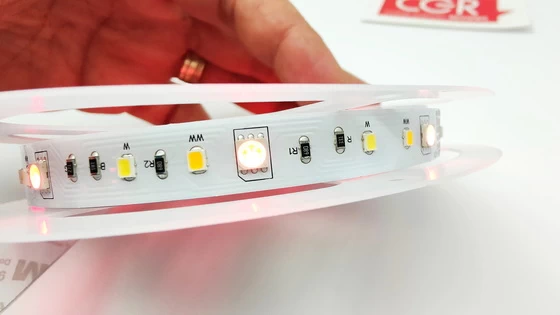
– Premium RGBWW LEDs: With meross RGBWW LED strip lights you can set warm white/cool white (2700K ~ 6500K) and various RGB colors as you like. Create the perfect light scene, dim the lights to your desired brightness.
– Smart Voice Control: Use simple voice commands to create your ideal ambiance with Apple HomeKit Siri, Amazon Alexa or Google Assistant.
– APP Control: You can control the light strip anytime anywhere via Meross App and Apple Home App with internet access. For Apple Home App remote control, you need to install an Apple TV in your home. (Note: The LED light strip only supports 2.4GHz networks.)
– DIY Light Effect: The light effect feature allows you to DIY your own colors changing effects, easily transforming your room to match your moods or indoor activities.
– For Android Users: Meross smart light strip works with any Android smartphone or tablet with OS 4.1 or higher. Android users will have an effortless experiences when configure with Meross app.
– The Controller is for RGBWW light strip (6 pin connector) with length less than 16.4ft (5m) only.
Meross MSL320 Pro Specs
Brand: Meross
Model: MSL320 Pro
Type: Smart Wi-Fi Light Strip
Input: 12V/1.5A
Rated power: 18W
Color: RGBWW (2700K-6500K)
Length: 5m (16.4ft )
Adapter Type: US/EU/UK/AU
Antenna: One internal antenna
Wireless Standards: IEEE 802.11 b/g/n, 2.4GHz, 1T1R
Wireless Security: Support 64/128 bit WEP, WPA-PSK/WPA2-PSK. Does not support Enterprise Wi-Fi.
Certifications: US: FCC / EU: CE, RoHS, WEEE
System Requirements: Smartphone running iOS 10* or later, Android 6.0 or later & Existing Wi-Fi network. HomeKit version requires iOS 13.0 or later.
Color: White
Operating Temperature: 0°C~40°C (32°F~104°F)
Storage Temperature: -40°C~70°C (-40°F~158°F)
Operating Humidity: 10%~90% non-condensing
Storage Humidity: 5%~90% non-condensing
Product code: 6973696561312
Firmware version: 4.3.4
Hardware version: 4.5.0
FCC ID: 2AMUU-MWA04
IC: 24963-MWA04
Meross MSL320 Pro best-use scenarios
– Ambient Lighting: Use the light strip to create ambient lighting in living rooms, bedrooms, or entertainment areas. Adjust the color and brightness to set the desired mood for relaxation, movie nights, or parties.
– Home Office: Illuminate your workspace with the light strip to reduce eye strain and improve focus. Adjust the color temperature to mimic natural daylight for productive work sessions during the day and switch to warmer tones for a cozy atmosphere in the evening.
– Accent Lighting: Highlight architectural features, artwork, or decorative elements in your home with the light strip. Install it along shelves, cabinets, or under furniture to add visual interest and depth to your space.
– Task Lighting: Mount the light strip under kitchen cabinets, desks, or workbenches to provide additional task lighting. This can improve visibility for cooking, reading, crafting, or working on projects.
– Entertainment Areas: Enhance your gaming setup, home theater, or music listening experience with dynamic lighting effects. Sync the light strip with your favorite games, movies, or music for immersive visuals that complement the on-screen action or rhythm.
– Seasonal Decor: Use the light strip to decorate your home for holidays and special occasions. Create festive lighting displays for Christmas, Halloween, birthdays, or other celebrations by adjusting the colors and effects accordingly.
– Night Lighting: Install the light strip in hallways, staircases, or bathrooms to provide gentle illumination during nighttime hours. Set schedules or motion sensor triggers to automatically turn the lights on and off for added convenience and safety.
– Outdoor Spaces: While the Meross MSL320 Pro is primarily designed for indoor use, you can also use it to enhance covered outdoor areas such as patios, balconies, or gazebos. Create an inviting atmosphere for outdoor gatherings or relaxation with customizable lighting effects.
– Wake-up routines: Set the lights to gradually brighten and switch to a warm white to help you wake up naturally.
– Behind the TV: Create an immersive entertainment experience by syncing the light strip colors with your TV screen or simply add a subtle background glow to reduce eye strain.
– Under kitchen cabinets: Provide task lighting in your kitchen with cool white lights, or switch to warm white and colored options for a relaxing night ambiance.
– Behind furniture: Add depth and visual appeal with accent lighting behind beds, sofas, or bookshelves for a cozy atmosphere.
– Stair lighting: Illuminate stairs for safety and a modern look.
– Gaming setups: Set dynamic color-changing light effects that change with your game for a super immersive experience.
HomeKit Setup tips
– If you are setting up HomeKit device, please connect your smartphone or tablet to a 2.4 GHz Wi-Fi network and disable your VPN, if any. Ensure that your Wi-Fi is using WPA3/WPA2 since WPA3 only will lead to setup failure.
– Make sure your smart device is covered by strong Wi-Fi signal, which is not a hidden Wi-Fi name (SSID). A hidden Wi-Fi name (SSID) might not work when setting up.
– Meross HomeKit smart devices support iOS 13/ iPadOS 13 or later. It is recommended that you upgrade your iOS or iPadOS to the latest version before pairing with the smart device.(iOS only. Android users needs Android 6.0 or later)
– Upgrade the Meross app to the latest version and make sure you granted access permissions, such as location and local network, asked by the Meross app.
– Launch the Meross app and log in to your account, or if you are a new user, tap Sign up to create a new account.
– Relocation of the smart device does not require additional operations provided that it remains on the same network with strong Wi-Fi signal.
– If this is not the first time you’ve added this smart device, you’ll have to reset it before going any further.
– Deny Meross app to access Precise Loation and Local Network will lead to setup failure.
– If you have multiple Wi-Fi in your house, we recommend you to leave only one Wi-Fi on when you set up HomeKit. iPhone may connect to A Wi-Fi when initiating the HomeKit setup while end up with connecting to B Wi-Fi. The key is that this will lead to Homekit setup failure for sure since HomeKit requires iPhone to connect to the same Wi-Fi during the whole process.
Meross Android application
Meross app can help you set up and manage meross smart bulb, smart plug, smart switch, smart garage door opener, smart thermostat, and so on. With meross app, you can:
1. Turn on and off your devices remotely from anywhere with internet.
2. Set schedules and scenes for your devices so that they can run automatically as you wish.
3. Link your devices to your voice assistant platform.
4. Check and update your devices to the latest firmware.
Download Meross Android application latest version 3.24.0 for free from Google Play Store.
Package Content
1 x Meross MSL320 Pro Smart Wi-Fi Light Strip
1 x Smart Wi-Fi controller
1 x Connector
1 x Power adapter model CW1201500EU
5 x Fixing clip
1 x Multi-language User Manual (EN / DE / IT / ES / FR)
1 x HomeKit Setup Guide
1 x EU Declaration of Conformity (EN / FR / ES / IT / DE / NL)
Photo gallery full album here or here. Official webpage . Read more here about Meross products.
About Meross. Creativity is thinking up new things; innovation is doing new things. Meross, founded in 2016 by a group of experts from leading companies such as Microsoft, Cisco, MediaTek, and TP-Link, is replete with both first-class creativity and cutting-edge innovation. At Meross, we create products that empower people’s lives. We believe in making homes smarter and people’s lives easier. We believe everyone deserves a smart life, and it should be simple, smart, and stable. Meross has strong research and development capabilities, excellent operating experiences and solid partnerships with pertinent players in the industry, resulting in bountiful financial support and escalated profit growth. Today, the company has expanded with its tentacles spread across millions of customers from over 20 countries and regions. The company has an assortment of top-tier gadgets, including smart plugs, smart bulbs, smart switches, smart surge protectors, smart garage door openers, and smart radiator thermostats. Meross products are compatible with Apple HomeKit, Amazon Alexa, Google Assistant, SmartThings.
Did this article help you? If so, please tell me in a comment what do you think about it.
Don’t miss any of our future video tutorials, follow us on Youtube. Like us on Facebook. Join our Best Deals Telegram Channel. Join our Android TV Box Firmware Updates Telegram Channel. Subscribe now to our newsletter. If you need Tech Reviewer or Youtube Influencer read this. Donate now here to support CGR Team!