
This firmware is for M8 TV Box with Amlogic S802 CPU
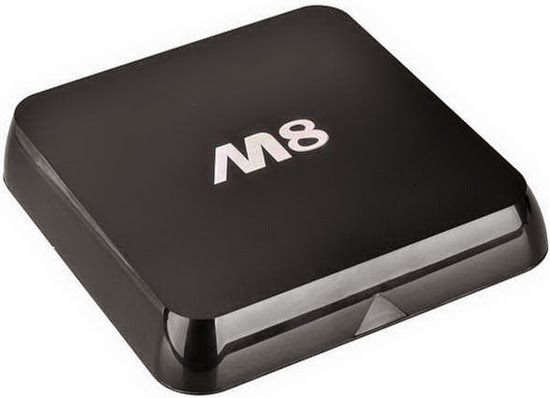
Download latest Android KitKat 4.4.2 stock firmware for M8 TV Box from here or here. Download previous firmware from here.
Firmware details
Archive: M8 20150617swe
Model: M8 TV Box
Image file size: 569 MB
Platform: Amlogic S802
Update file name: k200-ota-20150613.zip
Build number: k200-user 4.4.2 KOT49H 20150613 test-keys
Caution: Please do not update firmware unless you know what you are doing, you really want it or it is absolutely necessary. Firmware updates may occasionally have bad results, like bricking your device, temporarily or permanently. The firmware update process is done entirely at your own risk. Before attempting to update the firmware, back up your data.
Did this article help you? If so, please tell me in a comment what do you think about it.






Hi I did update my m8 box your
Build number: k200-user 4.4.2 KOT49H 20150613 firmware.
After update my box not working at all no power nothing
Is there an install video as this is the first time I’ve used a box and I’m unsure how to unpack and install once ive downloaded the rar file.
Tried to update my M8 box with your latest firmware using an SD Card. As soon as I plugged the power in to start update the box went off. Now, the blue light flashes once when the power lead is inserted and then stays off. Can anyone help please?
@Sahin103 & @Barry
Take a look here http://chinagadgetsreviews.com/how-to-unbrick-any-amlogic-devices-create-an-bootable-magic-micro-sd-card-in-minutes.html
I installed this firmware on 5 boxes, the WiFi does not work after install.
It works fine, wifi, everything works better, I don’t know why the other person said their box isn’t working. Make sure your model says “k200” and it’s a m8 s802.
just done update works a treat thanks
After update wifi doesn’t work and optical output doesn’t work in original firmware and not after update
How can i install cccam on this box
My m8 TV box was wiped totally clean. Now I can’t do any video add one. Its telling me I need to open a zip file, but it won’t let me. I’m trying to use an SD card and that’s not working either. Kodi won’t work, I’m totally stuck and I’ve been at this for hours and I’mgetting nowhere. Can someone please help me. Please tell me what iI need, what I need to do. I’m not good with technology so I need litterly step by step directions on what to do
The screen is flickering with HDMI connection. After some time snow like white dots starts forming on the screen and then it becomes unwatchable.
It seems like the resolution keeps changing and causing flicker. I am using a Samsung U55″ TV. Please fix this bug asap.
Regards,
Abhi
Hi, just made the update on my M8 box everything fine but i am not able to install a lot of thing from the appstore they tell my this app is not compatible with your device on a lot on things like google chrome, twrp, and if i go on the google download page they want to download it for ios software… any idea please? thanks
good platform
When I try to flash this, I get an error that says my box is not K200 but k6330 (???)(see pics)
http://i68.tinypic.com/qzmzkk.jpg
http://i63.tinypic.com/34gsps9.jpg
What can i do?
thanks!
hi guyz… im now plan to update my M8 firmware… just to confirm can i use pendrive to run the update? or it must done with SD card? tq
You can update also from pendrive. Launche OTA update aplication and choose the path to the firmware….
Does anyone know where I can find a copy of this firmware..
Kot49h.20151026.re test keys
My kid tried to update my tictid mxq with some droid something orn other.
Have tried sd card to no avail. Usb burner sees it but always errors at 2% no matter what I try so I’m assuming I just need to find the correct inage.
Thanks
The firmware I’m looking for is kot49h.20151026.r4 test keys
There was a typo in my first request. Thanks
My m8 will only load movie’s up to 1979 how do I update so I can get up to 2016
I think I have wiped all my add ons completely off the box anyone know what I can do if anything?
I used this firmware and after it rebooted it said Android warning Don’t power off. the yellow scroll bar completed but now it is just stuck at the warning Don’t power off screen. Is the M8 Bricked? I have not powered off as I am worried. it is going on 10 minutes now
If you only receive movies from earlier years just go into setup and change the date to the current date.
Google play store isn’t working for me, anyone else experiencing this problem?
Hi I did update my m8 box your
Build number: k200-user 4.4.2 KOT49H 20150613 firmware.
After update my box not working at all no power nothing
Any new software upgrade for M8 KITKAT android box?
thanks