Coupon Code Alert! You can now buy WELOCK ToucA51 Pro Smart Lock Cylinder from Welock.com with €50 off, 2-Year warranty & shipping from European Warehouse if you’ll use our coupon code: VD50. Hurry up, limited time offer!

Meet WELOCK ToucA51 Pro Smart Lock Cylinder – A True Next-Generation Smart Lock Cylinder
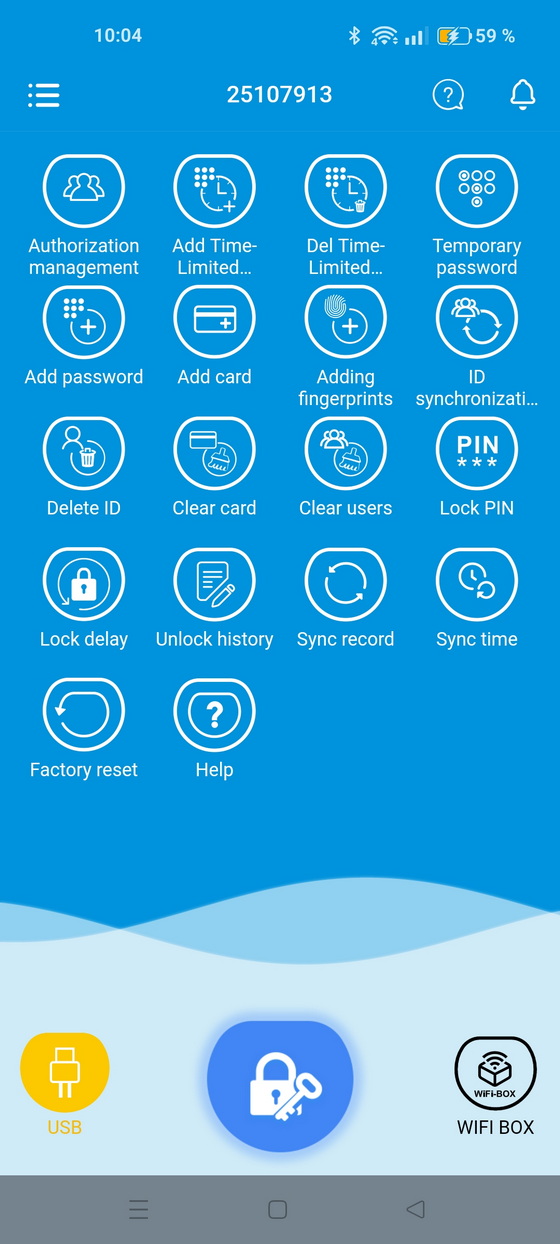
The WELOCK ToucA51 Pro isn’t just another smart lock—it’s a statement of convenience and innovation. Building on the solid foundation of the standard ToucA51, the Pro version introduces seven distinct unlocking methods for ultimate flexibility: fingerprint, passcode, RFID card, smartphone app, temporary password, USB-C backup, and even voice control via the WiFiBox 3 gateway. Whether it’s for your home, Airbnb rental, or office, the ToucA51 Pro adapts effortlessly to your lifestyle. The standout feature here is the new temporary password function, allowing you to generate time-limited access codes directly from the WELOCK app — perfect for visitors, guests, or service staff who need secure but restricted entry.
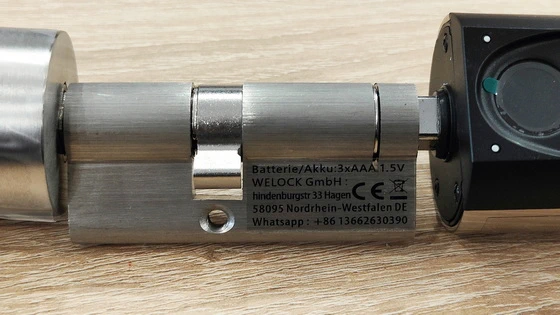
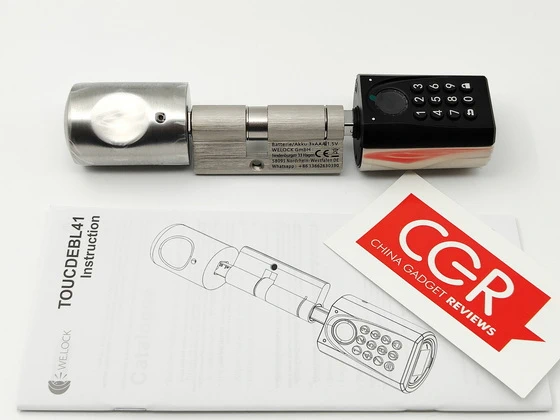
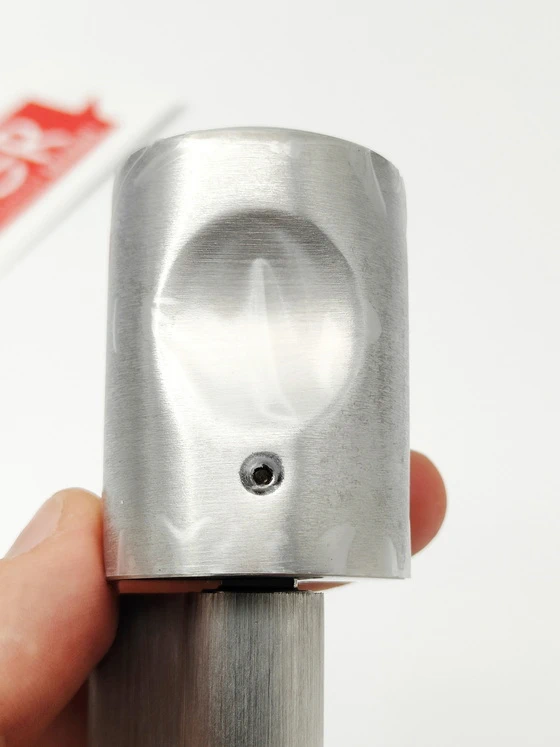
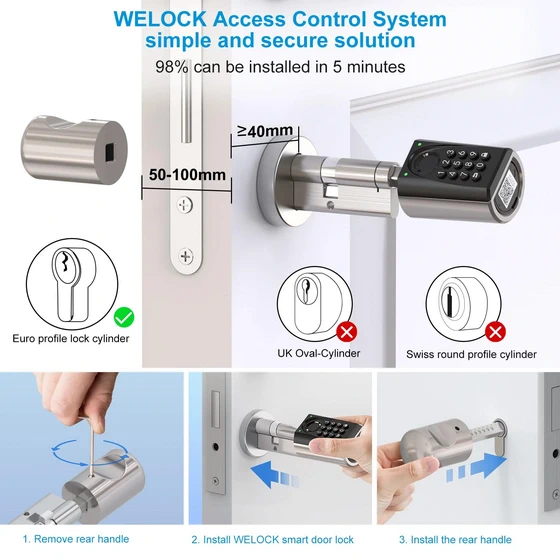
The WELOCK lock cylinder arrives with all necessary hardware neatly arranged, reflecting the same attention to detail that defines the product itself. The body combines stainless steel and PC plastic, creating a balance between durability and a modern aesthetic. Replacing your old lock cylinder is straightforward: you simply remove the existing one, insert the WELOCK unit from the outside of the door, and secure it with the provided screws. Adjusting the length of the cylinder is done through a small but clever mechanism — by loosening an inner hex screw, you can extend or shorten either side until it fits your door perfectly. Once locked into place and sealed with the silicone plug, the design not only sits flush but also resists water and dust. It’s a small detail, but one that demonstrates how the brand understands real-world home conditions.
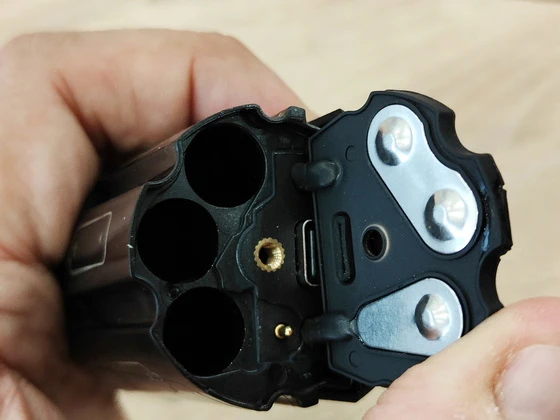
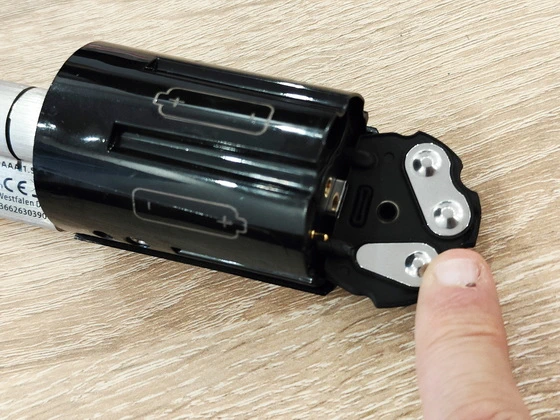
Inside the rear handle sits the battery compartment — discreet, easy to access, and designed to hold three AAA batteries. It’s important to note that these aren’t included, so having a set ready is recommended. Installing the batteries correctly (mind the polarity) brings the lock to life with a soft LED pulse, a subtle cue that the electronics are ready. The first thing you must do — and this is critical — is to set your administrator password. Out of the box, the WELOCK lock is in its factory default state, meaning any fingerprint, card, or random password could unlock it. Establishing an admin passcode locks down access and ensures that only authorized inputs can open the door thereafter. This step not only personalizes the device but also marks the moment your door truly becomes smart.
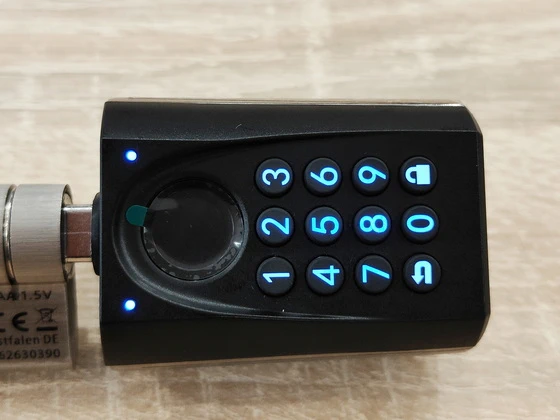
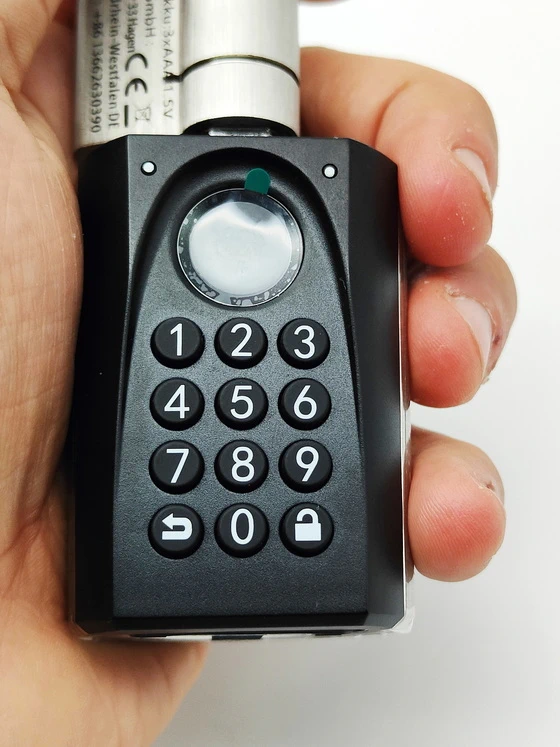
What makes the WELOCK Smart Lock so satisfying is its flexibility. You can unlock it in four different ways — fingerprint, passcode, RFID card, or smartphone app via Bluetooth. The fingerprint reader is responsive and accurate, confirming successful recognition with a brief blue light. The passcode option supports between six and ten digits, and the illuminated keypad makes it easy to use even in low light. RFID cards add an extra layer of convenience, especially for family members or guests, and the WELOCK app completes the ecosystem by offering remote access, logs, and settings right from your phone. Each unlocking method feels reliable and fast, and the visual feedback from the LED ring adds confidence to every interaction: blue for recognition, green for success, red for errors, and white when locking. Interestingly, before an unlock command is received, the handle can spin freely through 360°, which might seem odd at first but is actually a safety feature — it prevents forced entry by making it impossible to mechanically engage the latch without authorization.
Installing and using the WELOCK Smart Lock Cylinder instantly changes the way you think about door locks. Everything about it feels modern, precise, and thoughtfully engineered to blend convenience with security. From the first unboxing moment to daily operation, the lock manages to make something as routine as entering your home feel sleek, controlled, and high-tech. Thanks to the WiFiBox 3 gateway, the ToucA51 Pro smart lock integrates beautifully with Amazon Alexa and Home Assistant, bringing remote access and voice commands right into your connected ecosystem. Imagine locking your door by voice or checking your lock status while away — this is the kind of intuitive automation that defines a modern smart home.
Pairing the lock with the WELOCK app is straightforward. Once connected via Bluetooth, you can manage users, check entry logs, and even activate special modes like “Vacation Mode” for enhanced security while you’re away. Should the batteries ever run out, there’s no need to panic — the lock features a USB Type-C emergency port hidden beneath a small cover on the front handle. Simply connect a power bank to temporarily energize the system, and then use your phone app to unlock the door. This small design detail transforms what could have been a frustrating situation into a quick and effortless solution.
The lock is full of thoughtful touches that show how it’s designed for real households. “Vacation Mode” disables all non-admin entries when you’re away, preventing any accidental or unauthorized access. A “Silent Mode” option lets you mute beeps and alerts, perfect for late-night arrivals or homes with sleeping children. There’s even a smart protection feature that locks the keypad for 90 seconds after five consecutive wrong entries — a simple yet reassuring security layer. Battery life typically lasts several months, and when the voltage drops below 3.7V, the lock alerts you with a low-battery warning, giving plenty of time to replace them before power runs out completely.
To keep your WELOCK cylinder in peak condition, it’s best to wipe the fingerprint sensor occasionally with a soft microfiber cloth and avoid abrasive cleaners. Regularly check that all registered credentials still function correctly, and consider deleting old users if your storage limit (up to 200 combined fingerprints, cards, and passwords) fills up. It’s also wise to keep a backup RFID card in your wallet and store your admin passcode securely elsewhere — just in case.
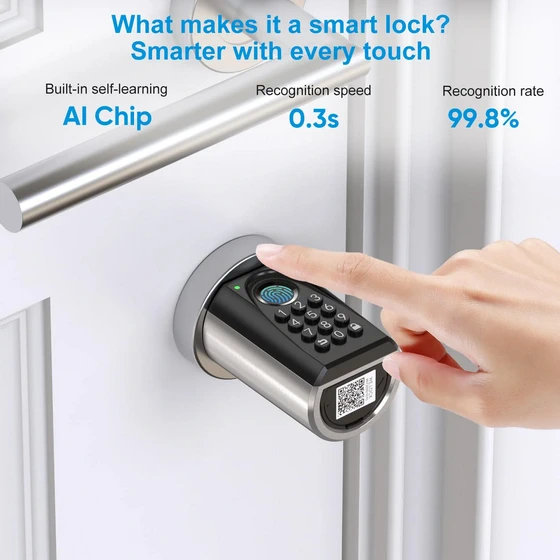
At the core of the WELOCK ToucA51 Pro lies an AI-enhanced fingerprint sensor capable of recognizing your print in just 0.3 seconds. The system intelligently learns and refines recognition accuracy over time, ensuring fast, frictionless, and secure access without the hassle of traditional keys. Privacy meets innovation with the anti-peep keypad feature. You can input random digits before or after your real PIN — the lock will still identify the correct code, protecting you from shoulder-surfing or unwanted observation. It’s a subtle yet powerful upgrade to everyday security.
The WELOCK ToucA51 Pro is designed for Euro-profile cylinders, adjustable from 50 to 100 mm, making it compatible with most European-style doors. Installation is refreshingly straightforward: remove three screws, replace the old cylinder, and you’re done — no drilling or wiring required. In less than ten minutes, you can transform your door into a smart access point. Through the intuitive WELOCK application, you can create up to 200 unique access credentials, from fingerprints to passcodes and RFID cards. Manage who enters your space, when, and for how long — all from your smartphone. It’s an ideal system for families, guests, and property managers alike, offering both control and convenience. Pairing the ToucA51 Pro with the WiFiBox 3 unlocks its full potential: remote control, voice automation, and real-time status monitoring. Whether you’re home or halfway across the world, managing your door has never been easier — or smarter.
The WELOCK ToucA51 Pro Smart Lock Cylinder delivers a modern and secure upgrade to any door, blending style with functionality. Installation is surprisingly simple and requires no drilling, making it ideal for quick DIY setups. In daily use, the lock performs reliably—fingerprint recognition is fast, and the Bluetooth connection via the WELOCK app is stable and intuitive. The app allows you to manage access, view unlock records, and even generate temporary digital keys, which is especially convenient for guests or Airbnb use. Battery life is solid, and the lock alerts you well before running low. Overall, the ToucA51 Pro and its companion app make home entry smarter, safer, and far more convenient.
Using the WELOCK Smart Lock Cylinder feels like stepping into a new era of home convenience. Its construction feels solid, its interface is intuitive, and every action — from the soft LED glow to the gentle click of the unlocking mechanism — gives the impression of quality engineering. Whether you choose to unlock your door with your fingertip, a simple passcode, or your phone, the experience remains consistent, secure, and pleasantly futuristic. For anyone seeking to upgrade their traditional door without replacing the entire handle or mortise system, the WELOCK Smart Lock Cylinder stands out as one of the most refined and user-friendly smart access solutions available — a perfect blend of technology, reliability, and thoughtful design. The WELOCK ToucA51 Pro Smart Lock Cylinder stands out as a refined evolution in home security. With its 7-in-1 access system, AI-powered fingerprint recognition, anti-peep protection, and seamless smart home integration, it perfectly balances security, convenience, and style. Whether you’re upgrading your home, modernizing a rental, or enhancing office security, the ToucA51 Pro delivers professional-grade performance with consumer-level simplicity. Smart, secure, and sophisticated — the WELOCK ToucA51 Pro is the smart lock cylinder your connected home deserves.
Verdict: ⭐⭐⭐⭐⭐ (5/5)
Security – Convenience – Design – Smart Control – All in One
WELOCK ToucA51 Pro Smart Lock Cylinder Main Features
– 7-in-1 Smart Lock Access Options — Upgraded for More Flexibility. The WELOCK ToucA51 Pro takes convenience to the next level with seven unlocking methods: fingerprint, passcode, RFID card, temporary password, smartphone app, USB-C backup unlock, and voice control via WiFiBox 3. Compared with the standard ToucA51, the Pro version introduces the temporary password feature, allowing you to generate time-limited access codes directly from the app — perfect for Airbnb guests, visitors, or service staff. Enjoy smarter, safer, and more flexible access for every scenario.
– Seamless Smart Home Integration as a Smart Lock Hub. Connect the ToucA51 Pro smart lock to Alexa or Home Assistant via the WIFIBOX3 gateway for voice control, remote access, and automation. Experience a truly connected and secure smart home.
– Instant Fingerprint Access. Smart Lock Precision. Unlock your door in just 0.3 seconds with the integrated AI-enhanced fingerprint sensor. The ToucA51 Pro smart lock cylinder learns and adapts to your unique fingerprint over time, delivering lightning-fast and reliable entry without a key.
– Anti-Peep Passcode Protection for Smart Lock Security. With the built-in anti-peep keypad function, simply enter random digits before and after your actual code. This smart lock cylinder still recognises the correct PIN — shielding you from prying eyes and elevating your home security
– Quick & Flexible Fit. True Smart Lock Installation. Designed for euro-profile doors, this smart lock cylinder is adjustable from 50 to 100 mm in length and can be installed in around 5 minutes by removing just three screws. A smart upgrade that replaces your old cylinder with minimal fuss.
WELOCK ToucA51 Pro Smart Lock Cylinder Highlights
– Voice Control with Alexa & Home Assistant. With the WIFIBOX3 gateway, enjoy seamless smart home integration, remote access, and enhanced convenience for a smarter, safer home. Easily control your WELOCK Smart Lock with voice commands, open or lock your door remotely, and experience the future of smart door locks in your connected smart home.
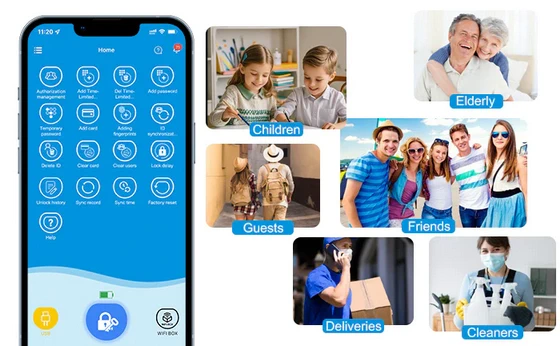
– Smart Access for Family. Use the WELOCK App to create up to 200 unique access codes for family members, friends, cleaners, or guests — giving each person the right access, at the right time. Enjoy safe, flexible, and convenient entry for your home, Airbnb rentals, apartments, offices, and hotels.
– Instant Access with Your Fingerprint. Unlock your door in just 0.3 seconds — faster than finding your keys. Powered by AI-enhanced fingerprint recognition, the WELOCK ToucA51 Pro learns and adapts to your unique fingerprint with every touch, giving you effortless, intelligent access every time.
– Anti-Peep Passcode Protection. Enter random digits before and after your real password — the lock will still recognize the correct code. With WELOCK ToucA51 Pro,no more worries about prying eyes — enjoy safer, smarter access every time you unlock your door.
– Smart Connected Euro Cylinder. Install your WELOCK ToucA51 Pro smart lock in just 10 minutes — simply remove 3 screws and replace your existing cylinder. Simple, quick, and drill-free installation, ideal for upgrading your smart lock and connected home.
WELOCK ToucA51 Pro Smart Lock Cylinder real life best using scenarios
– Home Security Upgrade. Replace your traditional key lock with the ToucA51 Pro to enjoy AI fingerprint access, anti-peep PINs, and remote monitoring via the WELOCK app — perfect for families who want both security and convenience without carrying keys.
– Airbnb & Short-Term Rentals. Use temporary passwords and RFID cards for guests. Automatically expire access after checkout, eliminating the need to meet guests in person. Track entry logs in real time for full control and peace of mind.
– Office & Small Business Access. Assign different access codes or fingerprints for employees, cleaners, or delivery personnel. With 200 credential slots, you can easily manage multiple users and schedules securely and efficiently.
– Family-Friendly Daily Use. Kids can unlock the door with their fingerprint — no more lost keys. Parents can monitor entries in the app, ensuring everyone got home safely, even while away.
– Co-Working or Shared Spaces. In shared offices or co-working hubs, use temporary codes or RFID access for rotating members or guests. Simplify management and improve security without changing locks constantly.
– Housekeeping or Maintenance Visits. Provide cleaners, handymen, or delivery staff with one-time or time-limited access codes — no physical key exchange or supervision needed.
– Vacation Homes or Second Residences. Monitor and manage access remotely via the WiFiBox 3 gateway. Grant or revoke access anytime from your smartphone — ideal for managing multiple properties from afar.
– Elderly or Mobility Assistance. For seniors or people with mobility challenges, fingerprint or voice unlock via Alexa provides easy, keyless entry without needing to remember codes or handle small keys.
– Package & Delivery Drop-Off. Use temporary access codes for couriers to drop packages safely inside your entryway or garage, preventing theft and ensuring secure deliveries.
– Smart Home Automation. Integrate the lock with Alexa or Home Assistant for routines like “Lock all doors” or “Goodnight mode.” You can even check lock status or control it remotely with your voice.
– Apartment or Hotel Management. Easily manage dozens of doors using the WELOCK app — assign, modify, or revoke digital keys instantly. Perfect for small hotels, serviced apartments, or student housing.
– Garage, Storage, or Workshop Access. Install the ToucA51 Pro on outbuildings or storage units to control who enters. Ideal for hobby spaces, garden sheds, or garages — especially if shared with family or staff..
How to add RFID card to welock smart lock?
Step 1: Download Welock app. Scan the QR code below to download the Welock app.
Step2: Bind your phone and welock smart lock. Turn on Bluetooth. Open the Welock app, click the ➕ button in the upper right corner, select Add Welock, then scan the QR code on the lock and follow the instructions to bind your smart lock.
Step3: Set the time of RFID card. Click on your bound welock smart lock and then click on the Add Card button. Set the time you want to add the card to be valid, you can set it to be valid all the time, or valid for a period of time.
Step4: Scan RFID card. Scan RFID card and wait for successful addition.
WeLock Mobile application
– You can connect your lock by bluetooth after you download the App.
– Including a variety of unlock ways, through the Bluetooth connection lock, multi-level authorization; button to unlock, shake -shake unlock, graphics unlock, one button unlock.
– Authorization management, equipment management, equipment transfer.
Download WeLock Mobile application for free from Google Play Store or from App Store.
WELOCK ToucA51 Pro Smart Lock Cylinder Specs
Brand: WELOCK
Model: ToucA51 Pro
Type: Smart Door Lock
Ways to unlock: fingerprint, passcode, RFID card, temporary password, smartphone app, USB-C backup unlock, and voice control via WiFiBox 3
Item dimensions L x W x H: 18.5 x 4.5 x 4 centimetres
Pressing cycle times: 100.000 times
Weight: 600 g
Material: Plastic, Zinc & Stainless Steel
Battery Type: 3 x AAA Battery
Battery Input: 3.6V – 4.5V
Battery: Replaceable
Battery life: 10-12 months
Adjustment range: 55mm to 95mm
Colour: Silver
Package List
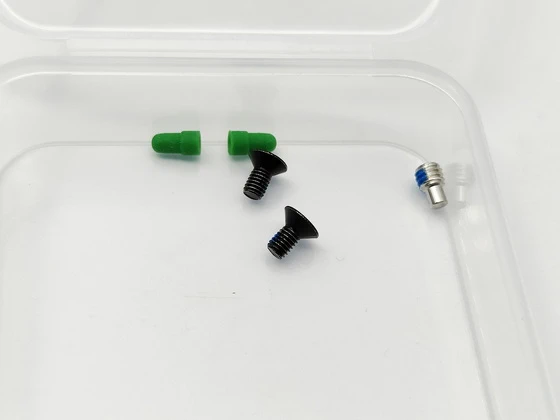
1 x WELOCK ToucA51 Pro Smart Lock Cylinder
3 x RFID card
1 x Allen key
2 x Fixing screw for battery cover
2 x Front handling screw
2 x Silicone Plug
1 x Thimble
1 x Quick start guide (5 languages)
1 x Packaging Box
Unboxing Photo Album with Hi-Rez images here. Read more about Welock products here.
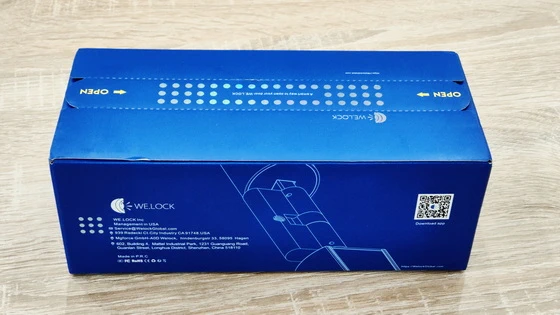
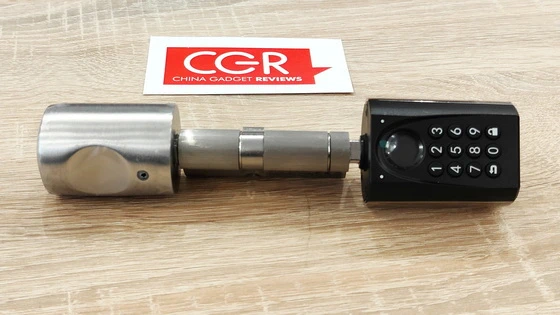
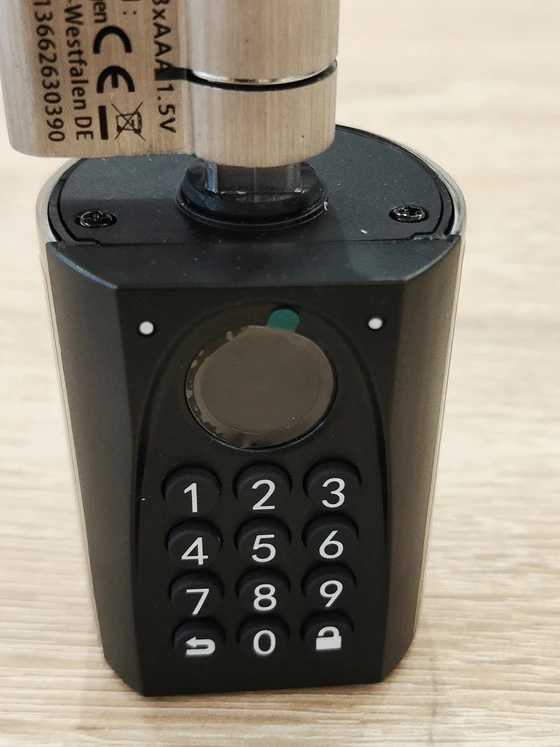
About WELOCK. WELOCK is a leading smart home access solution provider that focuses on smart door lock development, manufacturing, and marketing for over 10 years. In 2013,we have established our brand WELOCK, dedicated to popularizing high-quality smart home products and providing people with a safe and convenient life experience. WELOCK takes smart lock cylinders and fingerprint lock cylinders as its leading products, and has become the first company in the world to implement biometric fingerprint technology in lock cylinders. We’ve established partnerships in Europe, North America, Middle East, and Australia to provide users with the most localized service and support.
Did this article help you? If so, please tell me in a comment what do you think about it.
Don’t miss any of our future video tutorials, follow us on Youtube. Like us on Facebook. Join our Best Deals Telegram Channel. Join our Android TV Box Firmware Updates Telegram Channel. Subscribe now to our newsletter. If you need Tech Reviewer or Youtube Influencer read this. Donate now here to support CGR Team!