Best Deal Alert! You can now buy Hollyland Lyra 4K Vision Webcam with Ultra-Voice from Hollyland.com or from Aliexpress.com for a very good price. Hurry up, limited time offer!
Meet Hollyland Lyra 4K Vision Webcam – Precision, Clarity, and Intelligence in One Compact Device
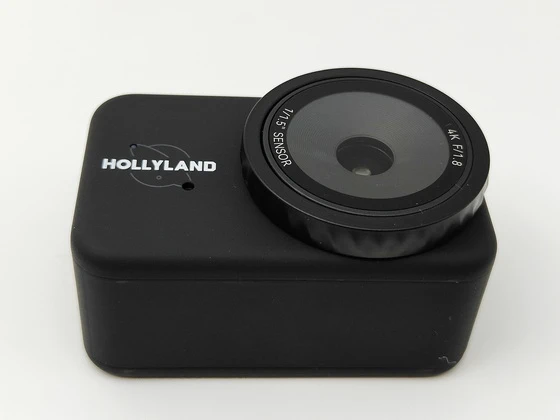
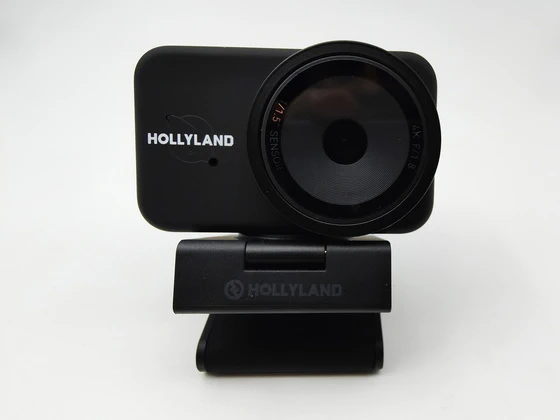
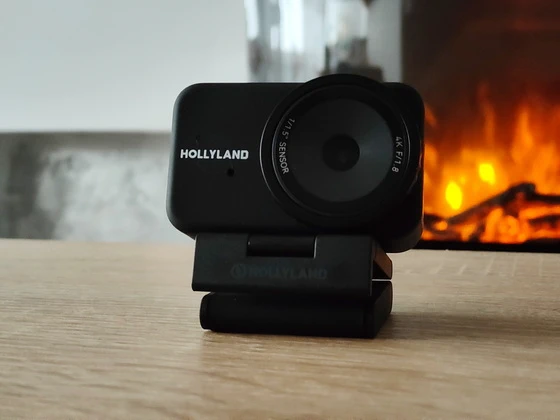
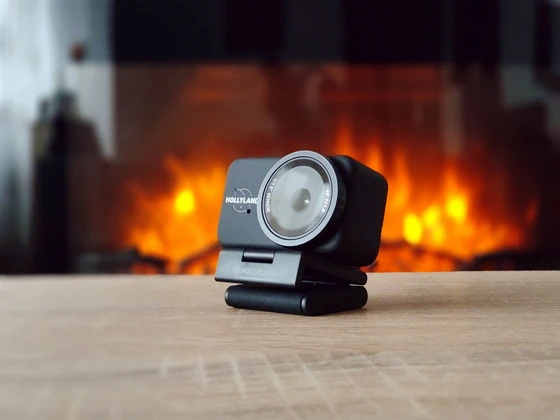
When I first set up the Hollyland Lyra 4K AI Streaming Camera on my desk, I immediately noticed something different. From the sturdy magnetic mount to the clean matte finish, every detail felt purpose-built for creators and professionals who demand more than the average webcam. But what truly impressed me wasn’t just how it looked — it was how it saw.
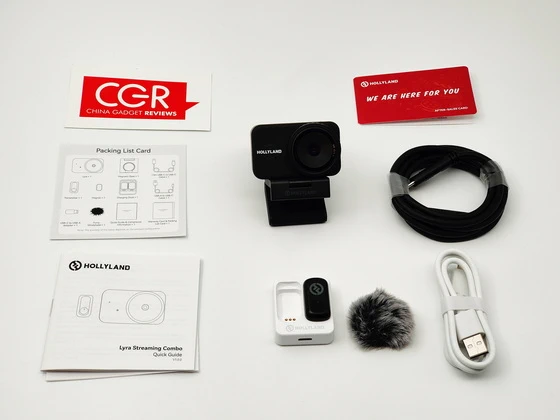
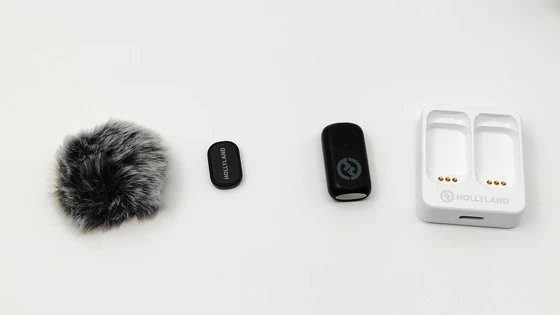
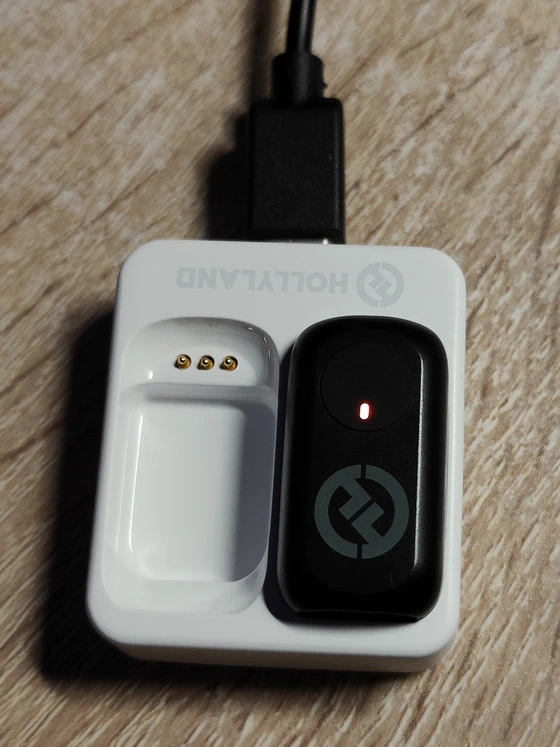
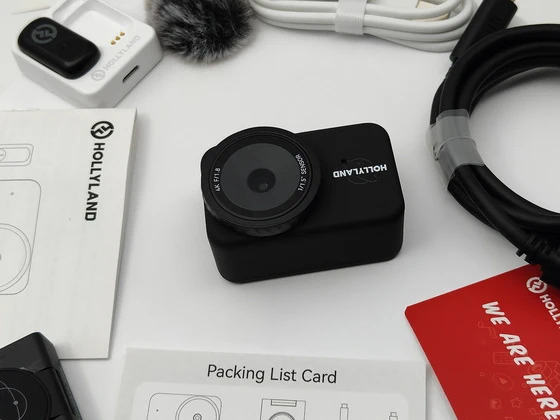
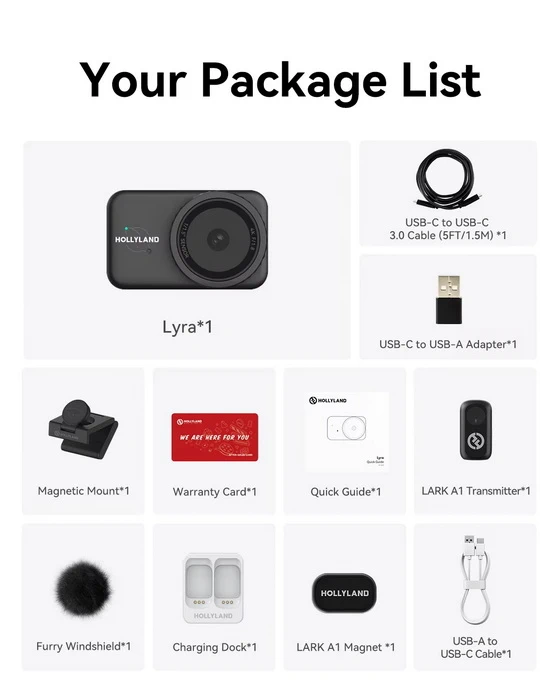
Lifting the lid of the Hollyland Lyra’s box felt more like unveiling a piece of professional equipment than a standard consumer gadget. Everything inside was perfectly arranged, exuding a sense of order and quality. The camera itself sat at the center — compact, solid, and beautifully machined, its minimalist design immediately evoking confidence. Near it, the LARK A1 wireless transmitter microphone. Beneath it, each accessory had its dedicated compartment: the magnetic mounting base, the USB-C cable, documentation, mic charging dock and furry windshield, all neatly positioned. The overall experience felt deliberate and elegant, as though every component was waiting to be discovered in sequence. As I lifted the camera out for the first time, the cold, smooth finish of its metal body felt substantial in my hands. There was no creak, no plastic flex — just a reassuring solidity that made me want to connect it right away and see what it could do. Even the protective film over the lens gleamed with that new-tech anticipation, hinting at the optical precision behind it. From that moment, it was clear that Hollyland had approached not just performance, but presentation, with the same level of sophistication.
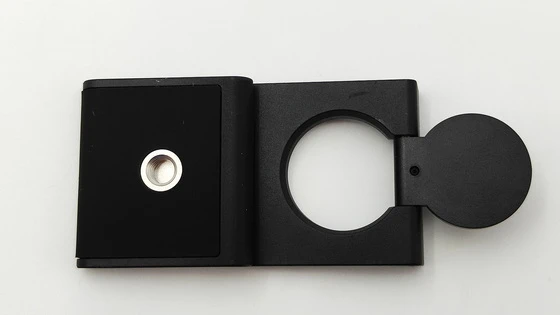
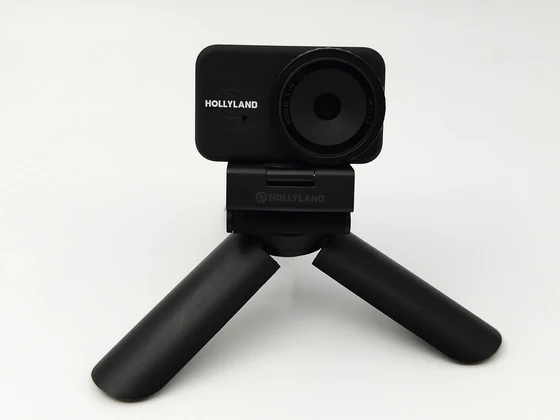
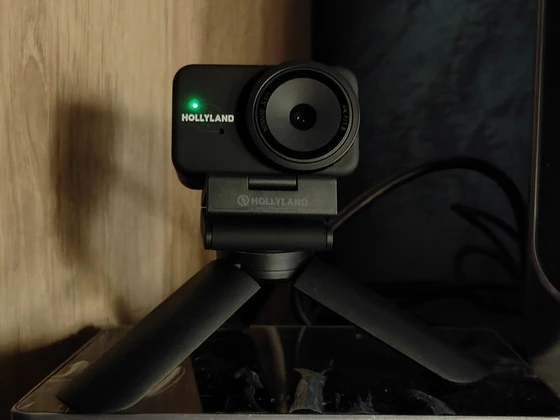
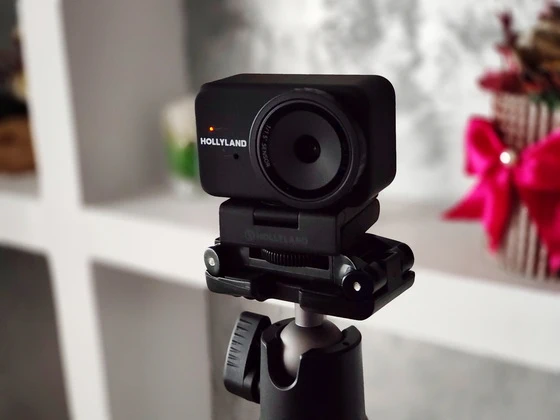
The first thing I did was carefully mount the Lyra using its magnetic base, which allows it to sit securely on the edge of my monitor, though I sometimes prefer to screw it onto a small tripod using the ¼-inch threaded mount at the bottom for more precise positioning. Connecting the camera was straightforward — I used the included USB-C to USB-C cable, which ensures both stable data transfer and sufficient power delivery. From experience, I strongly recommend connecting it directly to a USB 3.0 port on your computer rather than through a shared hub, as this prevents bandwidth limitations and ensures consistent 4K performance. Once connected, the indicator light glowed solid blue, signaling that the camera was ready for use. It’s a small but satisfying detail that lets you know the device has initialized properly.
I downloaded the HollyStudio software from the company’s official website, which is an essential step if you want to unlock the camera’s full potential. Inside the app, I could fine-tune the image, enable or disable AI auto-framing, adjust exposure and white balance, and even check for firmware updates. From the very beginning, I noticed that the Lyra’s 1/1.5-inch CMOS sensor delivers crisp detail and vibrant color, even under mixed lighting. I always recommend adjusting white balance manually when you have a specific look in mind — for example, a warmer tone for lifestyle videos or a neutral balance for professional meetings. Allowing the software to automatically correct brightness and contrast can be convenient, but a little manual tweaking goes a long way toward achieving that polished cinematic touch.
One of the features that immediately impressed me was the AI-powered auto-framing. Once activated, the Lyra locks onto your face and dynamically adjusts the frame to keep you perfectly centered, even if you move around during your presentation or demonstration. It feels like having a subtle, invisible camera operator who always knows where to point. However, I learned that this feature works best when you’re properly lit and standing out from your background. Soft, even front lighting — ideally from a ring light or diffused LED panel — helps the AI maintain accurate tracking. In darker conditions or against a cluttered background, the camera can sometimes hesitate, so keeping your setup simple and well-lit ensures smooth, natural movements.
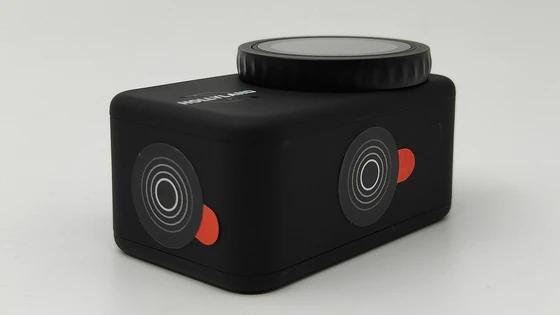
Another small but important design touch is the built-in privacy shutter. When I finish streaming, I simply twist the lens cover to block the view, giving me instant peace of mind that the camera is fully closed. It’s a reassuring feature, especially for those who work from home or in shared environments, and it also protects the lens from dust and accidental scratches. I make it a habit to always close the shutter before moving the camera or packing it away — not only does it safeguard the optics, but it also signals that my session is officially over, a little ritual that adds a sense of professionalism to the workflow.
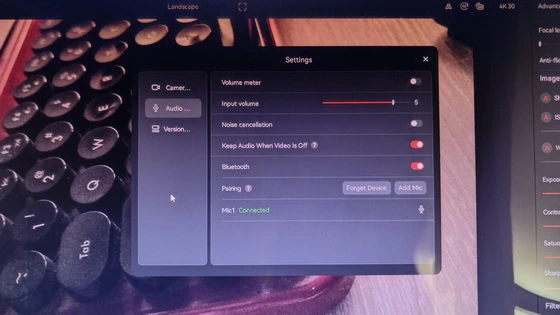
What truly elevates the Lyra setup is its seamless integration with the LARK A1 wireless transmitter, included in the streaming combo. Pairing it took only a few moments: I powered on the transmitter, pressed and held the button for six seconds to enter pairing mode, then used the HollyStudio software to initiate the connection. The moment the LED turned solid blue, I knew the microphone was successfully linked. The omnidirectional pickup pattern captures voice with impressive clarity, even if you turn your head or move slightly away from the camera. For the best audio quality, I recommend clipping the transmitter about six to eight inches below your chin and enabling noise cancellation when working in busy environments. The difference it makes is immediately noticeable — background hums and echoes are significantly reduced, leaving only clean, natural speech.
Because the Lyra runs entirely on USB power (5V/1A), it’s important to ensure your computer or docking station provides enough current. If the camera suddenly disconnects or the image freezes, it’s usually a sign that the port is not delivering consistent power. I solved this by always using a dedicated port and avoiding passive hubs. I also appreciate that the camera doesn’t overheat during long sessions — it can feel slightly warm after extended use, which is perfectly normal. For those who plan to stream for several hours, positioning the camera in an open, ventilated space will help maintain stable performance. As with any precision optical device, keeping the lens clean is essential. I gently wipe it with a microfiber cloth and avoid using alcohol-based cleaners, which can damage coatings. I also never place the camera face-down on any surface — the lens has no protective cover, and scratches are not covered under warranty. These small precautions help maintain the camera’s pristine clarity over time.
Using the Hollyland Lyra 4K AI Streaming Camera together with the HollyStudio software on my Windows 11 PC has felt like stepping into a surprisingly refined and thoughtfully engineered environment, where every control and every visual adjustment seems designed to give me a sense of precision, clarity, and confidence while preparing for livestreams, video calls, or recordings, and where the entire interaction flows smoothly from one feature to the next without ever interrupting the creative process or demanding unnecessary technical effort. When I moved into the Image Control dashboard, the experience shifted into something that resembled the menus of a compact mirrorless camera, offering me beautifully arranged sliders and toggles for Shutter Speed, ISO, White Balance, Exposure (EV), Contrast, Saturation, and Sharpness, each of them responding instantly to my touch and each adjustment reflecting in real time on the preview window, allowing me to fine-tune the image with a degree of control that is rare for a streaming camera; I found myself experimenting with small refinements—warming the scene with a manual white-balance push, deepening shadows through careful contrast changes, and sharpening the captured image to a point where facial features appeared clean yet natural—creating the exact visual tone I wanted with none of the lag, hesitation, or artificial smoothing that plagues other camera apps.
The FOV control felt equally polished and surprisingly generous, giving me a continuously adjustable field of view instead of fixed steps, which allowed me to slowly glide between a wide, immersive framing that showed more of my room and a tighter portrait crop that felt intimate and cinematic, all without introducing distortion, pixelation, or any sense that the camera was digitally forcing the image into a shape it wasn’t designed to handle; the adjustment felt organic, almost like smoothly zooming a physical lens. Exploring the Overlay section gave me the sense of having a miniature broadcast studio embedded directly into the camera software, because loading custom graphics, signatures, logos, or small lower-third banners happened instantly and with an almost playful ease, allowing me to build a personalized on-screen identity without needing to open OBS or any editing tools, and letting me reposition, resize, and refine the overlay elements in a way that felt intuitive enough to use even during a quick preparation before going live. The Beautify feature, which I initially expected to be overly aggressive or artificial, ended up striking a surprisingly balanced approach by softening minor skin imperfections, blending the face gently into the lighting of the room, and giving a discreet sense of polish without pushing the image toward that glossy plastic texture seen on many social media filters; adjusting its intensity let me find a point where I still looked like myself, only slightly more rested, slightly more uniform in tone, and overall more presentable on camera. Perhaps the feature that impressed me most was the Green Screen Keying, which reacted far better than I anticipated, even when I used a simple, imperfect green cloth as a background; the software was able to remove the green quickly, producing a clean key with minimal fringing along the edges of my shoulders and hair, and allowing me to replace the background with solid colors, images, or soft gradients—something incredibly helpful for tutorials, reviews, or work presentations—without resorting to external tools, and without burdening my PC with heavy real-time compositing processes.
Altogether, my experience with the Hollyland Lyra 4K and HollyStudio has been one of smooth control, expressive flexibility, and a pleasing sense that the camera and the software are cooperating with me rather than resisting my intentions, allowing me to move through my workflow with long, uninterrupted gestures—adjusting settings, shaping light, refining framing, adding overlays, and experimenting with virtual backgrounds—all while maintaining a continuous, fluid rhythm that makes the entire process feel professional, modern, and refreshingly well-designed.
After days of testing the Hollyland Lyra 4K AI Streaming Camera, I can confidently say it’s more than just a webcam — it’s a professional imaging solution crafted for today’s hybrid world. The combination of a large 1/1.5″ sensor, true 4K quality, AI intelligence, and studio-grade audio gives it an edge that feels revolutionary in a compact form. From the moment of unboxing to the final frame of a live broadcast, the Lyra consistently impressed with its design, performance, and effortless precision. It’s the kind of tool that doesn’t just make your image better — it makes your presence more powerful. If you’re serious about creating, presenting, or communicating at a professional level, Hollyland Lyra 4K is not merely a smart webcam. It’s your new studio — compact, intelligent, and beautifully alive with detail.
A masterfully engineered 4K streaming system that blends premium craftsmanship, intelligent AI features, and studio-level control into one of the most refined and effortlessly professional webcam experiences available today. A meticulously crafted 4K streaming solution that combines premium build quality, intelligent AI automation, and remarkably intuitive software control, delivering a fluid, studio-grade experience that feels consistently polished, reliable, and purposefully designed for creators who demand both precision and elegance in their workflow.
Hollyland Lyra 4K Vision Webcam Main Features
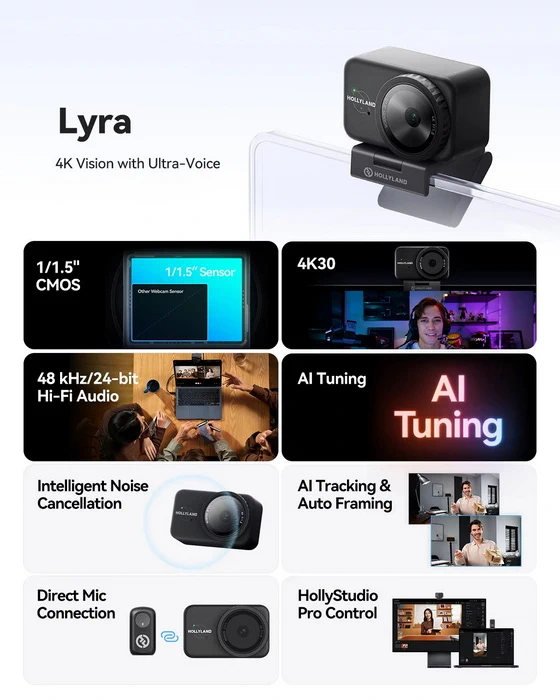
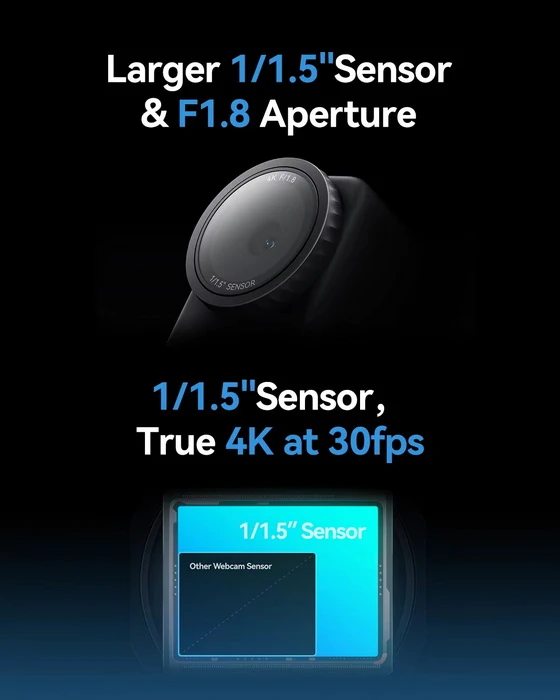
– High-Performance CMOS Larger 1/1.5″ Sensor. Most webcams use 1/3″ or 1/2.5″ sensors, struggling in low light. Lyra’s 1/1.5″ CMOS is 3x larger, capturing more light for crystal-clear video from sunrise to night.
– 50MP Webcam Mighty 4K Video Quality. The Lyra’s true 4K at 30 fps captures every detail, like the speaker’s facial expressions, the product you’re showing, or even clothing texture — ideal for both professional meetings and engaging live streams. Powered by a 50MP sensor, it delivers ultra-realistic, high-quality visuals for an extraordinary viewing experience.
– F1.8 Aperture. The Lyra’s F/1.8 aperture creates a shallow depth of field, making the speaker stand out against a beautifully blurred background. It gives your meetings and live streaming a premium feel.
– Fast and Accurate Phase Detection Autofocus (PDAF). The Lyra webcam uses advanced PDAF for fast, accurate autofocusing. Compared to traditional contrast-detection autofocus, PDAF calculates phase differences in one step for ultra-fast focusing. No matter how you move, Lyra keeps a smooth focus on you.
– Free & Comfortable Speak Loud & Clear Voice. The Lyra webcam adopts the latest LARK A1 wireless microphone solution. Thus, the built-in microphone in the webcam boasts a powerful 48 kHz/24-bit audio recording ability. Great for meetings and live streaming because the recording audio will sound really natural, just like the mic is close to the speaker’s mouth.
– AI Tuning, Even Beginners Get Stunning Shots. With years of live streaming experience and extensive real-world data, Lyra comes with our self-developed AE and AWB algorithms that intelligently analyze lighting conditions and fine-tune image parameters in real time. No camera expertise required — anyone can achieve professional-grade image quality with ease.
– Smart and Fast AI Tracking & Smart Auto-Framing. When you’re moving around, Lyra’s AI tracking and auto framing will keep you centered in the frame. Additionally, it automatically tracks everyone in the frame and auto-frames when a new speaker joins.
– Landscape or Portrait. Easily mount the Lyra webcam on the magnetic base: landscape for meeting apps, portrait for live streaming on TikTok, and more.
– Pro Controls, HollyStudio Software. Not only can you drag the bar to fine-tune focus, ISO, white balance, brightness, and contrast, but you can also get one-click skin smoothing and dynamic background removal. Plus, adjust microphone settings directly in the same interface.
– Effortless Switch, 10 Preset Positions. You can pre-save commonly used Lyra webcam angles, like speaker portraits, product close-ups, and whiteboard views. During meetings or live streams, you can quickly switch to your preset angles with a single click, saving valuable setup time.
– More Possibilities for Post-production. Lyra can record high-quality 4K30 lossless video clips while live streaming or during video conferences. It benefits vloggers, educators, creators, and professionals with endless post-creation opportunities.
Hollyland Lyra 4K Vision Webcam real life best using scenarios
– High-Stakes Business Meetings & Executive Presentations. When clarity, professionalism, and presence matter, the Lyra’s 1/1.5″ sensor, F1.8 optics, and AI auto-framing create a boardroom-ready image that elevates your authority on screen.
– Online Teaching & Remote Education. Teachers and trainers benefit from the wide-to-tight FOV control, instant autofocus, and excellent low-light performance — making lessons feel personal, sharp, and easy to follow.
– Live Product Demonstrations & Tech Reviews. content creators showing gadgets, accessories, or close-up details will appreciate the fast PDAF autofocus and preset angles, making transitions between face, desk, and macro views effortless.
– Professional Livestreaming (YouTube, Twitch, TikTok Live). With true 4K detail, portrait orientation support, built-in overlays, and studio-grade audio from the LARK A1, the Lyra becomes a complete streaming studio in a tiny footprint.
– Remote Interviews & Podcast Video Recordings. The combination of AI tracking, excellent depth of field, and noise-reduced wireless audio ensures natural, broadcast-level visuals and sound — ideal for hosts and guests.
– Virtual Conferences, Panels & Webinars. Speakers can move freely while presenting slides, switching between presets and relying on auto-framing to stay perfectly centered — just like having a mini PTZ camera on the desk.
– Hybrid Workspaces & Work-From-Home Setups. Those who spend hours daily in online meetings will appreciate the webcam’s consistency, accurate auto-exposure, privacy shutter, and clean, polished color science.
– Creative Workshops, Tutorials & Masterclasses. Artists, musicians, photographers, and makers can stream crystal-clear demonstrations, showcase fine details, and adjust color/lighting with cinema-like precision.
– Fitness, Coaching & Training Sessions. The Lyra tracks movement smoothly, keeping instructors centered even as they move around the room — perfect for yoga, workouts, and coaching sessions.
– Online Sales Calls & Virtual Showrooms. Whether showcasing physical products or walking clients through demos, the shallow depth of field adds a premium look that makes items (and the presenter) stand out.
– Corporate Video Creation & Internal Communications. Teams can record 4K30 lossless footage directly inside HollyStudio — ideal for polished announcements, tutorials, onboarding videos, or quick internal content.
– Virtual Background Replacement & Branded Content. With accurate green-screen keying and customizable overlays, creators can instantly add logos, banners, lower thirds, and backgrounds without leaving the HollyStudio environment.
Hollyland Lyra 4K Vision Webcam Highlights
Premium Build & Precision-machined metal body with a matte finish
Secure magnetic mount + ¼-inch thread for tripod setups
Beautifully organized packaging with LARK A1 wireless mic included
Superior Imaging with a Large 1/1.5″ CMOS Sensor
3× larger than typical webcam sensors (1/3″ / 1/2.5″)
Captures more light, cleaner shadows, and natural colors
Perfect for low-light rooms, mixed lighting, and studio setups
True 4K Precision with a 50MP Camera System
Real 4K30 video with exceptional micro-detail
Shows natural skin texture, product close-ups, and fabric detail
Ideal for livestreamers, educators, and professionals who need realism
F1.8 Aperture for Cinematic Depth
Beautiful, shallow depth of field
Soft background blur that elevates your on-screen presence
Adds a premium, mirrorless-camera look to any meeting or stream
Ultra-Fast PDAF Autofocus
Phase Detection Autofocus locks onto your face instantly
Smooth, confident tracking during movement
Perfect for product demos, teaching, or standing presentations
Studio-Grade Audio with LARK A1 Wireless Mic
48 kHz / 24-bit, low-noise, natural vocal tonality
Wireless mobility without audio dropouts
Noise-cancelling options for busy environments
Intelligent AI Auto-Framing & Tracking
Always keeps you perfectly centered
Detects new speakers and adjusts framing automatically
Works best with soft, even lighting for flawless tracking
Flexible Orientation: Landscape or Portrait
Landscape for Zoom, Teams, Google Meet
Portrait for TikTok, Instagram Live, YouTube Shorts
Instantly adjustable via the magnetic base or tripod mount
HollyStudio: Professional Control Panel
Full image control: ISO, shutter, WB, EV, contrast, saturation, sharpness
One-click beautify that remains natural—not plastic
Green screen keying with clean edges
Custom overlays (logos, lower thirds, graphics, signatures)
Mic controls, noise reduction, and firmware updates
Advanced FOV Adjustment
Intelligent Presets (10 Positions)
4K30 Lossless Local Recording
Record directly inside HollyStudio while streaming
Perfect for tutorials, reviews, courses, vlogs, and company videos
Clean source footage for post-production flexibility
Hollyland Lyra 4K Vision Webcam Specifications
Brand: Hollyland
Model: Lyra
Type: 4K Webcam
Model number: M18T (TX) / M18C2 (BOX) / M18R1 (RX USB-C) / M18R2 (RX Lightning)
Weight: 80g (Webcam only)
Dimensions: L*W*H: 60 × 33.3 × 37mm (2.4 × 1.3 × 1.5″)
CMOS: 1/1.5″
Aperture: F/1.8
FOV: 82°
Equivalent Focal Length: 26mm
Effective Pixels: 50 megapixels
Digital Zoom: 1-4x
Port: USB-C
Input Power: 5V/1A
Operating Temperature: 0° to 45°C (32° to 113°F)
Storage Temperature: -10° to 60°C (14° to 140°F)
EAN: 6976068119449
UPC: 191460009587
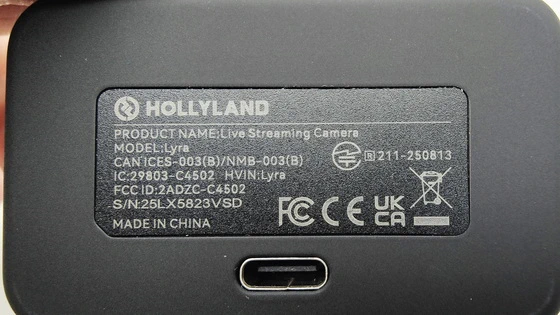
IC: 29803-C4502
HVIN: Lyra
FCC ID: 2ADZC-C4502
System version: V2.0.2.02
Configuration Version: V1.8.1.811
LARK A1 TX
Mic Sensitivity: -37 dBV ± 2 dBV@1 kHz, 94dB SPL
Wireless Modulation Mode: GFSK 2 Mbps
Wireless Transmission: 2.4 GHz Adaptive Frequency Hopping (AFH)
Transmission Range: 10m
Mic Polar Pattern: Omnidirectional
Frequency Response: 20 Hz – 20 kHz
Signal-to-Noise Ratio: ≥ 67dB
Max Sound Pressure Level: 120dB SPL
Sample Rate and Bit Depth: 48 kHz/24-bit
Battery Voltage: 3.8V
Battery Capacity: 65 mAh
Charging Time: <1.5 hours
Mic Version: v1.0.2.8
HollyStudio software
I downloaded the HollyStudio software from the company’s official website, which is an essential step if you want to unlock the camera’s full potential. Inside the app, I could fine-tune the image, enable or disable AI auto-framing, adjust exposure and white balance, and even check for firmware updates. From the very beginning, I noticed that the Lyra’s 1/1.5-inch CMOS sensor delivers crisp detail and vibrant color, even under mixed lighting. I always recommend adjusting white balance manually when you have a specific look in mind — for example, a warmer tone for lifestyle videos or a neutral balance for professional meetings. Allowing the software to automatically correct brightness and contrast can be convenient, but a little manual tweaking goes a long way toward achieving that polished cinematic touch.
Download Holly Studio software version for Windows or Mac from here.
Package Content
1 x Hollyland Lyra 4K Vision Webcam
1 x Magnetic Mount
1 x USB-C to USB-A Adapter
1 x USB-C to USB-C 3.0 Cable (5FT/1.5M)
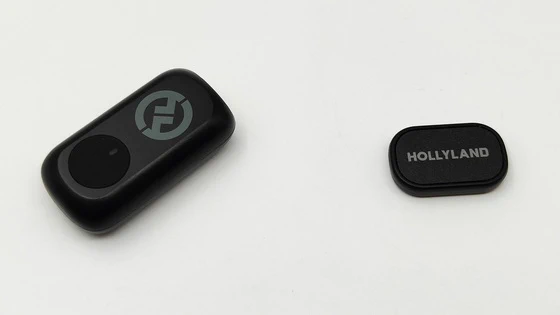
1 x LARK A1 Transmitter
1 x LARK A1 Magnet
1 x LARK A1 Charging Dock
1 x Furry Windshield
1 x USB-A to USB-C 2.0 Cable
1 x English Quick Guide
1 x Packing List Card
1 x Compliance Information Card
1 x After-Sales Card
1 x Packaging Box
Unboxing Photo Album with Hi-Rez images here. Official webpage here. Here you can read more about Hollyland brand.

About Hollyland. Hollyland is a fast-growing wireless technology brand in the global content production market. Since 2013, the brand has grown to be recognized as a leading provider of premium wireless products. Hollyland designs, develops, manufactures, and distributes a wide range of high-performance wireless solutions. The product portfolio includes video transmission systems, cameras, monitors, wireless microphones, and wireless intercom systems that feature a compact design, high quality, reliable performance, and affordability. Hollyland’s wireless products and solutions are widely used in various content production scenarios, such as studio production, on-location production, fast-growing house-of-worship market, video conference, and much more. The customers are typically photographers, broadcasters, vloggers, influencers, gamers, professional video production crews and enterprises, production product rental companies, and beyond. Whether you are looking for a wireless video transmission product for a small-scale production team or a wireless intercom system for a medium- or large-scale production team, Hollyland’s market-savvy and product-knowledgeable sales and technical engineers can work with your local or regional reseller to offer the best possible solution to you.
Did this article help you? If so, please tell me in a comment what do you think about it.
Don’t miss any of our future video tutorials, follow us on Youtube. Like us on Facebook. Join our Best Deals Telegram Channel. Join our Android TV Box Firmware Updates Telegram Channel. Subscribe now to our newsletter. If you need Tech Reviewer or Youtube Influencer read this. Donate now here to support CGR Team!