ONEXPLAYER has introduced a significant software update that enhances the gaming experience for owners of the ONEXPLAYER 3 and X2 Mini Pro. The newly released ONEXPLAYER Controller Software brings seamless compatibility between full-size and mini controllers, giving players greater flexibility in how they enjoy their favorite games. The software is now available for download through the official ONEXPLAYER support portal.
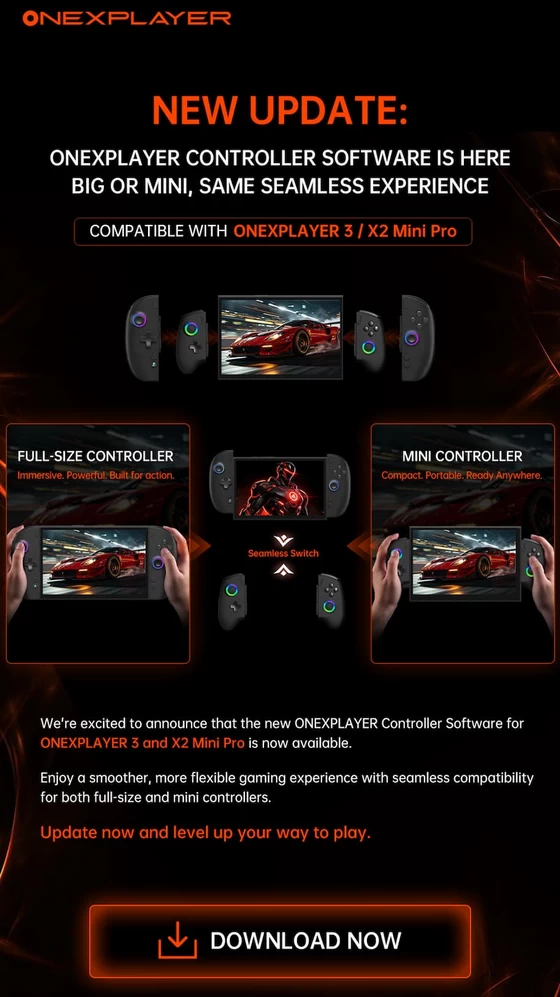
One of the biggest highlights of this release is the ability to switch effortlessly between controller configurations without interrupting gameplay. Whether users prefer the immersive feel of the full-size detachable controllers for extended gaming sessions or the portability of the compact mini controllers while traveling, the new software ensures a consistent and responsive experience across both setups. ONEXPLAYER emphasizes that the transition between controller modes is designed to be smooth and intuitive, allowing gamers to focus entirely on their games rather than configuration.
The update also reinforces ONEXPLAYER’s commitment to improving its Windows-based handheld ecosystem through regular software enhancements. Beyond controller compatibility, the company’s support center continues to provide driver packages, BIOS updates, system recovery files, firmware, and OneXConsole software for a wide range of ONEXPLAYER devices, ensuring users have access to the latest optimizations and fixes.
For owners of the ONEXPLAYER 3 and X2 Mini Pro, installing the latest controller software is highly recommended. Besides enabling support for both controller styles, keeping the software current helps ensure optimal compatibility, improved stability, and access to future feature updates as ONEXPLAYER continues to expand its handheld gaming platform.
The new ONEXPLAYER Controller Software is available now. Users can download the latest version, along with drivers and support resources, from the official ONEXPLAYER Drivers & FAQs page.
Did this article help you? If so, please tell me in a comment what do you think about it.
Don’t miss any of our future video tutorials, follow us on Youtube. Like us on Facebook. Join our Best Deals Telegram Channel. Join our Android TV Box Firmware Updates Telegram Channel. Subscribe now to our newsletter. If you need Tech Reviewer or Youtube Influencer read this. Donate now here to support CGR Team!
Views: 351






