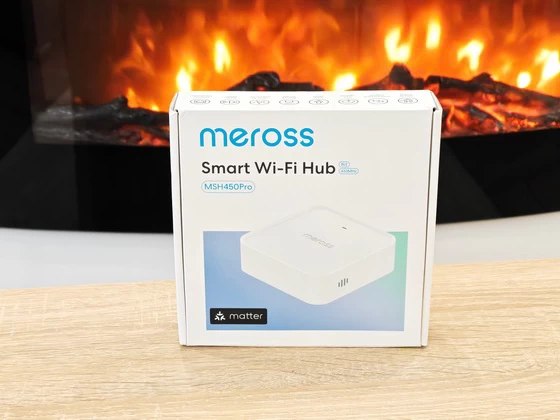
Best Deal Alert! You can now buy Meross MSH450 Pro Matter Smart Wi-Fi Hub from Shop.meross.com for only $29.99. Use Code: Welcome to get 5% off on your first order. Hurry up, limited time offer!
Meet Meross MSH450 Pro Matter Smart Wi-Fi Hub – Giving My Smart Home a Clearer Voice
The more connected devices I bring into my home, the more I appreciate the products that make them easier to manage. Individual sensors can provide useful information, but the overall experience depends on how clearly that information reaches me. This is what interests me about the Meross MSH450 Pro: a compact smart hub that brings together compatible Bluetooth and 433MHz accessories, adds spoken alerts, and offers both Ethernet and Wi-Fi connectivity. For me, its appeal goes beyond connecting another sensor. The combination of support for up to 32 compatible devices, local alarm functionality, and Matter integration gives it a useful role in a growing Meross installation, particularly when I want to introduce newer accessories while continuing to use compatible existing ones.
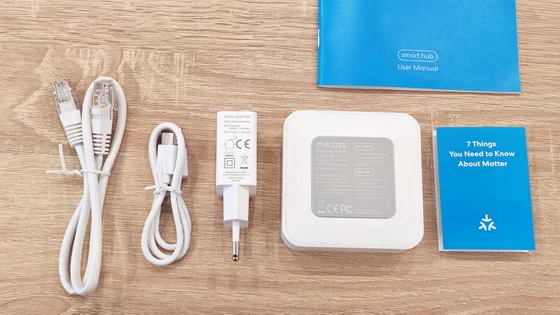
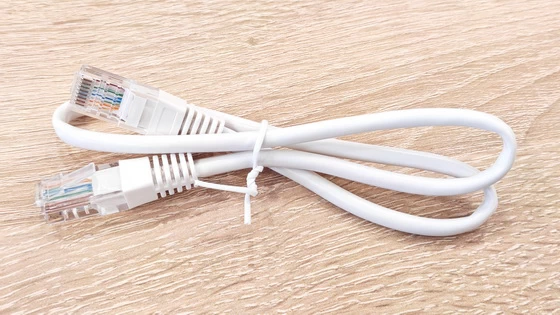
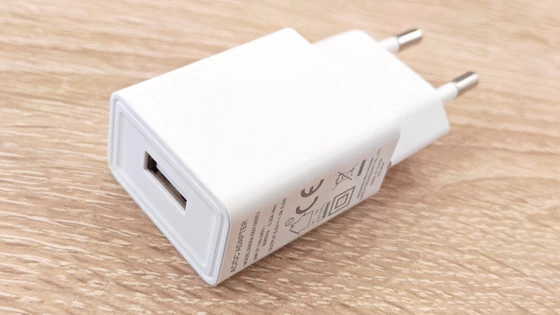
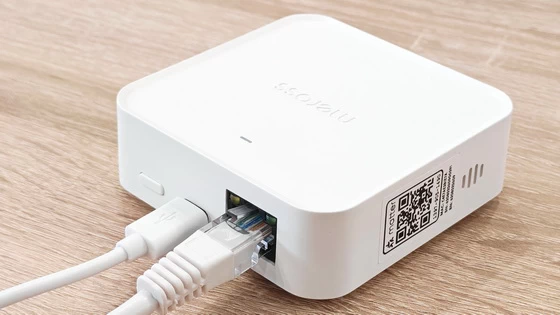
Inside the package, I found the Meross MSH450 Pro hub, a USB power cable, an EU power adapter, an Ethernet cable, a user manual, and a separate booklet introducing Matter. It is a practical selection that makes the first steps feel straightforward, with the power and networking accessories ready when I need them. I particularly appreciate the inclusion of the Ethernet cable because it makes wired connectivity an immediate option once initial configuration is complete. The supplied 5V/1A adapter also provides a matching power source, keeping the installation simple. For a device intended to stay connected continuously, this complete approach to the essentials makes a positive first impression. The hub’s compact proportions are immediately relevant to placement. I can consider a shelf, a small space beside the router, or another convenient position without having to rearrange an entire collection of equipment. That flexibility matters more to me than elaborate presentation, especially for something designed to become a permanent part of the home.
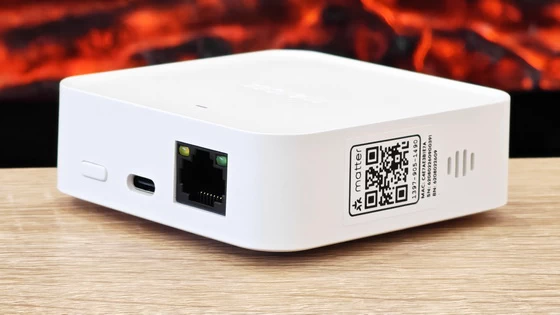
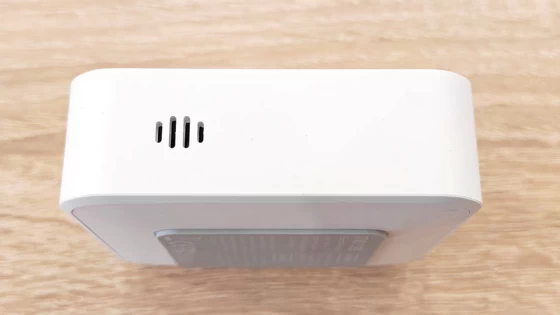
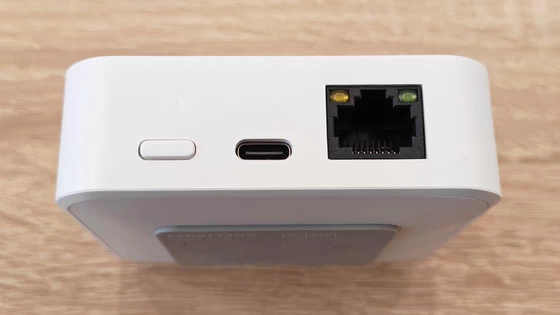
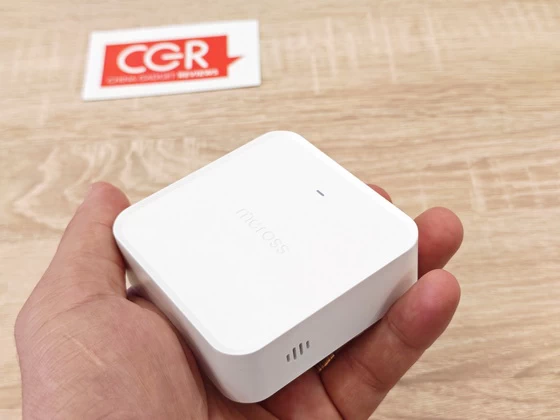
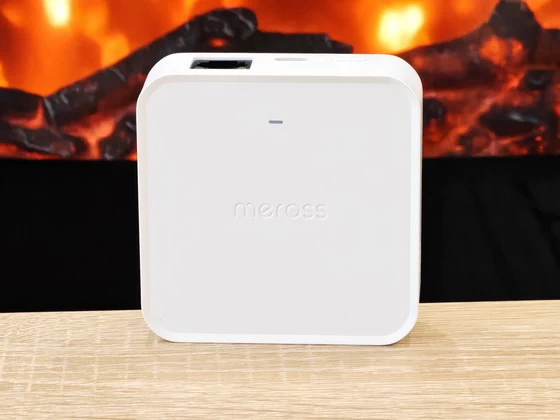
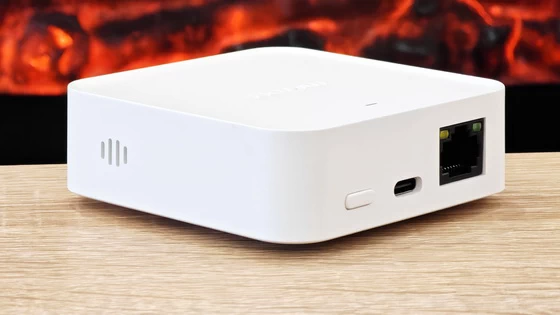
The MSH450 Pro takes a straightforward approach to construction, using a compact enclosure with rounded edges and a restrained exterior. At 76 × 76 × 26mm, it keeps its physical presence modest while accommodating wired networking, USB power, a status indicator, and a physical control button. My priorities for this type of hardware are practical: accessible connections, manageable dimensions, and controls that remain easy to find when needed. The Meross layout suits those priorities, keeping routine interaction in the app while retaining direct access to pairing and reset functions. Two presses of the button within two seconds activate pairing mode, while holding it for five seconds initiates the factory reset process. I appreciate having those essential functions available directly on the hub, particularly when changing an installation or troubleshooting a connection. Long-term durability takes more time to judge, but the physical arrangement is sensible for a device that will usually remain in one place.
I like the MSH450 Pro’s understated appearance because a smart hub should be easy to accommodate in a normal living space. The white finish, softly rounded corners, and discreet branding give it a neutral character that works beside networking equipment or among everyday objects on a shelf. Its small footprint also allows placement to be guided by connectivity and audibility. With voice alerts forming part of its appeal, I would choose a position where announcements can be heard clearly, while keeping the hub within a suitable range of its connected accessories. One detail I particularly appreciate is the app’s LED control. A status light is useful during installation, but being able to switch it off gives me more freedom when positioning the hub in a bedroom or near a television. It is a simple adjustment that makes the design more considerate in everyday use.
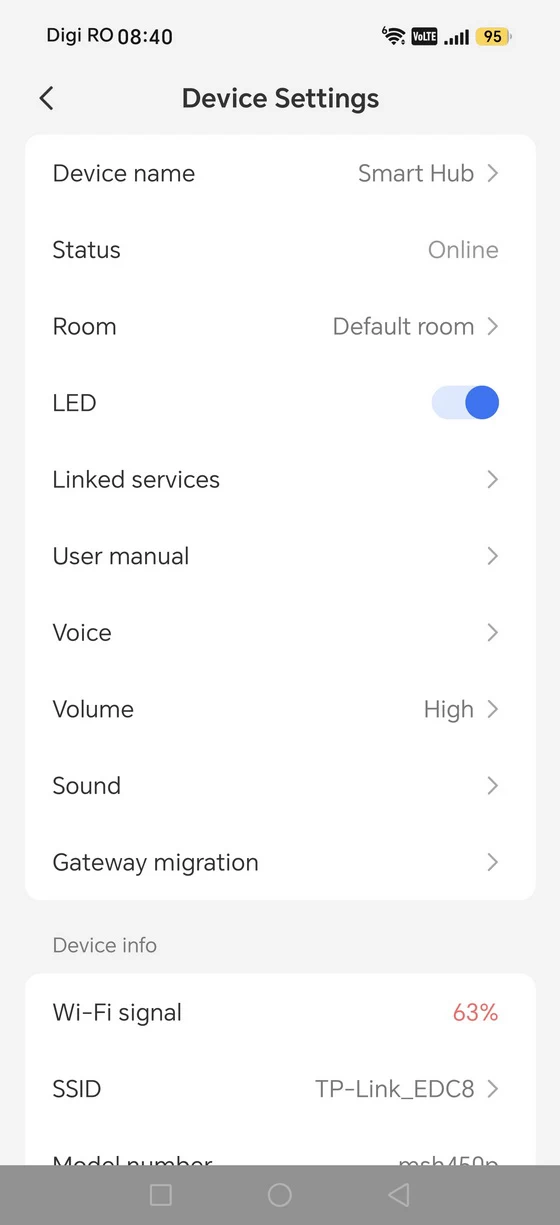
The Android setup instructions highlight an important detail: initial configuration must be completed through Wi-Fi, even if I intend to use Ethernet afterwards. The app recommends placing the hub near the router, powering it on, and completing wireless pairing first, after which the system can switch automatically to the connected Ethernet link.I find that distinction worth understanding before starting. Having an Ethernet port might otherwise suggest that installation can begin entirely over a cable, so the guidance helps establish the correct sequence. The wireless connection uses 2.4GHz Wi-Fi, which is the network to prepare for pairing. Once configured, the hub appeared online in the device settings, with the app reporting a Wi-Fi signal of 63% during the captured session. I appreciate having this information available because it provides a useful reference when considering placement. It is a snapshot of reception rather than proof of long-term stability, but it gives me something more informative than a basic connected indicator. The choice between Ethernet and Wi-Fi is one of the MSH450 Pro’s most practical strengths. I would favour Ethernet when the router is conveniently located, while Wi-Fi offers more freedom to position the hub where its announcements and accessory connections are most useful.
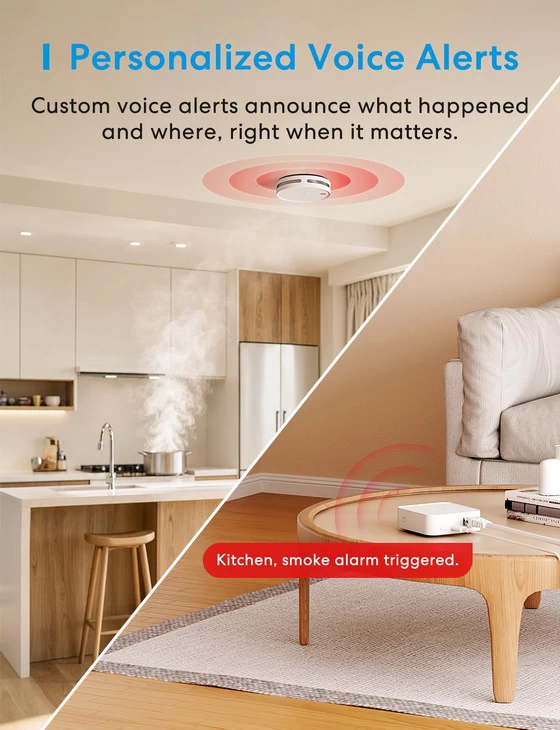
Voice alerts are the feature that makes the Pro model particularly interesting to me. With compatible sub-devices, the hub can announce specific events, such as an opened door or detected water, helping communicate what needs attention without requiring an immediate glance at the phone. I see real everyday value in that approach. When I am occupied with something else, an informative announcement could make it easier to understand why a sensor has triggered. Meross also supports multiple language options and customisable alert messages, allowing compatible events to be communicated more clearly. The app provides separate Voice, Volume, and Sound settings, which I consider useful because notification preferences vary between rooms and households. The configuration shown had the volume set to High, but having a dedicated adjustment allows the hub’s behaviour to be tailored to its surroundings. Meross also specifies local alarm support with compatible accessories when the network is unavailable. I value that capability because supported local alerts can remain useful during a connectivity interruption. Remote notifications and connected services still depend on their respective network connections, and the hub itself requires power. Support for both newer Meross Bluetooth sensors and compatible 433MHz accessories adds another practical advantage. A connected home often develops gradually, so I appreciate a hub that accommodates devices from different generations. I would check each exact model before expanding the installation, since compatibility depends on the accessory rather than simply its wireless frequency.
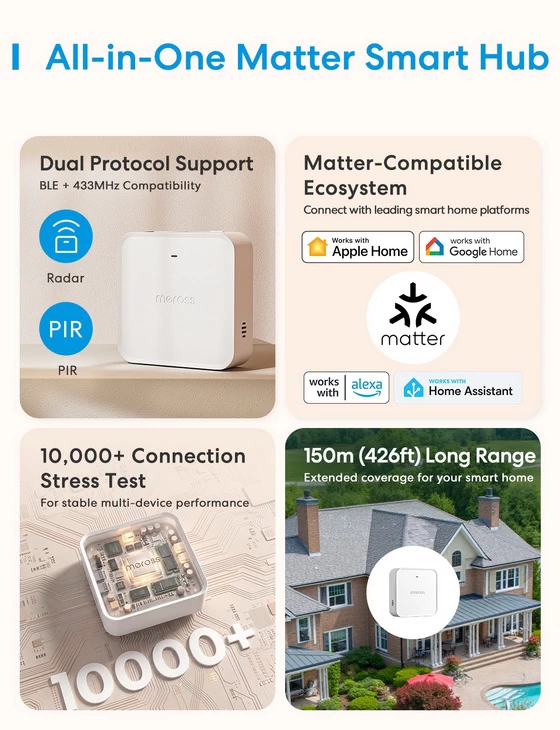
Matter support gives the MSH450 Pro a broader role by allowing supported accessories to participate in compatible platforms such as Apple Home, Alexa, and Google Home. I appreciate that flexibility, particularly in a household where different people prefer different interfaces for checking devices or managing routines. The key detail is that platform support varies by sub-device. Before planning an automation, I would check the accessory’s compatibility with the intended platform and confirm which functions are available. The hub provides a connection between supported devices and ecosystems, while the accessory and platform determine the specific experience. For me, the combination of this integration with Bluetooth and 433MHz accessory support is more compelling than any individual specification. It offers a practical way to develop a Meross installation while retaining choices about how compatible devices are monitored and controlled.
The Meross MSH450 Pro brings together several features I value in a smart hub: compact hardware, flexible networking, accessible Android controls, and alerts designed to communicate useful information. Its support for newer Bluetooth accessories alongside compatible existing Meross sensors makes it particularly relevant to a setup that is growing over time. What appeals to me most is the attention to everyday usability, from the adjustable status LED and dedicated sound settings to the clear firmware information and choice of connection methods. Extended testing would be needed to judge long-term reliability and announcement audibility throughout a home, but the hardware and configuration experience offer a promising starting point. For someone building around Meross accessories, the MSH450 Pro is a thoughtful way to bring more devices together and make their alerts easier to understand.
Meross MSH450 Pro Matter Smart Wi-Fi Hub Main Features
– Next-Generation Sensor Compatibility: Supports the latest Meross Bluetooth sensors while remaining compatible with existing 433MHz sub-devices, making it easy to upgrade or expand your smart home. Third-party platform support may vary by sub-device. Please refer to each product’s detail page for compatibility information.
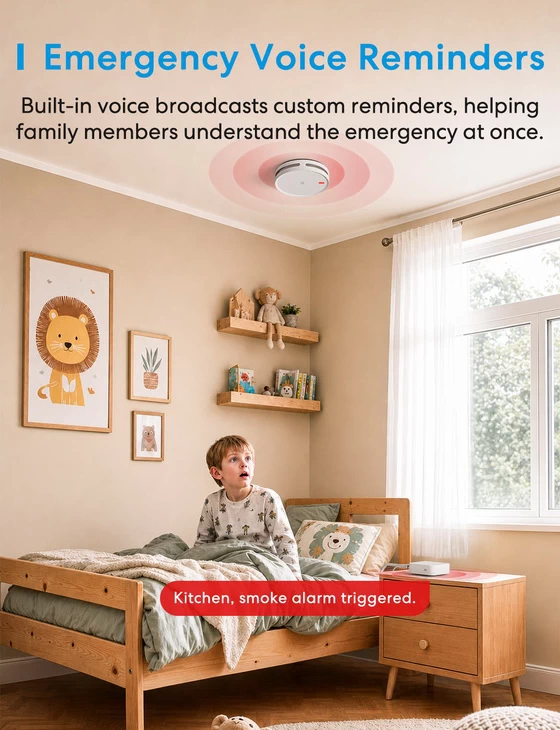
– Voice Alerts, Respond Faster: When paired with compatible sub-devices, the Hub provides clear voice alerts to identify specific events. More informative than a simple beep, voice alerts help you quickly understand what’s happening and respond promptly. With multiple language options and customizable alert messages, different events can be announced more clearly and intuitively.
– Clear Alerts for Different Events: The Hub can announce specific events, such as a door being opened or water being detected, so you can understand what’s happening without checking the App.
– Stay Alert, Even Offline: The Hub and compatible sub-devices support local alarms, helping keep critical alerts active even when the network is unavailable.
– Stable & Flexible Connectivity: The MSH450 Pro supports 32 energy-saving Meross products. Connect via Ethernet for a stable, low-latency connection, or use 2.4GHz Wi-Fi for flexible placement. Choose the connection method that best fits your home.
– Smart Home Integration: Meross and supported third-party platforms, including Apple Home, Alexa, and Google Home via Matter. Enjoy convenient control, monitoring, and automation across your smart home.
Meross MSH450 Pro Matter Smart Wi-Fi Hub Specs
Meross MSH450 Pro Matter Smart Wi-Fi Hub Highlights
Easy Wi-Fi Setup
Matter Smart Home Integration
Up to 32 Compatible Sub-Devices
Bluetooth & 433MHz Sensor Support
Clear Voice Alerts
Customisable Alert Messages
Multiple Voice Languages
Adjustable Alert Volume & Sounds
Local Alarms Even Offline
Ethernet & 2.4GHz Wi-Fi Connectivity
Low-Power Sensor Connectivity
App-Controlled Status LED
Compact Design
Works with Apple Home, Alexa & Google Home via Matter
Meross MSH450 Pro Matter Smart Wi-Fi Hub Best-Use Scenarios
– Building a Matter-Compatible Smart Home. Connect supported Meross accessories to Apple Home, Alexa, and Google Home through Matter, making it easier to monitor sensors and include them in compatible smart home routines. Platform compatibility and available functions vary by sub-device.
– Getting Clear Spoken Alerts. Pair the hub with compatible sensors to hear announcements for events such as an opened door or detected water, helping you understand what needs attention without checking your phone.
– Upgrading an Existing Meross Setup. Bring newer Meross Bluetooth sensors together with compatible 433MHz accessories, allowing your installation to grow while continuing to use supported existing devices.
– Monitoring Doors and Potential Water Leaks. Use compatible door and water sensors to receive informative alerts about activity at entrances or water detected near appliances, sinks, and other monitored locations.
– Keeping Local Alarms Active During Network Interruptions. Supported local alarms can continue operating with compatible accessories when the network is unavailable, provided the hub remains powered.
– Creating Sensor-Based Automations. Use supported sensor events to trigger actions through compatible platforms, such as switching on a light when a door opens. Available routines depend on the sensor, connected devices, and platform.
– Choosing Between Wired and Wireless Networking. Use Ethernet where a network cable is available or 2.4GHz Wi-Fi for more flexible placement. Initial setup takes place over Wi-Fi before switching to Ethernet.
– Managing a Growing Sensor Network. Connect up to 32 compatible Meross sub-devices, bringing sensors from different rooms together in one manageable installation.
– Personalising Household Notifications. Adjust voice language, supported alert messages, volume, and sounds to make announcements more useful for your household and the room where the hub is located.
– Adding a Discreet Hub to Living Spaces. Its compact design fits easily on a shelf or beside a router, while app-controlled LED settings allow you to switch off the status light in bedrooms or television areas.
Meross Android application
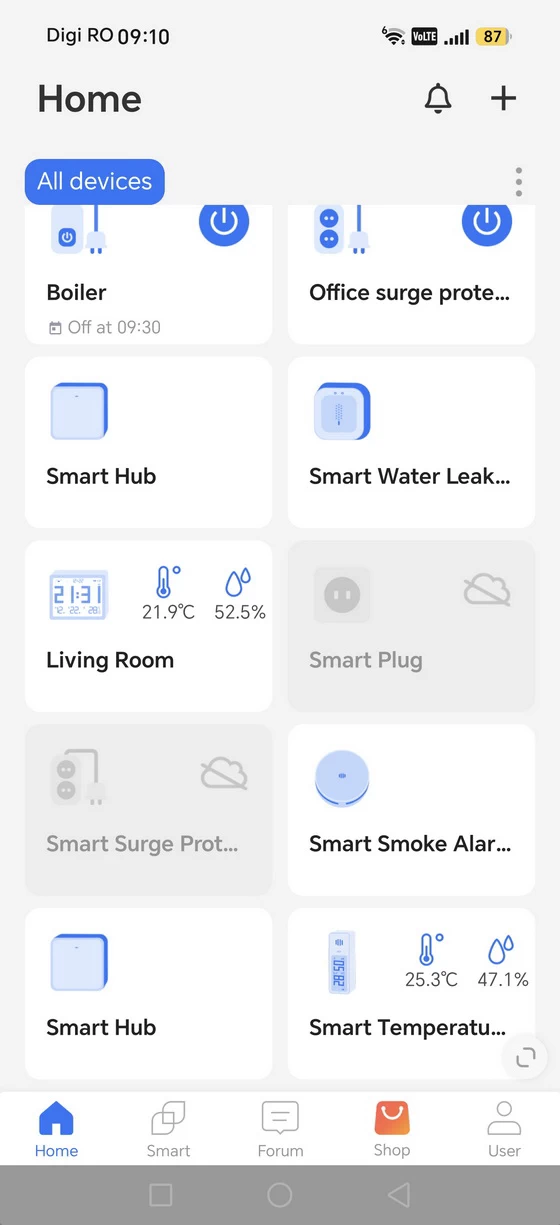
The Meross Android app gives the MSH450 Pro a clear, accessible settings page. Device naming, online status, room assignment, LED control, linked services, and the user manual appear alongside the options for voice and sound. I like having these everyday adjustments grouped together, especially when making small changes after the initial installation. Naming and room assignment become increasingly helpful as an installation grows. A recognisable name makes it easier to distinguish between hubs, while room organisation adds context when moving between devices. The settings also expose useful technical information, including Wi-Fi signal strength, model number, firmware version, and hardware version. The device information page identified the hub as msh450p, with hardware version 9.0.0 and firmware 9.1.13.1.2.2. The update screen offered firmware 9.1.17.1.2.3, with release notes specifying compatibility with MST100 and MST200. I appreciate this kind of concrete explanation because it tells me what an update adds. The available update demonstrates expanding accessory support, although the captured screen does not establish that installation had finished. A Gateway migration option also appears in the settings. That is a relevant addition for existing Meross users considering an upgrade, and I would explore it before transferring an established installation. Its presence is useful, although the actual migration process needs separate assessment with the devices involved. The wider dashboard brings hub entries together with water-leak monitoring, smoke alarms, smart plugs, and temperature and humidity readings. I find this shared overview convenient because it reduces the need to move between different interfaces to check the home. Individual dashboard entries can belong to different connections or hubs, but keeping them within one familiar app makes the overall setup easier to survey.
Download Meross Android application latest version for free from Google Play Store or from App Store.
Meross MSH450 Pro Matter Smart Wi-Fi Hub Specs
Brand: Meross
Model: MSH450 Pro
Model number: MSH450P
Type: Matter Smart Wi-Fi Hub
Compatible Devices: MS120, MS220, MS420, MS700, MTS150, MTS150P, GS559A, MA151, MS130, MS100F, MS200, MS400. More devices are being supported gradually.
Maximum Connected Sub-Devices: 32 compatible Meross devices
Input: 5V ⎓ 1A; 500mA minimum
Dimensions (W × D × H): 76 × 76 × 26mm / 3.0 × 3.0 × 1.0in.
Connectivity: Ethernet, 2.4GHz Wi-Fi, Bluetooth and 433MHz RF for compatible accessories
Status Indicator: 1 × Status LED with app-controlled on/off setting
Button: 1 × Power button
Button Functions: Press twice within 2 seconds to enter pairing mode; press and hold for 5 seconds to initiate a factory reset
Antenna: One internal Wi-Fi antenna
Wi-Fi Standards: IEEE 802.11 b/g/n, 2.4GHz
Wireless Security: 64/128-bit WEP, WPA-PSK/WPA2-PSK; Enterprise Wi-Fi is not supported
Alerts: Voice announcements, multiple language options and customisable alert messages with compatible sub-devices
Sound Settings: Adjustable voice, volume and sound settings
Offline Functionality: Local alarms with compatible sub-devices when the network is unavailable, provided the hub remains powered
Smart Home Integration: Meross app, Apple Home, Alexa and Google Home via Matter; platform support varies by sub-device
Initial Setup: Wi-Fi configuration required before switching to Ethernet
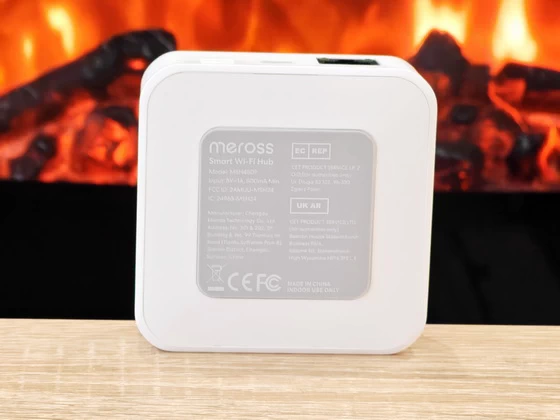
Certifications: CE, WEEE, FCC, IC
System Requirements: Smartphone running iOS 16.1 or later or Android 8.1 or later; existing Wi-Fi network
Operating Temperature: 0°C–40°C / 32°F–104°F
Storage Temperature: −40°C–70°C / −40°F–158°F
Operating Humidity: 10%–90%, non-condensing
Storage Humidity: 5%–90%, non-condensing
Firmware version: 9.1.13.1.2.2
Hardware version: 9.0.0
FCC ID: 2AMUU-MSH24
IC: 24963-MSH24
Color: White
HomeKit Setup tips
– If you are setting up HomeKit device, please connect your smartphone or tablet to a 2.4 GHz Wi-Fi network and disable your VPN, if any. Ensure that your Wi-Fi is using WPA3/WPA2 since WPA3 only will lead to setup failure.
– Make sure your smart device is covered by strong Wi-Fi signal, which is not a hidden Wi-Fi name (SSID). A hidden Wi-Fi name (SSID) might not work when setting up.
– Meross HomeKit smart devices support iOS 13/ iPadOS 13 or later. It is recommended that you upgrade your iOS or iPadOS to the latest version before pairing with the smart device.(iOS only. Android users needs Android 6.0 or later)
– Upgrade the Meross app to the latest version and make sure you granted access permissions, such as location and local network, asked by the Meross app.
– Launch the Meross app and log in to your account, or if you are a new user, tap Sign up to create a new account.
– Relocation of the smart device does not require additional operations provided that it remains on the same network with strong Wi-Fi signal.
– If this is not the first time you’ve added this smart device, you’ll have to reset it before going any further.
– Deny Meross app to access Precise Loation and Local Network will lead to setup failure.
– If you have multiple Wi-Fi in your house, we recommend you to leave only one Wi-Fi on when you set up HomeKit. iPhone may connect to A Wi-Fi when initiating the HomeKit setup while end up with connecting to B Wi-Fi. The key is that this will lead to Homekit setup failure for sure since HomeKit requires iPhone to connect to the same Wi-Fi during the whole process.
Package Content
1 x Meross MSH450 Pro Matter Smart Wi-Fi Hub
1 x USB Type-C Cable
1 x Ethernet Cable
1 x Power Adapter model BS05A-0501000EU
1 x Multi-language User manual (EN / DE / IT / ES / FR)
1 x 7 Things You Need to Know About Matter – Guide
Photo gallery full album here. Official webpage here. Read more here about Meross products.
About Meross. Creativity is thinking up new things; innovation is doing new things. Meross, founded in 2016 by a group of experts from leading companies such as Microsoft, Cisco, MediaTek, and TP-Link, is replete with both first-class creativity and cutting-edge innovation. At Meross, we create products that empower people’s lives. We believe in making homes smarter and people’s lives easier. We believe everyone deserves a smart life, and it should be simple, smart, and stable. Meross has strong research and development capabilities, excellent operating experiences and solid partnerships with pertinent players in the industry, resulting in bountiful financial support and escalated profit growth. Today, the company has expanded with its tentacles spread across millions of customers from over 20 countries and regions. The company has an assortment of top-tier gadgets, including smart plugs, smart bulbs, smart switches, smart surge protectors, smart garage door openers, and smart radiator thermostats. Meross products are compatible with Apple HomeKit, Amazon Alexa, Google Assistant, SmartThings.
Did this article help you? If so, please tell me in a comment what do you think about it.
Don’t miss any of our future video tutorials, follow us on Youtube. Like us on Facebook. Join our Best Deals Telegram Channel. Join our Android TV Box Firmware Updates Telegram Channel. Subscribe now to our newsletter. If you need Tech Reviewer or Youtube Influencer read this. Donate now here to support CGR Team!