
Beta Dual Boot Firmware v.0.2.8+ CoreElec for Ugoos AM6/AM6 Pro & X2/X3 Series models.
IMPORTANT!
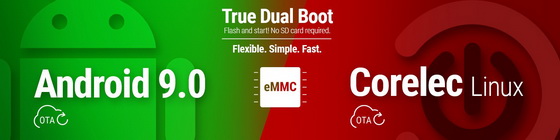
– Please do not mix up with just additional boot from sd card, this is real dual boot firmware where you can switch the system using power menu.
– This update will not come via OTA automatically. You need manually install this update in order to use it. Using release candidate firmware you still will be able to update your device via OTA, if you want to continue using automatic stable updates.
– This is BETA release, so if you want the system update automatically, you need to wait Dual Boot build based on stable firmware.
– So if you are totally ok with your current system and you are waiting for next stable firmware, you can pass this topic.
– This dual boot version built on Release candidate firmware, so it may cause to some bugs appeared. You can help us to track bugs and issues of a current build, we appreciate your help.
Overview
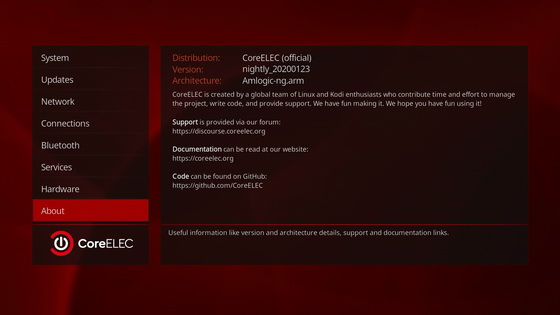
Dual Boot firmware is based on two systems: main OS is Android with our latest RC firmware v 0.2.8. Main system is a standard for this device and has regular updates. The secondary system is CoreElec. CoreELEC is a ‘Just enough OS’ Linux distribution based on Kodi technology for popular Amlogic hardware. CoreELEC is a minor fork of LibreELEC. This project developed autonomously and spreads free for all users.
The system graphically consists of Kodi application with devices settings integrated in standard configuration settings. You can connect network, adjust resolution, configure SMB and local network settings right in application, that’s why it called ‘Just enough OS’.
Creating this firmware, our goal was to provide choice to final users and make device experience more flexible.
CoreElec has several advantages in comparison with standard android system like:
– Multi PCM sound support
– Higher level CEC compatibility
– Improved playback (in comparison with Kodi installed in Android)
Installation
Installation process looks like standard device reflashing, so you need following tools:
– Image file
– Host PC
– USB OTG Cable
Supported host OS: Windows XP (32/64bit) Windows 7 (32/64bit) Windows 8 (32/64bit) Windows 10 (32/64bit)
Detailed reflashing guide you can find in FAQ section.
Switching methods
As we mentioned before this system is a real dual boot version so device will not require additional hardware (sd card, or else) to start another system. After reflashing your device, a standard Android system will start normally as standard out of the box. The only one difference you can find there is modified power menu.
The second restart button will let you initialize a mechanism immediately switch system. You can configure both systems, save all data, apps and be sure after switching system back again all data will remain. Factory reset in Android boot will not cause any changes in CoreElec system as well.
Switch back to Android system you also can from power menu in main dialog window in CoreElec system. You need to choose “reboot from eMMC/NAND” function.
After turning off the device or standard restart the previous loaded system will start again and again until you switch it in power menu.
Files:
Ugoos AM6_0.2.8+_CE_dualboot (AM6_0.2.8+_CE_dualboot .zip – 875 MB)
X2 Family_0.2.8+_CE_dualboot (X2_0.2.8+_CE_dualboot .zip – 862 MB)
X3 Family_0.2.8+_CE_dualboot (X3_0.2.8+_CE_dualboot .zip – 862 MB)
Did this article help you? If so, please tell me in a comment what do you think about it.
Don’t miss any of our future video tutorials, follow us on Youtube. Like us on Facebook. Add us in your circles on Google+. Watch our photo albums on Flickr. Subscribe now to our newsletter.





