
Download Shanling M5 Firmware V3.6 Update from here or here.
Firmware details
Archive name: M5s Firmware V3.6
Archive size: 75 MB
Version: V3.6
Model: M5 / M5s
File size: 43.1MB
Release time: Mar.13th, 2020.
Developer: ShanLing
Archive content: M5s Firmware V3.6 notes + Shanling Music V1.7.8 + SyncLink Guide + update.bin
New functions
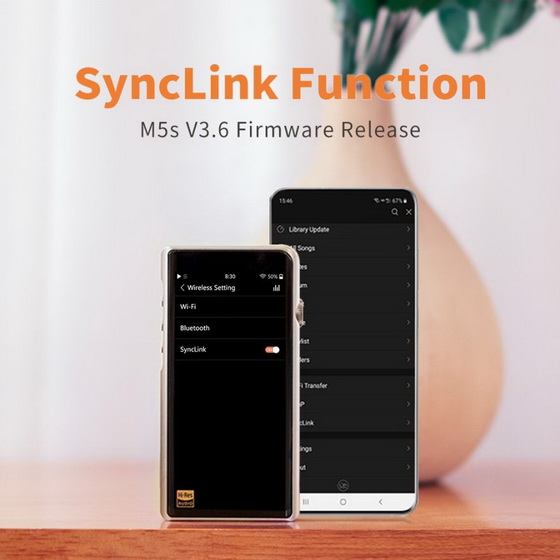
1. SyncLink – Control playback of M5s from connected Android smartphone or tablet.
2. Added Genre browsing.
3. Added Russian language setting.
Changes and fixes
1. Optimised Tidal performance
2. Other bug fixes
How to update
1. Make sure your device is fully charged.
2. Unzip the downloaded file and put “update.bin” file into root folder of Micro SD card.
3. Go to System update in System submenu, click on “TF card update” and confirm. Wait until system restarts. Check in settings About M5s to be sure new firmware is installed.
4. If Micro SD card was removed during update process, M5s will show “insert TF Please”, please insert Micro SD card back into your device in order to continue update.
5. If update doesn’t start after choosing “System Update”, please check if the file has been unzipped, if the file is placed in root folder, or if the file has been damaged during the transfer.
Over-the-Air firmware update
Shanling M5s can be updated to latest firmware version using Wi-Fi connection.
1. Connect M5s to Wi-Fi network connected to internet.
2. Go to System update in System submenu, click on “Network update”, confirm update and update will start to download and install. Wait until download and installation is completed and system restarts. Check in settings About M5s to be sure new firmware is installed.
Notes
– To use SyncLink function, you need to install Shanling Music app. App is available as .apk file in the zip file with firmware update.
– SyncLink function is still considered beta, there will be following updates.
– At current time Shanling Music app is available only for Android devices.
– If latest version of firmware is already installed, M5s will show notification and will stop update.
Did this article help you? If so, please tell me in a comment what do you think about it.
Don’t miss any of our future video tutorials, follow us on Youtube. Like us on Facebook. Add us in your circles on Google+. Watch our photo albums on Flickr. Subscribe now to our newsletter.





