
Android TV Box Tips & Tricks, by Tanix
What Is an Android TV Box?
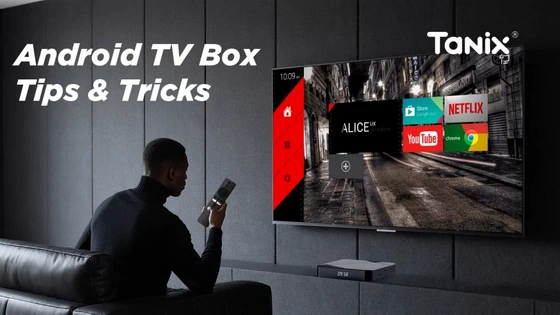
Before diving into tricks and hacks, let’s cover the basics. If you’ve been asking what is Android TV Box, here’s the answer: An Android TV Box is a small device powered by the Android operating system. When connected to a TV via HDMI, it turns the screen into a smart TV. You can stream content from platforms like Netflix, YouTube, and Disney+, install apps from Google Play, mirror your smartphone screen, or even use it for productivity tools.
General Tips for Using Any Android TV Box
Even if you’re new to Android TV Boxes, a few smart tricks can dramatically improve your experience:
– Keep Your Device Updated. Regular firmware updates not only fix bugs but also boost performance and security. Always check the settings menu for system updates.
– Use an Ethernet Connection for Stable Streaming. Wi-Fi is convenient, but for 4K or IPTV streaming, a wired Ethernet connection ensures smooth playback without buffering.
– Expand Storage with USB or MicroSD. Many Android TV Boxes allow external storage. Use it to install more apps, save media files, or improve device speed.
– Install a Quality VPN. A VPN helps you access geo-restricted content, ensuring a wider selection of shows and services.
– Optimize Your Apps. Uninstall unused apps and clear cache regularly. This prevents slowdowns and keeps your TV Box running like new.
– Enable Screen Mirroring. Use Miracast, Chromecast, or AirScreen to share content directly from your phone or laptop to your TV.
Special Tips & Tricks for Tanix Android TV Boxes
While every Android TV Box has common features, Tanix devices come with unique advantages:
– Tanix UI Customization. Our boxes feature a user-friendly interface that can be personalized to highlight your favorite apps and tools.
– Dual-Purpose Usage. Beyond home entertainment, Tanix devices are widely adopted in hospitality, education, and business sectors. Hotels use them for guest entertainment, schools for e-learning, and operators for IPTV solutions.
– Performance-Optimized Hardware. Whether it’s smooth 4K playback or multitasking, Tanix boxes are designed to handle heavy streaming apps without lag.
– Easy Firmware Upgrades. Tanix provides consistent OTA (over-the-air) updates to ensure long-term device reliability.
– OEM/ODM Customization. Businesses can get customized branding, software, and hardware solutions. Learn more through our Tanix OEM/ODM Services.
Why Choose Tanix for Your Android TV Box Needs?
As the original brand manufacturer, Shenzhen Oranth Technology Develop Co., Ltd. ensures top-notch quality control and innovative R&D. Unlike generic alternatives, Tanix delivers:
– Stable supply for bulk orders
– Customizable software solutions for operators
– Certified hardware for long-term use
– Strong after-sales and technical support
Whether you’re an individual user or a business buyer, Tanix devices stand out for reliability, flexibility, and performance.
Take Control of Your TV Experience
If you’ve been asking what is Android TV Box and how to use one effectively, now you know the answer: it’s the ultimate tool to transform any TV into a limitless smart hub. Whether you’re looking for the best Android TV Box tips and tricks for home use or customized Tanix solutions for your business, we’re here to help.
Final Thoughts
An Android TV Box is no longer just an optional gadget; it’s a must-have smart solution for entertainment and business. By following these Android TV Box tips & tricks, you can unlock hidden features, enjoy seamless streaming, and even power professional applications. With Tanix, you’re not only choosing a product — you’re choosing a trusted partner backed by Shenzhen Oranth Technology Develop Co., Ltd. for long-term innovation and reliability.
Did this article help you? If so, please tell me in a comment what do you think about it.
Don’t miss any of our future video tutorials, follow us on Youtube. Like us on Facebook. Join our Best Deals Telegram Channel. Join our Android TV Box Firmware Updates Telegram Channel. Subscribe now to our newsletter. If you need Tech Reviewer or Youtube Influencer read this. Donate now here to support CGR Team!















