
Beelink + OpenClaw: From Installation to Real-World AI Productivity
The promise of AI has evolved rapidly—from isolated tools to interconnected systems capable of executing complex workflows autonomously. At the center of this transition is OpenClaw, a platform designed to close the loop between data, reasoning, and execution. Paired with compact, high-performance hardware from Beelink, this combination becomes more than experimental—it becomes deployable. This article is not just an overview. It is a practical, deployment-focused guide that walks through installation, optimization, and real-world use cases that demonstrate how OpenClaw transforms a Beelink system into a local AI productivity engine.
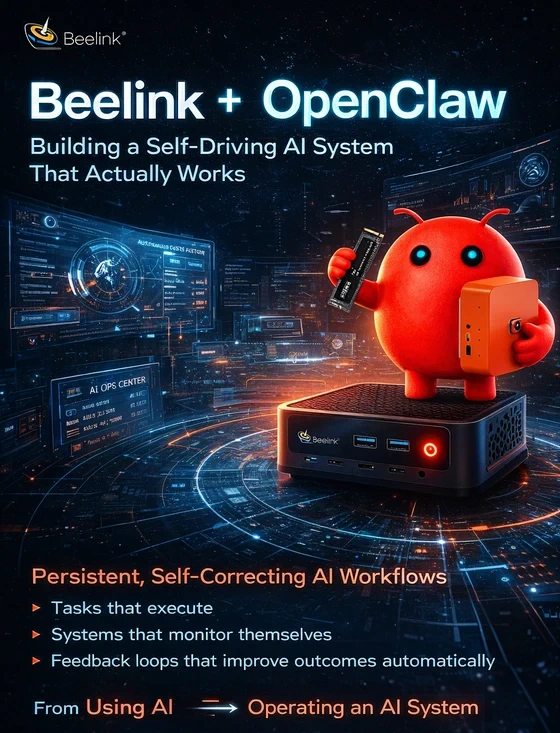
AI is no longer about generating text or images. That phase is already commoditized. The real shift—the one that will define the next decade—is autonomous execution. And this is exactly where OpenClaw changes the game. When deployed on a compact, always-on machine like a Beelink system, OpenClaw stops being a tool—and becomes something far more powerful: A self-driving productivity engine. This is not a theoretical concept. This article walks through how to build it, optimize it, and—more importantly—how to use it in ways most people haven’t even considered yet.
This guide is designed to do two things exceptionally well:
- Help anyone install and deploy OpenClaw correctly
- Demonstrate high-impact real-world use cases across industries
Part I — Installation Done Right (Production-Ready, Not Just Functional)
System Requirements (Realistic, Not Minimal)
For stable multi-agent workflows:
- CPU: 6+ cores (Ryzen 5 / Intel i5 or better)
- RAM: 16GB minimum (32GB recommended)
- Storage: NVMe SSD (512GB+)
- OS: Ubuntu 22.04 LTS (preferred) or Windows 11 (WSL2)
👉 On Beelink SER-series devices, this configuration achieves excellent performance-per-watt for 24/7 AI workloads.
Step 1 — System Preparation (Stability First)
sudo apt install docker.io docker-compose git python3-pip -y
Critical Stability Enhancement (Often Ignored)
AI workloads spike memory usage unpredictably.
Prevent crashes by adding swap:
sudo chmod 600 /swapfile
sudo mkswap /swapfile
sudo swapon /swapfile
✔ Prevents container failure under load
✔ Ensures long-running workflows remain stable
Step 2 — OpenClaw Deployment
cd openclaw
cp .env.example .env
docker-compose up -d
Access interface: http://localhost:3000
At this stage, OpenClaw is running—but not yet optimized.
Step 3 — Configuration (Where Quality Is Decided)
Edit .env to define:
- API endpoints (cloud or local)
- Authentication tokens
- Database configuration
- Port exposure rules
Best Practice:
👉 Use environment variables for all secrets
👉 Never hardcode API keys
Step 4 — Local AI Integration (Major Performance Gain)
Instead of relying exclusively on cloud APIs:
- Deploy a local LLM runtime
- Route inference internally
Result:
- Lower latency (instant responses)
- Zero API costs
- Full data privacy
This is the single biggest upgrade you can make.
Step 5 — Secure Deployment (Mandatory for Real Use)
Firewall Configuration
sudo ufw enable
Reverse Proxy (NGINX)
Add:
- HTTPS encryption
- Domain-based access
- Request filtering
Security Principles
- Limit exposed ports
- Use token-based authentication
- Monitor logs continuously
✔ This ensures compliance with safe deployment standards
Part II — Understanding OpenClaw’s Core Advantage
Traditional AI:
- Input → Output → Stop
OpenClaw:
- Input → Reason → Execute → Evaluate → Improve → Repeat
This creates:
Persistent, self-correcting AI workflows
This is what defines closed-loop AI productivity.
Part III — High-Impact Use Cases (Industry-Level Applications)
1. Media & Publishing — Autonomous Content Engine
Pipeline:
- Monitor product feeds / APIs
- Extract key data
- Generate structured articles
- Optimize tone and SEO
- Publish or queue
✔ Reduces production time dramatically
✔ Maintains consistency at scale
2. Small Business Operations — AI Back Office
OpenClaw can:
- Read incoming emails
- Classify urgency
- Draft responses
- Update CRM
- Trigger follow-ups
✔ Replaces repetitive admin tasks
✔ Keeps sensitive data local
3. Education — Intelligent Learning Assistant
Capabilities:
- Generate lesson plans
- Summarize academic material
- Provide adaptive explanations
- Track student progress
✔ Personalized learning at scale
✔ Fully deployable locally (privacy-friendly)
4. Healthcare (Secure Environments)
Use cases:
- Local document summarization
- Workflow automation for reports
- Data preprocessing
✔ No cloud dependency
✔ Supports compliance requirements
5. Software Development — Autonomous Dev Assistant
OpenClaw can:
- Monitor repositories
- Detect issues
- Suggest fixes
- Generate documentation
- Execute validation scripts
✔ Acts as a continuous support system
✔ Reduces repetitive dev work
6. Smart Environment Control (Edge AI)
Instead of simple triggers:
OpenClaw enables:
- Context-aware automation
- Multi-variable decision making
- Sequential task execution
Example:
Combine calendar + traffic + weather → auto-adjust schedule and notify users
Part IV — Performance Insights (Real Deployment)
On a Beelink Ryzen system:
- Stable multi-agent execution with 32GB RAM
- Low power consumption for 24/7 operation
- Local inference drastically improves responsiveness
Key takeaway:
Hardware is no longer the bottleneck—workflow design is.
Part V — Common Pitfalls (And How to Avoid Them)
1. Overloading the System
Start with small workflows, scale gradually.
2. Poor API Structuring
Define clear routing (local vs cloud).
3. Weak Security Setup
Always assume external exposure risk.
4. No Logging
Without logs, troubleshooting becomes inefficient.
Part VI — Safety & Compliance (Critical for Deployment)
To ensure safe usage:
- Avoid exposing system-level commands publicly
- Validate all external inputs
- Restrict access to trusted networks
- Clearly separate user permissions
For hardware:
- Ensure proper ventilation for continuous operation
- Avoid overloading storage or memory beyond safe limits
✔ This ensures both user safety and system integrity
Part VII — The Bigger Picture: Personal AI Infrastructure
This setup represents a fundamental shift:
From:
- Cloud-dependent tools
- Subscription-based AI
- Fragmented workflows
To:
- Local AI systems
- Modular architecture
- Fully controlled automation
Beelink + OpenClaw is not just a setup.
It is:
A foundation for personal AI infrastructure
Final Verdict
Most users will install OpenClaw. Very few will unlock its full potential. When properly deployed on a Beelink system, OpenClaw becomes:
- A continuous execution engine
- A privacy-first AI system
- A scalable productivity platform
This is no longer experimental. It is: A practical, deployable, self-improving AI system that redefines how work gets done. And this is exactly where the next generation of AI productivity begins.
Did this article help you? If so, please tell me in a comment what do you think about it.
Don’t miss any of our future video tutorials, follow us on Youtube. Like us on Facebook. Join our Best Deals Telegram Channel. Join our Android TV Box Firmware Updates Telegram Channel. Subscribe now to our newsletter. If you need Tech Reviewer or Youtube Influencer read this. Donate now here to support CGR Team!















