
Blackview BV4900 Pro Receives Doke OS 3.0 Android 12 & 7GB RAM Expansion
Following the official release of Android 12 back in October last year, more mobile manufacturers are working hard to release Android 12-based updates for their custom Android skins. Blackview today announced that after the Blackview R&D team’s persistent efforts, Blackview BV4900 Pro would get leap-forward OS upgrades, from Android 10 to the Doke OS 3.0 based on Android 12 and support a new RAM Expansion Technology that helps bump the 4GB of RAM to 7GB.
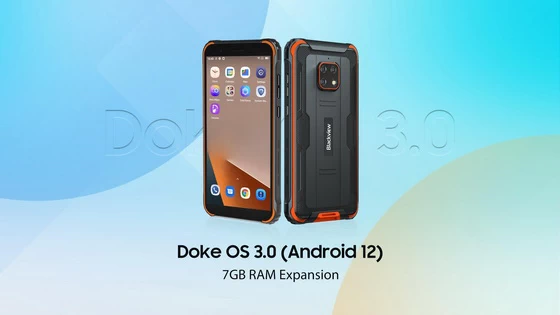
Since its launch in August 2020, Blackview BV4900 Pro has gained much popularity and achieved a whoppingly ever-growing sales rise online and offline for its nailing at excellent performance and ruggedness while maintaining high affordability. To provide BV4900 Pro users with a better experience, Blackview is rolling out the updates to the BV4900 Pro.
Highlight 1: Doke OS 3.0 – Built for New-level Design, Convenience, Smoothness
Doke OS 3.0 has tested its versatility and utility on the flagships: 4G night vision Blackview BV8800, 5G night vision Blackview BL8800, and the 5G thermal imaging Blackview BL8800 Pro, and gained much popularity among users. And now it’s coming to the Blackview BV4900 Pro. Compared with the 1.0, 2.0, and 2.1 versions, it brings a massive overhaul of the design, convenience, and smoothness.
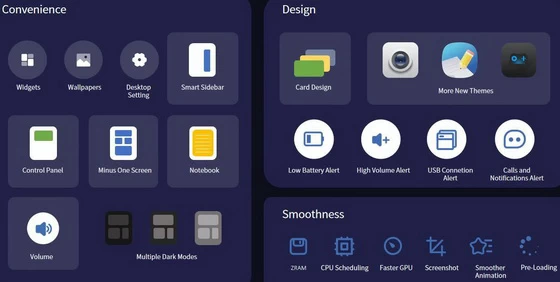
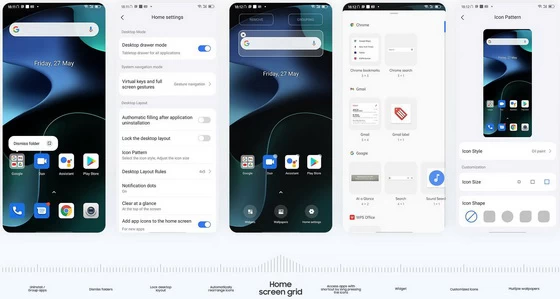
Regarding the Design, the visual aesthetics, consistency, expression, and readability are what the Doke OS 3.0 matter most. It needles into what users long for, including improved overall layout, redesigned wallpapers, shape-changeable icons, and three new types of Dark Mode options. The upgraded DIY-able desktop that allows for grouping or uninstalling apps, dismissing the folders, or locking the layout benefits much for personalization.
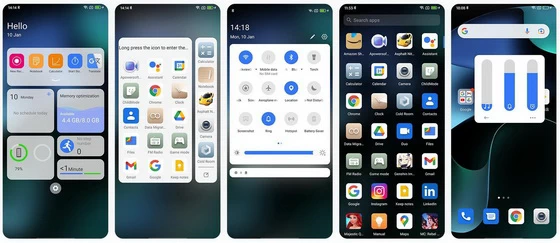
As for the Convenience, The new Smart Floating Windows break the limits to facilitate your control over Blackview BV4900 Pro. Swipe down to reach the Control Panel to access the screenshot function and set the Wi-Fi or Bluetooth all in one place without jumping to the Setting interface. Swipe right for the Minus-one Screen with customizable quick-glance cards displaying various status information. Whenever users need to access tools and apps quickly, Doke OS 3.0 has the Smart Sidebar up its sleeve. Swiping right or left and holding for a second to activate the Sidebar, users can stick their frequently-used apps to the Sidebar.
When it comes to the Smoothness, users will take no sweat to feel the difference — as silky-smooth and responsive as they can be, from booting up, switching between, or closing the apps to navigating up or down and left or right. All can attribute to the Doke OS 3.0’s software optimizations over the AI Pre-loading, animation, and CPU scheduling to boost the performance by 30%.
Furthermore, Doke OS 3.0 inherits most self-developed Blackview apps and tools available from its predecessors, including the System Manager, Data Migration Helper, Cold Room, Game Mode, Notebook, Camera, and Clock but brings numerous touch-ups here and there.
Highlight 2: Android 12 – Google Android’s most personal OS yet
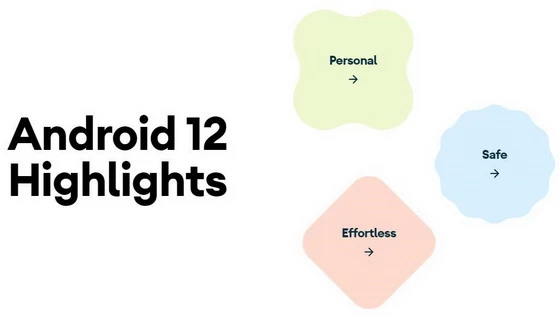
More and more mainstream smartphones have refreshed themselves with the newest Android OS, but it’s not the case for rugged phones, most of which are Android 11 and the older Android 10. Working hand in hand with the Doke OS 3.0, the Android 12 brings a whole new UI experience to Blackview BV4900 Pro. Though few official leaks are available, there’re lots of coverages about the Android 12’s new features. Here’s a rundown:
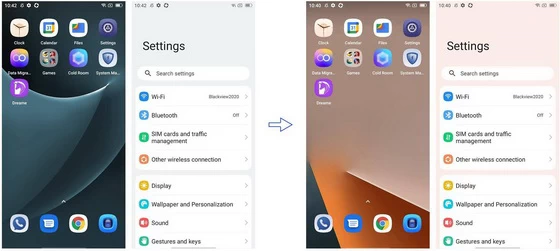
The biggest draw of Android 12 is the boundary-pushing redesign called Material You, which drives the personalization to a new degree. Blackview BV4900 Pro features a new tweaked wallpaper-theming system that’s different from the native Android 12 OS. When you change your wallpaper, the colors of your Settings menu and select Google apps will alter automatically. Easily personalize the look and feel of your phone.
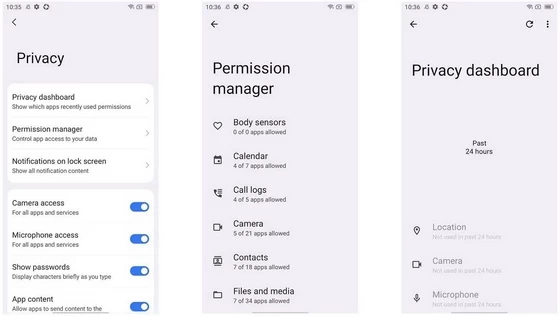
Privacy is another part on which Android 12 focuses. The newly-added Privacy Dashboard gives you a clear and comprehensive view of when apps access your location, camera, or mic over the past 24 hours. If you see anything that you’re not comfortable with, you can effortlessly revoke app permissions right from the dashboard. With new easy-to-use, powerful privacy features, you’ll have peace of mind knowing that you can control who can see your data and when.
Android 12 has redone the animation with the buttery-like, stretch over-scroll effect. When you drag any visual elements or reach the top or end, the scrolling contents expand and bounce back. Android 12 also comes with other helpful enhancements, like improved accessibility features, scrolling screenshots, and ways for all your devices to work better together.
Highlight 3: New RAM Expansion Technology – Expand from 4GB to up to 7GB
Beyond the OS upgrades, the RAM expansion technology is no slouch, either. “Smartphones today are our inseparable life companions, covering almost everything from communication, photography, and payment to gaming and social media and providing a seamless connection experience,” said David Xu, Blackview CEO. “However, as apps are getting memory-intensive and users are tucking more and more apps into their smartphones, it’s unavoidable that the mobiles, especially the small-RAM ones, slow down and fail to blow through heavy-loading multitasking. Blackview is always devoted to elevating the user-centric experience, and that’s why we have put a lot into the R&D of the RAM expansion, hoping our users get the most out of Blackview smartphones and Enjoy their Smart Life to the fullest.”
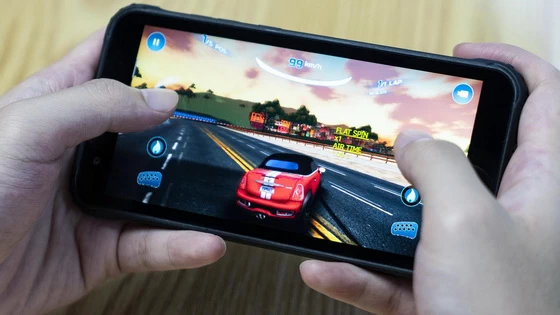
Thanks to the RAM Expansion that virtually enlarges the 4GB of RAM to 7GB, users can expect enhanced efficiency, smoothness, and multitasking power from the enlarged RAM that supports upgraded data processing capability. When loading large-scale 3D games, running more apps simultaneously in the background, switching between multiple apps for browsing social feeds or messaging back to friends, or editing demanding videos, it’s fast and fluid like never without stuttering or lag.
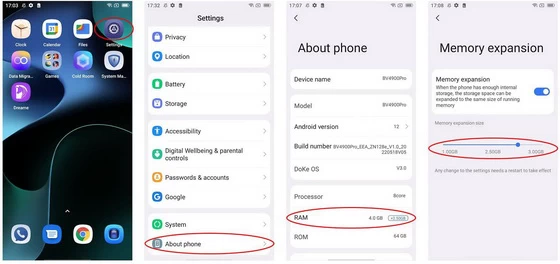
In addition, according to Blackview Official, Blackview BV4900 Pro supports adjustment of the volume of the RAM expansion, from 1GB to up to 3GB. The RAM expansion is open by default, and the default RAM volume is the perfect point for reaching the balance between speed and fluidity based on Blackview Laboratory tests. Light users who access a limited set of mobile services or functionality can lower the expanded RAM volume or dismiss it since the higher the expansion, the longer the data processing time; heavy users can slide it to the max for preference. Check out these simple steps below to fully unlock the feature:
Step 1: Open [Settings-About phone], click on [RAM], enter [Memory expansion]
Step 2: Select the expansion size as needed, and restart the phone
Step 3: Open “About Phone” to find the expanded RAM applied under the RAM section
Price & Availability
One thing to note, all the new upgrades are not available to the sold Blackview BV4900 Pro. And the updated Blackview BV4900 Pro will hit the market soon. You can learn more details from the Blackview Official Website. Stay tuned.
Did this article help you? If so, please tell me in a comment what do you think about it.
Don’t miss any of our future video tutorials, follow us on Youtube. Like us on Facebook. Join our Best Deals Telegram Channel. Join our Android TV Box Firmware Updates Telegram Channel. Subscribe now to our newsletter.














