
This firmware is for XIDU PhilBeam S1 Projector with Mediatek MT5862 as CPU. BTW, you can buy XIDU PhilBeam S1 Projector Android version or Mirroring version from Aliexpress.com for a very good price.
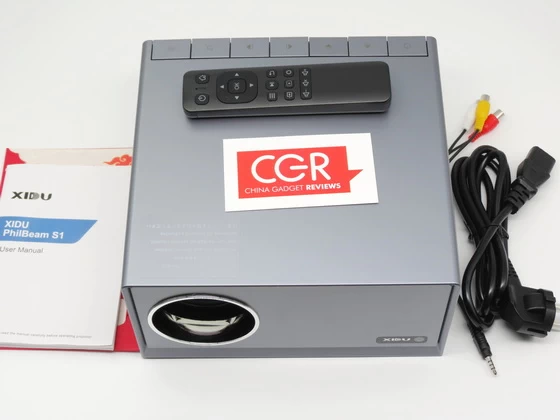
Download Android Pie 9.0 stock firmware for XIDU PhilBeam S1 Projector from here. Download mirroring version firmware from here. Unboxing XIDU PhilBeam S1 projector here.
Firmware details
Archive name: XIDU安卓版0419 / XIDU同屏版0419
Image: MstarUpgrade9255BGA.bin / ZK_JD9255AA_YK3_ST5892B_1920X1080_EN_51A04_HIFLY_OSD_1920x1080_20220829.bin
Archive file size: 520 MB / 514 MB
Model: XIDU PhilBeam S1 Projector Android version / Mirroring version
System: Android version 9.0
Installation steps
1. Prepare a USB flash drive, the format of the USB must be FAT 32 and the capacity of the USB must be more than 4GB. After decompressing the file, copy the BIN file to the root directory of an empty U disk, please make sure there are no other files in the U disk.
2. Insert the U disk into the USB interface of the device,
3. Automatic detection and upgrade on power-on, it will pop up a prompt “The upgrade file is detected, and the system will restart the upgrade”.
4. The projector will be restarted and the upgrade process will take place.
5. Don’t power off the projector during the upgrade process, the projector will automatically restart after the upgrade is completed. And then use the remote control to click on Settings>About>Software version> to check the new software version.
6. Delete the upgrade file from the USB flash drive or unplug it to avoid repeated upgrades after the upgrade is successful.
Caution Please do not update firmware unless you know what you are doing, you really want it or it is absolutely necessary. Firmware updates may occasionally have bad results, like bricking your device, temporarily or permanently. The firmware update process is done entirely at your own risk. Before attempting to update the firmware, back up your data. BTW, a link doesn’t last forever.
Did this article help you? If so, please tell me in a comment what do you think about it.
Don’t miss any of our future video tutorials, follow us on Youtube. Like us on Facebook. Join our Best Deals Telegram Channel. Join our Android TV Box Firmware Updates Telegram Channel. Subscribe now to our newsletter. If you need Tech Reviewer or Youtube Influencer read this.




May I ask I you have a working copy of google play store for xidu s1. Ty