
This firmware is for MXQ Pro TV Box with AMLogic S905 CPU
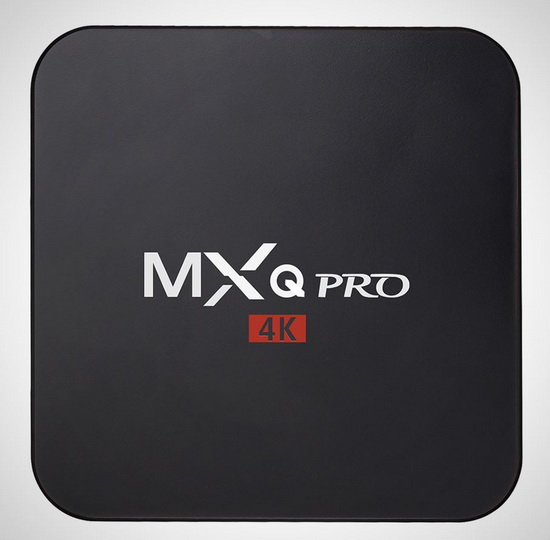
Download latest Android Lollipop 5.1.1 stock firmware for MXQ Pro TV Box from here, here or here. Download previous firmware from here.
Firmware details
Archive name: mxq pro
Image: p201-ota-20160118.zip
Archive file size: 695 MB
Platform: AMLogic S905
Build number: Android/p201/p201:5.1.1/LMY47V/20160118:userdebug/test-keys
Inside archive: firmware + u-boot.bin + recovery.img + factory_update_param.aml
Caution Please do not update firmware unless you know what you are doing, you really want it or it is absolutely necessary. Firmware updates may occasionally have bad results, like bricking your device, temporarily or permanently. The firmware update process is done entirely at your own risk. Before attempting to update the firmware, back up your data.
Did this article help you? If so, please tell me in a comment what do you think about it.
Don’t miss any of our future video tutorials, follow us on Youtube. Like us on Facebook. Add us in your circles on Google+. Watch our photo albums on Flickr.




Thank you for this updade, I have downloaded it but I do not know how to install, could you please provide the installation procedure ?
i have flashed it but my box bricked qith blue led and no video signl
Read this http://chinagadgetsreviews.com/how-to-unbrick-any-amlogic-devices-create-an-bootable-magic-micro-sd-card-in-minutes.html
HI, I have try it but the box don’t work , it stay on blue led in front
same result here, blue light…
where can I find stock firmware to unbrick???
http://chinagadgetsreviews.com/download-latest-android-lollipop-5-1-1-stock-firmware-for-mxq-pro-tv-box.html
does not provide u-boot.img
Also is it possible to use USB burning tool with MXQ pro? How to plug into PC?
Thanks
Start your search here http://chinagadgetsreviews.com/?s=s905
checked!
https://mega.nz/#!LAImAZbS!VNk0lQ8OXIpKtBc_HsEpiAKzHGfFutKLy5VDqa7Yt44
Hi , thanks recovered tv box but the remote control and do not think internet work files licencia.alguien the lacks ?
DOES ANYONE HAVE A FIX
Hi
It s possible to upgrade an mxq plus with mxq pro ? The number lmy47v is item on m’y box and is a s905 2ghz only lan is 10/100 i think i dont if wifi is same model, because i have a box without functions ( not add picture remote or USB bluetooth in android 5.1 menu) …its a 1g /8g
Thanks for help ! Dont found firmware for mxq plus … S905v2 on green pcb inside and not bluetooth module
Does anyone know the PIN for the lock screen in settings? It seems to have one enabled. I have tried all the easy guesses.
I have the same problem. Blue light, no video on OTT MXQ Pro 4k.
Creating boot card does nothing, cant access recovery. Holding down button in AV port does nothing.
It went through update from app, completed in recovery, and then nothing… No AV output. solid blue light.
hi haw to unstall this firmware in my mxq pro i open the file but no img file to unstall with usb burning toolse