
Download latest Android Marshmallow 6.0.1 firmware for Q-BOX 2GB/16GB
This firmware is for Q-BOX 2GB/16GB with AMLogic S905X CPU.
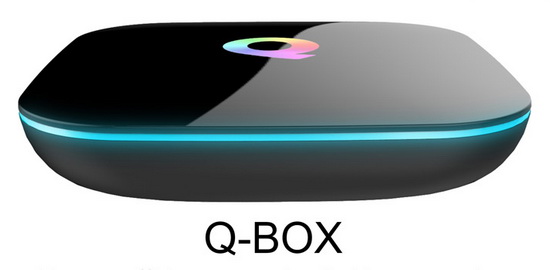
Download latest Android Marshmallow 6.0.1 firmware for Q-BOX 2GB/16GB from here or here. Download previous firmware from here.
Firmware details
Archive name: QBOX-905X-16+2-1031
Image: aml_upgrade_package.img
Archive file size: 709 MB
Platform: AMLogic S905X
Inside archive: firmware + aml_sdc_burn.ini + u-boot.bin.sd.bin
Caution Please do not update firmware unless you know what you are doing, you really want it or it is absolutely necessary. Firmware updates may occasionally have bad results, like bricking your device, temporarily or permanently. The firmware update process is done entirely at your own risk. Before attempting to update the firmware, back up your data.
Did this article help you? If so, please tell me in a comment what do you think about it.
Don’t miss any of our future video tutorials, follow us on Youtube. Like us on Facebook. Add us in your circles on Google+. Watch our photo albums on Flickr.
















Firmware android 6.01 work not update for QBOX-905X-16+2.
Hi all, is there anyone ready to help me on how to install it?
I tried many ways but I can’t get to the installation.
Which is the official way to install it using an external update?
thank you in advance so much!
working very well
no more pop ups about the gui not working or play store not working
thank you for this
Hi Jase06
Can you please help me on indicating more or less the procedure for the update?
I checked online and I did everything but until now, no luck for the update.
Please please please help!!
🙂 thank you in advance
Hi, I had tried installing this firmware on my Q Box 2 gig/ 16 gig, 905 processor and it does not update……Not sure if this is due to article listing it for the S905X processor, as my processor is the S905 without the X – Means different generation processor.
i installed it with usb to usb cable and Amlogic USB Burning Tool
iv had this installed since it came out and got to say its a very solid firmware
i have tried this on s905 box aswell but it bricked the box so i wouldnt try it on s905 i would use it s905x
I truly liked your page. very educative.Q-Box S2 + T2 and am looking for firmware. can you kindly assist
As this is a “.IMG” file you need to use the “Amlogic Burning Rom Tool” to install the firmware which means the media player MUST be plugged into your computer directly so you’ll need a quality “male to male” USB cable, and by quality I mean one that can handle data transfer as well as power so no 1$ ones from eBay, a decent one will cost you at least $5!
Do a search here for the burning tool, it’s pretty self explanatory to follow from there, I suggest v2.08and above as it also installs the needed drivers to read your media player automatically!
Make sure you have turned off the USB debugging mode if already enabled as the burning tool won’t read the media player while on.
Once started it takes roughly 6 to 10 minutes to complere so don’t be alarmed when the Q logo sits there for a while, in fact, any “IMG” update takes about that long so be patient and let things take it’s course.
Also make sure you have the s905x and not the s905 player if you’re installing this particular firmware, they’re two different players under the hood so this firmware won’t work if you don’t have the “x” version.
The easy way to tell is the “s905x” model already runs on android 6 while the “s905” runs on android 5…
Hope this helps!
I have marshmallow on my qbox. Do I still need a firmware update?
Do you have any firmware updates available for the AKASO Q-Box 4K Android 5.1 Smart TV Box Quad Core UHD 3D 1000M LAN Bluetooth Dual Wifi 2.4GHz 5.0GHz Kodi 16.0 HDMI Streaming Media Player Box 2GB 16G so I can install Krypton 17.1?
bonnie you can install kodi 17.3 on your box as you have the correct firmware already on your box android 5.1 anything lower than android 5 cant have kodi 17
unless you want to use those dodgy copies of kodi 17 that i wouldnt reccomend
Hi ! Can you update a new firmware, because this one is a generic. I have a Q box S905X, i try this firmware(1031) and nothing its stay frezen on logo Q. I try with usb-usb and sdcard.
i have qbox 905x & my device didnt boot i was try using rest bottom but it didnt work my qbox led is on but device didnt work please help me
Could you tell me how I update the KODI version? I have downloaded from KODI site but all methods of installing result in app not installed.
Ihave the Superview QBOX ANdroid 6.0 Smart TV BOX Amlogic S905X 2GB 16GB 4K
Hi there
Hope anyone can help me please , I purchased 2 Q boxes S 905 2GB 16GB last year cant remember from wich site and i don’t have the order # anymore but anyway here is my problem both boxes aren’t working anymore when I plug them in and turn it on all I see is the blue light around the box but my tv screen is tottally black nothing seems to show up , now I tried the toothpick method to see if I could reset it to factory standards but nothing happens are these 2 boxes fried ?
need stock firmware for Android Marshmallow 6.0.1 firmware for Q-BOX 2GB/16GB s905x. build version qb0005. what program to flash it?
Android Marshmallow 6.0.1 firmware for Q-BOX 2GB/16GB……
Please where will I be able to download a copy of this firmware for a Q-Box 4gb/32gb thanks?