
This firmware is for XGody MXQ-4K TV Box with Rockchip RK3229 as CPU.

Download Lollipop 6.0 stock firmware for XGody MXQ-4K TV Box from here or here. Download Lollipop 5.1.1 stock firmware for XGody MXQ-4K TV Box from here.
Download Rockchip Driver Assistant v4.4 from here and download Rockchip Batch Tool v1.8 from here.
Firmware details
Archive: 20170213_MXQ-4K_ENG
Model: XGody MXQ-4K TV Box
Image file size: 582 MB
Platform: Rockchip RK3229 / RK322A
Image name: update.img
SDK version: RK30_ANDROID6.0.1-SDK-v1.00.00
FW version: 6.0.01
Boot version: 2.31
Model number: MXQ-4K
Company: Android
Build number: MXQ-4K 20170210 test-keys
Caution: Please do not update firmware unless you know what you are doing, you really want it or it is absolutely necessary. Firmware updates may occasionally have bad results, like bricking your device, temporarily or permanently. The firmware update process is done entirely at your own risk. Before attempting to update the firmware, back up your data.


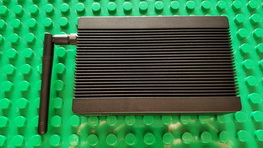

I have an MXQ OTT TV BOX 4XCPU 4XGPU. THE BOX IS THIS ONE FOUND ON DHGATE BUT i CANT FIND THE SAME REMOTE WITH THIS BOX ON YOUR SITE. PLEASE CAN YOU DIRECT ME TO THE CORRECT DOWNLOAD PLEASE.
http://es.dhgate.com/product/genuine-mxq-s905x-android-6-0-tv-box-1g-ram/394627457.html
i JUST SENT YOU A MESSAGE RE DHGATE. IT LOOKS THE SAME WITH REMOTE BUT IS THE 4XCPU NOT THE 6.
do you charge to add firmware to my mxq box with kody
do you have software you can sell me so I can upgrade my mxq box
There is other way to flash without the batch program? I use linux and want other way… like… put file in sd or pendrive to flash direct from MXQ-4k.
Good morning please I need software for mxq-4k I find it different to download
Please can you send it to my email I will like to upgrade to 5.1.1
Thank you
Hello I have mxq 4k was shipped can a file or link be sent to email to download to SD as to be zip firmware including fix update buffer ect nt IMG havnt gt access to a PC
Please someone give me photos of this firmware!
Please someone give me images of this firmware!
Please someone give me images of this firmware, send it to my email
The upgrade to 6.0 was succedded on Mxq-4k
The Youtube support 1080p now.
The Netflix has subtitles.
The Aptoide update all APPs.
Little problems:
The blue front led is always off.
The shutdown option desappear by remote control.
More memory is be used.
The bottom bar desappear and not possible close programs quickly.
The firat boot fail, but the second boot was succedded.
The blue front led is always off
I just can’t install the driver properly. Even though it says “Driver installed”, when I plug the USB cable into the box and PC, it shows unrecognized device.
Any tip?
quero baixar firmware
quero testar a essa fir
muito bom
muito bom quero baixar pra fazer um rezete no meu aparelho
I can’t seem to reset my box to factory spec’s – i’ve done all the “reset on the box and still it does not boot up
testado e aprovado