
Ensuring Smooth Interactions in Real-Time GUI Applications
In the realm of embedded systems and interactive applications, the significance of smooth, responsive user interfaces cannot be overstated. Real-time GUI applications demand not just aesthetic appeal, but also seamless performance that keeps users engaged and satisfied. This article delves into the challenges and strategies involved in creating fluid interactions in real-time GUI applications, striking a balance between visual appeal and performance optimization.
Understanding the Challenges of Real-Time GUI Applications
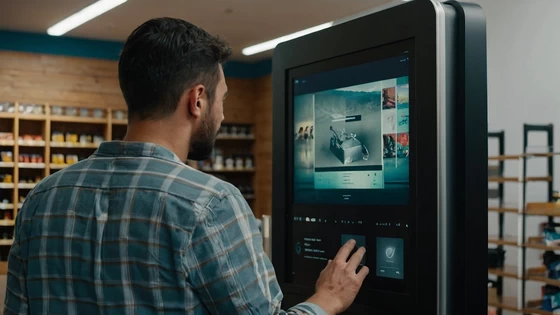
Real-time GUI applications face unique challenges that set them apart from traditional software interfaces. These applications must respond to user inputs instantly, update displays continuously, and often integrate with real-world data or processes. Common examples include industrial control systems, automotive infotainment units, and interactive kiosks. The key challenge lies in maintaining a smooth user experience while handling complex background processes and data streams.
Efficient Rendering Techniques
At the heart of smooth GUI interactions is efficient rendering. Modern GUI development tools offer optimized rendering engines designed specifically for embedded systems. These tools utilize techniques like partial screen updates, where only changed portions of the screen are redrawn, significantly reducing the processing power required for updates. Another crucial technique is double buffering, which involves drawing new frames in a separate buffer before swapping it with the displayed frame. This approach eliminates screen tearing and provides a smoother visual experience, especially in applications with frequent updates or animations.
Event Handling and Input Processing
Responsive event handling is critical for real-time GUI applications. The system must be able to capture and process user inputs quickly, without introducing noticeable lag. This involves implementing efficient event queues and prioritization systems to ensure that critical inputs are handled promptly. Developers often employ techniques like input debouncing and event coalescing, which help filter out unintended inputs and combine multiple related events to reduce processing overhead.
Optimized Asset Management
In real-time GUI applications, how assets are managed can significantly impact performance. This includes everything from images and icons to fonts and color palettes. Optimization strategies might involve using compressed image formats, implementing sprite sheets to reduce memory usage and draw calls, employing vector graphics where appropriate for scalability and performance, and careful management of memory allocation and deallocation to prevent fragmentation. Tools like SquareLine Studio often provide built-in asset optimization features, allowing developers to easily manage and optimize their graphical resources for target platforms.
Background Processing and Multithreading
Many real-time GUI applications need to perform complex calculations or data processing in the background while maintaining a responsive interface. Effective use of multithreading can help achieve this balance. By offloading intensive tasks to separate threads, the main UI thread can remain responsive to user inputs. However, multithreading in GUI applications comes with its own challenges, particularly in managing shared resources and ensuring thread-safe operations. Careful design of thread communication and synchronization mechanisms is crucial to prevent issues like race conditions or deadlocks.
Strategies for Performance Optimization
To ensure smooth interactions, it’s essential to regularly profile your application’s performance. This involves measuring frame rates, input latency, and resource usage under various conditions. Many development environments offer built-in profiling tools that can help identify bottlenecks and areas for optimization. For applications with extensive content or features, implementing lazy loading can significantly improve performance. This technique involves loading resources or initializing components only when they are needed, rather than all at once at startup. This can lead to faster initial load times and more efficient memory usage. Leveraging hardware acceleration capabilities can dramatically improve GUI performance, especially for graphics-intensive applications. Many modern embedded systems include GPUs or graphics acceleration hardware. Utilizing these features through APIs like OpenGL ES or DirectX can offload rendering tasks from the CPU, resulting in smoother animations and more responsive interfaces.
Testing and Validation
Ensuring smooth interactions in real-time GUI applications requires thorough testing under various conditions. This includes performance testing under different load scenarios, user experience testing to gauge the perceived smoothness of interactions, stress testing to ensure stability during prolonged use or under extreme conditions, and testing on actual target hardware to account for real-world performance characteristics.
Adapting to Different Platforms and Devices
Real-time GUI applications often need to run on a variety of devices with different capabilities. Designing for adaptability is key to ensuring smooth interactions across platforms. This might involve creating scalable interfaces that can adjust to different screen sizes and resolutions, implementing fallback mechanisms for devices with limited capabilities, and using responsive design techniques to optimize layout and interaction for different form factors.
The Role of Modern Development Tools
The development of smooth, real-time GUI applications has been greatly facilitated by modern tools and frameworks. Platforms like SquareLine Studio offer features specifically designed to address the challenges of real-time GUI development. These include visual design interfaces that allow for rapid prototyping and iteration, optimized rendering engines tailored for embedded systems, built-in performance analysis and optimization tools, and cross-platform development capabilities to streamline deployment across different devices.
Future Trends in Real-Time GUI Development
As technology continues to evolve, we can expect to see new trends emerge in the field of real-time GUI applications. These might include increased use of AI and machine learning for predictive UI behavior and performance optimization, integration of more immersive technologies like augmented reality in real-time interfaces, advancements in low-latency wireless technologies enabling more responsive remote interfaces, and continued improvements in hardware capabilities allowing for even more sophisticated real-time GUI applications.
Conclusion
Creating smooth interactions in real-time GUI applications is a multifaceted challenge that requires a balance of design finesse and technical optimization. By focusing on efficient rendering, optimized asset management, and smart handling of background processes, developers can create interfaces that are both visually appealing and highly responsive. As the demand for sophisticated real-time GUI applications continues to grow, the importance of tools like SquareLine Studio in streamlining the development process cannot be overstated. These platforms empower developers to create engaging, high-performance interfaces that meet the demanding requirements of real-time applications across a wide range of embedded systems and devices.
Did this article help you? If so, please tell me in a comment what do you think about it.
Don’t miss any of our future video tutorials, follow us on Youtube. Like us on Facebook. Join our Best Deals Telegram Channel. Join our Android TV Box Firmware Updates Telegram Channel. Subscribe now to our newsletter. If you need Tech Reviewer or Youtube Influencer read this. Donate now here to support CGR Team!















