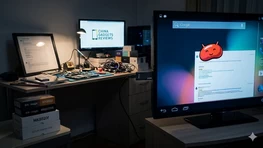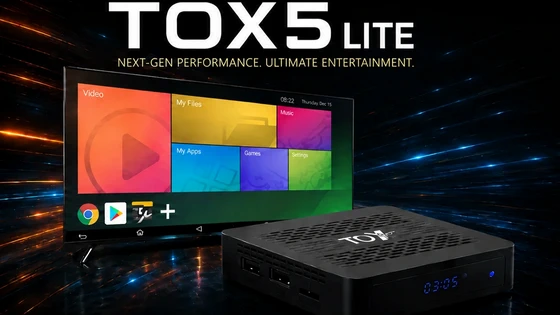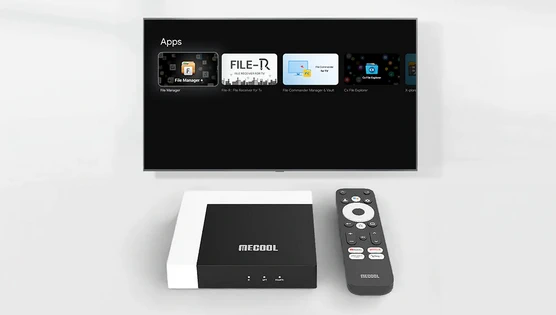
What are third-party applications?
In simple terms, third-party apps are apps made by unofficial developers. Typically, these apps are not available for download in app stores, but users can obtain and install them through other means. So, what advantages do they offer?
🔹Abundant application resources. Compared with traditional TV programs, third-party applications can provide richer content, covering multiple fields such as film and television, games, music, and information, and can meet various needs of users. By installing third-party applications, users can not only watch a large number of popular movies and TV series but also play games, listen to music, watch the news, etc., which improves the entertainment and practicality of the TV box.
🔹Personalized customized service. Everyone’s hobbies are different, so in some respects, traditional TV programs can’t fully meet the needs of users. And third-party applications often provide personalized customization services, which can recommend relevant content according to users’ interests and hobbies, so that users can more easily obtain the information they want.
🔹Fast update speed. Due to issues such as copyright, some traditional TV programs are updated slowly, and you may even have to wait for a long time to see the latest content. However, third-party applications are different. They usually have professional technical teams to maintain and update them and can provide users with the latest content on time.
Tips for Installing Third-Party Apps on MECOOL TV Box
As a smart TV box, the Mecool TV box can not only meet people’s demand for high-definition movies but also allow us to enjoy a more convenient operating experience. However, as time goes by, we may find some problems, such as the app we want to watch is not available on the Mecool TV box or the app we want to use needing to be paid to download. At this time, we need to learn how to install third-party applications to solve these problems.
How to Enable Unknown Sources Apps on MECOOL TV Box
By default, Mecool TV Box only allows users to download and install apps from the Google Play Store. If you want to install third-party apps, you need to enable the Apps from Unknown Sources option first.
Specific steps are as follows:
1. Go to the Settings menu: :Settings–Apps–Security & Privacy–Unknow sources–on
2. In the pop-up warning window, confirm that you want to enable this option, and click “OK”.
3. Now, you can download and install any third-party applications.
How to download and install third-party apps
There are several ways to obtain third-party applications. Below, we’ll cover the two most common methods.
Method 1: Use a browser to download the APK file
The MECOOL TV Box does not have a built-in browser. To install one, you will need to download a third-party browser APK from a trusted source on a computer and transfer the file to a USB drive. Then, on your MECOOL Box, use the Google Play Store to install a file manager application. Open the file manager to install the browser APK from the USB drive. Once the browser is installed, you can use it to directly download other APK files. After downloading, simply open your file manager, locate the APK file, and tap ‘Install’ to begin the installation.
Method 2: Use an App Store Alternative
Besides the Google Play Store, there are many other app store alternatives to choose from. Some of the most popular app store alternatives include Aptoide, APKPure, and Amazon Appstore, among others. Search for the third-party app you want to download in these app stores, then click Download and Install.
Safety Precautions
Although installing third-party applications can bring us more convenience and fun, there are also certain risks. Here are some security considerations:
1. Before downloading and installing an application, please make sure to obtain the application from a trusted source.
2. If you are not sure whether an application is safe, please try to test the application on other devices, or find other users’ comments and feedback on the application.
3. Clean up your device regularly to delete apps and data you no longer need.
All in all, installing third-party apps is a good way to make your MECOOL TV box more practical and diverse. But during the installation process, please be sure to pay attention to security issues, and follow the above suggestions to protect your equipment and personal information, so that Mecool can accompany you better.
Did this article help you? If so, please tell me in a comment what do you think about it.
Don’t miss any of our future video tutorials, follow us on Youtube. Like us on Facebook. Join our Best Deals Telegram Channel. Join our Android TV Box Firmware Updates Telegram Channel. Subscribe now to our newsletter. If you need Tech Reviewer or Youtube Influencer read this. Donate now here to support CGR Team!