
New Firmware Updates for Shanling UP2, UP4 & MW200 devices.
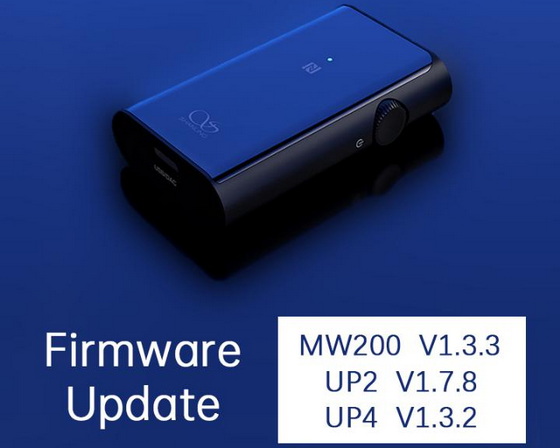
Shanling UP2 Firmware V1.7.8 notes & Shanling UP4 Firmware V1.3.2 notes
1. Added function of in-vehicle mode. Can be enabled in Eddict Player app. Please make sure you have latest version of the app installed.
2. Adjustable volume when used as USB DAC on computer.
3. Adjusted charging setting, can be connected to charger without restarting.
4. Optimized timing of button press and pairing mode.
5. Optimized volume of incoming calls.
Vehicle Mode
When active, upon connecting to USB charger, device will automatically turn on.
When USB charging is disconnected, device will automatically turn off after short while.
Connecting to Eddict App
Open Eddict Player app and click on “+” icon in top right corner.
Click on “Bluetooth” and the connected device will be displayed here.
Click on it to connect to the app.
Shanling MW200 Firmware V1.3.3 notes
1. Optimized protective volume
2. Optimized call volume memory
How to update
Manual update through Windows computer:
Please download update files from our website and follow included guide.
UP2 download from Google Drive.
UP4 download from Google Drive.
MW200 download from Google Drive.
Wireless Over-the-air update
Please note: Over-the-air update is unavailable for UP4 and UP2 from early production runs. When attempted to update them over-the-air, app will report error at the end of update process. These units can be updated only via the manual method through Windows computer.
1. Connect UP2/UP4 to Android device and open the Shanling Controller app. Make sure that your app is updated to the latest version and that UP2/UP4 is connected with the app.
2. In the app, open side menu (…) and go to “Bluetooth device control”.
3. Tap on the arrow at the Shanling UP2/UP4 listing. Start the update and wait until the app downloads and installs new firmware onto your UP2/UP4.
Did this article help you? If so, please tell me in a comment what do you think about it.
Don’t miss any of our future video tutorials, follow us on Youtube. Like us on Facebook. Watch our photo albums on Flickr. Subscribe now to our newsletter.





