
After sustained anticipation from the audiophile community, TempoTec has officially delivered one of the most requested features for its compact yet capable Variations V1 digital audio player: a fully integrated Parametric Equalizer (PEQ). Firmware V1.2 marks a meaningful evolution of the device, shifting it from a well-tuned out-of-the-box performer into a far more flexible, user-driven audio platform. This update is not merely incremental—it addresses core usability and personalization demands while refining the overall Bluetooth experience and system stability.
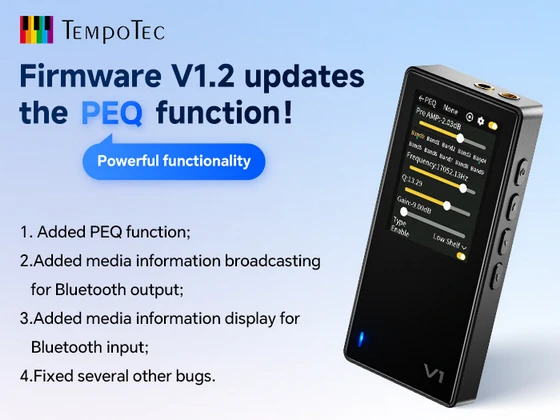
PEQ: Precision Control, Finally Unlocked
The headline feature in Firmware V1.2 is undoubtedly the addition of PEQ. Unlike basic EQ presets or graphic equalizers, a parametric equalizer enables granular control over specific frequency bands, including parameters such as frequency, gain, and Q factor. In practical terms, this transforms the Variations V1 into a much more serious tool for audio tuning. Whether compensating for headphone coloration, tailoring sound signatures for different genres, or applying measured corrections based on target curves, users now have the level of control typically reserved for higher-end audio gear or dedicated DSP environments. This addition significantly elevates the device’s appeal among enthusiasts who demand accuracy and customization rather than fixed sound profiles.
Enhanced Bluetooth Intelligence
TempoTec has also improved the Bluetooth stack in a way that enhances everyday usability—particularly for users who rely on wireless audio workflows. With Firmware V1.2, the Variations V1 now supports media information broadcasting over Bluetooth output. This means that when transmitting audio to external receivers—such as wireless headphones, speakers, or car systems—track metadata (title, artist, etc.) is now visible on the receiving device, assuming compatibility. Equally important is the improvement on the input side. When the Variations V1 is used as a Bluetooth receiver, it now displays incoming media information directly on its own screen. This creates a more coherent user experience, especially when the device is used as a portable DAC/amp in wireless scenarios.
Stability and System Refinement
Beyond feature additions, Firmware V1.2 also introduces a series of bug fixes aimed at improving overall system reliability. While not always headline-grabbing, these optimizations are critical in ensuring consistent playback performance, smoother UI interaction, and fewer edge-case issues during extended use. For a device positioned as both a portable player and a flexible audio tool, stability is essential—and this update reinforces that foundation.
Update Process: Simple and Accessible
Updating to Firmware V1.2 is straightforward and can be done in two ways:
– Directly on the device via Settings → System → Online Update
– Manually, by downloading the firmware from the official TempoTec website and installing it via a TF card
This dual approach ensures accessibility regardless of user preference or connectivity constraints.
A More Complete Audio Tool
With the introduction of PEQ and improved Bluetooth functionality, the TempoTec Variations V1 evolves into a more mature and adaptable device. It now caters not only to casual listeners but also to users who approach audio with a more analytical or personalized mindset. Firmware V1.2 doesn’t just add features—it reshapes how the device can be used. And for many, that makes all the difference.
V1.2 Changelog:
1. Added PEQ function;
2. Added media information broadcasting for Bluetooth output;
3. Added media information display for Bluetooth input;
4. Fixed several other bugs.
Did this article help you? If so, please tell me in a comment what do you think about it.
Don’t miss any of our future video tutorials, follow us on Youtube. Like us on Facebook. Join our Best Deals Telegram Channel. Join our Android TV Box Firmware Updates Telegram Channel. Subscribe now to our newsletter. If you need Tech Reviewer or Youtube Influencer read this. Donate now here to support CGR Team!


