
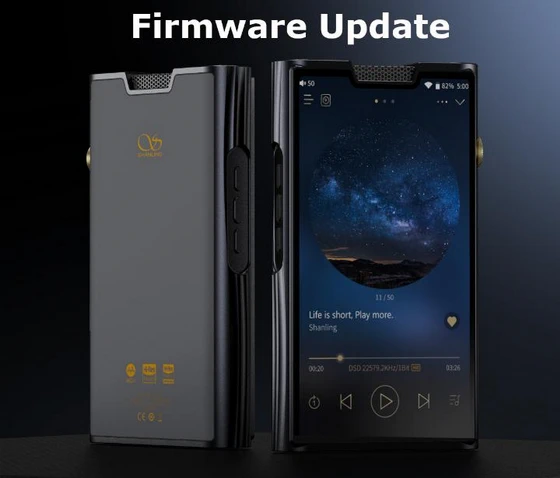
Shanling M8T New Firmware Update v1.36, download it from Google Drive.
Update Notes
1. Fixed issue causing muted output
2. Improved compatibility of USB DAC mode
3. Optimized Bluetooth connectivity and compatibility
4. Optimized Airplay 2 function
5. Optimized charging and compatibility with fast chargers
6. Fixed issue causing icon duplication on main screen
7. Optimized widgets and notifications
8. Other improvements and fixes
NOTE: This update makes significant changes to Shanling music player app, it will delete all the playlists and settings in the app. It’s recommended to create a backup of playlists or any important settings before performing the firmware update. After update, it’s recommended to Reset Library and do a fresh Library scan.
How to update – Manual Update:
1. Make sure your device is fully charged.
2. Copy downloaded .zip file into root folder of internal memory. (without unpacking .zip file)
3. Open “Support” app (purple light bulb icon). Go to “Update”, switch to “Local Update” and locate zip file.
4. Confirm install and wait until device updates. Confirm message to restart device.
Over-the-Air firmware update
Android players can be updated to latest firmware version using Wi-Fi connection.
1. Open “Support” app (purple light bulb icon).
2. Tap on “Update” (might be “Upgrade” in older versions or in some other languages).
3. App will find new firmware update for your Android player. You can choose from one of two servers and then proceed with downloading.
4. When fully downloaded, confirm installation and wait until system finishes its automatic update. Confirm message to restart device.
Note: If latest version of firmware is already installed, player will show notification and will stop update.
Did this article help you? If so, please tell me in a comment what do you think about it.
Don’t miss any of our future video tutorials, follow us on Youtube. Like us on Facebook. Join our Best Deals Telegram Channel. Join our Android TV Box Firmware Updates Telegram Channel. Subscribe now to our newsletter. If you need Tech Reviewer or Youtube Influencer read this. Donate now here to support CGR Team!


