
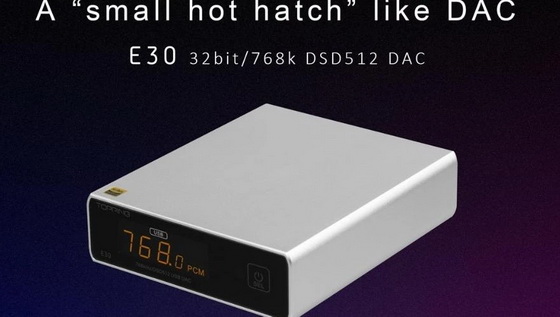
HiFi Audio products manufacturer Topping has been known for their outstanding products, good customer service, and quick firmware upgrades. Today Topping released another firmware upgrade for their E30 DAC.
Here is the changelog of the update:
– Corrected signal polarity.
You can download the new firmware Version: V1.08 (E30 FW1.08(20E)) by clicking here.
You can easily and quickly upgrade your E30 firmware by following these steps:
1. This update tool requires a Windows 10 OS with V4.82 drivers installed. So make sure you are on an updated Windows 10 OS.
2. If you haven‘t installed the latest Topping V4.82 drivers, you can download them by clicking here.
3. Download and extract the file.
4. Turn on then connect your DAC to the PC.
5. Click on the exe file inside this folder.
6. Click Browse, then navigate and select the bin file inside the folder.
7. Click Start and wait for “Firmware upgrade finished successfully”.
8. Check current firmware is already changed and click Exit and finish.
9. Enjoy!
Important notes
1. This firmware upgrade utility supports PC running Windows 7 and above with driver installed.
2, Never turn off or pull out power/USB cable during the update.
Topping E30 is a small size yet very high performing DAC, since it‘s release, It has been very well received by audio enthusiasts and music lovers everywhere. The E30 is based on the latest AKM AK4493EQ chip, has a beautiful OLED front display, and comes at an affordable price.It is of no surprise that it has received raving reviews by audiophiles worldwide. To find out more about Topping E30 DAC. Please click here.
Did this article help you? If so, please tell me in a comment what do you think about it.
Don’t miss any of our future video tutorials, follow us on Youtube. Like us on Facebook. Add us in your circles on Google+. Watch our photo albums on Flickr. Subscribe now to our newsletter.





