
What is Pass-Through Charging and Why Do We Need It?
Gone are the days where laptops needed to be charged using enormous power bricks and thick power cables. These days, more and more portable computers can be charged through a USB-C cable, no different from how we charge our smartphones.
The versatile nature of USB-C also means modern laptops need fewer and fewer ports, with some models even offering just a single port. In this port-light world the need for hubs and dongles is well documented, but using a hub can sometimes create a secondary issue.
The Problem
On many modern laptops, such as MacBooks, the port you use for charging is also used for transferring files or outputting a display to a second screen. This allows the laptop to be made improbably slim and light and produces an attractive minimalist design. The trouble is that if you while you are using the port for one of these functions you cannot use it for charging, which is a particularly serious problem for those laptops that only offer a single USB-C port (such as the 12″ MacBook).
Of course, a USB-C hub can solve the problem of not having enough ports, but if the hub is taking up the charging port, how do you charge the laptop while using the functions of the hub?
The Solution
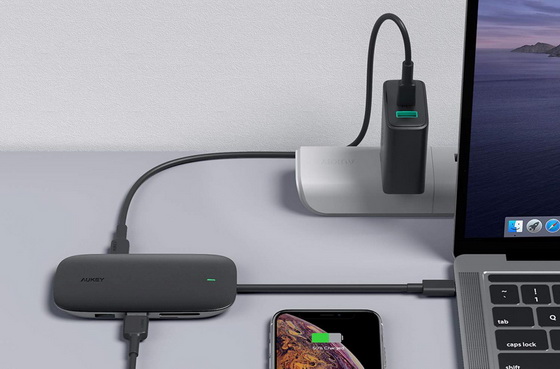
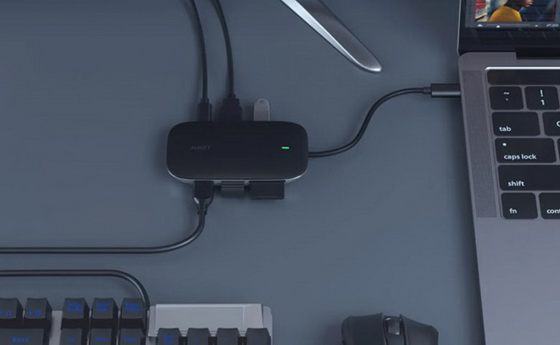
This is where pass-through charging comes in. When connecting a hub that supports this feature (such as AUKEY‘s Unity Link PD II), you can connect the hub to the laptop‘s wall charger and then connect the hub to the laptop. This allows the laptop to charge while all the other functions of the hub are available, such as data transfer, Ethernet connection, or HDMI output. In other words, the power from the outlet is allowed to pass through the hub without influencing any of the hub‘s other functions. This feature is far from standard on USB-C hubs, and it‘s definitely a detail worth looking out for. If a hub doesn‘t support pass-through charging then you have to unplug it every time you need to charge the laptop. For those sleek and compact devices that are particularly lacking in ports, this can make it physically impossible to output to a second display and charge at the same time.
Pass-through charging is even more important for hubs that take up two ports at once, such as AUKEY‘s sleek Thunderbolt 3 hub. This hub fits neatly into the side of the laptop (e.g. MacBook Pro) and offers greatly expanded functionality, but since it takes up both ports, without pass-through charging there would be no way to charge while it‘s plugged in. This would defeat the purpose of having a hub that integrates so well with the chassis of the laptop (luckily, AUKEY‘s Thunderbolt 3 hub does indeed support pass-through charging).
Note that pass-through charging in hubs isn‘t just limited to laptops. It‘s possible to connect a USB-C hub to a smartphone and fast-charge it via pass-through charging, just as you would with a laptop.
All the Power You Need
A statistic you‘ll often see alongside pass-through charging is the maximum throughput it supports, a figure that‘s usually 60W or 100W. Note that 100W is that maximum that USB Power Delivery supports (the method used to charge laptops through a USB-C port), so it‘s pointless to support any more than that. On seeing “100W pass-through charging”, some customers with smaller devices are worried about receiving too much power, but through the USB PD protocol such an outcome is impossible. The charger and the device will negotiate the exact amount of power required, whether that be 96W for a 16″ MacBook Pro, or 18W for an iPhone.
AUKEY offers a wide range of hubs that support pass-through charging, including the 8-in-1 Unity Link PD III. Next time you‘re shopping for a hub for your USB-C laptop make sure to keep an eye out for this important feature.
Did this article help you? If so, please tell me in a comment what do you think about it.
Don’t miss any of our future video tutorials, follow us on Youtube. Like us on Facebook. Add us in your circles on Google+. Watch our photo albums on Flickr. Subscribe now to our newsletter.














