
This firmware is for M8s+ TV Box with Amlogic S812 CPU
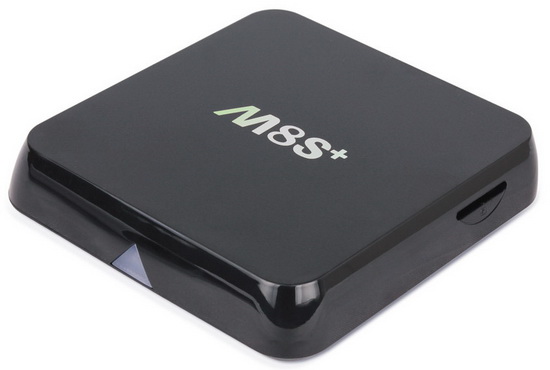
Download Android Lollipop 5.1.1 stock firmware for M8S+ TV Box from here or here. Download previous firmware version from here.
Firmware details
Archive: M8S+_S812_16122015
Model: M8S Plus TV Box
Image file size: 429 MB
Platform: Amlogic S812
Update file name: M8S+-ota-20151216.zip
Build number: MBX/KII/KII:5.1.1/LMY47V/20151216:userdebug/test-keys
Caution: Please do not update firmware unless you know what you are doing, you really want it or it is absolutely necessary. Firmware updates may occasionally have bad results, like bricking your device, temporarily or permanently. The firmware update process is done entirely at your own risk. Before attempting to update the firmware, back up your data.





Hi I can install this firmware in m8c box
Dolphin with dolphin jetpack enabled crashes on each site’s. firefox haven’t tool bar. Unable to open flash player site’s. No navigation bar,no status bar, no root.
Flash is not supported anymore Seboos, can some dev try it on a M8S with an Amlogic S812, I really want and need 5.1 for the Android TV apps.
This rom it’s rooted +++
Superuser installed
Yesss!!!!
Teckem: when i back on my m8s+ to 4.4.2 , install dolphin, Flash 11- movies which base on Flash can open. Dolphin can open Flash websites.
Dolphin on 5.1 can’t open any sites ex. Google. Firefox in 4.2.2 have tools and settings menu but 5.1 no available.
Hello all, can somebody explain us the way to to id please?
I try directly in the setting menu/update but i had an error message once the box has reboot. Thank you
Seboos: thats what I said … XD …, until 4.4.x flash was available for the browsers.
You should try this tutorial:
http://gadgetguideonline.com/android/lollipop/how-to-enable-flash-player-on-android-lollipop/
Teckem: thx, but… i wrote you, on firefox at firmware 5,1 no settings menu (on 4.4 available) and no navigation buttons on Android-similar to https://support.mozilla.org/pl/questions/1041800 . Dolphin crash on this version android and exit to launcher. Are you have settings menu on firefox and this firmware?
Seboos: now I see what you meant, unfortunately I don’t have a M8S+ with 5.1 or a custom rom for my M8S, I’m doomed with 4.4.2 (for the moment I hope so). And regarding the issue with dolphin apparently is a software version problem that causes stability issues, have you tried Puffin Web Browser ?
Yes, but it has poorer quality than ff or Dolphin. So, Dolphin browser on this fw crashes and ff doesn’t have settings button to enable Flash in preferences.
Dear All,
Could somebody please give us a tutorial or explain how to proceed to the installation of this new firmware.
i have a M8S+, and it is not working when i put the firmware on a usb key and trying upgrating the box using the update screen.
Thank you in advance!
Instructions
@daedelus
1. Download the firmware.
2. Extract all the files in the zip to a freshly formatted SD Card.
3. Make sure the power IS NOT connected and Insert the SD Card in the TV Box
4. In the back of the device, Locate the headphone connector and insert a tooth pick or something none conductive into the hole. You should feel a button being pressed.
5. Press and hold the Button in the headphone hole while plugging in the power. Keep holding the button for 10 seconds
6. If you did the steps correctly you should see an green Android robot with a progress bar below. Your box is now updating. DO NOT TURN OFF THE POWER OR TOUCH THE BOX!
7. When the update is completed your box will automatically reboot on it’s own. The first boot will take some time so be patience
It doesn’t work from USB, you need a sdcard
Unzip the archive on the sdcard and connect it to the box
Disconnect from power source
Insert and hold a nonmetallic pin into the AV port
While holding it, attach the power cable
Wait few seconds and it will start updating
The update process will erase the previous system so a backup it’s required
Daedelus: for what I know you have to use the AMLogic USB Burning Tool, look for a tutorial on that section.
this might help: http://chinagadgetsreviews.com/video-tutorial-how-to-easily-flash-android-lollipop-5-1-stock-firmware-on-mxiii-g-tv-box.html
Papa, i installed root Checker and after verify show me no root
@Seboos
Try to start SU, preinstalled. If problems, try to install Kingroot.
Dear Seboos it’s rooted for me!
install supersu and after “titanium backup” root it’s OK
No icon supersu but see in the applications android
@paulcl
Kingroot At 90% freeze
@Papa, I again update my m8s+, i have superuser in app (hidden). I install Titanium, Titanium say me that i haven’t root. I install supersu, when I open, it show me old su binary, after update supersu wrote me conflict with other root software.
I do not understand why you have root and I do not have
Dear Seboos conflict Root! It’s ok. Do not delete Superuser. Now launch titanium backup and provides root!
Many thanks!!! at the best chinagadgetsreviews.com
Still no root:( Update binary failed.
Dear Seboos patched titanium?
Titanium backup still show me no root same as root verifier. Maybe you have twrp?
@seboos I have no install TWRP!
So dear Papa, we use the same firmware with different effect. Somebody know,why?
@seboos, Indeed it is very strange why it works for me and not for you!
installed ES Explorer with option root.
This another firmware it’s rooted but no works for me! http://chinagadgetsreviews.com/download-android-lollipop-5-1-stock-firmware-for-m8s-tv-box-2.html
And you Seboos ?
So, Dear Papa, doesn’t help me, but… Eureka:) i back to fw 4.4, rooted It, and upgrade without wipe data and media (or toothpick) to this firmware. Next i enable USB debugging and voila, i have this fw with root. Many times i tried update 5.1 to newer 5.1 with toothpick, wipe data. This was the cause of failures in my case.
Yess!!!!
Best regards
Papa
Hi! I would like to try and install this ROM on my M8S… But i don’t want to make a mess:
i don’t care if the Ethernet stops working but i need Wifi, my device has a BroadCom BCM43xx WiFi Chip, is this compatible with it?
tried this on my M8S and although it installed ok
the M8S still said it was on 4.2 and not 5.1
so not sure what went wrong
You are here on M8S (+) No. M8S!
No works for M8s!!
How do I get notification bar and status bar to appear?
Big issue for me, any advice would be great.
There’s no way to get that, go back to kk or wait for an update, maybe it will be fixed
Thank you very much for that info . I managed to install update and the device is also rooted now. Thank you
Hola, es estable instalar esta rom?… Algunas fallas que encontraron?..
I didn’t install latest version yet but with previous version the screen video capture freeze system. Fixed it?
anyone know a working screen recorder app for 5.1.1 because everytime I try record screen the system freeze! Has also some fluidity issues
I personally can’t see any point of taking a screenshot or screen record from this kind of devices
Moreover the status bar seems to be eliminated, I can’t find any documentation why is that but I guess that’s the reason why those useless capture functions doesn’t work
Otherwise I’m pretty happy with this update, I’ve eliminated some apps that I don’t use, added adaway and manually updated kodi to the latest RC, it works flowesly
Anyone knows who made this rom? I need despairingly FUSE support! Please.
Hello please i need link to get latest lolipop firmware for M8S Amlogic S812
me too i want to have android 5 on my M8S. may be it will fix my problem : each time i try to turn on the bluetooth, it turn off again after few seconds searching.
As you can see by searching on this site, there’s no lollipop for M8s, for plus only, enjoy mediatek processors…
Xanthrax, what are u saying????? . If someone want to take a screenshot or record screen can’t with this ROM is not normal. Everytime I launch an app to capture screen system freeze!!!. Is not so good this rom. Slow startup system, system interface with some bugs etc. .
I have KII-userdebug 5.1.1 LMY47V 2015101030 test-keys, but not root.
I can flash this ROM from update ota tool?
Thanks a lot!
Yes, you can flash it but it will delete your data, it will be a clean flash
Use the sdcard as posted above
The root is included
I have problem with this unit. My M8S+ youtube performance is terrible.
The video will stutter, slight pause.
Can anyone help? I am using the latest firmware.
Xanthrax, you made this firmware? Please add FUSE support. Please!
Lol no, how could I?
This is quite closed source, I tried to find it but nothing came up as many Chinese devices like this are
Mediatek processors are well known for slow updates, bugs and closed sources so I don’t think that someone can port or mod this rom
I have chosen this device because it’s cheap and fairly well balanced hardware /price, I personally don’t expect much from it, I just watch some movies and TV channels in my bedroom
Some games doesn’t even react on the left click of the wireless mouse…
Tried many times to install last version of lolly pop 5.1.1, but still bricked. Can I downgrade to KitKat? Who has experience and give a link to the a working firmware for my m8s+?!
Successfully installed using Paulcl’s step-by-step
Working fine and rooted!
Only issue, can’t update to kodi 16.0 jarvis
To update kodi backup its data, uninstal and install it back with your desired version, restore its data
Can’t get Dolby TrueHD to work with this firmware 🙁
Return back to the control panel and the status bar, just awful bad without them.
Hy I encounter a problem with this new IOS 5.1.1. I cant hear the sound in a game : Angry Birds 2 , its only heard a
continuous thump sound , I tried the device on a different Tv but no change on sound. maybe is an issue with sound codecs for this game?
any chance to solve this sound problem?
Is there a img file for this rom bricked my M8s+…sd card wont work.
Hi,
Can I enable microsoft DRM playready on the device ?
Good day, I have a M8s can install this firmware? because in the video apaece M8s and the download link M8s +
Thanks … Greetings from Colombia
I need to know if I can install it to M8s
please help
hi can i put this on an m8s box
this did not work on my amlogic m8s…im looking to update to kodi 17 (a major kodi update) ive been looking for over 2 hours for the right firmware and have had no success with any i found. One did work but it still lists android version as kitkat….angry
I have the m8s tv box an i want to update firmware to 5.1 if the firmware is good for my box.
Does anyone have Lollipop firmware for the M8S? I would like to have the latest version of Android for when Kodi 17 is released as it will no longer support 4.4.2. Really don’t want to invest in another box. Any help provided would be greatly appreciated. Thank you in advance.
People this firmware is for the M8S+….
Stop asking if you can install this fw on a m8s! Or if you meant the “Plus” version, use proper grammar.
M8S+ -> up to 5.x.x
M8S -> up to 4.4.2 only.
Hi,
I have a M8H S812 2g/16g android box 4.4 kitkat . Can I use this firmware to upgrade my box. TIA.
Hi, I updated without a problem my m8s+ model 2go/16go. However the infra-red does not work anymore cause the original remote control does not work. Luckily I have an external remote with keyboard. Another issue is the light. When off I got the blue and turned one I got the red. Any trick to change this?
i updated my m8s to 5.1.1, its just that the ethernet doesn’t work only works withh wifi. also Stb emulator works and crashes. Anyone got any solutions
Hi, I have the same problems like “chouzo”. Infrared doesnt work and the lights, blue and red for on and off, are changed.
Any solution for this problems?
I got a m8s (non plus) box I really want to update to lollipop so I can run latest kodi versions in the future, now kodi is dropping KitKat support. M8s plus firmwares will flash on this box but usually no wireless working etc.
I think all I can do for now is hope libreelec (openelec fork) gets ported for our s812 chipset. Ive got a s805 TV stick and flashed libreelec on that and its amazing it flies!
I have the M8S+..for a year it has worked well.
But for 2 days now, it does not load my apps when clicked. Especially YouTube app and My Daily Devotion app. Do I need to update my M8S+ box?
Try first to reset to Factory Settings, if it’s not working, then try to reflash stock firmware…
Where do i get the stock firmware? I need the 4.4.2.
After hours i finally found something that works!!! thank you so much!!
hello,
i installed it form the SD but :
1.box is not rooted
2.can’t connect to google play.
any idea ?
thank you ,
I have a M8S+, I try to install this update, freshly formatted SDCard FAT16 (will not format to FAT32), using the toothpick method or the select method from the restore menu, the box always stays on the Amilogic badge splash screen… nothing left it for hours.
If I remove the SDCard and use the toothpick method I can get to the load from EXT, then if I put in the card nothing.
Please and help would be great.
just wanna know, is it possible to install Marshmellow on m8s+…..if yes plese provide a link please..thanks in advance
Bricked my M8S and this firmware has worked on M8S with CS_812M8_V1.4 Board 20160325 with CREATEK CK-WB-B30X-SM Chip
LAN not working / WiFi 2G/5G Working.
i have flashed this to my m8s+ but i do not have wifi anymore? anyone have a solution?
I try to install the 5.1.1 firmware and shows ERROR
E: SIGNATURE IS WRONG
E: FOOTER VERIFICATION IS WRONG
Could anyone send me the right firmware
I have a M8S+ box
I have successfully installed this FW on my M8S box with XT-s812-v10 PCB, using Update&Backup utility, just by loading the ZIP into the app. My box is not M8S+ so there are some things that don’t work with this update:
– Ethernet doesn’t work, but Wireless is OK
– Remote control doesn’t work
– Blue and red LEDs swapped
For rooting, I have used TWRP.
(I guess that some of you guys need to edit updater-script in order to install this update on the box)