
Since the pandemic, many of us have had to switch to work from home or have some kind of remote working arrangement. There is a possibility that this trend will continue for some time. Here are some good ideas to make our workspace comfier and help you improve your WFH set up in an effective manner.
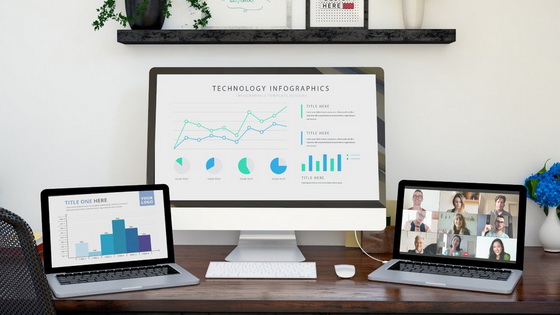
1. Add a Third Monitor to your PC
2 monitors are just not enough for you to host a meeting at home. What can you do if you want to connect an extra screen but there are not enough HDMI ports for connections? You can amplify your options with a portable screen extender like MagicLink!
Just simply connect it with the USB port of your laptop and plug it into the HDMI port on HDTV. Then, you can launch the EZCast app for extending casting and have more space to carry out your work. If you own a MacBook, you can do the same process but instead, plug a Type-C adapter into your MacBook first and then click the Airplay button on the top right corner of your screen. After that, you can select MagicLink.
Use the following codes and you can get a 10% discount: MagicLinkWFH

If you’d like to get rid of cables. You can try EZCast Ultra. Simply connect it to your screen, click Win+K to do extension casting, and select EZCast Ultra. Then, you will be able to have multiple screens at your home office.
Use the following codes and you can get a 10% discount: EZCUltraWFH
The best part is that you can also use these wireless display gadgets for your entertainment in your free time! For example, EZCast Ultra supports 4K HDR casting, suitable to play your favorite movie in the clearest way!
2. Wirelessly Display Your Presentations to a Bigger Screen
Sometimes you might need a bigger screen than your laptop screen. You may want to practice a presentation or check a video or other content while you are still multitasking. In this case, you can use a wireless display device like EZCast TwinX. With EZCast TwinX, you can mirror the screen of your Windows laptop/MacBook/iPad Pro/Android phone. Similar to the gadgets mentioned earlier, you can also use EZCast TwinX as a screen extender.
It also allows you to extend your laptop/MacBook to your TV as a second monitor. You can cast HD videos, photos, presentations, or files from your device with ease. Basically, it is like a “wireless” HDMI cable. The process is pretty easy: plug EZCast Compact, the receiver of EZCast TwinX Package, onto your TV or projector. Then power the receiver with an adapter and wait for your screen to show up. Connect the EZCast TwinX, the transmitter, to your laptop which supports Type-C port, and starts wirelessly casting!
3. Wirelessly Project Content and Multitask
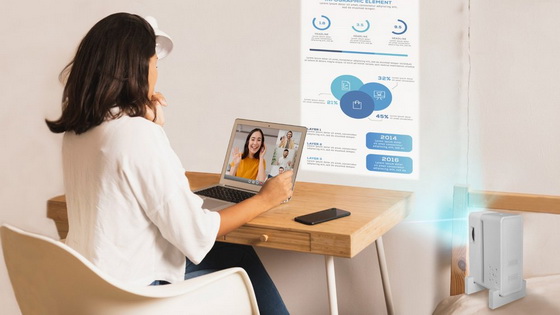
Working in front of a computer for hours and hours can cause distraction and discomfort. Using a projector will significantly reduce your eye stress and you will be able to work more efficiently. And it allows you to multitask as well.
EZCast Beam H3 1080P native projector ensures every detail of your graphs is clear. This projector can be wired and wirelessly cast content like videos, photos, and files from your device to the big screen. Thanks to the unique portrait mode projection, you can also project video either horizontally or vertically with EZCast Beam H3.
Use the following codes and you can get a 10% discount: EZBeamH3WFH
Make Your Workspace More Efficient Today
Equipment selection will differ from person to person depending on workspaces, tasks, and work styles, but some principles remain the same: make the workflow smooth while minimizing distractions and disturbances. Investing in these smart tools can help eliminate some differences between your workplace at home and offices.
Did this article help you? If so, please tell me in a comment what do you think about it.
Don’t miss any of our future video tutorials, follow us on Youtube. Like us on Facebook. Watch our photo albums on Flickr. Subscribe now to our newsletter.





