
Most individuals use a smart device for pretty much everything – however, not everyone takes the necessary steps to look after the devices and ensure they work properly. iPhones can last a long time, as long as you take care of them. This article will provide you with six useful tips to keep your iPhone working smoothly so that you can keep your device for as long as you want it.
1. Look After The Charging Port
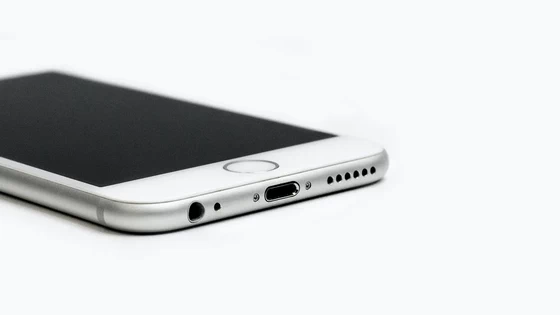
One of the things that you should do to ensure that your iPhone works smoothly is to look after the charging port appropriately. Evidently, your phone requires a battery to work, and one of the most common issues that stop phones from working adequately is an inability to charge properly. This part of the phone is fairly exposed and prone to dust, water, or other particles getting in. Protect it as much as possible by being aware of your surroundings and where you leave your phone. If you notice that something has gotten in, you can try to clean this yourself by using a toothpick or a cotton bud – however, be very cautious when you do this so that you do not end up permanently damaging the charging port.
2. Update Your Phone Regularly
If you have an iPhone, you may already be familiar with the notifications advising you that it is time to update your phone. Some people tend to ignore these notifications and updates, not realizing that they are doing more harm than good. It can take a few minutes for the iPhone to update and most of the time it will need to restart, which means that you may not use your phone for a while. The updates exist for a reason – if your iPhone stops working as well as you want, is slow, and freezing constantly, it may be that an update is required.
3. Invest in More Storage
In the current day and age, most people enjoy taking pictures and videos of everything they do. Moreover, many individuals use their smart devices to work or study, meaning that they are quickly filled with documents and files. There is so much that an iPhone can store and once the memory is full, it will start to slow down, and you may notice a significant decline in performance. If this sounds like an issue you may be going through with your phone, you should invest in more storage space, which you may get by purchasing a memory card. On the other hand, you can also back up your documents to the cloud (which you should do regardless!) so that you do not lose all of your files should anything happen to your phone. It is recommended you read more here, so you learn more about how to back up your iPhone. This is a crucial step in ensuring the great performance of any smart device.
4. Protect Your Phone Physically
It should go without saying that looking after your phone is vital if you want it to work properly. Evidently, this can be difficult if you drop it and smash your screen or any other parts of the device. As careful as you may try to be with your phone, accidents happen. This means that you can drop your phone unexpectedly and break it. The way to prevent this from happening is by protecting the physical structure of your phone. Invest in a screen protector as well as in a case, which will ensure your phone is protected at all times, and it is less likely to suffer damage on impact from a drop.
5. Be Careful of The Temperature
You may have noticed that your iPhone may get extra hot at times. This can occur if the overall temperatures are high, and you leave your device exposed to the sun, but it can also happen if you overcharge it or simply by using it too much, which can cause it to heat up and stop working. It is easy to identify this issue – you should be able to physically feel that your phone is too hot, and it will also get extremely slow. If you notice these signs, stop using the device and let it rest for a while, away from sun or heat exposure. It should improve within a few minutes.
6. Reset Your Phone
Your phone may be needing a full reset to improve the way it works. This can be a normal reset or a ‘store reset’. The latter means that everything will be wiped out, and your phone will be as you first bought it. This can help your iPhone to work smoothly as it will get rid of any potential software issues that may be creating problems. Just be sure to back up your files prior to doing this so that you do not lose everything.
If you have an iPhone, you will want to take the appropriate steps to ensure it performs as expected for a long time. Make sure to follow some of the tips discussed on this page, which will help you keep your iPhone working smoothly.
Did this article help you? If so, please tell me in a comment what do you think about it.
Don’t miss any of our future video tutorials, follow us on Youtube. Like us on Facebook. Join our Best Deals Telegram Channel. Join our Android TV Box Firmware Updates Telegram Channel. Subscribe now to our newsletter.





