Unboxing BOTSLAB W101 Dual-Lens 4MP Window Camera
Best Deal Alert! You can now buy BOTSLAB W101 Dual-Lens 4MP Window Camera for Home Security Amazon.com / Botslab.com for a very good price. Hurry up, limited time offer!
Meet BOTSLAB W101 – A Clever Two-Sided Security Camera Designed for Modern Homes
The BOTSLAB W101 is a rather different approach to home security cameras. Instead of mounting a conventional outdoor camera on a wall, drilling holes or running a complicated installation, BOTSLAB has designed the W101 specifically around the glass surface of a window, allowing one device to monitor both the area outside and the room immediately behind the window. The result is a compact dual-camera system that can provide an outward-facing view of a yard, driveway, entrance or parking area while simultaneously offering an inward-facing view of the room. The concept becomes particularly interesting because the two cameras are physically integrated into the same housing and positioned on opposite sides of the glass. BOTSLAB describes the system as a dual 2.5K/4MP camera, with the outward-facing camera designed for recording and security monitoring while the inward-facing camera is intended for live viewing. The supplied product material also highlights 8× digital zoom, AI human detection, AI-powered notifications, TrueColor full-color night vision, anti-glare optical treatment, 24/7 recording, local storage and optional cloud storage. What makes the W101 particularly practical is that it does not require drilling or permanent modification of the building. The installation system uses an electrostatic film and adhesive mounting arrangement, making it possible to install the camera directly on glass and reposition it without the kind of commitment normally associated with security-camera installation.
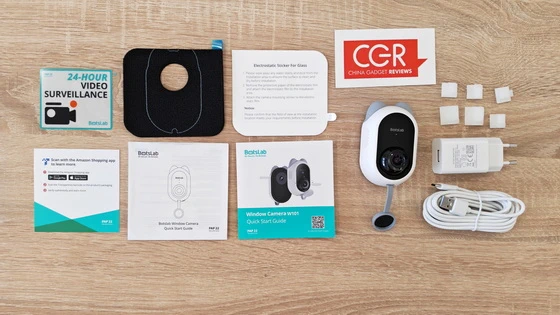
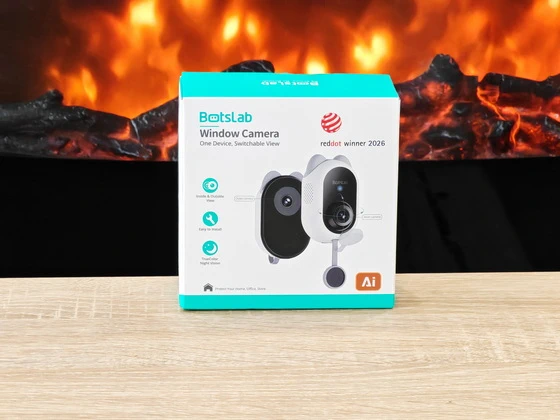
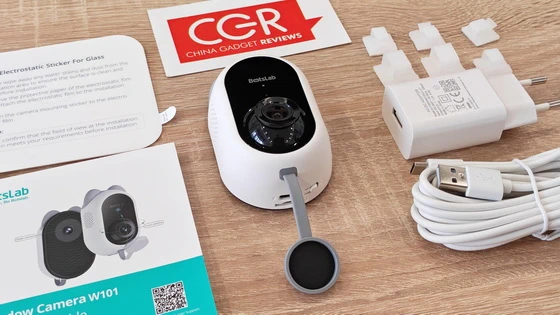
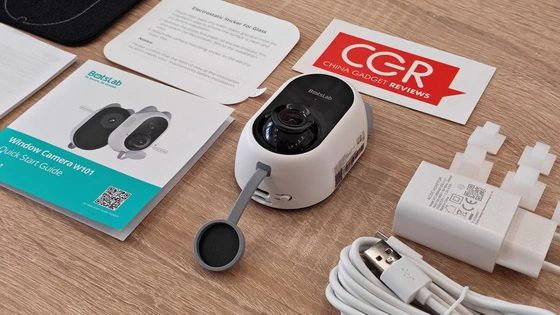
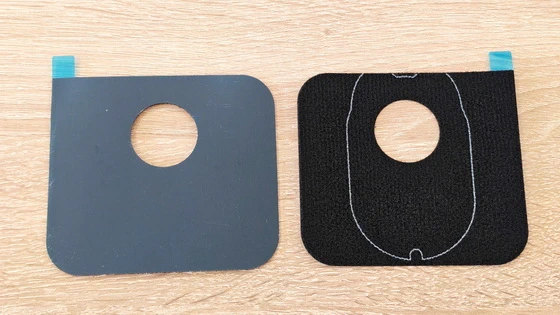
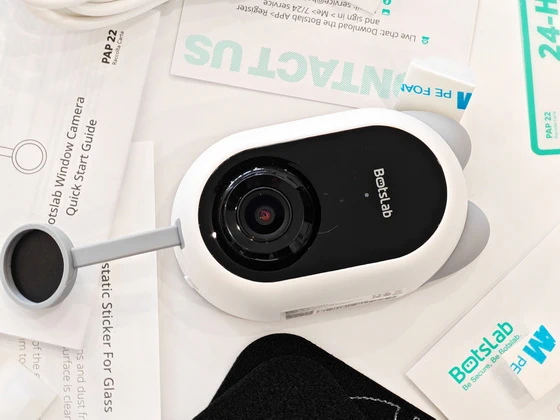
The BOTSLAB W101 arrives in a compact turquoise-and-white retail package that immediately communicates its main purpose. The front of the box identifies it as the BOTSLAB Window Camera and highlights the concept of a switchable inside/outside view, while also displaying the Red Dot Winner 2026 designation. The rear of the package provides a useful overview of the hardware, including dual 2.5K resolution, AI human detection, 2.4GHz and 5GHz Wi-Fi, 24/7 recording, adjustable indoor viewing, a privacy cover and dedicated night-vision functionality. Inside the package, BOTSLAB provides essentially everything required to get the camera installed and running. The review sample includes the W101 dual-camera assembly, power adapter, USB cable, quick-start documentation, mounting materials, an electrostatic glass sticker and cable clips. The official product material similarly shows the camera, Quick Start Guide, power adapter, Type-C cable, two black mounting stickers and six cable clips as part of the package. The inclusion of the electrostatic layer is particularly useful because it sits between the glass and the mounting surface, providing a much more practical installation method than simply sticking an adhesive pad directly onto a window. The supplied cable clips also make it possible to route the relatively long power cable neatly along the window frame rather than leaving it hanging. The overall package feels complete rather than stripped down, and importantly, there is no requirement for additional drilling hardware or specialist installation equipment.
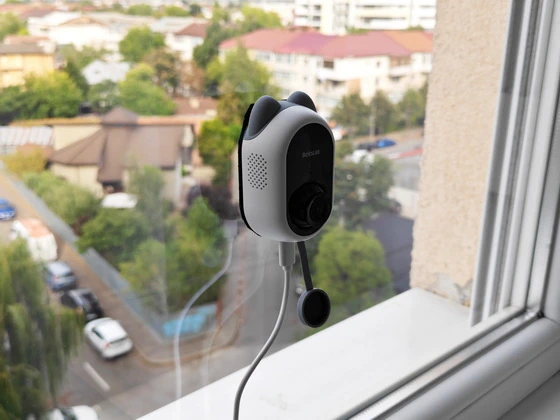
Installation is one of the strongest aspects of the BOTSLAB W101. The supplied application provides a dedicated eight-step installation guide, while BOTSLAB’s product documentation describes the process as a four-step, drill-free installation. The basic procedure is straightforward: remove the protective film from the indoor lens, preview the camera position, select the installation location, clean the glass, apply the electrostatic mounting layer, attach the camera and power it on. The app specifically warns that the protective film covering the indoor lens must be removed before installation because leaving it in place can result in a black image. It then recommends placing the camera against the window temporarily and checking the live view before committing the mounting system to the glass. This is an excellent approach because window positioning is surprisingly important. The installation guide recommends mounting the camera approximately 1.5–2 metres above the floor for a better viewing angle and improved child safety, while the supplied cable is approximately three metres long. The application also recommends checking the distance to the nearest power outlet before final installation. The glass itself needs to be cleaned on both sides before mounting. Dust, grease and spots can affect the adhesion and potentially degrade the optical result. BOTSLAB also recommends avoiding direct sunlight and window screens or mesh because these can interfere with the image. The electrostatic mounting system is one of the more interesting elements of the W101. According to the installation instructions, the static sticker can be reused two or three times, while the mounting adhesive and static layer can be moved together if repositioning is necessary. That makes the W101 considerably less intimidating than a conventional security camera that requires drilling into masonry.
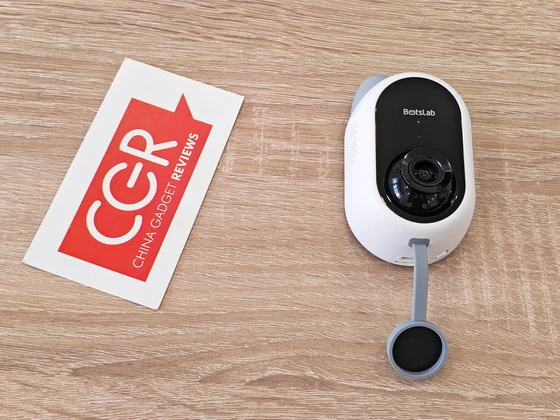
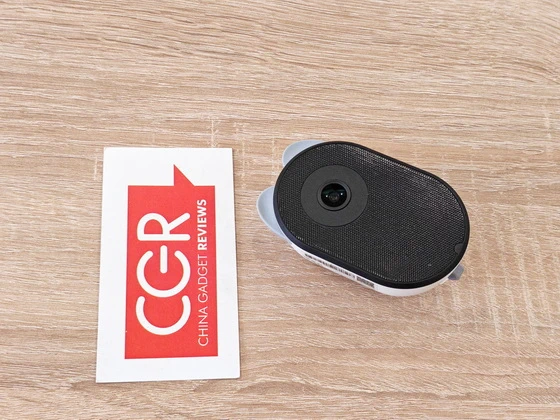
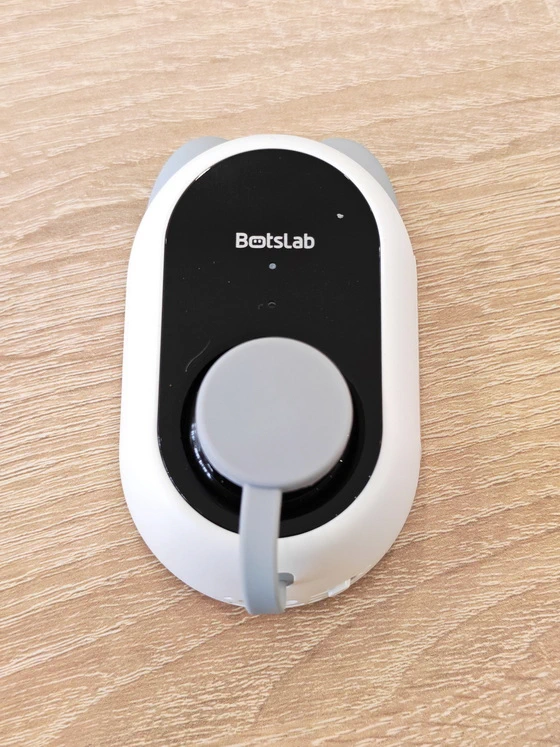
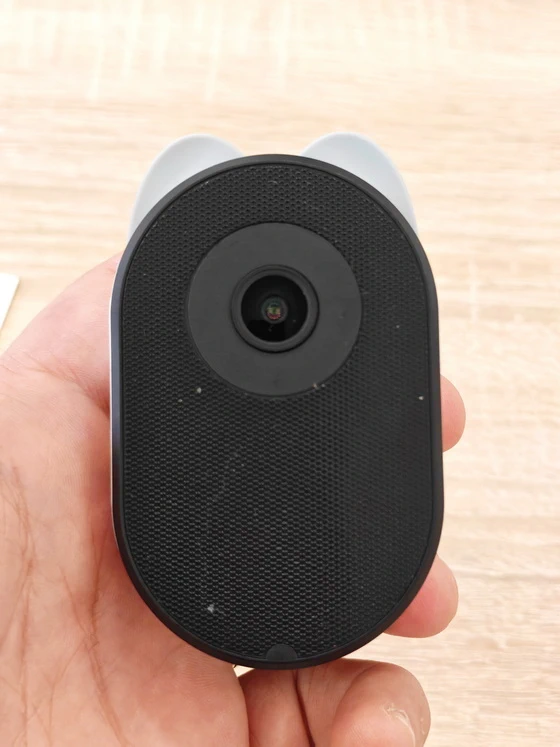
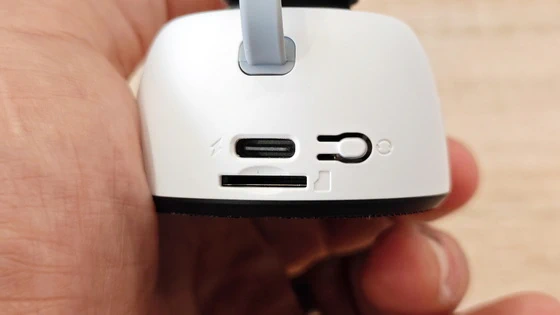
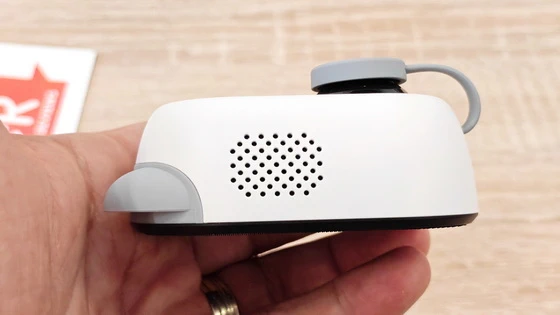
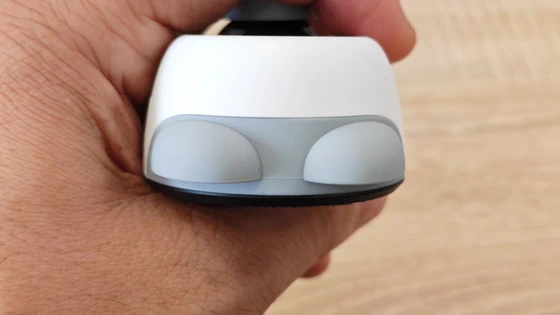
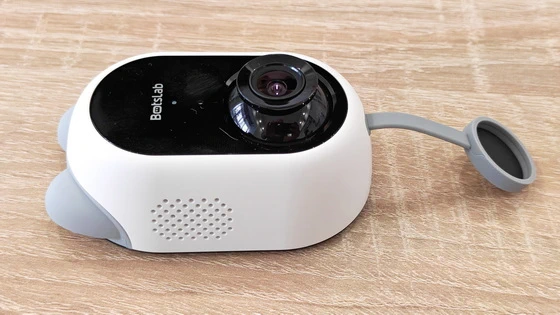
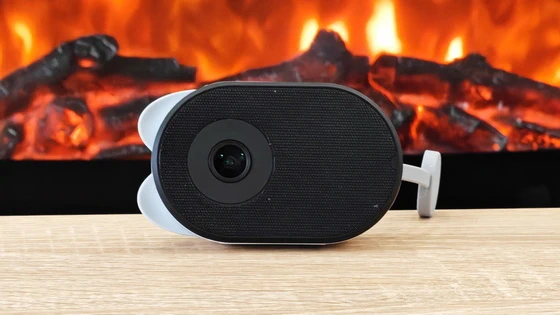
The W101 has a distinctive vertical design that looks more like a small smart-home appliance than a traditional CCTV camera. The two camera modules are integrated into a single compact body, with the external-facing camera positioned toward the window exterior and the indoor-facing optical module facing the room. The white housing of the indoor-facing section contrasts with the black optical area and gives the camera a clean, modern appearance. The outward-facing section uses a darker finish that is better suited to looking through glass without drawing unnecessary attention. The physical construction feels purposeful rather than decorative. The camera has been designed around its mounting system, cable routing and optical alignment, and the adjustable nature of the indoor camera makes it possible to fine-tune the room-facing view after installation. The lens assembly also incorporates the visual elements associated with BOTSLAB’s optical design, including the anti-glare and anti-reflection treatment highlighted in the product documentation. BOTSLAB specifically positions these features as a solution to the reflections and glare that can become major problems when filming through glass.
The real advantage of the W101’s design becomes apparent when considering what it replaces. A conventional outdoor security camera normally needs to be installed on an exterior wall, soffit, fence or other fixed surface. That can mean drilling holes, running cables outside and exposing the camera itself to weather, vandalism and physical damage. The W101 moves the entire installation indoors while allowing the external camera to look through the window. BOTSLAB describes the concept as a window-mountable design suitable for front, side, door and backyard windows, and the documentation also illustrates applications such as nurseries and even motorhomes. This makes the camera particularly interesting for apartments, rented properties and situations where drilling is undesirable. It can also be useful where a camera needs to monitor a driveway or entrance but cannot easily be installed externally. There is, naturally, a trade-off: because the outward-facing lens looks through glass, correct positioning and control of reflections are essential. BOTSLAB has clearly designed the optics around this scenario, incorporating anti-glare coating, an anti-reflection lens and an F1.0 aperture according to the product material.
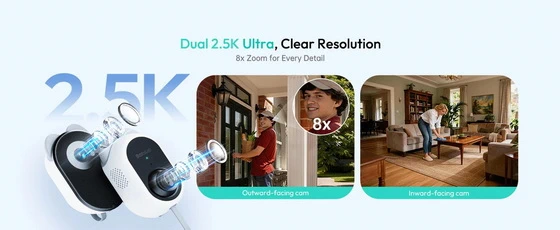
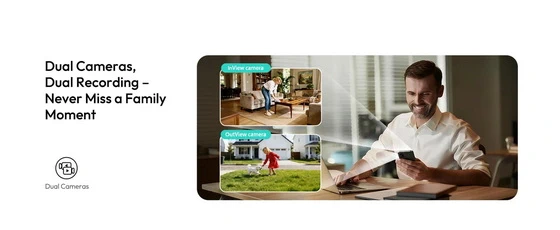
The W101’s defining feature is its dual-camera configuration. One camera looks outward through the window while the other looks into the room, giving the user two different perspectives from a single installation. The product documentation describes the system as providing dual 2.5K resolution and 4MP imaging, while the promotional material demonstrates simultaneous views of an indoor room and an outdoor area. There is an important distinction here: the inward-facing camera is intended for live viewing and does not support recording. The outward-facing camera is the component responsible for security recording, including continuous 24/7 recording to local storage or supported cloud storage. This division actually makes sense from a privacy perspective. BOTSLAB’s documentation explicitly emphasizes that the indoor camera does not record or store footage and includes a physical privacy-cover concept.
The W101 is marketed around a dual 2.5K/4MP imaging system, and the optical package is more sophisticated than what its compact size might initially suggest. BOTSLAB lists an F1.0 lens, anti-glare treatment, anti-reflection technology and lens coating among the optical characteristics of the system. The 8× digital zoom is useful when examining details within the live image, although, as with any digital zoom system, it should be understood primarily as a way of enlarging available image information rather than creating additional optical detail. The anti-glare design is particularly relevant to this camera because its entire concept depends on looking through glass. Reflections from indoor lights, televisions, lamps and daylight can easily ruin the image of a conventional camera placed behind a window. BOTSLAB’s optical design attempts to address exactly this problem, and the company’s comparison material specifically highlights anti-glare coating and an anti-reflection lens.
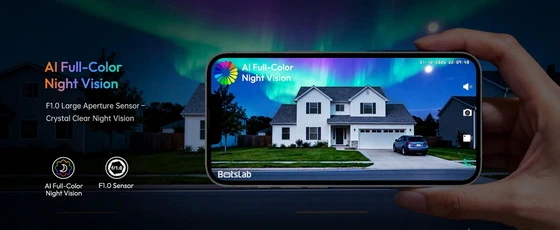
Night vision is another major feature of the W101. Instead of relying exclusively on conventional monochrome infrared imagery, BOTSLAB uses what it calls AI TrueColor or AI full-color night vision for the outward-facing camera. The supplied product material demonstrates a daytime and nighttime comparison of the same outdoor environment, with the nighttime image retaining significant colour information rather than switching entirely to traditional black-and-white surveillance footage. The W101 also uses a large-aperture F1.0 lens and optical treatments designed specifically around low-light and glass-mounted operation. In practical terms, this should make the camera considerably more useful at night when the objective is not simply to determine that something moved, but to understand what is actually happening outside. The app also provides direct access to night-vision settings, allowing the feature to be managed from the camera interface.
For security applications, recording flexibility is just as important as image quality. The BOTSLAB W101 supports 24/7 recording through the outward-facing camera and offers local and cloud-based storage options. The supplied application shows the storage section with memory-card recording enabled and provides separate choices for event recording and continuous recording. It also allows a recording schedule to be configured, giving the user control over when continuous recording should operate. The product documentation states that local storage can support memory cards up to 512GB, with the card sold separately, while cloud storage is available as an optional service. In my hands-on testing, the storage interface reported 14.2GB of free space out of 14.5GB and identified the memory-card status as normal. The application also makes an important distinction between event recording and continuous recording, explaining that event-based recording can extend the service life of the memory card. This is a useful level of control because not every installation needs permanent recording. A driveway camera, for example, might benefit from continuous recording, while a less critical location could use event-based recording to reduce storage consumption.
The W101 also moves beyond basic motion detection with AI-based human recognition. Instead of simply reacting whenever pixels change, the camera is designed to distinguish people from other moving objects. The BOTSLAB material describes intelligent notifications that can provide descriptive information about detected activity, with the aim of reducing unnecessary alerts generated by trees, shadows and other environmental movement. The application exposes an AI Skills section alongside Motion Detection and Notifications, allowing these functions to be managed from the camera interface. The supplied product material also identifies a 30-day trial for BOTSLAB IQ intelligent notification functionality. The idea is particularly useful when the camera is watching a driveway, garden or entrance where there may be frequent non-human movement. Instead of receiving an alert every time something moves, the AI system attempts to identify meaningful events.
One of the more interesting software features is BOTSLAB IQ Intelligent Search. Rather than manually scrolling through hours of recorded footage, the system allows the user to search recordings using descriptions such as a person or other identifiable activity. The product material illustrates the concept with a search for “a person in red”, with the system returning relevant moments from the recorded footage. This could become one of the most useful features of the W101 for users who rely on continuous recording. The difference between having 24/7 recording and actually being able to retrieve a specific event quickly is substantial. BOTSLAB advertises the intelligent-search functionality as a way of finding people, vehicles or objects without manually scrolling through the entire recording history. The supplied materials indicate a 30-day trial for the BOTSLAB IQ functionality, so long-term access to these cloud-based intelligent features depends on the applicable service plan.
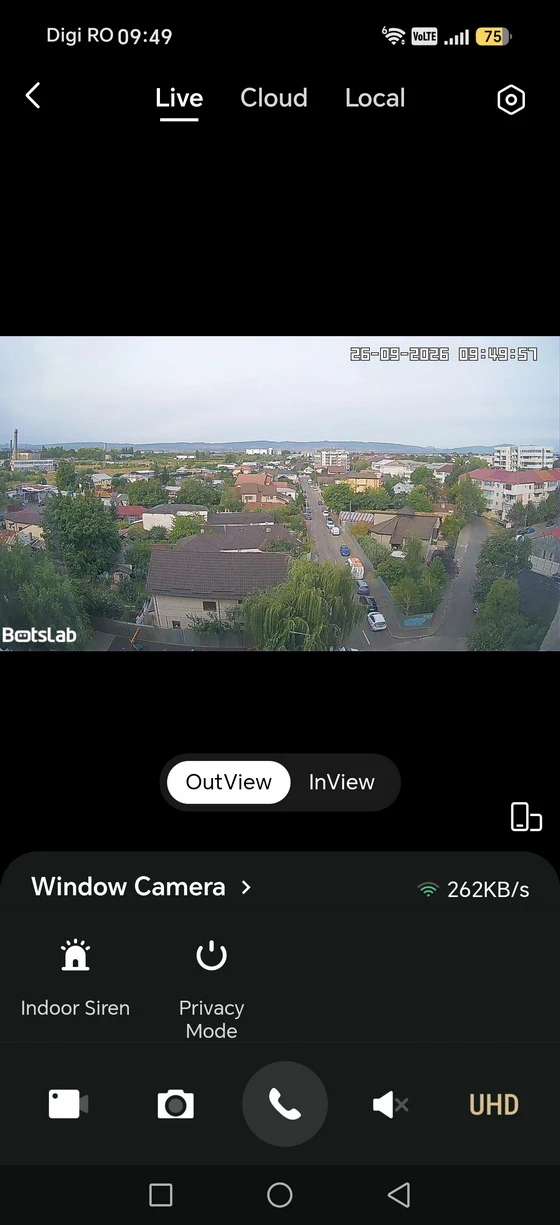
Privacy is particularly important with any camera capable of viewing both sides of a window, and BOTSLAB has clearly considered this aspect. The inward-facing camera does not record or store video, according to the supplied documentation, and the physical design incorporates a privacy-cover concept. The app also provides Privacy Mode settings directly from the camera interface. This distinction between the outward-facing security camera and the inward-facing live-view camera is one of the more sensible design choices of the W101. It provides the convenience of seeing what is happening inside the room without turning the indoor camera into another continuously recording surveillance device.
In everyday use, the BOTSLAB W101 is best understood as a specialised security camera rather than a generic indoor webcam. Its biggest strength is the ability to monitor two environments from a single installation point. A window facing a driveway can provide an outdoor security view while the indoor camera can simultaneously show the room. A nursery window could provide a view of the outside together with the room itself. The same principle works for pets, entrances, garages, apartments and other locations where monitoring both sides of the glass has practical value. The ability to select between live views, manage motion detection, configure notifications and access stored footage through the Android application makes the W101 feel like a complete security platform rather than simply a camera. The 2.4GHz and 5GHz Wi-Fi support is also welcome because it gives the user greater flexibility when configuring the device on a modern home network, while Bluetooth is used as part of the setup process. The installation material specifically highlights 2.4G/5G Wi-Fi connectivity and fast setup.
The BOTSLAB W101 is an unusually interesting security camera because it solves a very specific problem in a clever way. Rather than putting the camera outside, BOTSLAB places the complete system indoors and uses the window itself as the installation surface. From there, the dual-camera architecture provides an outward-facing security view and an inward-facing live view from the same compact unit. Its strongest characteristics are the genuinely drill-free installation, dual-camera concept, 2.5K/4MP imaging system, anti-glare optical design, AI TrueColor night vision, 24/7 recording, local storage support, intelligent notifications and AI-powered search. The Android application is also considerably more capable than a basic camera viewer, offering detailed installation assistance, recording configuration, AI functions, privacy controls, sharing, firmware updates and network management. The limitations are equally important to understand. The indoor-facing camera is intended for live viewing and does not provide recording, while the most advanced AI search and intelligent notification functions involve trial periods and potentially additional cloud-service costs. The camera also depends heavily on correct positioning and a clean, suitable window surface because its entire concept revolves around shooting through glass. Nevertheless, the BOTSLAB W101 demonstrates how a security camera can be redesigned around a different installation philosophy. For users who want exterior surveillance without drilling into an exterior wall, who need to monitor both sides of a window or who simply want a cleaner and less permanent security-camera installation, the W101 offers a compelling combination of hardware, optics and software in a very distinctive package.
BOTSLAB W101 Dual-Lens Camera Highlights
Dual-lens monitoring – View indoor and outdoor areas simultaneously.
2.5K / 4MP resolution – Capture sharp footage with detailed image quality.
8× digital zoom – Take a closer look at people and objects.
Drill-free installation – Simple four-step setup on a window.
Dual-band Wi-Fi – Supports 2.4GHz and 5GHz networks, plus Bluetooth connectivity.
AI TrueColor night vision – Outward-facing camera delivers full-color images in low-light conditions.
Anti-glare optical design – Helps reduce reflections from window glass and headlights.
24/7 outdoor recording – Continuously record through the outward-facing camera.
Local storage up to 512GB – Supports a microSD/TF card, sold separately.
Optional encrypted cloud storage – Includes a one-month trial with seven-day cloud video history.
AI human detection – Identifies human activity and helps reduce false alarms.
Real-time phone alerts – Receive notifications when relevant activity is detected.
AI descriptive notifications – Understand detected events without opening the app.
Fast AI video search – Find people, vehicles, or objects in recorded footage; includes a 30-day trial.
Versatile placement – Suitable for monitoring yards, parking areas, bedrooms, pet rooms, and aquariums.
BOTSLAB W101 Dual-Lens Camera Features
– 2.5K Window Camera & Dual Views in One Device. Never miss a moment with our innovative dual security camera. Monitor your front yard and living room—all at once. Experience 4MP ultra-high-definition video that captures sharp details, coupled with powerful 8x digital zoom, faces are clearly visible.(Inward cameras only support live viewing and do not have recording capabilities)
– Four-Step Drill-Free Installation & Usable Anywhere. Follow our installation guide to easily set up your surveillance camera in just four steps. The indoor window camera supports 2.4GHz & 5GHz Wi-Fi and Bluetooth connectivity. Its flexible design makes it ideal for parking lots, yards, bedrooms, fish tanks, and pet rooms, helping you stay fully informed about what’s happening at home.
– AI TrueColor Night Vision & No Glare Issues. Nighttime surveillance is no longer confined to blurry black-and-white images. Advanced BOTSLAB AI full-color night vision technology enables outward-facing cameras to provide daylight-clear images even in low-light conditions. Specialized lens and optical designs effectively eliminate glare from headlights and glass surfaces, maintaining uninterrupted clarity throughout the night.
– 24/7 Recording & Upgradeable Cloud Storage. The outward camera supports 24/7 continuous recording with up to 512GB of local storage (TF card sold separately) or a secure, encrypted cloud subscription service for remote access to backup footage anytime, anywhere. You will get 1 month trial for 7-day cloud storage
– AI Human Detection & Real-Time Notifications. Our home security camera intelligently distinguishes humans from other moving objects. When human activity is detected, you’ll receive precise notifications on your phone immediately, minimizing false alarms caused by swaying trees or moving shadows. Stay proactively informed about important events and take immediate action when it matters most.
– Intelligent Notifications & One-Second Search. The home camera system uses AI to analyze footage and send detailed descriptive notifications, allowing you to stay informed without opening the app. Say goodbye to tedious scrolling—locate key moments in seconds (30-day trial). The quick search feature helps you pinpoint people, vehicles, or objects within historical recordings in under a second.
BOTSLAB Mobile Application
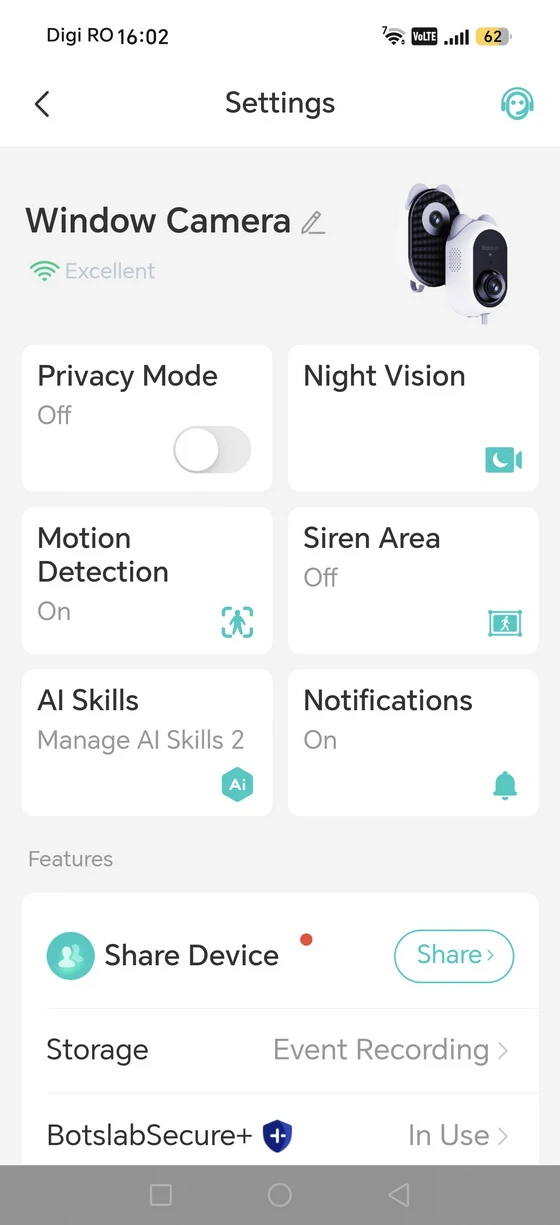
The Android application is central to the W101 experience and, based on the supplied screenshots, offers a reasonably comprehensive control centre for the camera. The main settings interface provides direct access to Privacy Mode, Night Vision, Motion Detection, Siren Area, AI Skills and Notifications, followed by device-sharing, storage and BOTSLAB Secure+ options. The interface also includes firmware update controls, audio settings, display settings, Wi-Fi configuration, device information and network information. The application therefore goes well beyond being a simple live-view utility. It effectively becomes the control panel for the entire camera. The installation process is also integrated into the app. The supplied screenshots show the eight-step guide beginning with removal of the protective film, followed by checking the live view, choosing the installation location, cleaning the glass and applying the mounting system. This is a particularly good example of hardware and software being designed together rather than treating installation as an afterthought. The app also supports device sharing, allowing the camera to be made available to other family members. BOTSLAB’s product documentation states that family sharing can provide remote camera access for multiple users. Two-way audio is another useful feature, allowing the user to communicate with people or pets through the application. BOTSLAB specifically presents this as a two-way visual and voice interaction function.
Download BOTSLAB mobile application latest version for free from App Store or from Google Play Store.
BOTSLAB W101 Dual-Lens Camera best-use scenarios
– Front yard and living room monitoring – Watch outdoor activity and check your indoor space simultaneously.
– Driveway surveillance – Monitor vehicles and people approaching your driveway through a window.
– Parked car monitoring – Keep an eye on a car parked within the outward-facing camera’s field of view.
– Entrance and delivery monitoring – Record activity around a visible doorstep, including visitors and parcel deliveries.
– Backyard security – Capture activity in your garden or patio while keeping the camera indoors.
– Ground-floor apartment monitoring – Watch accessible areas outside your window and receive human-detection alerts.
– Rental home security – Add window-mounted surveillance without drilling holes.
– Pet room check-ins – Use the inward-facing camera’s live view to check on pets while away.
– Aquarium observation – Position the indoor lens for convenient live checks on your fish tank.
– Home office monitoring – Check your workspace live while the outward-facing lens monitors the exterior.
– Low-light outdoor surveillance – Use AI TrueColor night vision to monitor visible outdoor areas after dark.
– Holiday home monitoring – Check indoor and outdoor views remotely, with continuous exterior recording and activity alerts.
BOTSLAB W101 Dual-Lens Camera Specs
Brand: BOTSLAB
Model: W101
Design Award: Red Dot Winner 2026
Product Model / Hardware Code: SC-BE01-M4
Product Type: Dual-lens window security camera
Color: White with black lens panels
Camera Configuration: Two lenses—outward-facing and inward-facing
Resolution: Dual 2.5K 4MP Ultra HD
Digital Zoom: Up to 8×
Indoor Viewing Angle: Adjustable
Outdoor Night Vision: AI TrueColor full-color night vision
Outdoor Lens Aperture: F1.0
Indoor Night Vision: Infrared night vision
Reflection Control: Anti-glare and anti-reflection design for viewing through glass.
Wi-Fi: Dual-band 2.4GHz and 5GHz
Bluetooth: Supported
Mobile App: BOTSLAB
Mobile Compatibility: Android and iOS
PC Remote Viewing: Browser access via vision.botslab.com
Outdoor Recording: Supports 24/7 continuous recording
Indoor Recording: Not supported; live viewing only
Local Storage: microSD/TF card up to 512GB, sold separately
Cloud Storage: Optional encrypted cloud subscription
Cloud Trial: One-month trial with seven-day cloud recording history
AI Detection: Human detection
Alerts: Real-time smartphone notifications
AI Event Descriptions: Descriptive notifications summarizing detected activity
AI Recording Search: Search recorded footage for people, vehicles, or objects
Advanced AI Trial: 30-day trial
Privacy Protection: Physical privacy cover for the inward-facing lens
Installation: Drill-free window mounting; four-step setup
Mounting Method: Electrostatic sticker
Installation Location: Indoors, with the outward-facing lens looking through the window
Power Connector: USB Type-C
Rated Power Input: 5V DC ⎓ 1.2A
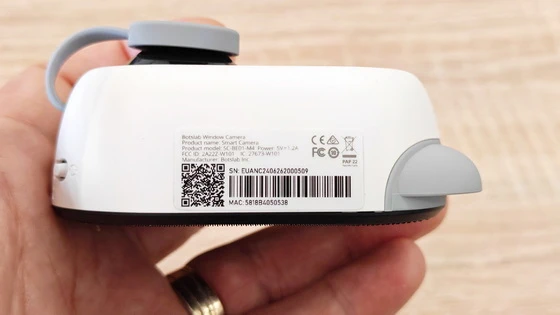
Compliance Markings: CE, FCC, EAC, RoHS, and RCM
FCC ID: 2A2ZZ-W101
IC ID: 27673-W101
Package Contents
1 x BOTSLAB W101 Dual-Lens Window Camera
1 x USB Power Adapter (EU plug in the reviewed package)
1 x USB-A to USB-C Power Cable
2 x Black Mounting Stickers
1 x Electrostatic Sticker for Glass
6 x Cable Management Clips
1 x Quick Start Guide
1 x Illustrated Installation Guide
1 x “24-Hour Video Surveillance” Warning Sticker
1 x Amazon Transparency Information Card
1 x Packaging Box
Unboxing Photo Album with Hi-Rez images here.
About Botslab. Botslab creates intelligent devices powered by AI and vision technology—helping people live smarter, safer, and more connected lives. From home security cameras and dashcams to kids’ smartwatches and AI note devices, every product is designed to protect, empower, and simplify modern life.We don’t just capture moments—we understand them, turning technology into trust and vision into confidence.
Did this article help you? If so, please tell me in a comment what do you think about it.
Don’t miss any of our future video tutorials, follow us on Youtube. Like us on Facebook. Join our Best Deals Telegram Channel. Join our Android TV Box Firmware Updates Telegram Channel. Subscribe now to our newsletter. If you need Tech Reviewer or Youtube Influencer read this. Donate now here to support CGR Team!