
This firmware is for H96 Pro Plus with Amlogic S912 as CPU. You can buy it from Banggood.com for only $62.99 with free shipping. Hurry up, Promotion Sale From June 7 to June 14. Here you can read about the unboxing H96 Pro Plus Android TV Box.
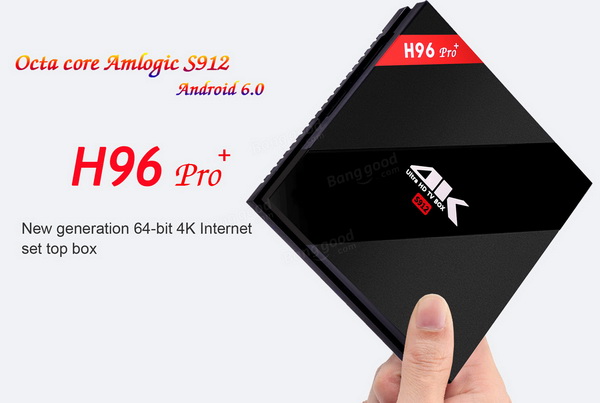
Download latest Android 6.0 stock firmware for H96 Pro Plus TV Box from here, here or here. Download previous firmware from here. Download Android 6.0 stock firmware for H96 Pro TV Box from here. Download Amlogic USB Burning Tool v2.0.8 from here or download Amlogic Burn_Card_Maker v2.0.2 from here.
Firmware details
Archive: aml_7.1_s912_q9377-H96PROPLUS_912_mac-20170602
Model: H96 Pro+ TV Box
Image file size: 851 MB
Platform: Amlogic S912
Image name: aml_7.1_s912_q9377-H96PROPLUS_912_mac-20170602.img
Inside archive: firmware + Flash Instructions and Tool (H96pro Flash Tutorial + video tutorial + USB_Burning_Tool_v2.0.8_x86 + license
Caution: Please do not update firmware unless you know what you are doing, you really want it or it is absolutely necessary. Firmware updates may occasionally have bad results, like bricking your device, temporarily or permanently. The firmware update process is done entirely at your own risk. Before attempting to update the firmware, back up your data.






Is this a Nougat 7.1 update, and is that why it needs to be installed via USB/PC? previous firmware could be updated using SDcard
Have tried to install this – it’s really Android 7.1 64bit – as many times before by use of the sd card burning method, but this fails with “can not load volume /misc”. I have an H96 Pro Plus 3/16, so I think, this is for 3/32 only.
The description is wrong, there is also no “Flash Instructions and Tool (H96pro Flash Tutorial + video tutorial + USB_Burning_Tool_v2.0.8_x86 + license” inside of the package.
So I think I have to wait for a 3/16 version…
I will try it on my 3/32 device tonight and let you know. Is it possible that to upgrade to Nougat you need to use the PC (USB) method? Since it is such a major update
I have a 300mb connection using the wifi on the h96 pro+ with the Marshmallow or Nougat I only get 25mb with 5g connectivity, where if I use any other device I get 280mb on them.. How can improve the device wifi without connecting the ethernet port
To your question: “Is it possible that to upgrade to Nougat you need to use the PC (USB) method? Since it is such a major update”
No, because it’s not an update really, it writes an new image file.
Here you can see this update by use of the sdcard burning method:
https://www.youtube.com/watch?v=dNWeMyopLJo
It can be that this update has failed because I haven’t selected “Erase bootloader” as usual. May be this was the reason for the fail, I’m nit sure: However I saw inside of the log of recovery E: Bad bootloader arguments: “null” and later some mount errors.
Success with sd card method on 3/16 reason was indeed the missed “Erase bootloader” option! Have changed simply this at the sd card simply by use of an editor.
Hi!
This box is still very buggy for playing FULLHD 3D video in android 7.1.1.
Will it be fixed in the future?
Thanks.
I habe installed this Android 7.1 64bit image on my H96 pro 2 gb 16 gb via sd card succesfully . But wifi is nor working.
Do you known howbcan I fix this problem.
Thanks.
HI ,
I have installed this Nougat 7.1 firmware on my H96 pro 2Gb and 16 GB using SDcard. But my wifi is not working. When I enable wifi . It disables automaticlly my wifi. Do you how can I fix this issue.
Hello everyone ☺️
Installation successfully with micro SD card method on a Alfawise h96 pro+ (3gb/32gb)
I have encountered one bug, only 2.6gb of ram recognize by all applications.
Thanks for all.
Best regards Jumpy
no ethernet connection with this firmware!!!! how can i solve it???
other issue. when restart no wifi connection: “out of range”. so no ethernet, no wifi……..
Hello hi! i don’t test the wifi connection but the ethernet connection work fine.
After firmware update is box all the time freezing.
I looking for firmware to h96 pro dongle, wifi 8723bs…… any place to download? 2gb/8gb
latest official firmware
aml_7.1_s912_q9377-S912_KDMC_mac-20170809
https://mega.nz/#!ZTIGWABC!xgkGFOrWLWPnbwUCl0_v3LtXVGrwe8XYdisAlwcb2WY
Above is for the H96 pro+. includes flash tool and instructions
i have h96 pro + 2gb/16 do you have the laste firmware please
To make a succefull update use an 16 gb or max 32 gb. 64 gb does’t work