
Everyone has a smartphone these days. We use it to take care of everything from reading, listening to music, socialising, bookkeeping, notetaking, alarm clocks and thousands of other jobs for us. One of the most frequently used feature has to be video entertainment, such as watching videos on YouTube and other video platforms.
Based on research by Sandvine, YouTube accounts for 38% of all mobile traffic worldwide. Despite the huge 6.5 inch on an iPhone XS, sometimes it’s still not enough to enjoy the full cinematic experience of the latest Marvel movie on the phone.
This is where you would want to have an AirPlay Screen Mirroring receiver handy in the house, so you can share the motion picture from your iPhone to a big screen near you. Check out the video below for the best way to screen mirror your iPhone to an HDTV.
Connect an EZCast dongle to the HDTV
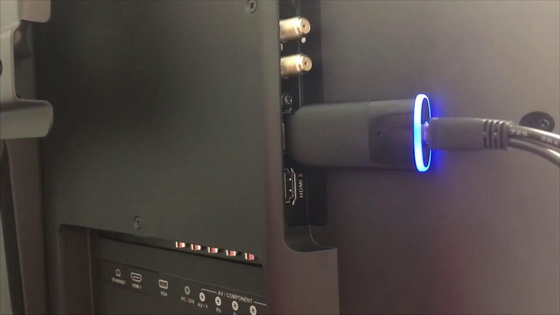
Before you can screen mirror from your iPhone to a TV, you need to make sure the HDTV can receive wireless media from your phone. This is where a wireless display receiver, like EZCast, is most useful. An EZCast dongle plugs into the HDMI port of a TV to act as a receiver that bridges your iPhone to TV.
Connect your iPhone to EZCast dongle’s Wi-Fi network
The next step is to connect your iPhone to EZCast dongle via Wi-Fi. Access the Wi-Fi settings of iPhone and connect to the SSID shown on top of EZCast’s home screen. Once the iPhone and EZCast dongle are on the same Wi-Fi network, you can use EZCast app to make changes to the dongle settings, such as connecting to the internet, or use advanced features like Photos, Videos and EZChannel.
Use AirPlay Screen Mirroring to share iPhone screen to HDTV
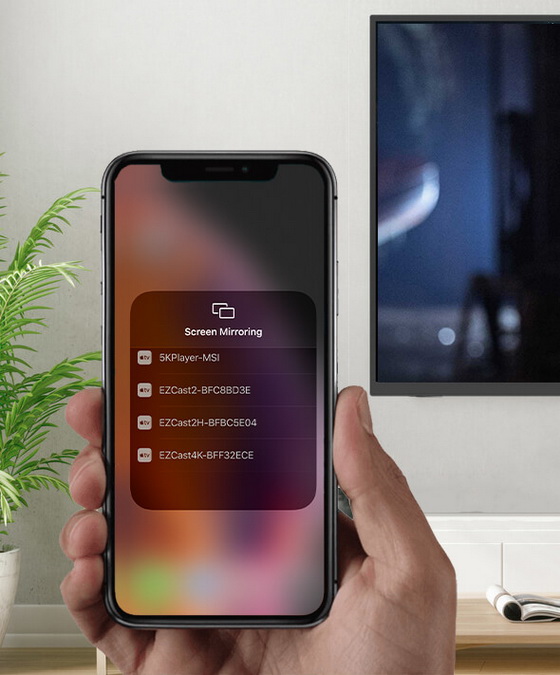
Now you are ready to use iOS’s built-in AirPlay Screen Mirroring feature to cast phone screen to the HDTV. Swipe down on your iPhone screen and access the Screen Mirroring feature in the Control Center. You will see a list of available wireless receivers in your surroundings. Just choose the one connected to your TV to start screen mirroring to it.
Bonus tip: new ways to connect your iPhone to EZCast
If you find the standard Wi-Fi SSID way of connecting your iPhone to EZCast a bit slow, here are a few new ways to connect and setup your EZCast dongles. In the latest version of EZCast app, you can connect your iPhone to the EZCast receiver by scanning the QRCode on the TV screen. Another way to speed up the connection is to turn on your iPhone’s Bluetooth and use EZCast app to search and setup the EZCast dongle.
Did this article help you? If so, please tell me in a comment what do you think about it.
Don’t miss any of our future video tutorials, follow us on Youtube. Like us on Facebook. Add us in your circles on Google+. Watch our photo albums on Flickr. Subscribe now to our newsletter.





