
The i11 TWS wireless Bluetooth earphones (AirPods clones) feature touch panel control and easy connection. However, you may also encounter some connection problems during the use. For example, you can’t find the i11 TWS on the available devices list on your phone, or one of the i11 TWS wireless Bluetooth earphones lost connection or doesn’t work. But don’t be upset, the following solutions may help you.
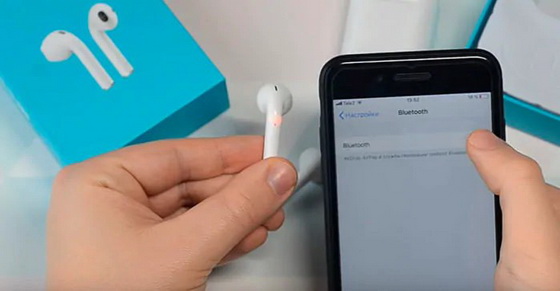
The i11 TWS wireless Bluetooth earphones didn’t show up on my phone
● Make sure your i11 TWS earphones have enough power. If it doesn’t have enough power, you need to put the earphones in the charging case to fill the power.
● Check if the earphones automatically turn off. If so, long press the touch panel for 5 seconds to restart the earphones until its indicator light flash in blue and red. Then research it on your phone.
● Restart your smartphone and switch on the Bluetooth function to search for the available Bluetooth devices until the “i11” appears on the list.
● If it still doesn’t work, you can try removing all paired devices on your phones by following these steps:
Step 1. Navigate to “Settings” of your phone.
Step 2. Tap on Bluetooth.
Step 3. When your Bluetooth is on, you will see all the devices that you have paired before.
Step 4. Tap the settings icon next to the name of each device to unpair the them.
Step 5. You’d better delete all the paired devices on the list.
Once all the previously paired devices are removed, let your phone scan the available Bluetooth devices again until you find the “i11” on the list.
● Put the i11 TWS wireless Bluetooth earphones closer to your phone, as it may be out of the distance of the Bluetooth connection.
● Still cannot find the i11 TWS wireless Bluetooth earphones on your phone? You can change another smartphone to pair with it. If the another smartphone can successfully detect your earphones, your smartphone’s Bluetooth function may suffer from malfunction.
● If all the above methods don’t solve the problems, there may be some problems with your i11 TWS wireless Bluetooth earphones. You can contact the sellers or manufactures to ask for help. If you have used the i11 TWS wireless Bluetooth earphones for a long time, you can take it to the repair shop to fix it.
One of the i11 TWS wireless Bluetooth earphones lost connection
If one of the i11 TWS wireless Bluetooth earphones lost connection, you can try the following solutions:
● Check if that earphone doesn’t have power or runs in low power. If so, put the i11 TWS wireless Bluetooth earphones in the charging box.
● If the earphone has enough power but still cannot connect to your phone, you can take both the earphones out of the charging case and leave them for a few hours. Meanwhile, remove the “i11” from the connection history list on your phone. Then put the earphones in the charging case and take them out to try pairing them with your phone once again.
● If one of the earphones still cannot be connected to your phone, it may break down. You’d better ask for the professional repair or after-sale service.
Did this article help you? If so, please tell me in a comment what do you think about it.
Don’t miss any of our future video tutorials, follow us on Youtube. Like us on Facebook. Add us in your circles on Google+. Watch our photo albums on Flickr. Subscribe now to our newsletter.





