
This firmware is for Beelink GS-King X TV Box with AMLogic S922X-H as CPU.
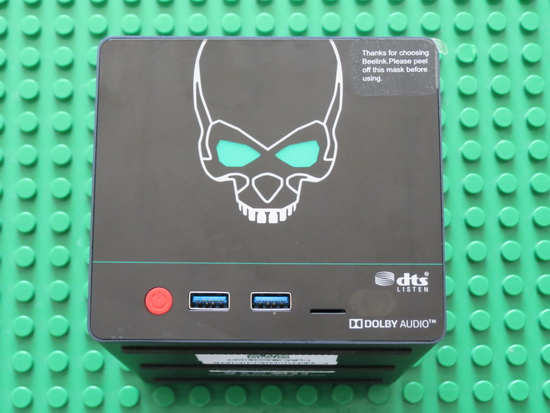
Download Android Pie 9.0 firmware v917P0 for Beelink GS-King X TV Box from here. Download previous firmware from here. Download Amlogic USB Burning Tool v2.1.6 from here or download Amlogic Burn_Card_Maker v2.0.2 from here. Unboxing Beelink GS-King X Dual HDD NAS Hi-Fi Audio System Smart 4K TV Box here.
Firmware details
Archive name: 917P0
Image: GS-KING_X_917P0_wol_bt.img / galilei-ota-eng.xk.zip
Archive file size: 1,5 GB
Model: Beelink GS-King X
Platform: AMLogic S922X-H
Memory: DDR4 4G
Storage: EMMC 64G
WIFI&BT: AP6356S/AP6275S
Ethernet: 1000M
System: Android version 9.0
Build number: Amlogic/galilei/galilei:9/PPR1.180610.011/20210226:userdebug/test-keys
Changelog
1. Modified the version number to: 917P0_wol_bt
2. Optimize the connection of Bluetooth remote control
3. Fix the MP4 screen problem
4. Fix that the video played after the UI is rotated can also be rotated
5. Add the adaptation of Bluetooth remote control
6. In the boot wizard, add the interface to connect to the Bluetooth remote control (display the name of the Bluetooth: AirW)
7. Add a switch to turn on or off Nas in the developer mode of the setting.
Caution Please do not update firmware unless you know what you are doing, you really want it or it is absolutely necessary. Firmware updates may occasionally have bad results, like bricking your device, temporarily or permanently. The firmware update process is done entirely at your own risk. Before attempting to update the firmware, back up your data.
Did this article help you? If so, please tell me in a comment what do you think about it.
Don’t miss any of our future video tutorials, follow us on Youtube. Like us on Facebook. Add us in your circles on Google+. Watch our photo albums on Flickr.




