Best Deal Alert! You can buy Canon Pixma G3416 Refillable Tank Wireless All-In-One Printer from eMag.ro for a very good price. Hurry up, limited time offer!
Meet Canon Pixma G3416 – Practical Printing with Refillable Ink
The Canon PIXMA G3416 appeals to me for a straightforward reason: it brings printing, scanning and copying together in a compact device, with a refillable ink system designed to make regular document production more economical. For a home office, a household managing schoolwork and everyday paperwork, or a small business with recurring printing needs, that combination has clear practical value, particularly when the cost of replacement ink matters as much as the initial purchase price. What interests me most is the way Canon integrates these capabilities into a familiar, relatively simple design, with visible ink reservoirs, wireless connectivity and direct controls for essential operations. My assessment here focuses on the unboxing, physical layout and advertised capabilities, providing an initial editorial impression while leaving measured output quality, ink consumption and long-term reliability for a fuller evaluation.
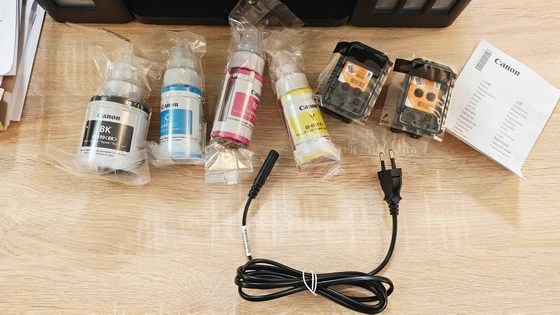
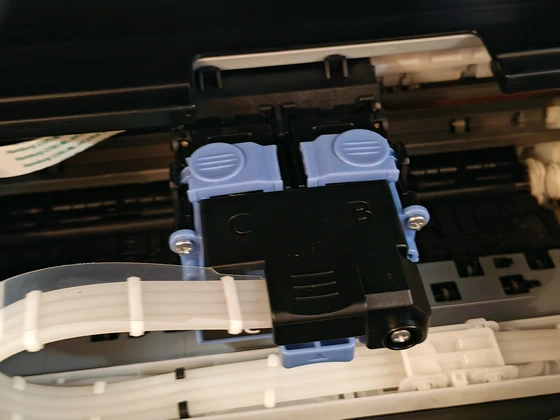
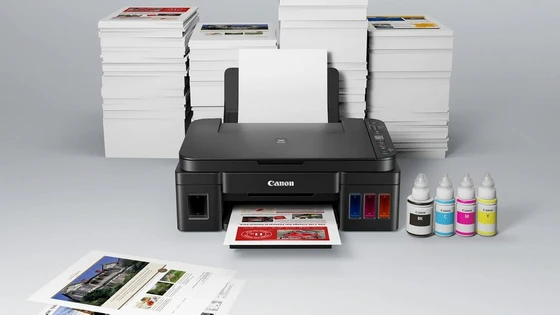
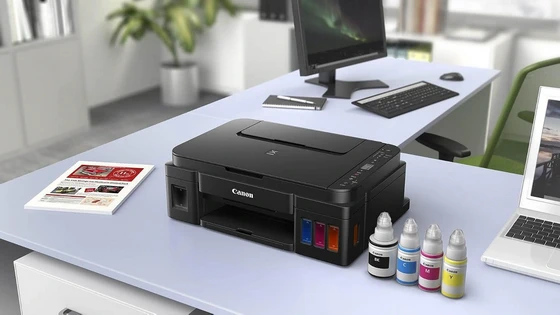
The contents establish the G3416’s priorities immediately, with the printer accompanied by four Canon GI-490 ink bottles covering black, cyan, magenta and yellow, together with a power cord, setup CD-ROM, manuals and supporting documentation. The supplied photographs also show the individually packed black and colour print heads, making the distinction between the ink reservoirs and the components that actually deliver ink to the page especially clear. I particularly appreciate the inclusion of a complete set of bottled inks, since it makes the refillable system a central part of the ownership experience from the beginning. The bottles have clearly differentiated colour markings, while the corresponding identifiers inside the printer help explain where each ink belongs. Initial preparation deserves a little attention, as installing the print heads, filling the appropriate reservoirs and completing the prescribed initialisation procedure are all part of getting the machine ready. I would approach this stage carefully, following Canon’s setup instructions in sequence, because a few deliberate minutes spent preparing an ink tank printer are a sensible foundation for subsequent use. From an unboxing perspective, the strongest impression is one of purpose: the included components support a machine intended for repeated everyday printing, with ink replenishment built into its design.
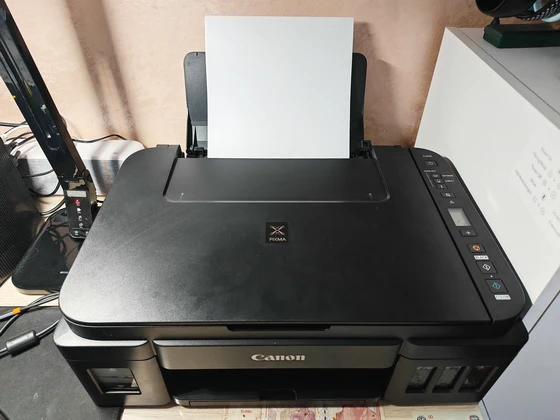
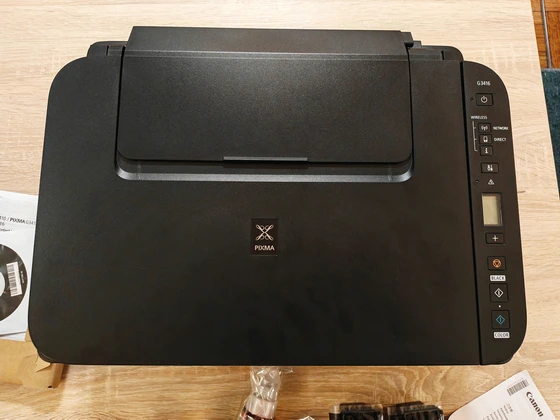
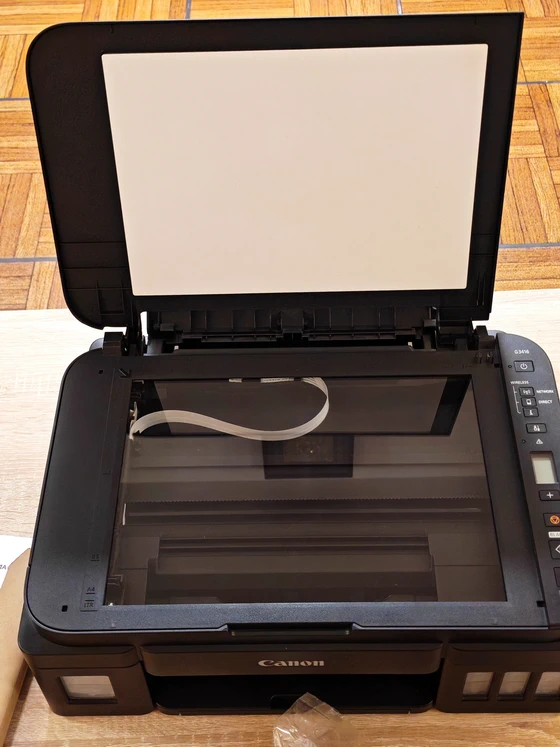
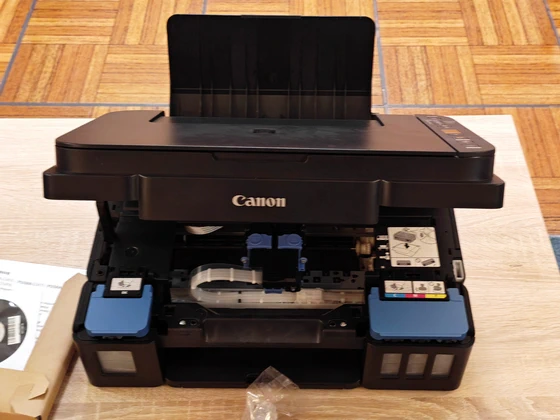
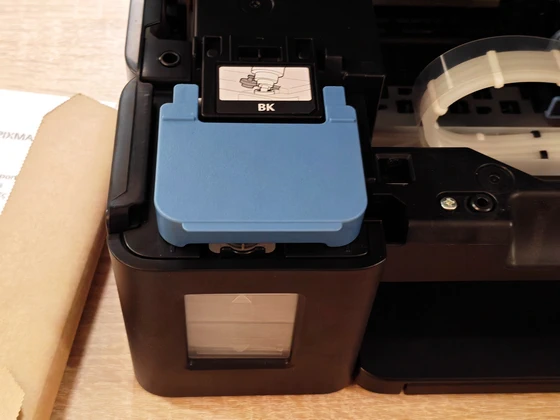
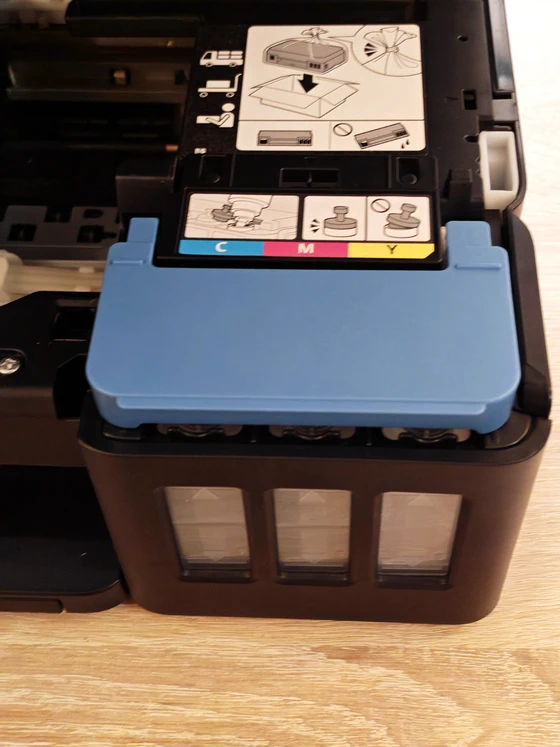
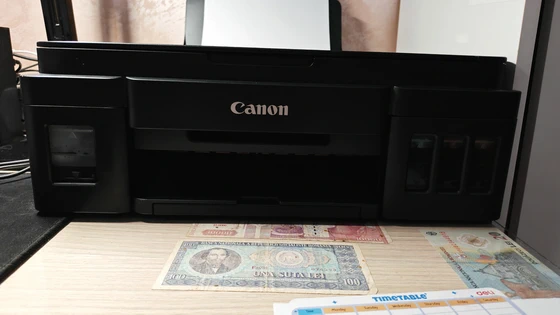
The G3416 has a restrained black exterior, a broad scanner lid and a low, rectangular profile, with gently rounded corners softening an otherwise functional shape. I like the understated appearance, which should sit comfortably alongside a desktop monitor, laptop or shelving unit without becoming the visual centre of the workspace. The most distinctive design feature is the arrangement of the integrated ink tanks, with the black reservoir positioned at the front left and the three colour reservoirs grouped on the right. Their front-facing windows make the remaining ink physically visible, and I consider this one of the printer’s most useful details, since a quick glance offers an immediate indication of when a refill may be approaching. The photographs also reveal clearly marked filling areas beneath the upper assembly, including colour labels and illustrated handling guidance. These details help make the internal layout easier to understand, particularly for someone moving from a conventional cartridge printer to a refillable model for the first time. Paper enters through the rear feed and exits at the front, so placement should allow room for the raised paper support, the output area and access to the scanner lid. Although the closed body looks compact, I would plan its position around the space required during actual operation, especially on a shallow desk or beneath a shelf. My visual impression of the construction is positive, with an orderly layout and accessible working areas, although the photographs alone cannot establish the stiffness of the panels, the feel of the hinges or their durability over extended use.
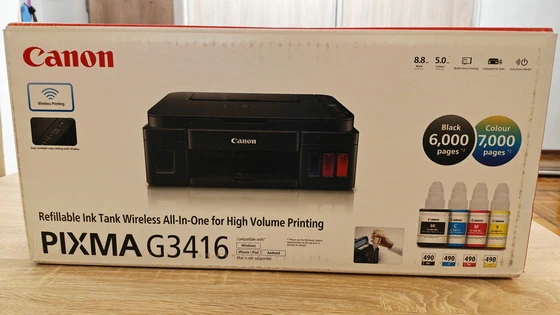
The refillable tank system is the feature that gives the G3416 its clearest identity. Each ink colour has its own reservoir, allowing the relevant tank to be replenished as needed, while the bottle-based approach is intended to reduce the ongoing expense associated with regular printing. Canon advertises yields of up to 6,000 pages from a black ink bottle and up to 7,000 pages from a set of colour bottles. I regard these figures as useful reference points for the printer’s intended economy, with actual results depending on the documents printed, page coverage, settings and ink used during setup and maintenance. For my own purchasing decision, the appeal would be the prospect of spreading ink expenditure across a substantial amount of everyday work, whether that means forms, reference material, school assignments or colour documents. A precise cost-per-page comparison would require local bottle prices and a consistent test workload, but the high advertised yields make the underlying proposition easy to understand. I also like that the ink system remains visible and accessible within the main body of the printer, giving the machine a cohesive appearance while keeping routine checks straightforward.
Canon combines its FINE printing technology with a hybrid ink arrangement, using pigment black for document text and dye-based colours for colour output and photographs. This is a relevant combination for a multifunction printer expected to move between text-heavy paperwork, illustrated projects and occasional photo printing. From my perspective, that flexibility is more valuable than any single headline specification, because a home printer often has to deal with very different tasks throughout the week. A clear document, an illustrated worksheet and a photograph each place different demands on the ink and paper, making appropriate media and print settings an important part of the result. Borderless printing up to A4 adds creative scope, particularly for photographs and visual projects where a white margin would interrupt the presentation. I would see this as a useful extension of the G3416’s everyday role, while reserving judgement on colour accuracy, tonal transitions and fine detail until examining actual prints. Canon specifies approximately 8.8 images per minute for monochrome documents and 5.0 images per minute for colour, which suggests a measured pace suited to routine jobs. For me, those figures reinforce the printer’s emphasis on economical output over time, with larger colour documents requiring some patience. These are manufacturer specifications rather than independently measured results.
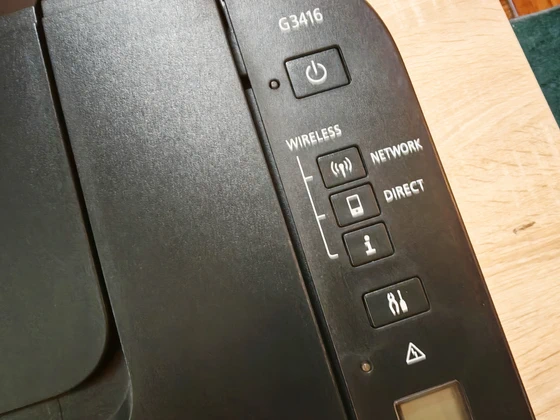
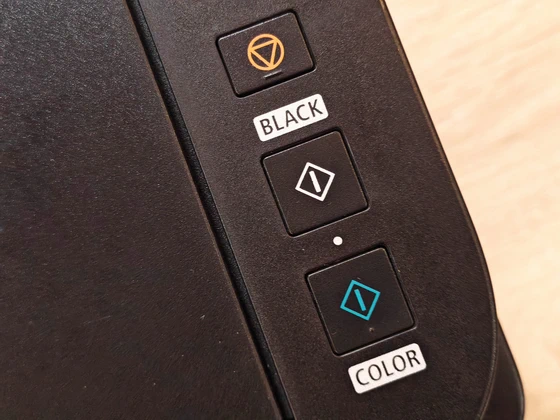
Built-in Wi-Fi broadens the printer’s usefulness in a shared home or office, allowing compatible devices to access it without requiring a permanent USB connection to each computer. I find this particularly relevant when documents originate on different devices, with a laptop used for work and a smartphone handling photographs, attachments or other everyday files. The advertised mobile features include printing and scanning through the Canon PRINT app for iOS and Android, alongside Mopria support for Android and PIXMA Cloud Link integration. My main interest is the ability to move between digital files and paper with fewer intermediate steps, although individual cloud functions depend on the services and software available. On the printer itself, the 1.2-inch monochrome segment LCD provides basic information such as copy settings and Wi-Fi status, supported by physical controls arranged beside the scanner lid. I appreciate this focused approach to operation, particularly for quick copying tasks where readily accessible buttons and a simple status display can be entirely sufficient. Automatic power-on functionality is another useful convenience, supporting a printer that may be used intermittently throughout the day.
The flatbed scanner gives the G3416 a practical role beyond producing printed pages, allowing documents and photographs to be digitised for storage, sharing or further editing. I consider that capability especially useful in a home office, where paper originals and digital records frequently need to coexist. Its layout is familiar and easy to understand: the original is positioned on the glass beneath the lid, while the relevant software or printer controls determine the next operation. For occasional paperwork, photographs and individual documents, this is a straightforward arrangement. Copying brings an additional degree of independence, since routine duplicates can be produced through the printer’s own controls. The ability to select multiple copies from the basic display fits the overall design philosophy, keeping common tasks accessible without making the control panel unnecessarily elaborate.
The Canon PIXMA G3416 makes a convincing initial case through its combination of refillable ink tanks, visible ink levels, wireless connectivity and integrated scanning and copying. I particularly like the practical arrangement of the reservoirs and the restrained physical design, while the supplied bottled inks underline the machine’s focus on sustained, economical use. Its strongest appeal is to users who print regularly and want one device to handle a varied mix of documents, colour projects and occasional photographs. The advertised printing speeds suggest allowing time for longer jobs, and the overall value will depend on purchase price, printing habits and the cost of replenishment ink. My first impression is positive: the G3416 presents a coherent set of features for everyday home and office work, with running costs and functional simplicity guiding much of its design. Print quality, wireless consistency and long-term maintenance remain areas for practical testing, but the combination of accessible ink management and useful multifunction capabilities gives it a credible foundation as an everyday printing companion.
Canon Pixma G3416 Main Features
– Incredible page yields. Experience highly cost effective and productive printing with high yields* of up to 6000 pages from 1 black bottle or up to 7000 pages using a single set of colour bottles.
– High quality prints. Print in high quality using Canon’s FINE technology and hybrid ink system with pigment black for sharp documents and dye-based colours for vivid borderless photos up to A4.
– Smart connectivity. Effortlessly print and scan wirelessly from smart devices and the cloud using Canon PRINT app (iOS and Android) with inbuilt PIXMA Cloud Link and Mopria® (Android) support.
– Compact, reliable multifunctional. This compact All-in-One with print, copy and scan handles large print volumes with ease thanks to its durable, FINE ink system. Ideal for home or office.
– Simple operation. Enjoy easy operation with a 1.2” mono segment LCD to select multiple copies and check Wi-Fi status. Easily keep track of ink levels with front-facing, integrated ink tanks.
– Compact, connected high yield print, copy and scan. Enjoy significant savings with unrivalled page yields and low cost printing of high quality documents and vivid photos plus easy smart device and cloud connectivity with this reliable Wi-Fi multifunctional for home or office.
Canon Pixma G3416 Highlights
High page yield
Integrated ink tanks
Hybrid ink system
Borderless printing
Auto power On
Sharp black text
Rear paper feeding
My Image garden
Real-life scenarios where Canon Pixma G3416 can be quite useful
– Everyday Home Office Printing – Printing invoices, contracts, reports, correspondence, and other business documents while benefiting from the economical refillable ink tank system.
– School Homework and Assignments – Producing essays, worksheets, educational materials, illustrated projects, and presentations for students of different ages.
– Small Business Documentation – Handling customer forms, price lists, promotional materials, schedules, and administrative paperwork without relying on external printing services.
– Family Photo Printing – Printing memorable family photographs, holiday pictures, and special occasions in colour, with borderless printing support up to A4.
– Wireless Printing from Smartphones – Printing compatible documents, photographs, and downloaded files directly from Android or iOS devices using the Canon PRINT app.
– Scanning Important Documents – Digitising identification documents, certificates, receipts, letters, and other paperwork for electronic storage or sharing.
– Quick Photocopying Tasks – Making copies of forms, educational materials, recipes, and everyday documents using the integrated flatbed scanner and copying functionality.
– Creative DIY Projects – Printing greeting cards, decorative artwork, invitations, personalised designs, and colourful craft materials for home activities.
– Remote Work and Hybrid Working – Printing meeting notes, project documents, reference materials, and work-related attachments from compatible connected devices.
– High-Volume Document Printing – Producing substantial quantities of text documents, study materials, and recurring paperwork while taking advantage of Canon’s advertised high ink yields.
– Organising Household Paperwork – Printing shopping lists, monthly budgets, calendars, travel itineraries, recipes, and family schedules to keep daily activities organised.
– Community and Educational Activities – Preparing event announcements, informational handouts, registration forms, certificates, and illustrated learning resources for workshops, clubs, and local initiatives.
Canon Pixma G3416 Specifications
Brand: Canon
Series: Pixma
Model: G3416
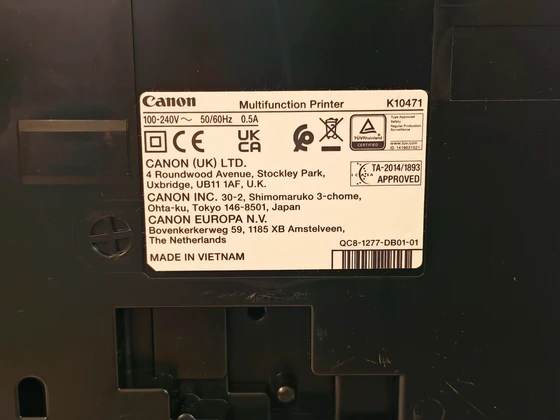
Model number: K10471
Functions: Wi-Fi, Print, Copy, Scan, Cloud Link
Print Resolution: Up to 4800 x 1200 dpi
Print Technology: 2 FINE Print Heads (Black and Colour), Refillable ink tank printer
Mono Print Speed: Approx. 8.8 ipm
Colour Print Speed: Approx. 5.0 ipm
Photo Print Speed: Borderless 10x15cm : Approx. 60 seconds
Borderless Printing: Yes (A4, Letter, 20x25cm, 13x18cm, 13x13cm, 10x15cm)
Standard Ink Bottles: GI-490 <PGBK>, GI-490 <C>, GI-490 <M>, GI-490 <Y>
Bottle Yield (Plain Paper): A4 colour documents printing, Black: 6,000 pages per ink bottle, Colour: 7000 pages
Bottle Yield (Photo Paper): 10x15cm colour photo printing, Colour: 2000 Photos
Paper Types: Plain Paper, High Resolution Paper (HR-101N), Photo Paper Plus Glossy II (PP-201), Photo Paper Pro Luster (LU-101), Photo Paper Plus Semi-gloss (SG-201), Glossy Photo Paper “Everyday Use” (GP-501), Matte Photo Paper (MP-101), Envelope
Maximum Paper Input: Rear tray: Max. 100 sheets (plain paper)
Paper Sizes: A4, A5, B5, 10x15cm, 13x18cm, 20x25cm, Envelopes (DL, COM10), Letter, Legal
Paper Weight: Plain paper: 64 – 105 g/m², Canon photo paper: up to 275 g/m²
Scanner Type: CIS flatbed photo and document scanner
Scan Speed: Approx. approx. 19 sec
Scanner Resolution (Optical): 600 x 1200 dpi
Scanning Depth (Input / Output): Colour: 48 bit / 24 bit, Greyscale: 16 bit / 8 bit
Maximum Document Size: 216 x 297 mm
Copy Speed: sFCOT: Approx. 24 sec, sESAT: Approx. 3.5 ipm
Multiple Copy: 20 copies (max.)
Copy Functions: Document copying (plain paper)
Copy Zoom: Fit to page
Display Type & Size: LCD (1.2 inch segment mono)
Standard Interface: Hi-Speed USB (B Port), Wi-Fi: IEEE802.11 b/g/n, Wi-Fi Security: WPA-PSK, WPA2-PSK, WEP, Administration password
Mobile Apps: PIXMA Cloud Link (from smartphone or tablet), Canon PRINT Inkjet/SELPHY app, Mopria (Android), Google Cloud Print, Access Point Mode
Supported Operating Systems: Windows 10 , Windows 8.1, Windows 7 SP1, .NET Framework 4.5.2 or 4.6 is required
Supported Mobile Systems: iOS, Android, Windows 10 Mobile
Minimum System Requirements: Windows: 3.1GB disk space, Internet Explorer 8, Display: 1024 x 768 XGA
Software Included: MP Driver including Scanning Utility, My Image Garden with Full HD Movie Print, Quick Menu, Easy-WebPrint EX (download)
Weight: approx. 6.3kg
Dimensions (W x D x H): approx. 445 x 330 x 163 mm
Acoustic Noise Levels: approx. 53.5dB(A)13
Power Source: AC 100-240V, 50/60Hz
Power Consumption: Off: Approx. 0.2W, Standby (connected to PC via Wi-Fi): Approx. 1.2W (scanning lamp off), Standby (all ports connected): Approx. 1.2W (scanning lamp is off), Time to enter Standby mode: 10minutes 50sec, Copying: Approx. 11W
Color: Black
What’s In The Box
1 x Canon PIXMA G3416 All-in-One Printer
4 x Canon GI-490 Ink Bottles (Black, Cyan, Magenta, Yellow)
1 x Black Print Head
1 x Colour Print Head
1 x Power Cord
1 x Setup CD-ROM
1 x Getting Started Guide
1 x Safety and Important Information Guide
1 x Packaging Box
Photo gallery full album here. Official page here.
About Canon. Canon is a globally recognized technology brand renowned for its innovation in imaging and optical solutions, offering cameras, printers, lenses, and professional equipment designed to combine precision, reliability, and exceptional performance.
Did this article help you? If so, please tell me in a comment what do you think about it.
Don’t miss any of our future video tutorials, follow us on Youtube. Like us on Facebook. Join our Best Deals Telegram Channel. Join our Android TV Box Firmware Updates Telegram Channel. Subscribe now to our newsletter. If you need Tech Reviewer or Youtube Influencer read this. Donate now here to support CGR Team.