Best Deal Alert! You can now buy Llano V12 Ultra RGB Laptop Cooling Pad with Intelligent Software Control from Amazon US / Amazon DE / Amazon UK / Mercadolivre-Brazil / Official page for a very good price. Hurry up, limited time offer!
Meet Llano V12 Ultra RGB Laptop Cooling Pad
When I consider a laptop cooling pad, I want it to earn its place on my desk. Extra airflow is useful, but the way an accessory fits into my working routine matters just as much. Between writing articles, preparing product photos and working with video, I appreciate equipment that gives me convenient control without demanding constant attention. That is what makes the Llano V12 Ultra interesting to me. Designed for larger laptops, the V12 Ultra combines a pressure-focused cooling system with automatic temperature-based control, adjustable height and a built-in USB hub. RGB lighting adds personality, but the more compelling feature is the relationship between the fan and the Myth.Cool software: cooling can respond to the computer’s workload instead of remaining at a fixed setting throughout the day. My focus here is the unboxing, design and practical appeal of those features. Temperature reductions and noise levels would require controlled testing, so I am keeping those separate from my first impressions.
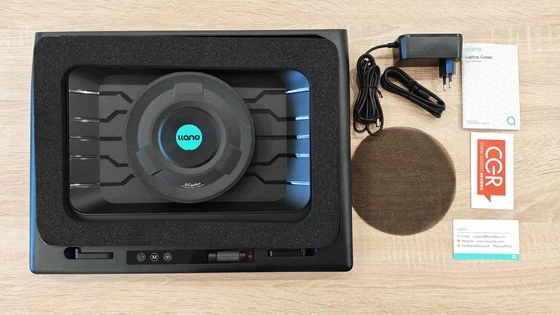
I appreciate that Llano includes the accessories needed to establish a complete desk setup. The V12 Ultra comes with a dedicated power adapter, a USB-A-to-USB-C data cable, a dust cover, memory foam and a user manual. The most meaningful inclusion for me is the power supply, because it gives the cooling system its own source of power instead of asking the laptop’s USB connection to run the main fan. The included data cable serves a different purpose, connecting the cooler to the laptop for its USB hub and software features. I like that distinction: power comes from the wall, while the USB connection handles communication and peripherals. Taken together, the package feels sensibly planned. Cooling, connectivity and basic maintenance are all accounted for, which makes the V12 Ultra easier to approach as a permanent part of a workspace.
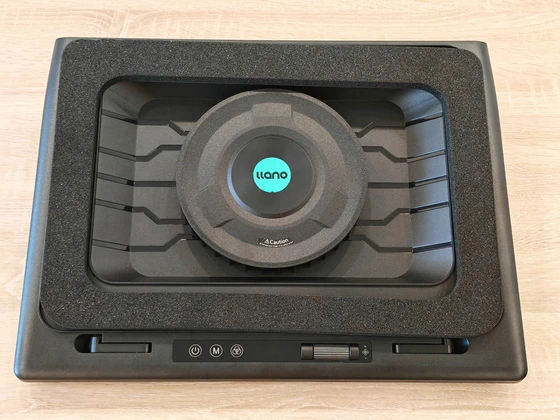
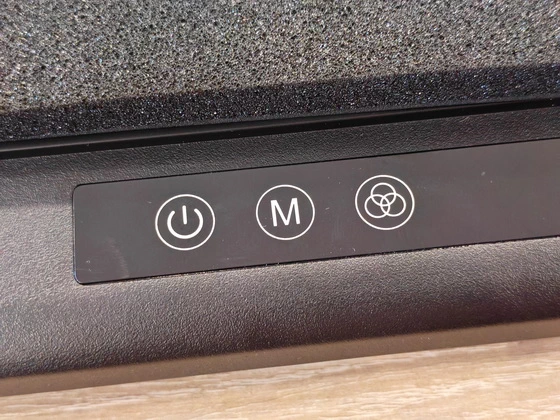
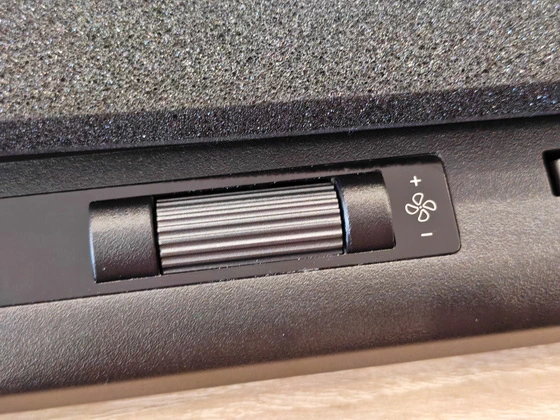
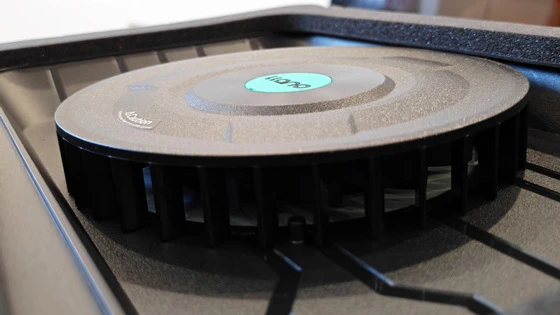
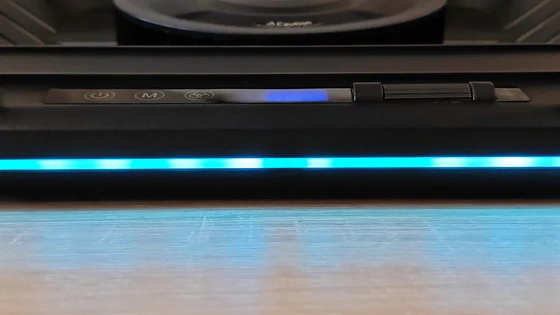
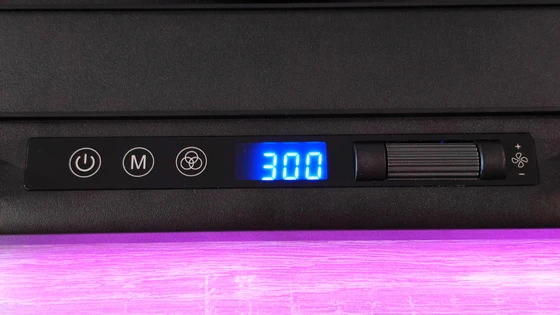
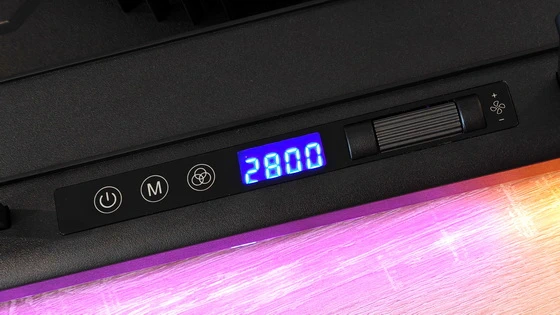
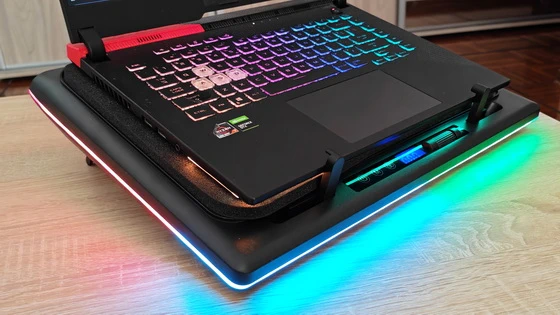
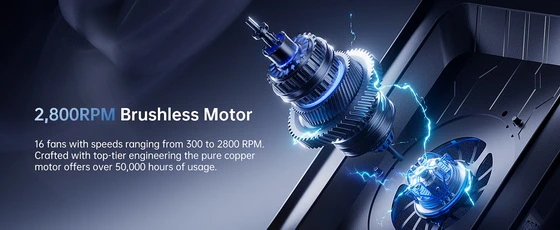
The feature that draws my attention first is the physical control wheel. I value direct controls on accessories I might want to adjust while concentrating on something else. Being able to change fan speed from the cooler itself is a practical complement to software control, especially when I want a quick adjustment without bringing another window onto the screen. The cooling arrangement is equally purposeful. A 5.5-inch turbo fan works with a memory-foam perimeter seal to direct airflow towards the laptop’s underside. What interests me is the attempt to contain that airflow and guide it through the bottom intake area. The fit between the laptop and the foam therefore matters, alongside the position of the laptop’s ventilation openings. Llano specifies a maximum fan speed of 2,800 RPM, providing scope for different cooling settings. Personally, I am more interested in having useful adjustment across everyday workloads than simply running at the highest setting all the time. Writing, photo editing and sustained rendering place different demands on a computer, and I like having controls that reflect that variety. For this design, I would pay attention to the laptop’s underside as well as its screen size. The V12 Ultra is intended for models in the 15.6–19-inch range, but suitable bottom-facing air intakes are central to making the pressure-based approach useful.
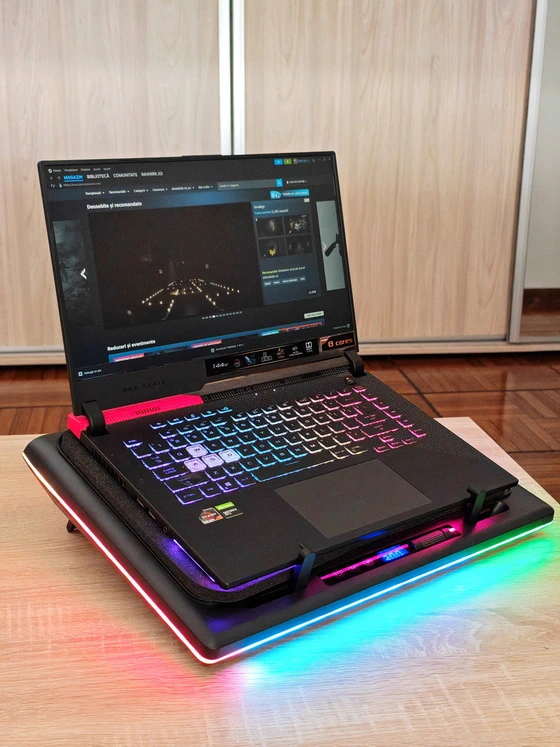
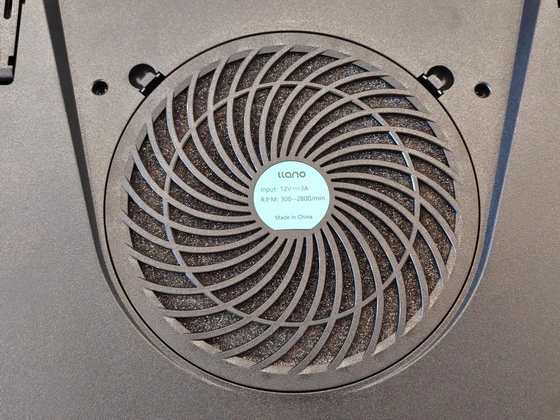
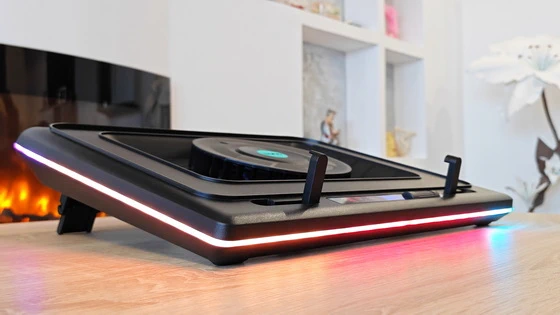
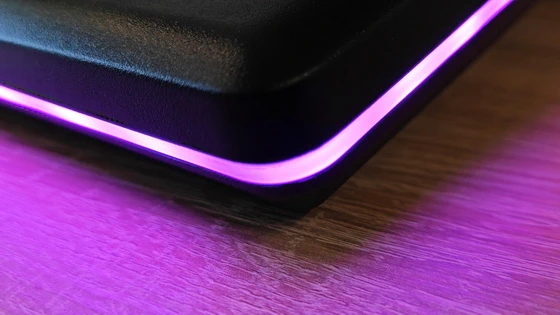
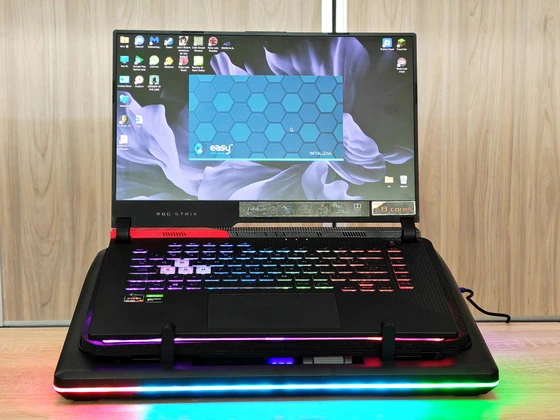
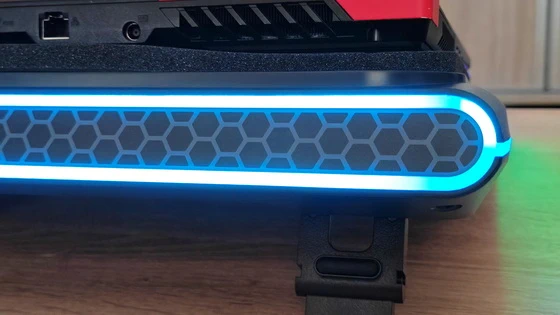
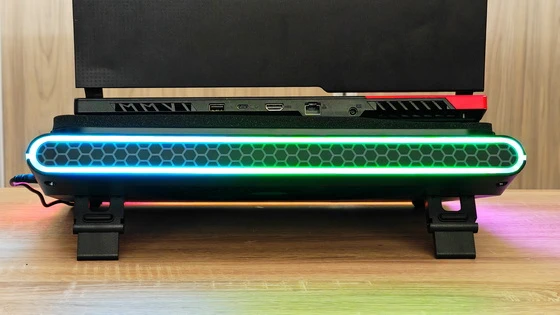
I see the V12 Ultra as a desk accessory for a substantial laptop setup. Its broad platform provides room for larger machines, while the adjustable supports let it serve as both a cooling pad and an angled stand. That combination appeals to me because it gives the space beneath the laptop a useful role beyond ventilation alone.The memory-foam surround is an important part of the construction. It provides the contact area that helps contain airflow beneath the computer, making it functional rather than decorative. I appreciate this kind of design detail because it connects the physical structure directly to the product’s purpose. Maintenance has also received welcome attention. The removable dust filter can be accessed without tools, making routine cleaning more approachable. For an accessory designed to move air over extended periods, convenient filter access is something I value. It makes cleaning easier to include in a normal desk-maintenance routine. Visually, the RGB lighting gives the V12 Ultra a clear gaming identity. With four effects and five colour options, there is room to choose between a more restrained appearance and a colourful setup. I like having that choice, particularly when the same desk serves as both a workspace and a place to relax.
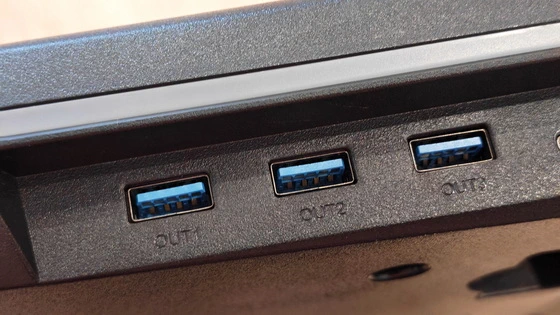
For my kind of workflow, the appeal goes beyond gaming. Editing photographs, processing media and exporting video can keep a laptop busy for sustained periods. A cooler that can adjust its output according to temperature is an appealing companion for that changing workload, especially when a working session moves between lighter tasks and demanding applications. The three height positions add another practical benefit. I like being able to choose a gentler incline when typing on the laptop itself, or raise it further when using an external keyboard. Comfort is personal, so the useful feature here is the flexibility to arrange the computer around the way I work. The integrated three-port USB hub also makes sense in a desk setup. A mouse, keyboard and compatible storage device can connect through the cooler, helping consolidate peripheral connections. The hub supports USB 3.0 connectivity rated at up to 5Gbps through its shared connection to the laptop. For me, the benefit is convenient access to everyday accessories alongside the cooling system. The dedicated 36W adapter reinforces the V12 Ultra’s role as a stationary accessory. I would make room for it at a regular workstation, where its power connection, height adjustment and peripheral ports can all contribute to the setup. Llano advertises substantial temperature reductions under laboratory conditions, but I would not translate those claims into a guaranteed result for every laptop. What appeals to me at this stage is the combination of directed airflow, adjustable output and temperature-responsive control. That provides a clear foundation for a more adaptable cooling routine.
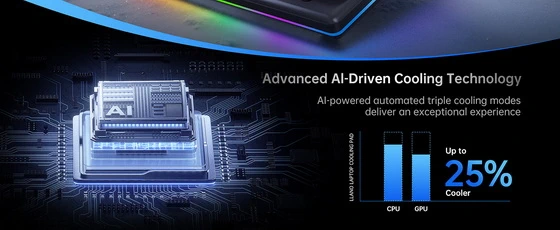
The software side is where the V12 Ultra’s approach becomes particularly interesting. Myth.Cool is a Windows desktop application, with official support for Windows 10 and Windows 11 on 64-bit systems. The relevant companion experience therefore takes place on the laptop itself. What I appreciate about the software concept is having hardware monitoring and cooler settings together. CPU and GPU temperature information gives context to fan adjustments, while lighting controls make it possible to customise the appearance from the same interface. I prefer that kind of focused utility, where each function has an obvious connection to the accessory. Llano’s three automatic profiles—Low, Medium and High—are designed to adjust fan speed in response to workload-related temperature changes. For me, the useful part of the “AI” description is that automatic response. I would want the cooler to adapt as the computer becomes busier, then ease back when the workload subsides. Manual control remains an appealing alternative. The software allows fan adjustment and RGB customisation, while the onboard wheel and buttons provide access to physical controls without relying on an application window. I like having both approaches available: automatic behaviour for convenience, and direct adjustment when I want to choose the setting myself. This is an overview of the software’s supported functions rather than a claim of completed application testing. Its strongest attraction to me is the possibility of setting up the cooler around a personal working routine instead of treating every task as though it needs the same airflow.
The Llano V12 Ultra appeals to me because its features work towards a coherent purpose: making a large laptop setup more adaptable. The pressure-focused fan system addresses cooling, the adjustable stand adds positioning flexibility, and the USB hub gives everyday peripherals a convenient place to connect. I particularly appreciate the combination of automatic software control and a physical adjustment wheel. Along with the accessible dust filter and dedicated power adapter, these are practical details that make the product interesting beyond its RGB appearance. For a compatible laptop used regularly at a desk, the V12 Ultra presents a thoughtful combination of cooling control, connectivity and convenience. My first impression is of an accessory designed to become part of the workspace—one that gives me more control over how the laptop is supported, connected and cooled.
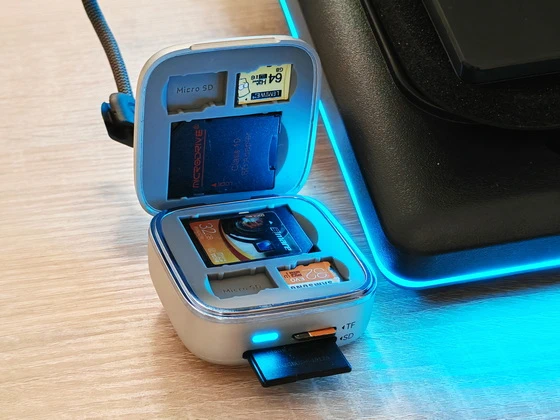
Llano F17 2-in-1 Card Reader & Storage Case Main Features
– Intelligent AI Temperature Control with Myth.cool Software: Three smart modes (Low/Medium/High) auto-adjust fan speed to your laptop’s workload. Download the latest version at “ llanolife.com/pages/support-download ” for seamless control, or go manual with the built-in scroller. Note: The software is compatible only with Windows 64-bit and above. It is not compatible with macOS or Linux
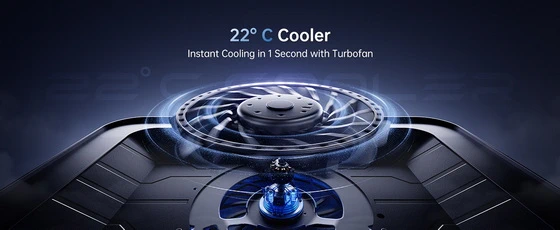
– Turbo-Pressure Cooling: The 5.5″ turbo fan pushes up to 2800 RPM through a memory-foam edge seal, pressurizing airflow into your laptop’s bottom intake – lab-tested to cut CPU/GPU temps by up to 22°C in 90 seconds. Powerful, efficient cooling that prevents overheating during intense gaming
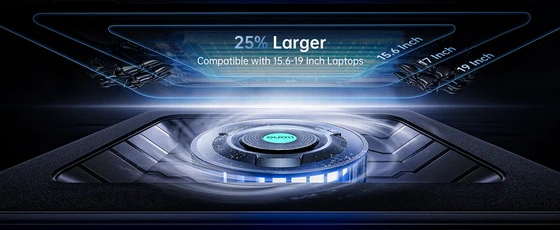
– Built for 15.6-19 Inch Laptops: Designed specifically for large, high-performance gaming laptops (compatible with Titan, Strix, Blade, etc.)
– Ergonomic Design with 3 Adjustable Heights: Work and play comfortably with our ergonomic design featuring three adjustable tilt options (15°, 12°, 3°). Customize your viewing and typing angles to alleviate neck and shoulder strain, making it ideal for long gaming marathons or extended work hours. The sturdy adjustable foot stand ensures stability and promotes better posture, enhancing both comfort and performance.
– Easy-to-Clean Removable Dust Filter: Maintain peak performance effortlessly with our detachable dust mesh filter. Designed to trap dust and debris, it ensures consistent airflow while extending the lifespan of both the cooler and your laptop. No tools required—simply remove the filter, clean it, and reattach for hassle-free maintenance, keeping your cooling system running like new.
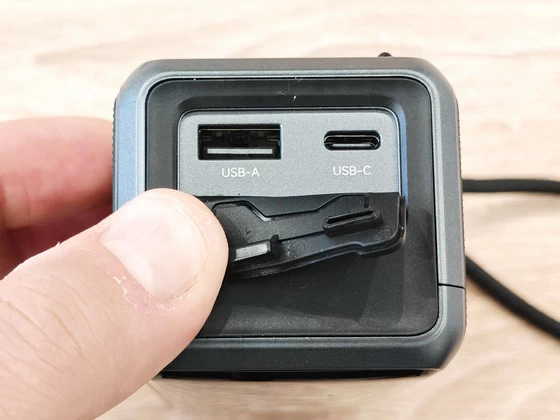
– Vibrant RGB Lighting & 1-in-3 USB 3.0 Hub: 4 effects and 5 colors. The 5Gbps hub connects your mouse, keyboard or drive—plug the included USB-A to C data cable to enable data transfer
High-Power 36W Adapter: Dedicated wall power runs the turbo fan at full speed without draining your laptop, delivering robust cooling even in demanding tasks
Llano V12 Ultra RGB Laptop Cooling Pad Highlights
5.5-inch turbo fan
Cooling performance
Fits 15.6–19-inch laptops
Automatic fan control
Myth.Cool software
Onboard control wheel
Three stand angles
Three-port USB 3.0 hub
Customizable RGB lighting
Removable dust filter
Dedicated 36W power adapter.
Llano V12 Ultra RGB Laptop Cooling Pad Case Best-Uses Scenarios
– Extended gaming sessions. During a long match, the V12 Ultra’s 5.5-inch turbo fan directs air toward the laptop’s bottom intakes. The memory-foam surround helps keep that airflow beneath the chassis. For a 15.6–19-inch gaming laptop, the most important fit detail is where its intake vents sit inside the foam perimeter.
– Editing and exporting 4K videos. Cutting an unboxing video involves frequent pauses to review footage, while the final export can keep the laptop busy for much longer. On a compatible Windows system, a Myth.Cool automatic profile can increase fan speed as temperatures rise during the export and ease it back once the job finishes.
– Batch-processing RAW product photos. Preparing a review gallery often means applying the same corrections to dozens of images and exporting the whole set in one go. The cooler can respond to the heavier processing during the batch export, while the built-in USB hub keeps a card reader within reach for the next shoot.
– Rendering 3D scenes and animations. A scene that takes seconds to preview can take hours to render at full resolution. For a laptop that stays on the desk through a long render, the dedicated 36W wall adapter powers the cooling fan independently, and the onboard wheel lets you choose a fan speed before leaving the job to run.
– Livestreaming gameplay with a microphone. Running a game and encoding a stream at the same time makes cooling important, while a nearby microphone makes fan noise worth considering. During a sound check, you can adjust the physical wheel and listen to the microphone feed to find a setting that suits your desk. The same control stays within reach during the broadcast.
– Compiling large software projects. Writing code and running a full build place different demands on a development laptop. A temperature-responsive profile is particularly convenient when you repeatedly move between the editor, compilation and testing, since you can leave the cooler to adjust while you follow the build output.
– Comparing cooling settings in benchmarks. Myth.Cool displays CPU and GPU temperatures on supported 64-bit Windows 10 and 11 systems. Run the same benchmark at two manual fan settings, starting each run at a similar temperature, to see how your own laptop responds to the extra airflow.
– Moving between editorial work and media production. A typical review can take you from drafting copy to retouching photos, checking footage and rendering a finished video, all in one afternoon. The Low, Medium and High automatic profiles give you a choice of cooling behaviour for a workday when the workload keeps changing.
– Writing long articles on the laptop keyboard. The lowest 3° position gives the keyboard a shallow incline, which is useful when you spend most of the day typing directly on the laptop. You can keep the computer on the cooling pad when it is time to edit photos or video, without rearranging the desk.
– Using a laptop as a second screen. With an external keyboard and mouse, the 12° and 15° positions let you raise the laptop display beside a desktop monitor. That arrangement is handy when the main screen holds a video timeline and the laptop shows a script, shot list or product specifications.
– Importing and backing up footage at a review desk. The three-port USB 3.0 hub can accommodate a card reader, an external SSD and a mouse at the same time. That makes it easy to come back from a shoot, insert the camera card and copy footage straight to the drive. All three ports share the hub’s connection, rated at up to 5Gbps.
– Filming a gaming desk or product showcase. With four lighting effects and five colours, the V12 Ultra can fit the visual style of a desk tour or provide a coloured accent beneath the laptop in a thumbnail. If you are filming close-ups, choosing the colour before setting the camera’s exposure helps keep the look consistent across shots.
Llano V12 Ultra RGB Laptop Cooling Pad Specs
Brand: Llano
Model: V12
Product type: RGB laptop cooling pad with adjustable stand and USB hub
Color: Black
Weight: 2.15 kg
Compatible laptop size: 15.6–19 inches
Cooling system: Single turbo fan with a memory foam perimeter seal that directs airflow toward the laptop’s bottom air intakes
Fan diameter: 140 mm (14 cm / 5.5 inches)
Maximum fan speed: 2,800 RPM
Fan controls: Manual adjustment via the onboard control wheel or automatic temperature-based control via Myth.Cool
Automatic cooling profiles: Low, Medium and High
Temperature monitoring: CPU and GPU temperature readings in Myth.Cool
Software compatibility: Windows 10 and Windows 11 (64-bit)
RGB lighting: 12 dynamic modes, according to the product comparison chart
Stand adjustment: Three tilt angles of 3°, 12° and 15°
USB hub: 3 × USB-A 3.0 ports
USB data transfer rate: Up to 5 Gbps shared across the hub
Computer connection: USB-A to USB-C data cable for the hub and software controls
Power supply: Dedicated 36 W AC adapter with DC barrel connector (EU plug on the reviewed unit)
Dust filter: Removable foam filter with tool-free access
Package Content
1 x Llano V12 Ultra RGB Laptop Cooling Pad
1 x 36W power adapter with EU plug
1 x USB-A to USB-C data cable
1 x Circular foam dust filter
1 x User manual
1 x Llano customer support card
1 x Packaging Box
Photo gallery full album here. Official webpage here. Read more here about Llano products.
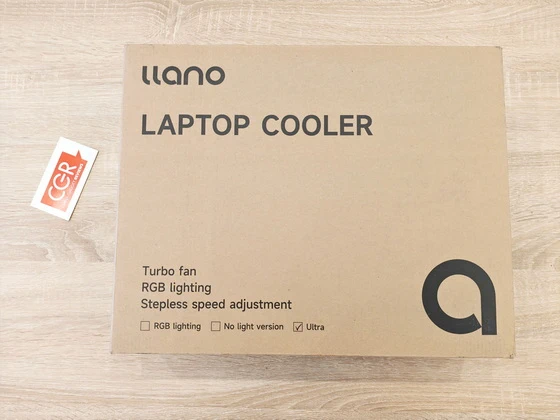
About llano. llano is a technology accessories brand with a portfolio spanning laptop cooling, camera accessories, and audiovisual connectivity. Its product range includes laptop cooling pads, camera batteries and charging cases, memory card readers, wireless HDMI systems, and gaming accessories, serving the everyday needs of gamers, photographers, content creators, and computer users. Products such as its combined card readers and storage cases bring complementary functions together in a single accessory, offering practical solutions for organizing equipment and simplifying workflow
Did this article help you? If so, please tell me in a comment what do you think about it.
Don’t miss any of our future video tutorials, follow us on Youtube. Like us on Facebook. Join our Best Deals Telegram Channel. Join our Android TV Box Firmware Updates Telegram Channel. Subscribe now to our newsletter. If you need Tech Reviewer or Youtube Influencer read this. Donate now here to support CGR Team!