Best Deal Alert! You can now buy Meross MS700 Smart Multi-Function Button with Custom Controls from Shop.meross.com for only $42.99 (regular price: $50.99). Use Code: Welcome to get 5% off on your first order. Hurry up, limited time offer!
Meet Meross MS700 Smart Multi-Function Button – A Physical Controller That Makes a Smart Home More Practical
Smart home technology is at its best when it simplifies everyday routines rather than adding another layer of complexity. I can control lights from my smartphone, adjust connected devices remotely, and create automations that run in the background, but sometimes I simply want a physical button that does exactly what I need without opening an app. That is where the Meross MS700 Smart Multi-Function Button caught my attention. What makes this device particularly interesting is that Meross has gone beyond the concept of a conventional smart button. The MS700 combines a configurable four-button controller with an integrated environmental monitoring system capable of measuring temperature, relative humidity, dew point, absolute humidity, and vapor pressure deficit (VPD). It can also trigger scenes and automations, giving it a role that extends well beyond basic on/off commands. After setting it up and exploring its functions through the Meross Android application, I found that its real appeal lies in combining several useful smart home capabilities in one compact device. There is, however, one important consideration before buying it: the MS700 requires a compatible Meross Bluetooth Hub, and the hub is sold separately.
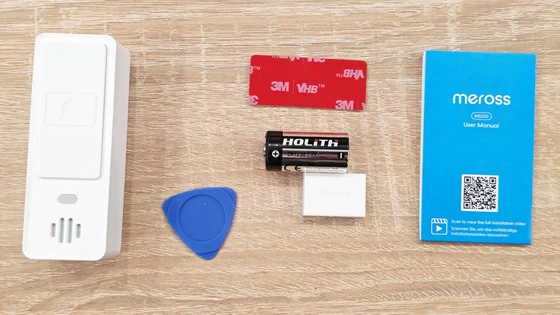
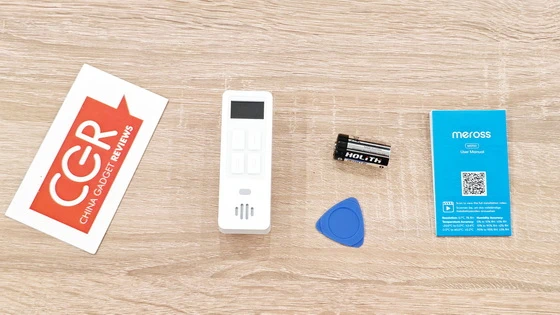
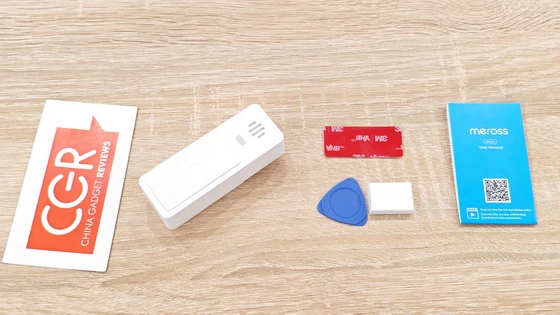
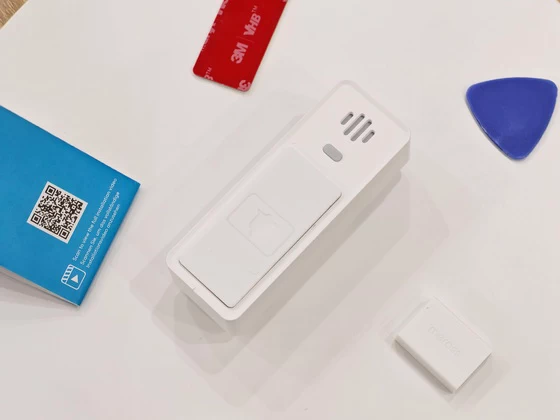
The unboxing experience is straightforward, with the MS700 presented as a complete device rather than a complicated installation project. Inside the package, I found the controller itself, a CR123A 3V battery, a small plastic opening tool, and the user manual. Having the battery included means I could proceed directly to installation without searching for a compatible power source. The supplied opening tool is a welcome addition because it helps access the battery compartment without resorting to improvised tools that could damage the enclosure. The documentation also includes a QR code linking to an installation video, which is useful for anyone setting up a Meross device for the first time. There is no unnecessary collection of accessories to deal with, and the initial setup is relatively uncomplicated once the required hub is available. The main thing to understand before getting started is that the MS700 is not a standalone Wi-Fi controller. Its smart home functions depend on the Meross ecosystem and a compatible Bluetooth Hub.
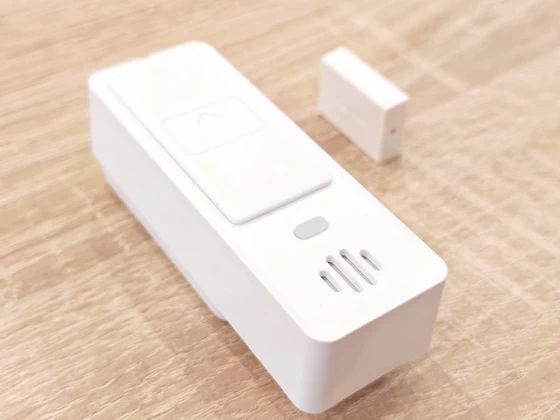
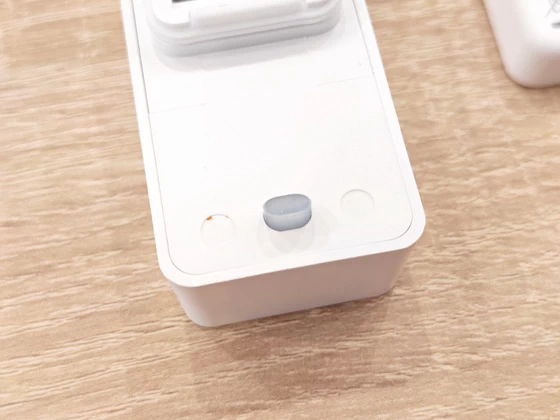
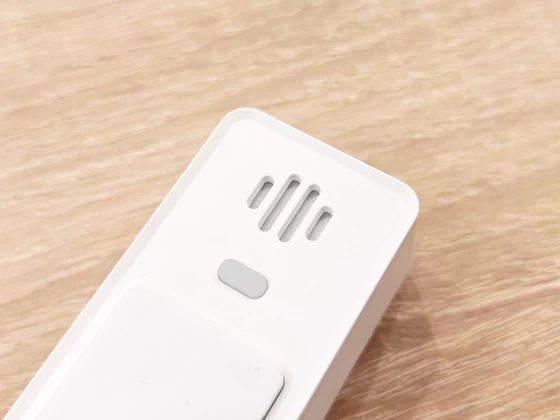
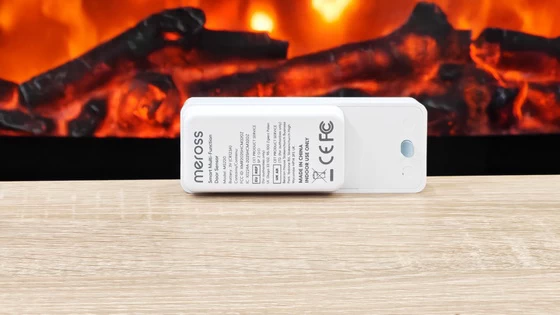
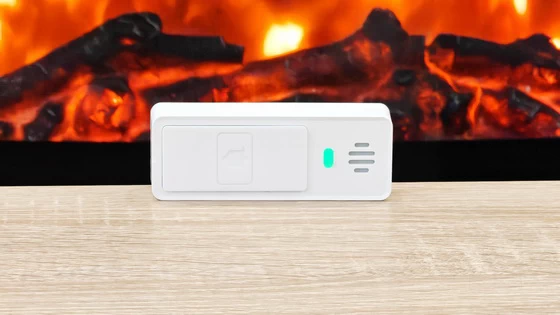
The MS700 has a compact, elongated enclosure measuring approximately 85 × 31.5 × 29.5 mm. Its white finish fits naturally into most modern interiors, whether I place it on a desk, keep it beside the bed, or position it somewhere convenient for controlling frequently used devices. The front is dominated by a small monochrome display and four physical buttons arranged in a two-by-two layout. A separate switching button allows me to move between control screens, while the lower section incorporates openings associated with the device’s audible alert function. The display and buttons give the MS700 a more purposeful appearance than a conventional wireless switch. I particularly appreciate the decision to combine a physical interface with environmental information. A smartphone is excellent for configuring devices and managing complex routines, but it is not always the fastest way to check room conditions or activate a frequently used scene. With the MS700, the essential functions are immediately accessible. The enclosure feels designed around everyday use, with a relatively small footprint that does not demand much space. Its operating temperature range of -20°C to 60°C and specified resistance to dust and water make it more versatile than many indoor smart controllers. Meross specifies IP66 protection, although I would still follow the manufacturer’s installation guidance rather than assume that every placement or exposure condition is suitable.
The feature that makes the MS700 stand out is its configurable control system. Instead of permanently assigning a single function to each physical button, Meross allows me to configure three control screens, each containing three customizable actions. This provides access to as many as nine actions from the same compact controller. I can dedicate one screen to lighting, another to curtains, and a third to scenes or automations. For example, a lighting configuration could activate a preferred brightness level, switch off selected lights, or trigger a scene for evening relaxation. A curtain configuration could provide separate open, stop, and close commands, with percentage-based positioning available where the supported curtain device allows it. This flexibility makes the MS700 more interesting than a basic wireless switch. It can become a dedicated bedside controller, a convenient way to operate connected devices in a living room, or a central point for activating frequently used smart home routines. The environmental monitoring functionality is equally important. The device reports temperature and relative humidity, while the Meross application also exposes calculated measurements such as dew point, absolute humidity, and vapor pressure deficit. These additional readings are particularly relevant to people who want more detailed environmental information than a conventional thermometer provides. I can see practical applications for these measurements in rooms where humidity management matters, in plant-growing environments, or in spaces where temperature and moisture conditions need to remain within specific ranges. Combined with compatible smart devices, environmental readings can also serve as inputs for automations, such as activating a humidifier when humidity falls below a chosen threshold. Another useful feature is the audible alert capability. The MS700 can act as an indicator when a supported smart device or automation generates an alert, providing an additional reminder to check the application. It is not a replacement for a dedicated security alarm, but it can make information from a connected home more noticeable.
What I find most useful about the MS700 is the way it combines two different roles. It is both a physical command interface and an environmental monitor, which makes it more versatile than a controller designed exclusively for switching devices. The four-button layout is easy to understand, and the ability to switch between three control screens creates room for different scenarios without increasing the number of physical buttons. Once the controls are configured to match my routine, the device can reduce the need to navigate through multiple application screens just to perform a familiar action. The display is another practical addition. I can pick up the device to wake the screen and check the available environmental readings. This makes the MS700 useful even when I am not actively controlling another smart home product. During my testing, the Meross application reported a temperature of 26.2°C and relative humidity of 51.4%. It also displayed an absolute humidity reading of 12.6 g/m³, a dew point of 15.0°C, and a vapor pressure deficit of 1.6 kPa. These are the readings shown during my testing session, rather than fixed performance values or universal measurements. Having access to these metrics in one place is genuinely useful. Temperature and relative humidity are familiar to most users, but dew point and absolute humidity can provide a more complete picture of the moisture present in the air. VPD is particularly relevant to plant cultivation and controlled growing environments. I would not buy the MS700 solely to replace a basic thermometer, because simpler devices can perform that task at a lower cost. Its value becomes much clearer when I also use the configurable buttons, smart home scenes, and automation capabilities.
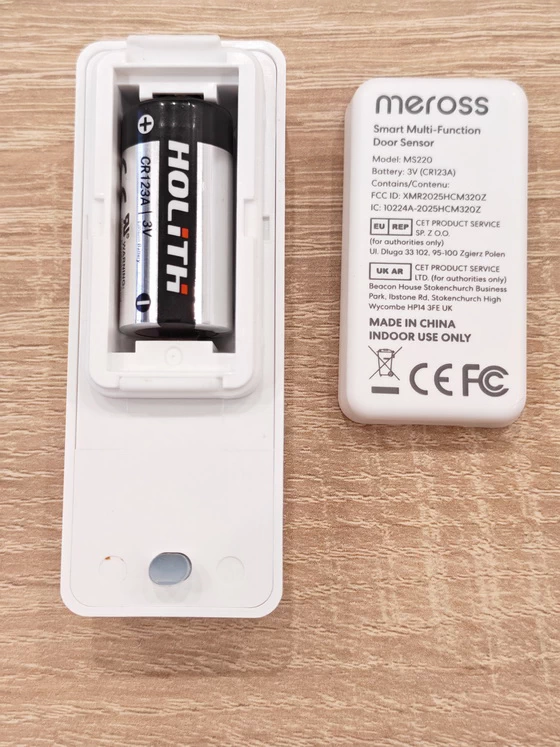
The MS700 is powered by a replaceable CR123A 3V battery, which is included in the package. Meross advertises a battery life of up to 2.5 years, a figure that makes sense for a low-power controller designed to remain available without frequent charging. I particularly appreciate the choice of a replaceable battery instead of a built-in rechargeable cell. There is no charging cable to keep beside the device, and battery replacement should be a relatively simple maintenance task when eventually required. However, the advertised 2.5-year figure should be treated as a manufacturer’s estimate rather than a guarantee. Actual battery life will depend on usage patterns, display activation, communication activity, environmental conditions, and the frequency with which the controller is operated. The application also exposes a device power reading, allowing me to check the reported battery status. This is useful because a controller that is expected to remain available for everyday routines should not require constant attention to its power supply. For a device of this type, long battery life is an important part of the overall experience. The MS700 is intended to be ready when needed, not another gadget that must be charged every few days.
The MS700 requires a compatible Meross Bluetooth Hub, with the MSH450 Pro Hub identified as the recommended option for the upgraded setup described by Meross. The hub is sold separately, so this additional purchase must be included when calculating the total cost of ownership. The upgraded hub is designed to support newer Bluetooth sensors alongside compatible existing 433 MHz devices. Meross also promotes local alarm functions and Matter integration through the hub, helping extend the system across a broader smart home environment. The MS700’s packaging lists compatibility with Apple Home, Google Home, and Amazon Alexa. Meross also describes Matter-based integration through a compatible hub and controller, including support for Home Assistant in its ecosystem materials. These integrations should not be interpreted as a guarantee that every MS700 measurement or button action will be exposed identically on every platform. The available functions depend on the hub, firmware, integration method, and individual smart home platform. For me, this is an important distinction. The MS700’s greatest strength is its role within a compatible smart home system, rather than as an independent Bluetooth remote that can be connected to any device without additional hardware.
I see the MS700 being particularly useful in rooms where a few repeated actions account for most daily interactions with a smart home. Beside the bed, it could provide quick access to lighting, a sleep scene, and other nighttime routines. In the living room, it could control curtains, adjust supported lighting, or activate a movie-watching scene. The environmental monitoring side adds another layer of usefulness. A quick glance at the display can provide information about room conditions without opening the application. When combined with suitable sensors, appliances, and automation rules, that information can also contribute to a more responsive environment. I also like the idea of assigning one screen to everyday actions and another to less frequent routines. This allows the controller to remain compact while supporting different use cases. The main limitation is that nine configurable actions do not necessarily mean nine functions are immediately available out of the box. I need to spend time setting up the screens and assigning actions, and the required hub must be present for the smart features to work. Users who prefer a simple, ready-to-use remote may find this configuration process excessive, while enthusiasts who enjoy building automations are more likely to appreciate the flexibility.
The Meross MS700 Smart Multi-Function Button is an interesting addition to the smart home market because it combines physical controls, customizable actions, environmental monitoring, and automation in a single compact device. Rather than simply duplicating the functions of a smartphone application, it offers a more immediate way to interact with a connected home while providing useful environmental information at a glance. What I like most is the combination of nine potential custom actions and five environmental measurements. The physical buttons make everyday control more accessible, while the display gives the device a purpose even when I am not using it to trigger a scene. The replaceable CR123A battery and advertised battery life of up to 2.5 years are further advantages for a product intended to remain available throughout the day. For existing Meross users, or anyone building a smart home around compatible devices and automations, I consider the MS700 a versatile controller that offers considerably more than its name initially suggests. It is not simply another smart button; it is a compact control interface that also helps me understand the environment around it. The Meross MS700 is worth considering if I want customizable physical controls and detailed environmental readings in one device. Its real value comes from integrating those features into a well-configured smart home, where a single press can trigger a routine and a quick glance can tell me more about the room I am in.
Meross MS700 Smart Multi-Function Button Main Features
– Smart Automation with the Upgraded Meross Hub: The MS220 requires the MSH450 Pro Hub (sold separately) to unlock its smart features. The upgraded Hub supports both new Bluetooth sensors and existing 433MHz devices, offering voice alerts, local alarms, and Matter integration for a more connected and expandable smart home.
– Home Assistant Integration: Connect directly to Home Assistant without a Meross Hub. Requires Home Assistant with HACS installed and a Bluetooth adapter or ESPHome Bluetooth Proxy configured.
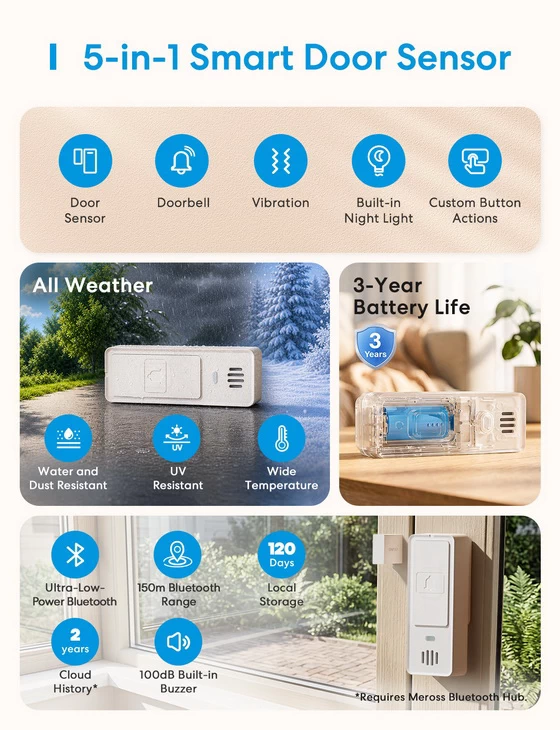
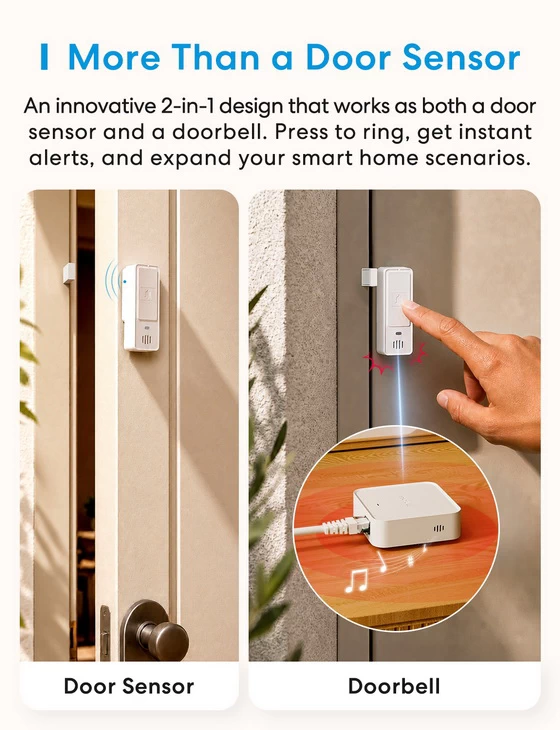
More Than a Door Sensor: Switch between Door Sensor and Doorbell modes to fit your needs. In Doorbell Mode, a single press triggers alerts through the Hub, app, and other connected devices, so you never miss an important visitor.
– One Button, More Possibilities: Use the customizable button to trigger lights, scenes, and automations. Place it by the door to easily switch between Home and Away Modes with one press—turning lights on or off, activating security, adjusting curtains, and triggering other smart devices as you come and go.
– All-Weather Protection, Long-Lasting Power: With IP66-rated protection, a wide operating temperature range of -20°C to 60°C, and a high-capacity 1700mAh CR123A battery, the sensor delivers up to 3 years of battery life for reliable monitoring indoors and outdoors.
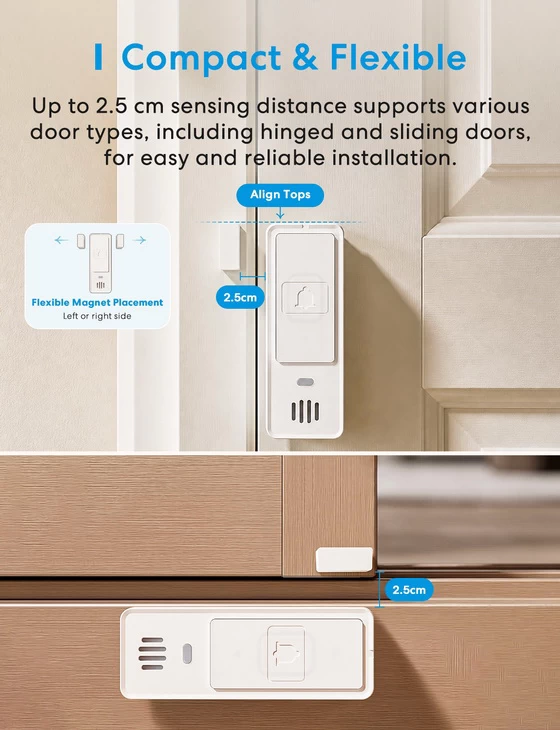
– Instant Alerts for Suspicious Activity: Detects abnormal door or window opening and closing, with adjustable vibration sensitivity to identify forced entry and unusual movement. Connect to the Hub, App, and other smart devices for timely alerts. The built-in buzzer delivers up to 100dB of sound and works with the LED indicator. Choose from multiple alert sounds or mute the buzzer for flexible local alerts.
– Portable Protection, Wherever You Go: Compact and easy to carry, it can be used in motels, hotels, and other temporary accommodations. When unusual activity is detected, the built-in buzzer delivers a loud 100dB alarm, adding an extra layer of protection for doors, luggage, and valuables.
– Smart Automation at Your Door: Turn everyday door activity into powerful automations. Turn off the thermostat when a window opens, or trigger whole-home actions when you leave. One sensor, more ways to automate your home.
Meross MS700 Smart Multi-Function Button Highlights
4 Physical Buttons with Customizable Controls
Up to 9 Custom Actions Across 3 Control Screens
Compact Monochrome Display
5-in-1 Environmental Monitoring
Real-Time Temperature and Humidity Measurements
Dew Point, Absolute Humidity & Vapor Pressure Deficit (VPD) Tracking
Smart Home Scenes and Automation Triggers
Smart Lighting and Curtain Control
Customizable Environmental Display
Historical Data Tracking and Export
Built-In Audible Alerts
IP66 Dust and Water Resistance
Wide Operating Temperature Range (-20°C to 60°C)
Up to 2.5 Years of Battery Life
Replaceable CR123A 3V Battery Included
Meross App Control and Customization
Matter-Based Smart Home Integration via Compatible Hub
Apple Home, Google Home & Amazon Alexa Compatibility via Supported Integrations
Compatible Meross Bluetooth Hub Required (Sold Separately)
Meross MS700 Smart Multi-Function Button Best-Uses Scenarios
– Bedside Smart Home Controller – Control bedroom lights, activate sleep scenes, and manage nighttime routines without reaching for your smartphone.
– Living Room Entertainment Control – Activate movie-night scenes, dim compatible smart lights, and close motorized curtains with a single press.
– Smart Lighting Management – Switch lights on or off, adjust supported brightness settings, and activate customized lighting scenes.
– Smart Curtain and Blind Control – Open, close, stop, or adjust compatible motorized curtains and blinds using dedicated button actions.
– Home and Away Automation – Trigger personalized routines when leaving or returning home, including lighting, curtains, and other connected devices.
– Bedroom Comfort Monitoring – Check room temperature and relative humidity directly on the built-in display for a more comfortable sleeping environment.
– Indoor Plant and Greenhouse Monitoring – Track temperature, humidity, and vapor pressure deficit (VPD) to better understand plant-growing conditions.
– Smart Humidifier and Dehumidifier Automation – Use environmental measurements to trigger compatible humidity-control devices through configured automation rules.
– Home Office Productivity Control – Activate work-focused lighting scenes, manage connected devices, and monitor environmental comfort throughout the day.
– Baby Room Environment Monitoring – Keep track of nursery temperature and humidity while using customizable buttons for compatible lights and bedtime routines.
– Smart Home Notifications and Audible Alerts – Receive supported automation alerts through the built-in audible indicator for additional awareness of connected home events.
– Multi-Room Smart Home Scene Control – Organize up to nine customizable actions across three control screens to manage frequently used devices and routines throughout the home.
Meross Android application
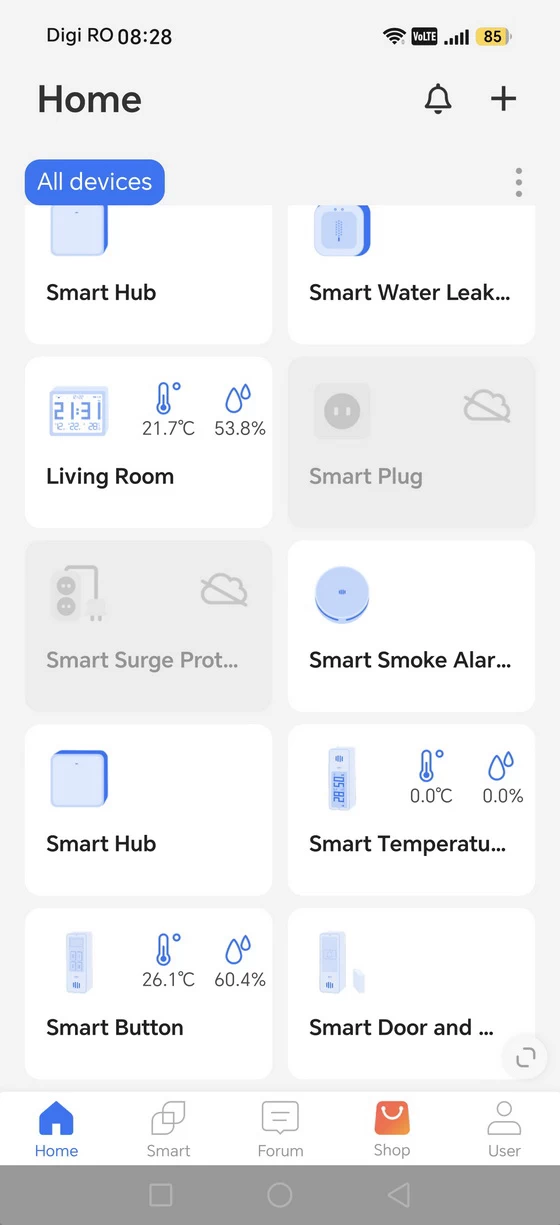
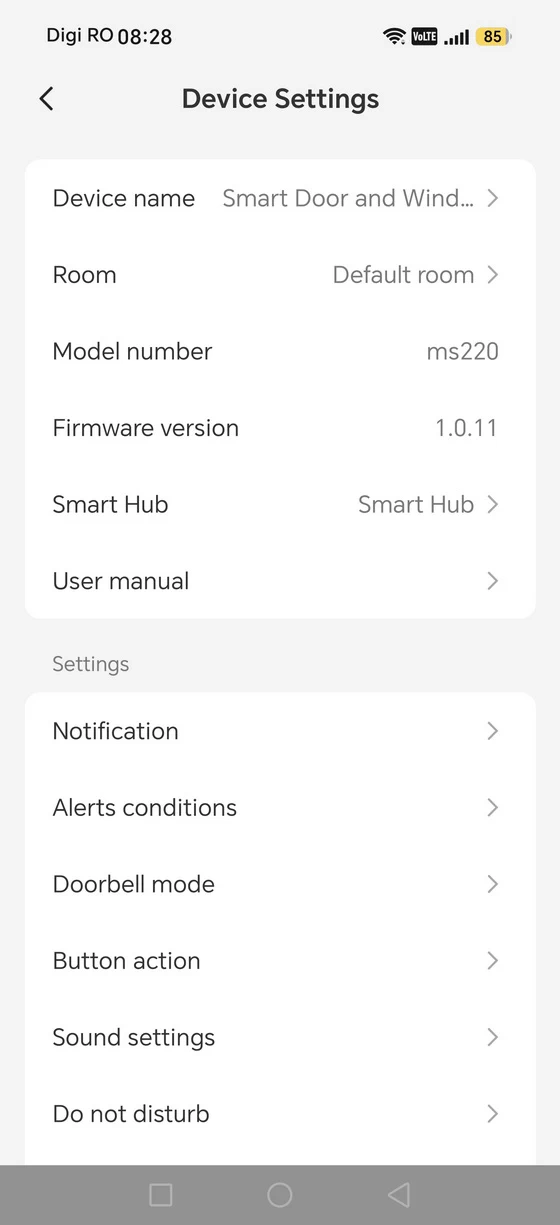
I used the Meross Android application to add the MS700 and explore its available settings. The initial device-selection process identifies the product as a Smart Button, after which the controller becomes accessible through its dedicated interface. The main device screen is organized around the available environmental measurements. Temperature and relative humidity are easy to find, while additional readings can be accessed by scrolling through the interface. The application also provides current and historical views, making it possible to look beyond a single measurement and examine changes over time. I appreciate that the environmental information is presented separately from the configuration settings. This keeps routine monitoring straightforward while preserving access to more advanced options when needed. The device settings include the name and room assignment, model information, firmware version, hub association, display configuration, temperature units, calibration, history export, and device management options. I can also adjust the order in which measurements appear, which is a small but useful customization feature. The firmware version shown during my testing was 1.0.8. The application also reported a device power level of 100% at that time. The automation section is where the MS700’s broader potential becomes apparent. Instead of treating the controller as an isolated accessory, I can configure it around the devices, scenes, and routines that already form part of my smart home. The precise actions available will depend on the connected products, hub configuration, and supported integrations. One detail worth emphasizing is that the MS700 is not a universal controller that can operate every smart device independently. Its capabilities depend on compatibility within the Meross ecosystem and the relevant smart home integrations. The physical buttons provide the interface, while the hub and connected devices make the configured actions possible. For Android users, the application provides a practical way to manage the device, inspect environmental data, and adjust its configuration without making the setup unnecessarily complicated.
Download Meross Android application latest version for free from Google Play Store or from App Store.
Meross MS700 Smart Multi-Function Button Specs
Brand: Meross
Model: MS700
Battery: 1 x CR123A Batteries(included), replaceable
Alarm Volume: 100 dB
Dimensions(W x D x H): 31.5 x 29.5 x 85 mm & 1.24 x 1.16 x 3.35 in
Wireless Standard: Bluetooth Low Energy (BLE)
System Requirements: Smart phone running iOS 13 or later, Android 8.0 or later & Existing Wi-Fi network
Certifications: US: FCC & EU: CE, RoHS, WEEE
Dust & Water Proof: IP66
Operating Temperature: -20°C ~ 60°C (-4°F to 140°F)
Operating Humidity: 10% ~ 90% non-condensing
Color: White
Package Content
1 x Meross MS700 Smart Multi-Function Button
1 × User Manual
1 × CR123A Battery
1 × Battery Compartment Opener
1 x Packaging Box
Photo gallery full album here. Official webpage here. Read more here about Meross products.
About Meross. Creativity is thinking up new things; innovation is doing new things. Meross, founded in 2016 by a group of experts from leading companies such as Microsoft, Cisco, MediaTek, and TP-Link, is replete with both first-class creativity and cutting-edge innovation. At Meross, we create products that empower people’s lives. We believe in making homes smarter and people’s lives easier. We believe everyone deserves a smart life, and it should be simple, smart, and stable. Meross has strong research and development capabilities, excellent operating experiences and solid partnerships with pertinent players in the industry, resulting in bountiful financial support and escalated profit growth. Today, the company has expanded with its tentacles spread across millions of customers from over 20 countries and regions. The company has an assortment of top-tier gadgets, including smart plugs, smart bulbs, smart switches, smart surge protectors, smart garage door openers, and smart radiator thermostats. Meross products are compatible with Apple HomeKit, Amazon Alexa, Google Assistant, SmartThings.
Did this article help you? If so, please tell me in a comment what do you think about it.
Don’t miss any of our future video tutorials, follow us on Youtube. Like us on Facebook. Join our Best Deals Telegram Channel. Join our Android TV Box Firmware Updates Telegram Channel. Subscribe now to our newsletter. If you need Tech Reviewer or Youtube Influencer read this. Donate now here to support CGR Team!