
How to Spoof GPS location on an iPhone (2 Easy Ways)
Spoofing your iPhone’s GPS location to make apps recognize a set place as your location doesn’t have to be difficult, and it doesn’t always involve jailbreaking. You can easily fake the GPS location on your iPhone, for whatever reason, with some third-party apps. However, you may need a PC before you can use them. This guide will show you two apps that help Spoof iPhone GPS location and how to use them. You’ll get an idea of when changing your iPhone’s GPS location is necessary. We’ll also walk you through installing and using the GPS location changers in this piece.
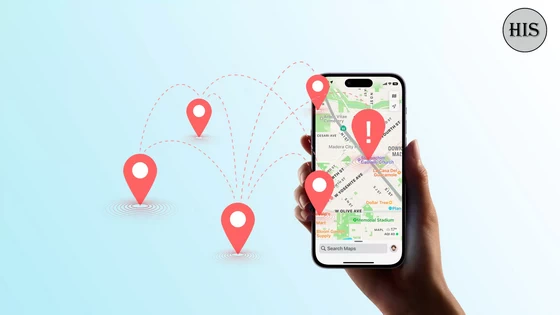
Why Someone Would Want to Spoof Their Location?
Some iPhone users believe that changing the GPS location of their device borders on illegal. However, there are instances where doing so is a necessity. The common reasons for spoofing your iOS device’s GPS location include the following:
1. Security
When you access some websites or snap and upload pictures to the internet, your location is automatically displayed, which may expose you to unwanted attention or attack. A GPS location changer will effectively display the location you’ve set, helping you avoid danger. This will mislead any form of attack and keep you safe.
2. Access to apps restricted features
Some websites and apps allow users and visitors to access certain functionalities based on location. Also, some users in specific locations have an advantage over others. Therefore, you may need to change your location to enjoy the same benefits as other app users. Usually, you’ll have a better experience on such apps and websites.
3. To Pull a Prank on Someone
By spoofing your location, you can be in any place you want without even leaving your couch. You’ve heard it right. Want to show your friends you are in Antarctica or Sahara desert by updating that location on the Snapchat map? You can easily do that by spoofing your GPS location. The fake location will display on all the apps that are capable of sharing your location such as Snapchat, WhatsApp, Find My and so on.
Now you know why need to spoof the GPS location arises. In this article, we will show you two ways to spoof location on iPhone. For latest working methods, do follow this fantastic guide about spoofing the GPS location on an iPhone.
Method 1: How to Spoof GPS Location on iPhone with iOS Location Changer
iOS Location Changer is one of the simplest ways to change your iPhone’s GPS location without jailbreak. It supports all iOS versions and can use on up to 5 devices.
To use iOS Location Changer for spoofing your GPS location on iOS, follow these steps:
– Download and launch the iOS Location Changer software on your PC. Tap the Get Started option. A welcome screen will appear. Connect your iOS device to your computer and unlock it.
– The tool will load a map on your computer. Locate the Teleport icon in the upper-right corner (the third one from the left) and click on it.
– Input your preferred location in the top left corner. You can also choose a destination by zooming in/out on the map.
– Locate the Move button and press it. Almost instantaneously, your iPhone’s GPS location will change to your preferred location, as set in the program.
Method 2: Fake GPS Location on iPhone with iTools
iTools is a premium virtual location setter that is free for 24 hours. Although you can get the free trial it offers, you’ll be unable to access its full features without purchasing it.
To use iTools, follow these steps:
– Download and run the software on your PC.
– Plug your phone into your PC when the app opens with a page displaying all its features.
– Select “Virtual Location” and wait for the map to load.
– The map may fail to load. If you encounter this problem, switch from Google Maps to Mapbox.
Final Thoughts
According to the aish ideas team, you only need a computer software when you have to change your iPhone’s GPS location without jailbreak. iOS Location Changer and iTools are perfect for this purpose.
Did this article help you? If so, please tell me in a comment what do you think about it.
Don’t miss any of our future video tutorials, follow us on Youtube. Like us on Facebook. Join our Best Deals Telegram Channel. Join our Android TV Box Firmware Updates Telegram Channel. Subscribe now to our newsletter.















