
Native Apps vs Hybrid Apps Which Is Better to Choose in 2023
The good and bad news about designing apps is that you have choices. Yet, having options can be confusing for someone who is unfamiliar with app development. One of the reasons we advise you to find a developer partner to assist you in your app development journey is because of this. Developer partners can talk about your objectives with you, guide you to the best solution based on your resources (time, money, and technology), and help you create a top-notch app for your business. But keep reading if you want a high-level summary of the distinctions between native and hybrid applications.
What Are Hybrid Apps?
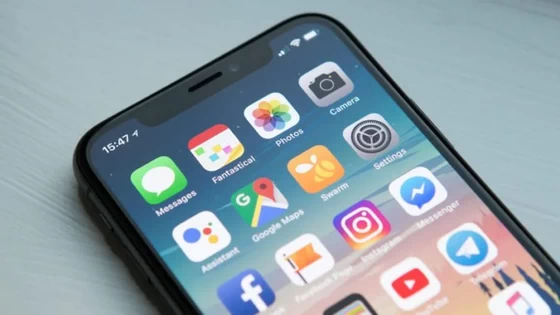
The capabilities used to create native and web apps are combined in hybrid apps. These apps appeal to developers because they provide them the freedom to reuse code across a range of platforms and operating systems with minimal to no script modifications. Evernote and Instagram are two excellent examples of hybrid software.
Benefits of Hybrid Applications
– The app that is made by a hybrid app development company can run on a variety of platforms. As they have a single code base, they can function on both iOS and Android. since programmers must produce a single codebase.
– Hybrid application development and maintenance are easy.
– Hybrid application development is less expensive than native application development.
Negative Aspects of Hybrid Applications
– Requires a constant internet connection to function.
– Compared to native programs, they are slower.
What Are Native Apps?
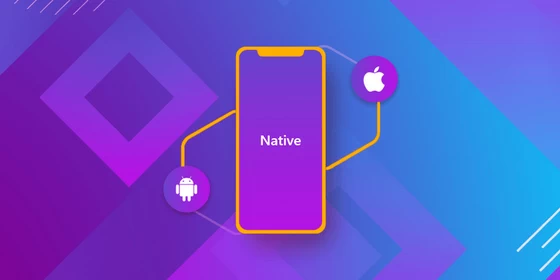
Apps that are native are made specifically for a given operating system. There are therefore native apps for Android, iOS, and Windows. Here, you cannot utilize native Android apps on iOS or PC and vice versa. Among the most popular native apps are WhatsApp and Spotify.
Native Apps Have Advantages
– These programs are available for download and installation on a device through the Google Play or App stores.
– The icons on the home screen are used to access these programs.
– Native applications are the quickest and give the user a dependable experience.
– Mobile features like GPS, camera, compass, contacts list, and many more can be used by native programs.
– Using the device’s notification system, native applications can function when the device is offline. That can be accomplished by employing push notifications to notify users each time new material is uploaded or if their attention is needed.
Native Applications Have Drawbacks
– It is nearly never easy or quick to simultaneously release the same exact feature across all platforms. This is due to the differing codebase of native apps.
– The same program must be created, maintained, and managed using separate skill sets for each platform, which raises the cost of maintaining the application.
– Independent platform development activities can be difficult and time-consuming, adding to the overall development time.
– Every platform’s code will require a unique release schedule and modifications. The time and cost of development are ultimately increased.
Main Differences
One particular kind of native app is the hybrid app. A hybrid app can be downloaded and installed from app stores much like native apps. Native and hybrid programs, however, have quite distinct internal structures. Hybrid apps are more similar to web apps on the inside. Hybrid apps sit in between of native and online apps.
Application Creation
Your app’s functionality must be completely rewritten and redesigned in the native programming language for a native app, according to your developers. You can create the app features in a hybrid app’s single codebase. Then, you can encase your code in a thin native app container or shell. Using native functions on your mobile devices, such as hardware, calendars, and notifications is made possible via the container.
Price Effectiveness
At a lesser price than native apps, hybrid apps deliver the same functionality and user experience. Your developers can create them using popular app development languages and frameworks like HTML5, CSS, and JavaScript. Then, they can include them in frameworks for creating hybrid mobile applications, such as Ionic, Cordova, or React Native. Although the development time and expense are reduced, you can still upload them to an app store to benefit from the same reach and discoverability.
Conclusion
Whatever you choose, always make the decision that will benefit the user the most. Do not try to cut costs by compromising usefulness or pricing. If people don’t like using the app, it won’t matter how wonderful the concept is. Always put the needs and preferences of the final consumers first. If you manage to balance that with the app’s primary goal, you’ll be well on your way to creating a successful piece of software for your business.
Did this article help you? If so, please tell me in a comment what do you think about it.
Don’t miss any of our future video tutorials, follow us on Youtube. Like us on Facebook. Join our Best Deals Telegram Channel. Join our Android TV Box Firmware Updates Telegram Channel. Subscribe now to our newsletter.















