
How to Stream Live Shows on Your Smart TV Like a Pro
The recent development in the field of the internet has dramatically influenced our life. Today a person can do everything from the comfort of their home using the internet. Similarly, if we talk about the television industry, then gone are the days when people used complicated cable tv with tangled wires to enjoy their favorite live shows. Streaming live shows on a smart TV is a cakewalk. This blog will help you to unlock a new world of entertainment from the comfort of your home. It will talk about all the essential elements, like different streaming platforms and necessary tools you will need during the setup.
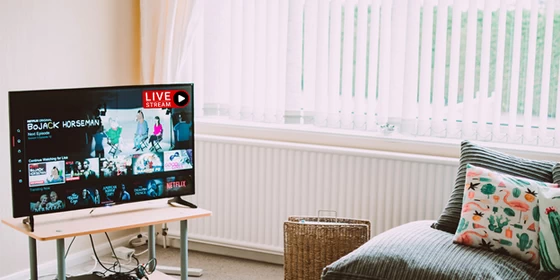
Undoubtedly streaming services are the superior choice to the traditional pay TV subscription because of their numerous advantages. Not only do they offer personalized recommendations, but they also give the freedom to pause, resume, or binge-watch entire seasons at your own pace.
So, join us as we cut the cord to stream live shows on smart TV.
Steps to Stream live shows on a Smart TV
Step 1: Plugging your streaming device
Before you start streaming a live show on your TV, you must install a streaming device into the HDMI port of your smart TV.
Step 2: Connecting the Internet
After connecting your streaming device to your smart TV, you must connect it to your home’s internet via ethernet cable. This is recommended over other ways of connection because it provides a stable and secure connection that is required for good streaming.
Step 3: Sing into the Streaming App
Finally, you must install and sign in to the Live Net TV application to enjoy & stream your favorite live shows. Although popular streaming platforms like Netflix, Hotstar, and Amazon Prime come pre-installed. But various third-party applications allow you to stream premium content for free & enhance the user experience as well.
Things you will need to start streaming
The first and foremost requirement for live show streaming is a stable and fast internet connection. Because if your internet is slow and unstable, it may ruin your watching experience. You may experience video lag, and your quality may degrade in the worst case. Therefore we recommend the following internet settings.
You must have at least a 3Mbps internet connection to stream your videos in standard definition. But one thing that we want to add is that only Netflix allows you to stream your videos in the standard format. Next comes HD or high-definition videos. Most TV channels telecast their videos in high definition. So, to enjoy video in HD format, you must have an internet connection with at least 5Mbps of download speed.
The last streaming format is the HDR or 4K format, and almost all the streaming platforms stream their video in this format. Therefore if you plan to enjoy 4K video, then the minimum download speed of your internet must be 25 Mbps. Apart from high speed and stable internet, you will also need a streaming device like Amazon Fire Tv, Roku, and a smart TV that supports 4K videos.
Conclusion
Live streaming is handy when looking for a budgeted alternative to traditional tv. Today there are various free streaming services available in the market. These services have surprisingly good selections of movies and TV shows. So, why are you waiting? Grab your remote and explore the vast array of live shows available.
Did this article help you? If so, please tell me in a comment what do you think about it.
Don’t miss any of our future video tutorials, follow us on Youtube. Like us on Facebook. Join our Best Deals Telegram Channel. Join our Android TV Box Firmware Updates Telegram Channel. Subscribe now to our newsletter.















