
How Screen Gain Impacts Your Viewing Experience
You’re on the hunt for the perfect projector screen to elevate your home theater or office presentation setup. As you browse through various product descriptions, you keep stumbling upon the term “gain.” Intrigued, you find yourself wondering, “What does this ‘gain’ mean, and is it something I need to pay attention to?” In a nutshell, the answer can be simplified as “the higher the gain, the brighter the image on that screen.”
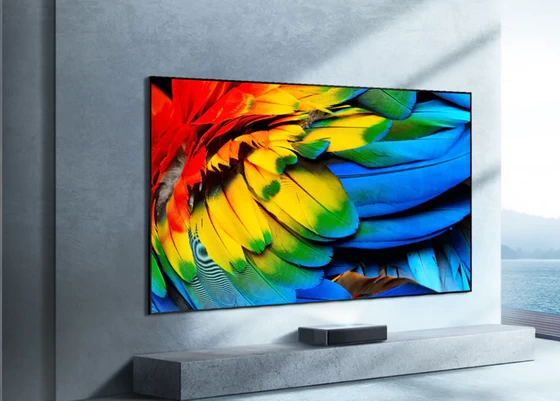
In this blog post, we’ll delve into the world of projector screen gain, unraveling its significance, and exploring why understanding this measurement is pivotal for an immersive and captivating viewing experience. So, let’s embark on this journey to break down projector screen gain and its role in optimizing your visual enjoyment.
What Is Screen Gain?
Now that we’ve set the stage, let’s dive into the intricacies of screen gain. It is a crucial measurement that indicates how effectively a projector screen reflects light. Often expressed as a ratio, screen gain compares the brightness of the projected image on the screen to the brightness of the same image on a perfectly reflective surface. To put it simply, gain is a measure of how effectively a surface reflects light toward the audience. According to an article on ProjectorScreen, a block of either barium sulfate or magnesium carbonate is the perfect surface to test on because both have a perfect gain of 1.0.
Why Is It Important?
Understanding screen gain is crucial because it directly impacts the brightness and clarity of the projected image. A gain over 1.0 means the reflected image is brighter than the projected one. For instance, a screen with a gain of 1.5 makes a 1,000-lumen projector appear as 1,500 lumens by focusing more light into a narrower angle. On the other hand, a gain of 0.8 reflects 80% of the projected brightness, which means a 1,000-lumen projector on a 0.8-gain screen will display 800 lumens. The choice of screen gain is particularly important in environments with varying levels of ambient light, like the living room or office conference room.
How Is Screen Gain Calculated?
The simple formula for calculating gain is Screen Gain = Brightness of Projected Image on Perfect Surface(1.0)/Brightness of Projected Image on Screen, but it does get a little more complicated than that. Let’s explore the finer details.
Perfect Alignment Matters
Screen gain is measured from the point where the screen looks brightest, typically at the center, directly aligned with the projector (0° or the “Zero Degree Viewing Angle”). As you move away from this position, the brightness may decrease. The angle where brightness drops to 50% from the Zero Degree Viewing Angle is the Half Gain Viewing Angle. Observers outside this viewing angle will see the image at half the brightness of those inside it. Some surfaces, like ambient light-rejecting screens, have a Vertical Half Gain Angle. These need specific projector placement to maximize brightness for the audience while minimizing ambient light hitting the screen, and that’s why they work best with Ultra-Short Throw projectors. Ultimately, the placement of your projector will most certainly affect the brightness of the displayed image.
High Gain vs Low Gain: Which Is Better?
When deciding between high gain and low gain, the suitability of each option depends on the unique demands of your viewing environment.
High Gain
Screens with a high gain come to the rescue in settings where ambient light poses a challenge. These screens excel in directing more light toward the audience, effectively making up for any potential interference from ambient light coming from other sources. High-gain screens are particularly valuable in spaces where controlling external light is a constant battle, ensuring that the projected images remain clear and vibrant despite challenging lighting conditions.
Low Gain
On the other hand, low-gain screens find their sweet spot in dedicated home theaters with controlled lighting. These screens offer a broader viewing angle, enhancing the overall visual experience for audiences spread across the room. In environments where hotspots are a concern, low-gain screens are more advantageous than those with a high gain. While they may appear slightly dimmer in spaces with ambient light, their ability to provide a more even distribution of light and reduce the risk of hotspots makes them an ideal choice for spaces with controlled lighting conditions, such as home theaters. A screen with a higher gain delivers a brighter display to the audience, making it suitable for spaces with some ambient light, while a lower gain screen may be more suitable for a dedicated home theater where ambient light can be controlled.
Other Factors to Consider
It’s essential to consider various measurements beyond screen gain that significantly influence your viewing experience. Let’s take a closer look at three key parameters: Lumens, Resolution, and Contrast Ratio. Understanding these aspects and how they interact with screen gain will empower you to make informed decisions when creating your ideal projection setup.
Lumens
Lumens measure the brightness of the projector itself. A higher lumen count is generally beneficial, especially in rooms with more ambient light. However, it’s important to balance lumens with screen gain for optimal results.
Resolution
Resolution indicates the number of pixels in the projected image. Higher resolution provides sharper and more detailed images, complementing the screen gain for an overall improved visual experience.
Contrast Ratio
The contrast ratio represents the difference between the brightest and darkest parts of an image. A higher contrast ratio contributes to better image quality, and it works in conjunction with screen gain to produce more vivid and lifelike images.
You’re Ready to Select the Perfect Projector Screen
Gain directly influences image brightness, with high-gain screens excelling in challenging light conditions and low-gain screens ideal for controlled environments. In the realm of projector screens, gaining knowledge about gain and its interplay with other key parameters empowers you to make informed decisions, elevating your visual enjoyment to new heights.
Balancing screen gain with factors like lumens, resolution, and contrast ratio is the key to achieving optimal visual results. Armed with this knowledge, you can now create a projection setup tailored to your preferences and lighting conditions, elevating your viewing experience.
Did this article help you? If so, please tell me in a comment what do you think about it.
Don’t miss any of our future video tutorials, follow us on Youtube. Like us on Facebook. Join our Best Deals Telegram Channel. Join our Android TV Box Firmware Updates Telegram Channel. Subscribe now to our newsletter. If you need Tech Reviewer or Youtube Influencer read this. Donate now here to support CGR Team!















