
Introducing the Brand New Obsbot Live
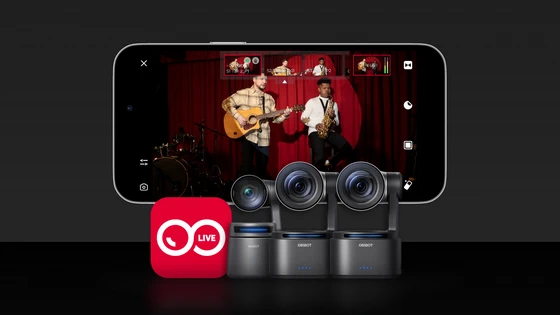
Key Updates
1. All-in-One Homepage
You now have quick access to four main sections through a new bottom navigation bar:
1.1 Device: View all your compatible devices at a glance — check battery, network status, and connect with ease.
1.2 Album: Quickly access and review your photos and videos here.
1.3 Explore: Stay inspired with news, real-world use cases, and step-by-step tutorials in one place.
1.4 Me: View and modify account information and settings to personalize your app experience.
2. Advanced Director Mode
Access professional-grade controls for every aspect of your stream:
2.1 Audio Mixer: Adjust microphone gain, mute audio, and enable AFV (audio follow video) to easily keep your audio in sync with the action.
2.2 Video Settings: Configure your output resolution, frame rate, and switch between landscape and portrait orientation to match your needs.
2.3 Camera Adjustments: Fine-tune exposure, focus, white balance, and more with professional precision.
2.4 Gimbal Control: Manage PTZ, AI tracking, and preset positions to execute smooth, dynamic shots with ease.
2.5 All Settings in One Place: Manage gesture control, device settings, and more from a single hub — no more jumping between menus.
2.6 Creative Enhancements: Utilize beauty, canvas, sticker, and transition settings to give every stream a professional and personalized look.
3. All-New Live Mode
With the new Live Mode, go live with confidence and keep the show running smoothly:
3.1 Real-Time Status Monitoring: Keep track of audio levels and network status as you stream, ensuring a stable and professional-quality broadcast.
3.2 Switch Positions: Seamlessly switch between multiple cameras, canvases, and preset positions to create engaging multi-angle productions.
3.3 Director Mode: Adjust key settings mid-stream without interrupting your live broadcast.
Upgrade to the New Obsbot Live Now
Get the upgraded Obsbot Live for a smoother and more intuitive streaming workflow. Whether you’re connecting devices, managing your live stream, or switching between sources, everything is rebuilt for ease and clarity. Update now to elevate your live stream!
About OBSBOT
Founded in 2016, OBSBOT is an innovative imaging technology and hardware brand dedicated to using new technologies, such as AI to inject new vitality into the videography market.
Did this article help you? If so, please tell me in a comment what do you think about it.
Don’t miss any of our future video tutorials, follow us on Youtube. Like us on Facebook. Join our Best Deals Telegram Channel. Join our Android TV Box Firmware Updates Telegram Channel. Subscribe now to our newsletter. If you need Tech Reviewer or Youtube Influencer read this. Donate now here to support CGR Team!















