
7 Best 3D Printers 2026 to Revolutionize Your FDM 3D Printing Projects
Why Beginners Must Prioritize Stability
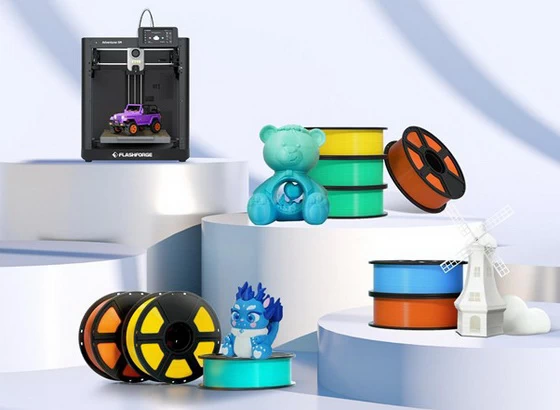
Many entry-level users are drawn to top speeds. However, the real user experience depends on first-layer stability, filament run-out alerts, power loss recovery, and ease of calibration. For a beginner, the learning curve becomes very steep if a machine requires constant manual adjustments for Z-offset, bed leveling, and extrusion states. Therefore, the best model for a beginner is often not the most complex, but the one that makes the fewest errors. Take the Flashforge Adventurer 5M, the best 3D printer for beginners, as an example. It uses a direct-drive nozzle and auto-leveling while supporting filament detection and power recovery. These features directly reduce the failure rates common with a first machine. Its nozzle heats up quickly, making it ideal for high-frequency printing with common materials like PLA and PETG.
Key Specs for Entry-Level 3D Printer
If you are choosing your first FDM printer in 2026, focus on these five indicators:
1. Auto-Leveling Capability: Determines how easily the first layer succeeds.
2. Direct-Drive Extrusion: More compatible with PLA, PETG, and TPU.
3. Maximum Nozzle Temperature: Defines the range of compatible materials.
4. Heat Bed Temperature: Affects adhesion and warping control.
5. Frame Stability: Crucial for maintaining quality during high-speed printing.
7 Best 3D Printers 2026 to Revolutionize Your FDM 3D Printing Projects
These seven top-tier FDM 3D printers cover every need from entry-level and daily creating to multi-material and industrial-grade demands. They represent the three major trends of 2026: CoreXY high-speed performance, waste-free multi-toolheads, and enhanced user accessibility.
1. Bambu Lab A1 Mini: Best Entry-Level High-Speed Printer
With a compact build volume of 180x180x180mm and speeds reaching 500mm/s, this machine features auto-leveling and the AMS Lite multi-color system. It is ready to use right out of the box. It is perfect for desktop hobbyists and content creators making small ornaments or toy prototypes. The price is budget-friendly, and the community ecosystem is highly active. It helps beginners start quickly; for example, printing a phone stand takes only 20 minutes with a low failure rate. However, the small build volume means larger projects must be printed in sections and joined later.
2. Flashforge Adventurer 5M: Best Daily Creative Workhorse
Flashforge AD5M 3D printer offers a fully enclosed design, auto-leveling, and speeds up to 600mm/s. It supports PLA, PETG, and TPU, with excellent optimization in Orca Slicer. It suits content creators, educators, and desktop prototyping needs. This machine covers 80% of daily requirements and delivers stable results without constant parameter tuning. If you want to print models, teaching samples, or aesthetic prototypes, it is much easier to manage than more complex models.
3. Creality K1C: Best Value High-Speed Printer
Featuring a CoreXY structure, 600mm/s top speed, Klipper firmware, and carbon fiber rods, this machine sits at a competitive price point of around $500. It is ideal for budget-conscious users who still need high-speed printing for functional prototypes or home gadgets. Keep in mind that the firmware occasionally requires manual optimization, and noise and vibration are more noticeable than on high-end machines.
4. Elegoo Neptune 4 Pro: Best Performance-to-Price High-Speed Printer
Equipped with an all-metal gantry, 500mm/s speed, a 4.3-inch touchscreen, and support for high-temperature Nylon, this printer offers a generous build volume of 225x225x265mm. It is built for speed enthusiasts and studios printing large models in just a few hours. While the value is high and the community support is strong, be aware that the fans are quite loud during high-temperature prints, and initial assembly takes some time to calibrate.
5. Prusa MK4S: Best Reliable Open-Source Printer
With a 250x210x220mm build volume and 0.05mm precision, this machine supports various materials including ABS and ASA. Its open-source ecosystem is unmatched. It is the go-to for professional designers and educational institutions that prioritize stability and upgradability. However, the price is steep at roughly $1000, making it a significant investment.
6. Flashforge Creator 5: Best Advanced Multi-Material Printer
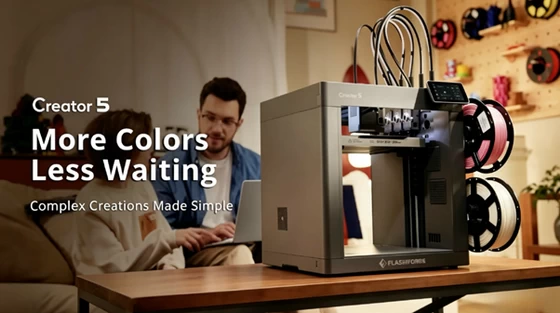
When your needs shift from printing simple models to multi-material parts, your selection logic changes. As a four-tool head 3D printer, the Next Gen multicolor 3D printer Flashforge Creator 5 is designed for users familiar with slicing and material properties. It focuses on multi-toolhead switching, reducing waste, and improving continuous production efficiency rather than just a simple beginner experience. It is perfect for multi-material functional parts, multi-color prototypes, and small-batch engineering samples. For production-focused users who want to minimize material waste during frequent swaps, the Creator 5 is a standout 2026 release.
7. Bambu Lab X1-Carbon: Best All-In-One Flagship
This powerhouse features a 256x256x256mm volume, the AMS multi-color system, 500mm/s speed, lidar calibration, and active dehumidification. It is the top choice for studios, professional prototyping, and complex multi-material projects. It remains the high-end sales leader in 2026 with the most complete ecosystem. On the downside, the AMS filament system adds to the cost, and replacement parts are mostly tied to official Bambu channels.
How to Choose Different 3D Printing Materials
The most common materials for beginners are PLA and PETG because they offer more stable printing. PLA filament is ideal for aesthetic parts, display pieces, and educational use, as it generally does not require high bed temperatures. PETG is more durable but demands better temperature control and cooling settings. If you plan to print TPU in the future, a direct-drive extruder will be much more reliable than a traditional Bowden setup. For most entry-level users, mastering PLA first before moving to PETG is safer than attempting ABS or ASA right away. This is why machines like the Adventurer 5M, which emphasize automation and high-speed stability, often become the top choice for beginners.
Common Buying Mistakes
Many people mistake the most expensive option for the most suitable one, but that is not how 3D printing works. For a beginner, what truly matters is whether the machine allows you to achieve your first successful print quickly and reduces frustration as you continue to learn.
Common mistakes include:
– Focusing only on top speed while ignoring first-layer success rates.
– Focusing only on build volume while ignoring maintenance difficulty.
– Focusing only on multi-material capabilities without considering if you actually need them.
If your goal is to start quickly, avoid common pitfalls, and produce parts as soon as possible, prioritizing a highly automated model like the Adventurer 5M is usually more logical.
Conclusion
Choosing the best 3D printer for beginners in 2026 means selecting a machine that offers stable printing, a quick learning curve, and room for future growth. For most newcomers, the Flashforge Adventurer 5M is a practical starting point. Once you move into multi-material, multi-color, or high-efficiency production stages, upgrading to an advanced platform like the Best 3D Printer 2026 Flashforge Creator 5 will better suit your actual needs.
Did this article help you? If so, please tell me in a comment what do you think about it.
Don’t miss any of our future video tutorials, follow us on Youtube. Like us on Facebook. Join our Best Deals Telegram Channel. Join our Android TV Box Firmware Updates Telegram Channel. Subscribe now to our newsletter. If you need Tech Reviewer or Youtube Influencer read this. Donate now here to support CGR Team!















