
Download Android Marshmallow 6.0 firmware for MXQ Pro TV Box
This firmware is for MXQ Pro TV Box with AMLogic S905X CPU.
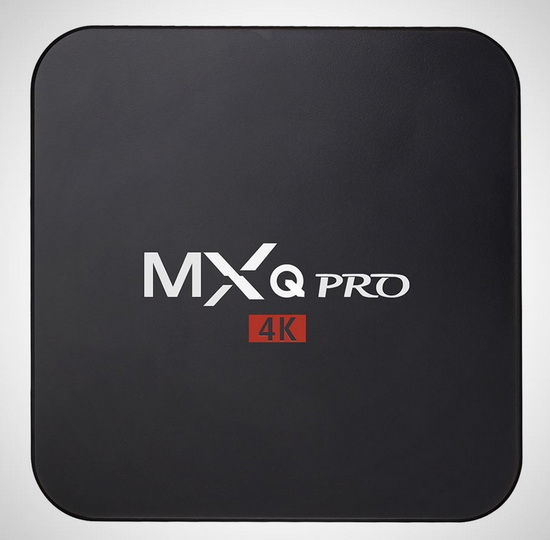
Download Android Marshmallow 6.0 firmware for MXQ Pro TV Box from here or here.
Firmware details
Archive name: AKMXQ PRO S905X
Image: p212-ota-20170116.zip
Archive file size: 654 MB
Model: MXQ Pro TV Box
Platform: AMLogic S905X
Build number: Amlogic/p212/p212:6.0.1/MHC19J/20170116:userdebug/test-keys
Inside archive: firmware + factory_update_param.aml + recovery.img
Caution Please do not update firmware unless you know what you are doing, you really want it or it is absolutely necessary. Firmware updates may occasionally have bad results, like bricking your device, temporarily or permanently. The firmware update process is done entirely at your own risk. Before attempting to update the firmware, back up your data.
Did this article help you? If so, please tell me in a comment what do you think about it.
Don’t miss any of our future video tutorials, follow us on Youtube. Like us on Facebook. Add us in your circles on Google+. Watch our photo albums on Flickr.
















cant update,try many time..look like missing 1 of file on your firmware
Umm, it’s an 1GB IMG file, so there’s nothing missing!
It’s not a OTA update, it needs to be flashed using USB Burning Tool which is attached in the zip file with the IMG file and its clearly named “USB Burning Tool”…
If you don’t know what you’re doing don’t upgrade…
Rizl is right. Files are missing to use the amlogic usb tool. There is no liscence.ini file. Unziping the file results in an .img file and ota.zip file.
Where can we get the full firmware image for USB Burning Tool?
Just copy all three files on the SD Card (recovery, zip, and factory update param), then hold the reset button in tv box, choose …ext, and then sd card, of courde put sd card. Everything works, tried alelready!!
is there another license file i need – won’t copy with SD card or usb image tool – what is choose …ext, and then sd card kamil?
would this be suitable for
ro.build.fingerprint=MXQ/g9x/g9x:6.0.1/MHC19J/20161205:user/test-keys
mxq 905x g9cx
I got this to work on mine using the following steps:
1. Format the SDcard (FAT32) and place all three files in the main directory (p212-ota-20170116.zip, factory_update_param.aml, recovery.img – you can delte readme.txt). Eject the SDcard from your computer.
2. Unplug power cord from box (do not put SDcard in yet). Make sure only HDMI cord is plugged in, and the receiver for your remote if nec. Nothing else should be plugged in.
3. Use a straightened out paper clip to push in the reset button inside the AV hole on the box. It took me a few tries to find the reset button, but there is one there. You will feel it click in lick a button.
4. While continuing to hold down the reset button, insert the power cord. Keep holding down the reset button until the recovery menu appears, then let go. This may take 10-15 seconds, maybe more.
5. Once the recovery menu appears, insert the SDcard and go to “install from .ext”. Navigate to to the SDcard and click on the .zip file. The installation process should begin.
6. Once you see installation complete, select “power off device” from the recovery menu. Once it is powered off, remove the SDcard, unplug the box, and then plug it back in. It should boot up, install some android files, and then it should be good to go!
*Note – I wasn’t able to get to the recovery menu with with the SDcard in the box to start. Make sure you insert the SDcard AFTER you get into the recovery menu. This was the only/easiest way to install this update.
Follow the step by step procedure given by KennyTallz, you will be able to upgrade. If you miss any step, you wont be able to upgrade.
Thanks Ken!
In step 6 you said add android files ??? Where are these files ? Is that part of my back up ?
I have th problem that i cannot load the recovery menu at all.
The system shows the logo of amlogic and starts over and over.
Somebody an idea how to fix it?
1. format an sd card as fat32
2. Install this recovery: https://drive.google.com/file/d/1F4Iy_zj8Q5qYCavleIo7176A8y_tPxFE/view?usp=sharing
3. rename it as “recovery.img” and paste it to the usb
4. Now insert the usb or sd card to the box and try to enter in recovery. Once you enter in the recovery you should install that recovery from the install tab.
..
Thanks!
Will this work with MXQ PRO 4K S905 chip as well as S905X?
Well this work with mxq pro 4k with s905 chip?
Dear I have error massage this device is Image: p212-ota-20160118 & this device is Image: p201-ota-20160118 not supporting. any help for that i have AMLogic S905 device. anyway to upgrade to Android Marshmallow 6.0 ????
Hope it works on
I have the same error as:
Roshan said:
Aug 18, 2017 – 1:19 pm
Dear I have error massage this device is Image: p212-ota-20160118 & this device is Image: p201-ota-20160118 not supporting. any help for that i have AMLogic S905 device. anyway to upgrade to Android Marshmallow 6.0 ????
Anyone manage to resolve this?
I really would love to do this because my wifi just wont work i have done everything including downloading things on a SD card nothing that i have try work so lets try this
Greetings all.
I’ve just tried the Keny Tallz method and into the upgrade, it says” cannot up date this upgrade with a older version and gives the date 2017042017″
Now, I was duped into buying this box off FB market place, when I turned it on got the recovery screen and cant move forward from there (yes, the bloke who sold it me won’t answer my messages)
So, after all this waffle, any ideas where I will get the April 22nd 2017 P212 upgrade?If I can get it to work, I’ll be happy.
T.I.A..R
Hi Guys,
was given: MXQ CLK g10sx TV Box, the box is pretty dead, the only light that comes on os the blue light on the front panel..ive tried everything. Plugged in the HDMI cable, held in the reset and then put the power in. I keep getting an “Erasing” message pop up and then the screen goes blank…I have held the RESET whilst the power is plugged in for quite a long time, still nothing. Every time “Erasing” going nuts here guys… Steve