
ColorOS 6 based on Android 10: Everything You Need to Know
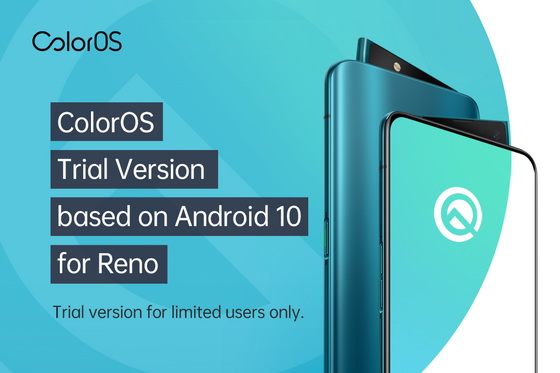
ColorOS 6 trial version based on Android 10 is now available for OPPO Reno users in India. It will be available to more regions after the version test.
How to get the update?
1. Supported devices: OPPO Reno. Please make sure you are using the latest official version of ColorOS (Version: CPH1917EX_11.A.12_0120_201909252249).
2. Go to “Settings,” tap “Software Update,” and tap the “Settings” button in the top right corner.
3. Tap “Trial Version,” fill in your information, and tick the boxes if you agree with the Terms & Conditions and Privacy Policy. Tap “Apply Now” and finish your application.
4. Go back to “System Update” and tap “Download Now” to update to the trial version.
Now let us take a look at the highlights of the ColorOS 6 trail version based on Android 10:
Dark Mode
Keeping in line with our borderless design concept, ColorOS presents users with a system-wide, highly personalized, and deeply immersive Dark Mode. We took a different approach with the color gradation, which significantly enhances color contrast, adding a sense of depth on every page. Its intuitive design highlights key information to provide a better reading experience. Dark Mode reduces eye strain and makes foreground content stand out, bringing users an efficient and premium reading experience – all while conserving battery power. A scheduling feature that automatically switches your system and your chosen apps to Dark Mode according to the schedule you set.
Full-Screen Navigation Gestures
ColorOS is further optimized for swipe gestures on both sides of the screen. Swipe inward from either side of the screen to go back; swipe left or right at the bottom of the screen to switch between apps; swipe inward from either side of the screen and hold to go back to your most recently used app; swipe up diagonally from either bottom corner to open Google Assistant. ColorOS offers 3 sets of navigation gestures to cater to different needs, including swipe gestures on both sides, swipe-up gestures, and virtual buttons.
Permission Controls
Android 10 users can now set app location permissions to “Only While Using.” This enhances phone security and saves power by preventing apps from requesting your location in the background. You will now receive an alert when an app is accessing your location in the background. If you don’t want the app to access your location, you can simply disable its location permission when the app is not being used. ColorOS is committed to protecting your privacy. We’ve made it easy to manage app permissions and the kind of information an app can access.
MAC Randomization
The MAC address of your device will be randomized every time you connect to a Wi-Fi network, preventing threats from accessing your MAC address to acquire your device IMEI or track your location. Enabling this feature randomizes your MAC address, helping to hide your unique MAC and protecting your privacy when you are sharing Wi-Fi.
Digital Wellbeing
Android 10 introduced a new feature called Digital Wellbeing. It tells you how much time you spend on your phone during the day, tracks your usage for each app, and also counts how many times you unlock your phone throughout the day, and the number of notifications you receive. Users can also benefit from App Timers, and Wind Down features to manage their time better.
Did this article help you? If so, please tell me in a comment what do you think about it.
Don’t miss any of our future video tutorials, follow us on Youtube. Like us on Facebook. Add us in your circles on Google+. Watch our photo albums on Flickr. Subscribe now to our newsletter.














