
FiiO Control – the exclusive application for FiiO’s Bluetooth devices
FiiO Control – the exclusive application for FiiO’s Bluetooth devices is now officially released.
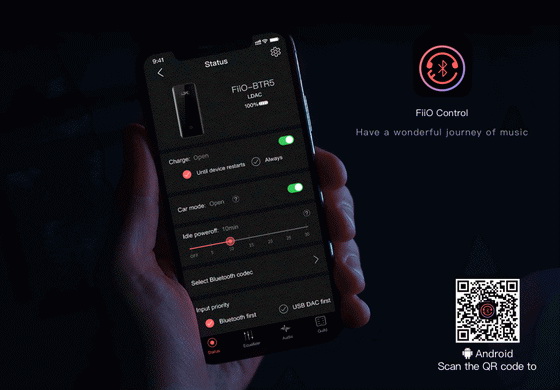
Since FiiO’s Bluetooth DAC/Amp family was born, an increasing number of users are gradually recognizing the high-fidelity audio of Bluetooth. In order to make Bluetooth devices funnier to be played with, we have added a new function, Bluetooth Devices Control, in FiiO Music app, so that users themselves are able to adjust the channel balance, Bluetooth codec, equalizer, filter, and indicator light as well for their preference.
However, a problem has occurred as they used the devices more frequently. It became annoying because they have to go to the settings menu in FiiO Music every time and click repeatedly until they could finally go to the Bluetooth devices settings.
After considerately though through it, we have managed to develop an exclusive application for Bluetooth devices control. That is FiiO Control, in which you can straightforward make any setting once you open it. It is available for BTR5, BTR3K, BTR3, EH3 NC, LC BT2, Q5s and Q5. What are you waiting for. Download it and take a try so that you will know how amazingly convenient it is!!
For Android users, search “FiiO Control” in any application market to download it. Besides, you can scan the following QR code, or directly download this APK files and then copy it to FiiO players or cell phones. Click to download it (FiiOControl1.2.apk)
For iOS users, search “FiiO Control” in App Store to download it. Besides, you can scan the following QR code to get it.
Did this article help you? If so, please tell me in a comment what do you think about it.
Don’t miss any of our future video tutorials, follow us on Youtube. Like us on Facebook. Add us in your circles on Google+. Watch our photo albums on Flickr. Subscribe now to our newsletter.














